Pioneer DMH 1500NEX - Manual

A user manual for Pioneer in-dash audio receivers covers essential firmware management, including checking current versions, downloading compatible update files from their website, preparing a USB drive, and safely executing updates while adhering to critical safety guidelines like maintaining vehicle stability during the process. The instructions emphasize model-specific compatibility, version verification, and proper preparation steps to ensure smooth operation without risking device damage.


Table of Contents:
- Page 1 – Firmware Update Prerequisites and Safety
- Page 2 – Checking Current Firmware Version
- Page 3 – Downloading Firmware Update Files
- Page 4 – Firmware Update Safety Precautions
- Page 5 – Initiating the Firmware Update Process
- Page 6 – Executing the Firmware Update Sequence
- Page 7 – Verifying Update and Support Information
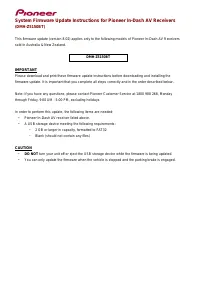
System Firmware Update Instructions for Pioneer In-Dash Receivers
(DMH-1500NEX, DMH-C2500NEX, DMH-C2550NEX, DMH-C5500NEX, AVH-1500NEX,
AVH-1550NEX, AVH-2500NEX, AVH-2550NEX, AVH-3500NEX)
This firmware update applies only to the following models of Pioneer In-Dash Receivers sold in the United
States and Canada.
DMH-1500NEX
DMH-C2500NEX
DMH-C2550NEX
DMH-C5500NEX
AVH-1500NEX
AVH-1550NEX
AVH-2500NEX
AVH-2550NEX
AVH-3500NEX
IMPORTANT
Please download and print these firmware update instructions before downloading and installing the
firmware update. It is important that you complete all steps correctly and in the order described below.
Note: If you have any questions, please contact Pioneer Customer Service toll free at 1-800-421-1404,
Monday through Friday, 7:30 AM - 11:30 AM and 12:30 PM - 4:00 PM (Pacific Time), excluding holidays,
parts.pioneerelectronics.com/contact
In order to perform this update, the following items are needed:
• Pioneer In-Dash Receiver listed above.
• A USB storage device meeting the following requirements:
-
2 GB or larger in capacity, formatted to FAT32
-
Blank (should not contain any files)
CAUTION
•
DO NOT
turn your unit off or disconnect the USB storage device while the firmware is being
updated.
• You can only update the firmware when the vehicle is stopped and the parking brake is engaged.
"Loading the manual" means you need to wait until the file loads and becomes available for online reading. Some manuals are very large, and the time they take to appear depends on your internet speed.
Was this manual helpful?
About this manual
- Brand
- Pioneer
- Model
- DMH 1500NEX
- Document type
- Manual
- Language(s)
- English
- Pages
- 7
- File size
- 342.7 KB
- Format
Other Manuals for Pioneer DMH 1500NEX
Summary
Instructions for updating system firmware on in-dash receivers, listing compatible models, required equipment, and safety precautions regarding vehicle operation.
Procedure for accessing the 'Firmware Information' screen via touchscreen navigation to view the current device firmware version.
Information on downloading update files from the website, including a table listing compatible models, required versions, and instructions for file extraction and selection.
Ask a question
Related manuals
Popular Pioneer Other




More Pioneer Other models
 Pioneer DJ Mixer Manual
 Pioneer DJ Stand Manual
 Pioneer DJ SYSTEM Manual
 Pioneer DM 50D User Manual
 Pioneer DMH 241EX User Manual
 Pioneer DMH 342EX User Manual
 Pioneer DMH 1770NEX Manual
 Pioneer DMH 2000NEX User Manual
 Pioneer DMH 2600NEX User Manual
- Pioneer DMH 2660NEX User Manual
 Pioneer DMH C2550NEX Manual
 Pioneer DMH C5500NEX Manual