Page 2 - After you have finished reading the instructions, keep this man-; Contents
Thank you for buying this Pioneer product. Please read through these operating instructions so you will know how to operateyour model properly. After you have finished reading the instructions, keep this man- ual in a safe place for future reference. Before You Start About this unit 3 Visit our webs...
Page 3 - About this unit; CAUTION; Visit our website; Visit us at the following site:; English
If you want to dispose this product, do not mixit with general household waste. There is a se-parate collection system for used electronicproducts in accordance with legislation that re-quires proper treatment, recovery and recy-cling. Private households in the member states of theEU, in Switzerland...
Page 5 - Head unit; d c; Insert a disc to play.; LCD display; Shows the track number or preset number.; Operating this unit
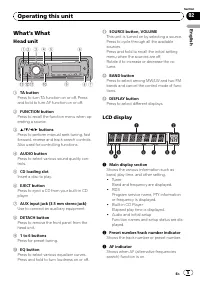
What ’ s What Head unit 1 2 5 6 d c a 4 9 8 7 3 b 1 TA button Press to turn TA function on or off. Pressand hold to turn AF function on or off. 2 FUNCTION button Press to recall the function menu when op-erating a source. 3 a / b / c / d buttons Press to perform manual seek tuning, fastforward, reve...
Page 6 - Basic Operations; Adjusting the volume; Tuner; Listening to the radio
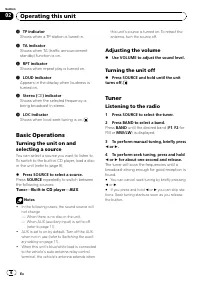
4 TP indicator Shows when a TP station is tuned in. 5 TA indicator Shows when TA (traffic announcementstandby) function is on. 6 RPT indicator Shows when repeat play is turned on. 7 LOUD indicator Appears in the display when loudness isturned on. 8 Stereo ( 5 ) indicator Shows when the selected freq...
Page 7 - PTY list
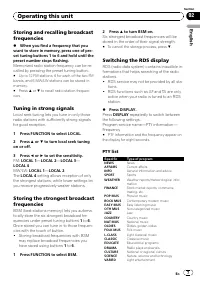
Storing and recalling broadcastfrequencies % When you find a frequency that you want to store in memory, press one of pre-set tuning buttons 1 to 6 and hold until thepreset number stops flashing. Memorized radio station frequency can be re-called by pressing the preset tuning button. # Up to 12 FM s...
Page 8 - When the tuner can; Using PI Seek; If the tuner can; Using Auto PI Seek for preset stations; Switching Auto PI Seek
CHILDREN Children ’ s SOCIAL Social affairs RELIGION Religious affairs or services PHONE IN Phone in TOURING Travel programs; not for traffic an-nouncements LEISURE Hobbies and recreational activities DOCUMENT Documentaries Receiving PTY alarm broadcasts When the emergency PTY code broadcasts,the un...
Page 9 - Receiving traffic announcements; Playing a disc; Repeating play; Playing tracks in random order
Receiving traffic announcements TA (traffic announcement standby) lets you re-ceive traffic announcements automatically, nomatter what source you are listening to. TAcan be activated for both a TP station (a sta-tion that broadcasts traffic information) or anenhanced other network ’ s TP station (a ...
Page 11 - Other Functions
Adjusting source levels SLA (source level adjustment) lets you adjustthe volume level of each source to prevent ra-dical changes in volume when switching be-tween sources. ! Settings are based on the FM volume level,which remains unchanged. ! The MW/LW volume level can also be ad-justed with source ...
Page 12 - Press FUNCTION to select SAVE.; Sound muting; The sound is turned off,
Important If the battery in your vehicle is disconnected thePower Save mode is canceled. Turn on PowerSave again once the battery has been recon-nected. If the ignition switch in your vehicledoesn ’ t have an ACC (accessory) position, it is possible depending on the connection methodthat when Power ...
Page 13 - Error messages; Use only discs featuring following logo.; Dual Discs
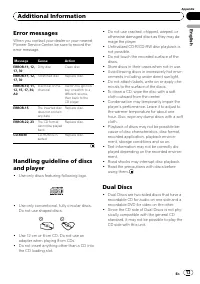
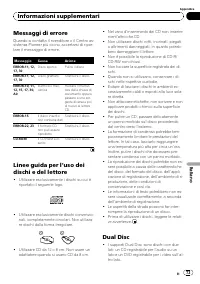
Error messages When you contact your dealer or your nearestPioneer Service Center, be sure to record theerror message. Message Cause Action ERROR-11, 12,17, 30 Dirty disc Clean disc. ERROR-11, 12,17, 30 Scratched disc Replace disc. ERROR-10, 11,12, 15, 17, 30,A0 Electrical or me-chanical Switch the ...
Page 14 - Additional Information
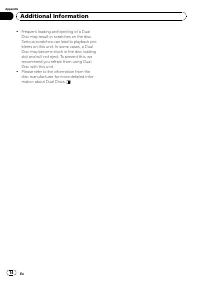
! Frequent loading and ejecting of a DualDisc may result in scratches on the disc.Serious scratches can lead to playback pro-blems on this unit. In some cases, a DualDisc may become stuck in the disc loadingslot and will not eject. To prevent this, werecommend you refrain from using DualDisc with th...
Page 15 - Specifications
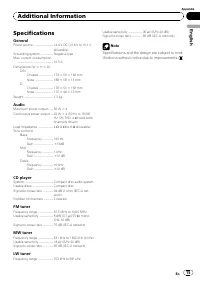
Specifications General Power source ............................. 14.4 V DC (10.8 V to 15.1 V allowable) Grounding system ................... Negative typeMax. current consumption ..................................................... 10.0 A Dimensions (W × H × D): DIN Chassis ..................... 1...
Page 16 - Una vez que las haya leído, conser ve; Contenido
Gracias por haber comprado este producto Pioneer. Lea con detenimiento estas instrucciones sobre el funcionamiento del aparato,para que pueda darle el mejor uso posible. Una vez que las haya leído, conser ve este manual en un lugar seguro para consultarlo en el futuro. Antes de comenzar Acerca de es...
Page 17 - Acerca de esta unidad; PRECAUCIÓN; Visite nuestro sitio Web; Visítenos en el siguiente sitio:; Español
Si desea deshacerse de este producto, no lomezcle con los residuos generales de suhogar. De conformidad con la legislación vi-gente, existe un sistema de recogida distintopara los productos electrónicos que requierenun procedimiento adecuado de tratamiento,recuperación y reciclado. Las viviendas pri...
Page 18 - Extracción de la carátula
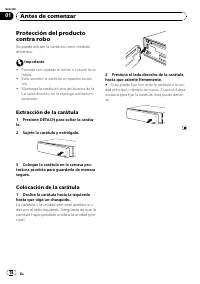
Protección del productocontra robo Se puede extraer la carátula como medidaantirrobo. Importante ! Proceda con cuidado al retirar o colocar la ca-rátula. ! Evite someter la carátula a impactos excesi-vos. ! Mantenga la carátula fuera del alcance de laluz solar directa y no la exponga a altas tem-per...
Page 19 - Qué es cada cosa; Unidad principal; Introduzca el disco para reproducirlo.; Display LCD; Reproductor de CD incorporado; Utilización de esta unidad
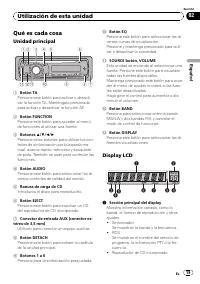
Qué es cada cosa Unidad principal 1 2 5 6 d c a 4 9 8 7 3 b 1 Botón TA Presione este botón para activar o desacti-var la función TA. Manténgalo presionadopara activar o desactivar la función AF. 2 Botón FUNCTION Presione este botón para acceder al menúde funciones al utilizar una fuente. 3 Botones a...
Page 20 - Funciones básicas; Ajuste del volumen; Sintonizador; Para escuchar la radio
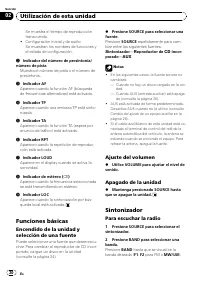
Se muestra el tiempo de reproduccióntranscurrido. ! Configuración inicial y de audioSe muestran los nombres de funciones yel estado de configuración. 2 Indicador del número de presintonía/ número de pista Muestra el número de pista o el número depresintonía. 3 Indicador AF Aparece cuando la función ...
Page 21 - Sintonización de señales fuertes; El ajuste; Cambio de la visualización RDS
3 Para utilizar la sintonización manual, presione brevemente c o d . 4 Para utilizar la sintonización por bús- queda, mantenga presionado c o d duran- te aproximadamente un segundo, y suelteel botón. El sintonizador explorará las frecuencias hastaque encuentre una emisora con señales de su-ficiente ...
Page 22 - Lista PTY; ALARM
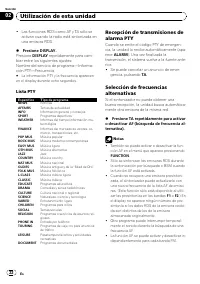
! Las funciones RDS como AF y TA sólo seactivan cuando la radio está sintonizada enuna emisora RDS. % Presione DISPLAY. Presione DISPLAY repetidamente para cam- biar entre los siguientes ajustes:Nombre del servicio de programa — Informa- ción PTY — Frecuencia # La información PTY y la frecuencia apa...
Page 23 - Uso de la búsqueda PI; y la salida; Recepción de anuncios de tráfico; Se iluminará el indicador
Uso de la búsqueda PI Si el sintonizador no puede encontrar unaemisora adecuada o el estado de la recepciónempeora, la unidad buscará automáticamenteotra emisora con la misma programación. Du-rante la búsqueda aparece PI SEEK y la salida se silencia. Uso de la búsqueda PI automáticapara emisoras pre...
Page 24 - Reproductor incorporado; Reproducción de un disco; Repetición de reproducción; Repite todas las pistas; Exploración de las pistas de un CD; aparece en el display. Se reproducirán
Reproductor incorporado Reproducción de un disco 1 Introduzca un CD por la ranura de carga de CD. La reproducción comenzará automáticamen-te. # Asegúrese de que el lado de la etiqueta del disco esté hacia arriba. # Después de colocar un CD, presione SOURCE para seleccionar el reproductor de CD incor...
Page 25 - Ajustes de audio; Uso del ajuste del balance; Uso del ecualizador; Ajuste de la sonoridad; Ajuste de los niveles de la fuente
2 Presione a o b para activar o desacti- var la pausa. # Para volver a la visualización normal, presione BAND . Ajustes de audio Uso del ajuste del balance El ajuste de fader/balance crea un entorno deaudio ideal en todos los asientos ocupados. 1 Presione AUDIO para seleccionar FAD. 2 Presione a o b...
Page 26 - Otras funciones; Ajuste del paso de sintonía de FM
! El nivel del volumen de MW/LW también sepuede ajustar con el ajuste del nivel defuente. 1 Compare el nivel de volumen de FM con el de la fuente que desea ajustar. 2 Presione AUDIO para seleccionar SLA. 3 Presione a o b para ajustar el volumen de la fuente. Se visualiza SLA +4 a SLA – 4 mientras se...
Page 27 - Ahorro del consumo de la batería; Presione FUNCTION para seleccionar; Silenciamiento del sonido; El sonido se desactiva, se visualiza
Ahorro del consumo de la batería La activación de esta función le permite aho-rrar consumo de la batería. ! Cuando esta función está activada, no sepermiten operaciones que no sean sintoni-zar la fuente. Importante Si la batería del vehículo está desconectada, secancela el modo de Ahorro de Energía....
Page 28 - Mensajes de error; Información adicional
Mensajes de error Cuando contacte con su concesionario o conel servicio técnico Pioneer más cercano, ase-gúrese de anotar el mensaje de error. Mensaje Causa Acción ERROR-11, 12,17, 30 Disco sucio Limpie el disco. ERROR-11, 12,17, 30 Disco rayado Reemplace eldisco. ERROR-10, 11,12, 15, 17, 30,A0 Prob...
Page 30 - Especificaciones
Especificaciones Generales Fuente de alimentación ........ 14,4 V CC (10,8 V a 15,1 V permisible) Sistema de conexión a tierra ..................................................... Tipo negativo Consumo máximo de corriente ..................................................... 10,0 A Dimensiones (An ...
Page 31 - Anschließend; Deutsch; Inhalt
Vielen Dank , dass Sie sich für dieses Pioneer-Produkt entschieden haben. Lesen Sie sich diese Bedienungsanleitung bitte aufmerksam durch, um sich mitder richtigen Bedienungsweise für Ihr Modell vertraut zu machen. Anschließend sollten Sie die Bedienungsanleitung an einem sicheren Ort griffbereit au...
Page 32 - Zu diesem Gerät; VORSICHT
Mischen Sie dieses Produkt, wenn Sie es ent-sorgen wollen, nicht mit gewöhnlichen Haus-haltsabfällen. Es gibt ein getrenntesSammelsystem für gebrauchte elektronischeProdukte, über das die richtige Behandlung,Rückgewinnung und Wiederverwertunggemäß der bestehenden Gesetzgebung ge-währleistet wird. Pr...
Page 33 - Unsere Website; Besuchen Sie uns auf folgender Website:; Diebstahlschutz; Abnehmen der Frontplatte; Nehmen Sie die Frontplatte ab.; Anbringen der Frontplatte; Schieben Sie die Frontplatte nach links,
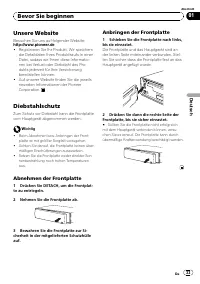
Unsere Website Besuchen Sie uns auf folgender Website: http://www.pioneer.de ! Registrieren Sie Ihr Produkt. Wir speicherndie Detaildaten Ihres Produktkaufs in einerDatei, sodass wir Ihnen diese Informatio-nen bei Verlust oder Diebstahl des Pro-dukts jederzeit für Ihre Versicherungbereitstellen könn...
Page 34 - Die einzelnen Teile; Hauptgerät; Zur Wahl verschiedener Klangregler.; Bedienung des Geräts
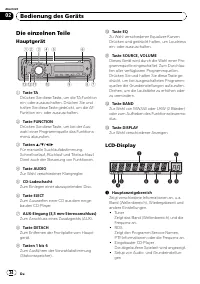
Die einzelnen Teile Hauptgerät 1 2 5 6 d c a 4 9 8 7 3 b 1 Taste TA Drücken Sie diese Taste, um die TA-Funktionein- oder auszuschalten. Drücken Sie undhalten Sie diese Taste gedrückt, um die AF-Funktion ein- oder auszuschalten. 2 Taste FUNCTION Drücken Sie diese Taste, um bei der Aus-wahl einer Prog...
Page 35 - Regeln der Lautstärke; Mit VOLUME wird die Lautstärke einge-; Ausschalten des Geräts; Drücken und halten Sie SOURCE ge-; Rundfunkempfang; Drücken Sie SOURCE, um den Tuner zu
Zeigt die Namen der Funktionen und denjeweiligen Setup-Status an. 2 Stations-/Titelnummernanzeige Zeigt die Titel- oder die Stationsnummer an. 3 AF-Anzeige Erscheint, wenn die AF-Funktion (Alternativ-frequenz-Suchlauf) eingeschaltet ist. 4 TP-Anzeige Erscheint, wenn eine TP-Station abgestimmtist. 5 ...
Page 36 - Umschalten der RDS-Anzeige
2 Zur Wahl eines Wellenbereichs drücken Sie BAND. Drücken Sie BAND , bis der gewünschte Wel- lenbereich angezeigt wird ( F1 oder F2 für UKW bzw. MW/LW ). 3 Für eine manuelle Abstimmung drük- ken Sie kurz c oder d . 4 Für die Suchlaufabstimmung drücken Sie c oder d etwa eine Sekunde lang. Der Tuner d...
Page 37 - Wählen alternativer Frequenzen; Drücken und halten Sie TA wiederholt; Gebrauch des PI-Suchlaufs; PI SEEK
% Drücken Sie DISPLAY. Drücken Sie DISPLAY wiederholt, um zwi- schen den folgenden Einstellungen umzu-schalten:Programm-Service-Name — PTY-Information — Frequenz # Die PTY-Information und die Frequenz werden acht Sekunden lang auf dem Display angezeigt. PTY-Liste Spezifisch Programmtyp NEWS Nachrich...
Page 38 - Umschalten; Empfang von Verkehrsdurchsagen; Die Anzeige; erneut gedrückt
Gebrauch des Auto-PI-Suchlaufs fürgespeicherte Stationen Wenn gespeicherte Stationen nicht abgerufenwerden können, wie z. B. bei Langstrecken-fahrten, kann das Gerät auch für einen PI-Suchlauf während eines Stationsabrufs einge-stellt werden. ! Standardmäßig ist der automatische PI-Suchlauf ausgesch...
Page 39 - Eingebauter Player; Abspielen einer Disc; Wiederholwiedergabe
Eingebauter Player Abspielen einer Disc 1 Führen Sie eine CD in den CD-Lades- chacht ein. Die Wiedergabe startet automatisch. # Achten Sie darauf, dass die beschriftete Seite der Disc nach oben zeigt. # Wenn bereits eine CD eingeführt wurde, drük- ken Sie SOURCE , um den eingebauten CD-Player zu wäh...
Page 40 - Gebrauch der Balance-Einstellung; Gebrauch des Equalizers; Einstellen von Loudness
2 Drücken Sie a oder b , um die Pause ein- oder auszuschalten. # Zum Zurückschalten zur normalen Anzeige drücken Sie BAND . Audio-Einstellungen Gebrauch der Balance-Einstellung Über die Überblend-/Balance-Einstellung lässtsich eine ideale Hörumgebung für alle Sitz-plätze schaffen. 1 Drücken Sie AUDI...
Page 41 - Andere Funktionen; Anpassen der Grundeinstellungen; Einstellen des UKW-Kanalrasters
Einstellen der Programmquel-lenpegel Mit SLA (Programmquellen-Pegeleinstellung)kann der Lautstärkepegel jeder Programm-quelle eingestellt werden, um plötzliche Laut-stärkeänderungen beim Umschalten vonProgrammquellen zu vermeiden. ! Die Einstellungen beruhen auf der UKW-Lautstärke, die unverändert b...
Page 42 - Umschalten der AUX-Einstellung; Abschalten des Tons
Umschalten der AUX-Einstellung Mit diesem Gerät können auch Zusatzgeräteverwendet werden. Wenn zusätzliche, mit die-sem Gerät verbundene Geräte verwendet wer-den sollen, muss die Zusatzeinstellung (AUX)aktiviert werden. 1 Drücken Sie FUNCTION, um AUX zu wählen. 2 Drücken Sie a oder b , um die AUX-Ei...
Page 43 - Fehlermeldungen; Zusätzliche Informationen
Fehlermeldungen Vor der Kontaktaufnahme mit Ihrem Händleroder der nächstgelegenen Pioneer-Kunden-dienststelle sollten Sie sich die angezeigteFehlermeldung notieren. Meldung Ursache Abhilfemaßnah-me ERROR-11, 12,17, 30 Disc verschmutzt Reinigen Sie die Disc. ERROR-11, 12,17, 30 Disc verkratzt Wechsel...
Page 45 - Technische Daten; Allgemein; Audio
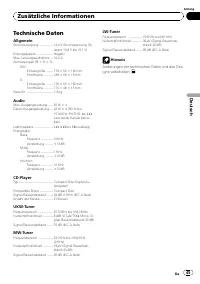
Technische Daten Allgemein Stromversorgung ..................... 14,4 V Gleichspannung (To- leranz 10,8 V bis 15,1 V) Erdungssystem ......................... NegativMax. Leistungsaufnahme .... 10,0 AAbmessungen (B × H × T): DIN Einbaugröße .......... 178 × 50 × 162 mmFrontfläche .............. 188 ×...
Page 46 - Afin d; Table des matières
Nous vous remercions d ’ avoir acheté cet appareil Pioneer. Afin d ’ utiliser votre appareil correctement, veuillez lire ce mode d ’ emploi entière- ment. Après avoir lu ce mode d ’ emploi, conser vez-le dans en endroit sûr pour pouvoir vous y référer ultérieurement. Avant de commencer Quelques mots...
Page 47 - Quelques mots sur cet appareil; anie. Son utilisation dans d; PRÉCAUTION; Visitez notre site Web; surance en cas de perte ou de vol.; Français
Si vous souhaitez vous débarrasser de cet ap-pareil, ne le mettez pas à la poubelle avec vosordures ménagères. Il existe un système decollecte séparé pour les appareils électroni-ques usagés, qui doivent être récupérés, traitéset recyclés conformément à la législation. Dans les états membres de l ’ ...
Page 48 - Détacher la face avant; La face avant et l
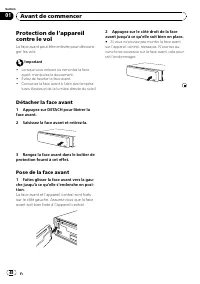
Protection de l ’ appareil contre le vol La face avant peut être enlevée pour découra-ger les vols. Important ! Lorsque vous enlevez ou remontez la faceavant, manipulez-la doucement. ! Évitez de heurter la face avant. ! Conservez la face avant à l ’ abri des tempéra- tures élevées et de la lumière d...
Page 49 - Appareil central; accord automatique, avance; Écran LCD; Utilisation de l
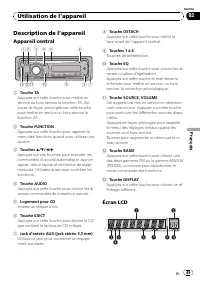
Description de l ’ appareil Appareil central 1 2 5 6 d c a 4 9 8 7 3 b 1 Touche TA Appuyez sur cette touche pour mettre enservice ou hors service la fonction TA. Ap-puyez de façon prolongée sur cette touchepour mettre en service ou hors service lafonction AF. 2 Touche FUNCTION Appuyez sur cette touc...
Page 50 - Opérations de base; Mise en service de l; Syntoniseur; Réglage du volume
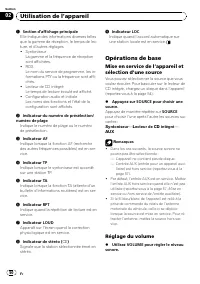
1 Section d ’ affichage principale Elle indique des informations diverses tellesque la gamme de réception, le temps de lec-ture, et d ’ autres réglages. ! SyntoniseurLa gamme et la fréquence de réceptionsont affichées. ! RDSLe nom du service de programme, les in-formations PTY ou la fréquence sont a...
Page 51 - Écoute de la radio
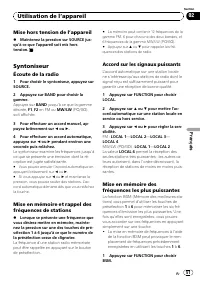
Mise hors tension de l ’ appareil % Maintenez la pression sur SOURCE jus- qu ’ à ce que l ’ appareil soit mis hors tension. Syntoniseur Écoute de la radio 1 Pour choisir le syntoniseur, appuyez sur SOURCE. 2 Appuyez sur BAND pour choisir la gamme. Appuyez sur BAND jusqu ’ à ce que la gamme désirée, ...
Page 52 - Liste des codes PTY
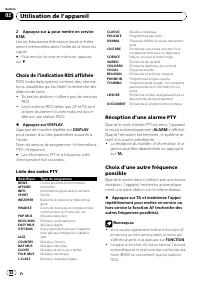
2 Appuyez sur a pour mettre en service BSM. Les six fréquences d ’ émission les plus fortes seront mémorisées dans l ’ ordre de la force du signal. # Pour annuler la mise en mémoire, appuyez sur b . Choix de l ’ indication RDS affichée RDS (radio data system) contient des informa-tions inaudibles qu...
Page 53 - Mise en ser vice ou hors ser vice de; informations routières
! Quand vous rappelez une fréquence en mé-moire, le syntoniseur peut remplacer la fré-quence en mémoire par une nouvellefréquence de la liste AF de la station. (Cettefonction n ’ est disponible qu ’ avec les fréquen- ces en mémoire des bandes F1 ou F2 .) Aucun numéro de présélection ne s ’ affiche s...
Page 54 - Lecteur intégré; Lecture d; Répétition de la lecture
3 Utilisez VOLUME pour régler le niveau sonore de la fonction TA au moment où dé-bute un bulletin d ’ informations routières. Le réglage du niveau sonore est mis en mé-moire et utilisé lors de nouvelles réceptionsd ’ un bulletin d ’ informations routières. 4 Appuyez sur TA pendant la réception d ’ u...
Page 55 - Réglages sonores
Examen du contenu d ’ un CD Cette fonction vous permet d ’ écouter les 10 premières secondes de chaque plage musi-cale gravée sur le CD. 1 Appuyez sur FUNCTION pour choisir SCAN. 2 Appuyez sur a pour activer la lecture du contenu du disque.SCAN apparaît sur l ’ écran. Les 10 premières secondes de ch...
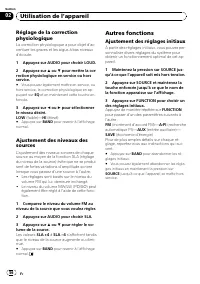
Page 56 - Autres fonctions; Ajustement des réglages initiaux
Réglage de la correctionphysiologique La correction physiologique a pour objet d ’ ac- centuer les graves et les aigus à bas niveauxd ’ écoute. 1 Appuyez sur AUDIO pour choisir LOUD. 2 Appuyez sur a ou b pour mettre la cor- rection physiologique en service ou horsservice. # Vous pouvez également met...
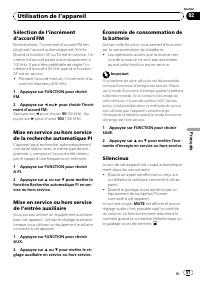
Page 57 - Silencieux
Sélection de l ’ incrément d ’ accord FM Normalement, l ’ incrément d ’ accord FM em- ployé par l ’ accord automatique est 50 kHz. Quand la fonction AF ou TA est en service, l ’ in- crément d ’ accord passe automatiquement à 100 kHz. Il peut être préférable de régler l ’ in- crément d ’ accord à 50 ...
Page 58 - Informations complémentaires
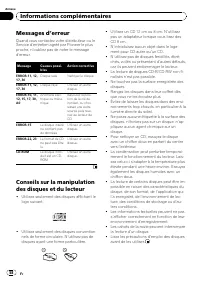
Messages d ’ erreur Quand vous contactez votre distributeur ou leService d ’ entretien agréé par Pioneer le plus proche, n ’ oubliez pas de noter le message d ’ erreur. Message Causes possi-bles Action corrective ERROR-11, 12,17, 30 Disque sale Nettoyez le disque. ERROR-11, 12,17, 30 Disque rayé Uti...
Page 59 - Disques Duaux; audio sur une face et un DVD enregis-
Disques Duaux ! Les Disques Duaux sont des disques àdeux faces avec un CD enregistrable pourl ’ audio sur une face et un DVD enregis- trable pour la vidéo sur l ’ autre. ! Comme la face CD des Disques Duauxn ’ est pas physiquement compatible avec le standard CD général, la lecture de la faceCD sur c...
Page 60 - Caractéristiques techniques; Généralités
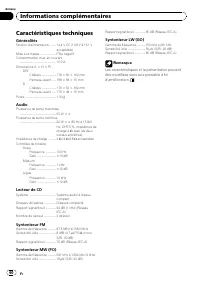
Caractéristiques techniques Généralités Tension d ’ alimentation ......... 14,4 V CC (10,8 V à 15,1 V acceptable) Mise à la masse ....................... Pôle négatifConsommation max. en courant ..................................................... 10,0 A Dimensions (L × H × P) : DIN Châssis ..........
Page 61 - Dopo aver terminato la lettura delle istruzioni, conser-; Italiano; Sommario
Grazie per aver acquistato questo prodotto Pioneer. Leggere attentamente queste istruzioni operative, in modo da imparare come azio-nare correttamente il modello. Dopo aver terminato la lettura delle istruzioni, conser- vare questo manuale in un luogo sicuro, per consultazione futura. Prima di inizi...
Page 62 - ATTENZIONE; Visita il seguente sito Web:
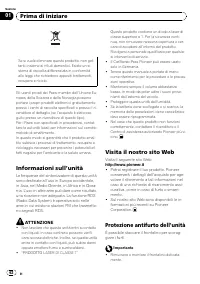
Se si vuole eliminare questo prodotto, non get-tarlo insieme ai rifiuti domestici. Esiste un si-stema di raccolta differenziata in conformitàalle leggi che richiedono appositi trattamenti,recupero e riciclo. Gli utenti privati dei Paesi membri dell ’ Unione Eu- ropea, della Svizzera e della Norvegia...
Page 63 - Il frontalino e l
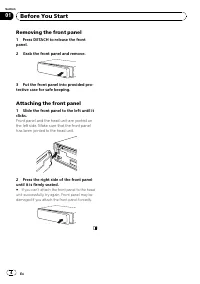
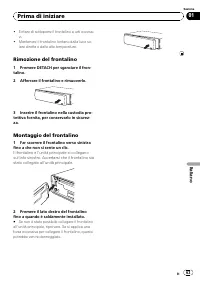
! Evitare di sottoporre il frontalino a urti eccessi-vi. ! Mantenere il frontalino lontano dalla luce so-lare diretta e dalle alte temperature. Rimozione del frontalino 1 Premere DETACH per sganciare il fron- talino. 2 Afferrare il frontalino e rimuoverlo. 3 Inserire il frontalino nella custodia pro...
Page 64 - Nomenclatura; Unità principale; avanzamento rapido, la; RDS; Funzionamento dell
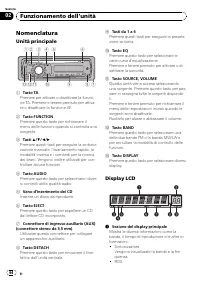
Nomenclatura Unità principale 1 2 5 6 d c a 4 9 8 7 3 b 1 Tasto TA Premere per attivare o disattivare la funzio-ne TA. Premere e tenere premuto per attiva-re o disattivare la funzione AF. 2 Tasto FUNCTION Premere questo tasto per richiamare ilmenu delle funzioni quando si controlla unasorgente. 3 Ta...
Page 65 - Funzionamento di base; Sintonizzatore
Viene visualizzato il nome di servizio delprogramma, le informazioni PTY o la fre-quenza. ! Lettore CD incorporatoViene visualizzato il tempo di riproduzio-ne trascorso. ! Configurazione iniziale e audioVengono visualizzati i nomi delle funzionie lo stato di configurazione. 2 Indicatore del numero d...
Page 66 - Ascolto della radio
Sintonizzatore Ascolto della radio 1 Premere SOURCE per selezionare il sin- tonizzatore. 2 Premere BAND per selezionare una banda. Premere BAND fino a quando viene visualizza- ta la banda desiderata ( F1 , F2 per FM o MW/LW ). 3 Per eseguire la sintonizzazione manua- le, premere brevemente c o d . 4...
Page 67 - DISPLAY; Elenco PTY; Selezione di frequenze alternative; Premere e tenere premuto TA per atti-
! Il servizio RDS non viene fornito da tutte le stazioni. ! Le funzioni RDS come AF e TA sono attive solo quando la radio è sintonizzata su una stazione RDS. % Premere DISPLAY. Se si preme ripetutamente DISPLAY , sul di- splay vengono visualizzate le impostazioni se- guenti: Nome di servizio del pro...
Page 68 - Uso della ricerca PI; Ricezione dei notiziari sul traffico
Uso della ricerca PI Se il sintonizzatore non riesce a trovare una stazione adatta o se la ricezione si indebolisce, l ’ unità ricerca automaticamente una stazione diversa con la stessa programmazione. Duran- te la ricerca, viene visualizzata l ’ indicazione PI SEEK e l ’ uscita viene silenziata. Us...
Page 69 - Lettore incorporato; Riproduzione di un disco; Riproduzione ripetuta
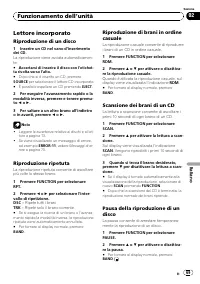
Lettore incorporato Riproduzione di un disco 1 Inserire un CD nel vano d ’ inserimento dei CD. La riproduzione viene avviata automaticamen- te. # Accertarsi di inserire il disco con l ’ etichet- ta rivolta verso l ’ alto. # Dopo che si è inserito un CD, premere SOURCE per selezionare il lettore CD i...
Page 70 - Uso dell
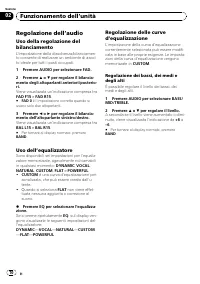
Regolazione dell ’ audio Uso della regolazione delbilanciamento L ’ impostazione della dissolvenza/bilanciamen- to consente di realizzare un ambiente di ascol- to ideale per tutti i posti occupati. 1 Premere AUDIO per selezionare FAD. 2 Premere a o b per regolare il bilancia- mento degli altoparlant...
Page 71 - Regolazione della sonorità; dicazione da; Altre funzioni; Se si preme ripetutamente
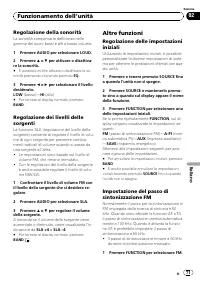
Regolazione della sonorità La sonorità compensa le deficienze nellegamme dei suoni bassi e alti a basso volume. 1 Premere AUDIO per selezionare LOUD. 2 Premere a o b per attivare o disattiva- re la sonorità. # È possibile inoltre attivare o disattivare la so- norità premendo e tenendo premuto EQ . 3...
Page 72 - Silenziamento del suono
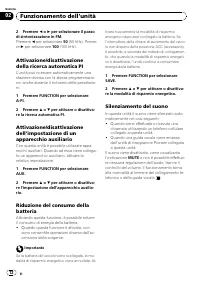
2 Premere c o d per selezionare il passo di sintonizzazione in FM. Premere c per selezionare 50 (50 kHz). Preme- re d per selezionare 100 (100 kHz). Attivazione/disattivazionedella ricerca automatica PI L ’ unità può ricercare automaticamente una stazione diversa con la stessa programmazio-ne, anche...
Page 74 - Informazioni supplementari
! Poiché il lato CD dei Dual Disc non è fisica-mente compatibile con gli standard CD ge-nerali, potrebbe non essere possibileriprodurre il lato CD con questa unità. ! Il caricamento e l ’ espulsione frequenti di un Dual Disc, possono provocare la presen-za di graffi sul disco. Graffi profondi posso-...
Page 75 - Dati tecnici
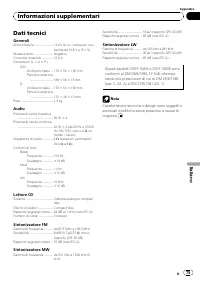
Dati tecnici Generali Alimentazione ........................... 14,4 V di c.c. (variazioni con- sentite da 10,8 V a 15,1 V) Messa a terra ............................. NegativaConsumo massimo ................ 10,0 ADimensioni (L × A × P): DIN Unità principale ... 178 × 50 × 162 mmPannello anteriore ...
Page 76 - Als u de instructies heeft gelezen, bewaar deze handleiding; Inhoud
Hartelijk dank voor het aanschaffen van dit Pioneer- product. Lees de instructies in deze handleiding goed door zodat u het toestel op de juistemanier leert te bedienen. Als u de instructies heeft gelezen, bewaar deze handleiding dan op een veilige plaats zodat u hem altijd bij de hand heeft voor la...
Page 77 - Informatie over dit toestel; LET OP; Bezoek onze website; Hier vindt u onze site:; Nederlands
Deponeer dit product niet bij het gewone huis-houdelijk afval wanneer u het wilt verwijderen.Er bestaat een speciaal wettelijk voorgeschre-ven verzamelsysteem voor de juiste behande-ling, het opnieuw bruikbaar maken en derecycling van gebruikte elektronische produc-ten. In de lidstaten van de EU en ...
Page 78 - Het voorpaneel verwijderen
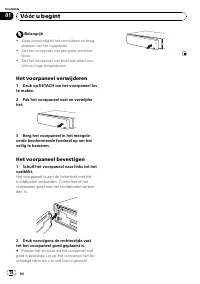
Belangrijk ! Wees voorzichtig bij het verwijderen en terug-plaatsen van het voorpaneel. ! Stel het voorpaneel niet aan grote schokkenbloot. ! Stel het voorpaneel niet bloot aan direct zon-licht en hoge temperaturen. Het voorpaneel verwijderen 1 Druk op DETACH om het voorpaneel los te maken. 2 Pak he...
Page 79 - Wat is wat; Hoofdtoestel; Plaats een disc in de speler.; Bediening van het toestel
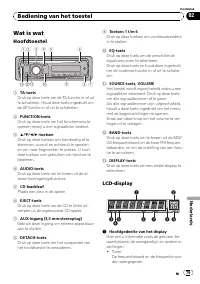
Wat is wat Hoofdtoestel 1 2 5 6 d c a 4 9 8 7 3 b 1 TA-toets Druk op deze toets om de TA-functie in of uitte schakelen. Houd deze toets ingedrukt omde AF-functie in of uit te schakelen. 2 FUNCTION-toets Druk op deze toets om het functiemenu teopenen terwijl u een signaalbron bedient. 3 a / b / c / d...
Page 80 - indicator; Basishandelingen; Druk op SOURCE om een signaalbron te; Het volume afstellen; Gebruik VOLUME om de geluidssterkte; Het toestel uitschakelen; Houd SOURCE ingedrukt tot het toestel
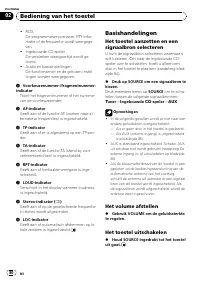
! RDSDe programmaservicenaam, PTY-infor-matie of de frequentie wordt weergege-ven. ! Ingebouwde CD-spelerDe verstreken weergavetijd wordt ge-toond. ! Audio en basisinstellingenDe functienamen en de gekozen instel-lingen worden weergegeven. 2 Voorkeuzenummer-/fragmentnummer- indicator Toont het fragm...
Page 81 - Naar de radio luisteren; Druk op; Op sterke signalen afstemmen; Als u het niveau
Tuner Naar de radio luisteren 1 Druk op SOURCE om de tuner te selec- teren. 2 Druk op BAND en kies een frequentie- band. Druk op BAND totdat de gewenste frequentie- band ( F1 , F2 voor FM of MW/LW ) op het dis- play verschijnt. 3 Druk kort op c of d om handmatig af te stemmen. 4 Om automatisch af te...
Page 82 - PTY-nooduitzendingen ontvangen; Alternatieve frequenties kiezen; Houd TA ingedrukt om AF (zoeken naar
Weergave van het RDS-displaywijzigen RDS (radiodatasysteem) bevat niet-hoorbareinformatie die het zoeken naar radiozendersvergemakkelijkt. ! Niet alle zenders leveren RDS-diensten. ! RDS-functies zoals AF en TA zijn alleen in-geschakeld wanneer u heeft afgestemd opeen RDS-zender. % Druk op DISPLAY. ...
Page 83 - Verkeersberichten ontvangen
PI-zoeken Als de tuner geen geschikte zender kan vindenof de ontvangst verslechtert, gaat het toestelautomatisch op zoek naar een andere zendermet vergelijkbare programma-inhoud. Tijdenshet zoeken wordt PI SEEK weergegeven en wordt het volume gedempt. Automatisch PI-zoeken voorvoorkeuzezenders Het t...
Page 84 - Ingebouwde speler; Een disc afspelen; Het afspelen begint automatisch.; Herhaalde weergave; Alle fragmenten herhalen; Fragmenten op een CD scannen; verschijnt op het display. De eerste 10
Ingebouwde speler Een disc afspelen 1 Plaats een CD in de CD-laadsleuf. Het afspelen begint automatisch. # Plaats de CD met de bedrukte kant naar boven. # Nadat u de CD in het toestel heeft geplaatst, drukt u op SOURCE om de ingebouwde CD-speler als signaalbron te kiezen. # U kunt de CD uitwerpen do...
Page 85 - De balans instellen; De equalizer; Lage, hoge en middentonen aanpassen; De loudness aanpassen; Het bronniveau aanpassen
2 Druk op a of b om de pauzefunctie in of uit te schakelen. # Druk op BAND om terug te keren naar het normale display. Audio-instellingen De balans instellen U kunt de fader/balansinstelling aanpassenvoor een optimale geluidsweergave voor alleinzittenden. 1 Druk op AUDIO en selecteer FAD. 2 Druk op ...
Page 86 - Overige functies; De begininstellingen aanpassen; De FM-afstemstap instellen
! De instellingen zijn gebaseerd op het FM-volumeniveau, dat u niet kunt wijzigen. ! Het MW/LW-volumeniveau kan ook met defunctie SLA worden aangepast. 1 Vergelijk het volumeniveau van de sig- naalbron die u wilt aanpassen met het FM-volumeniveau. 2 Druk op AUDIO en selecteer SLA. 3 Druk op a of b o...
Page 87 - Het geluid wordt uitgeschakeld en
Het energieverbruik van deaccu verminderen Als deze functie is ingeschakeld, kunt u hetenergieverbruik van de accu verminderen. ! Als deze functie is ingeschakeld, kan alleenhet bronsignaal worden ingeschakeld. Belangrijk Als de accu van het voertuig wordt losgekoppeld,wordt de energiezuinige modus ...
Page 88 - Foutmeldingen
Foutmeldingen Schrijf een foutmelding altijd nauwkeurig open houd deze bij de hand als u contact op-neemt met uw leverancier of het dichtstbij-zijnde Pioneer servicecentrum. Melding Oorzaak Maatregel ERROR-11, 12,17, 30 Vuile disc Maak de discschoon. ERROR-11, 12,17, 30 Bekraste disc Vervang de disc...
Page 89 - Aanvullende informatie
! Aangezien de CD-zijde van Dual Discs nietcompatibel is met de algemene CD-stan-daard, is het wellicht niet mogelijk de CD-zijde op dit toestel af te spelen. ! Het regelmatig plaatsen en uitwerpen vaneen Dual Disc kan krassen veroorzaken opde disc en tot afspeelproblemen leiden.Ook kan een Dual Dis...
Page 90 - Technische gegevens; Algemeen
Technische gegevens Algemeen Spanningsbron ......................... 14,4 V gelijkstroom (10,8 tot 15,1 V toelaatbaar) Aarding ......................................... NegatiefMax. stroomverbruik .............. 10,0 AAfmetingen (B × H × D): DIN Chassis ..................... 178 × 50 × 162 mmVoorkan...
Page 91 - Благодарим Вас; за покупку этого изделия компании; После прочтения инструкций хра; Содержание
Благодарим Вас за покупку этого изделия компании Pioneer. Прочтите , пожалуйста , полностьюэту инструкциюпо эксплуатации , чтобы узнать , как правильно пользоваться Вашей модельюизделия . После прочтения инструкций хра - ните это руководство в надежном месте для просмотра в будущем . Перед началом э...
Page 92 - Сведения об этом устройстве; ВНИМАНИЕ
Если вы желаете утилизировать данноеизделие , не выбрасывайте его вместе с обычным бытовым мусором . Существует отдельная система сбора использованныхэлектронных изделий в соответствии с за - конодательством , которая предполагает со - ответствующее обращение , возврат и переработку . Частные лица в...
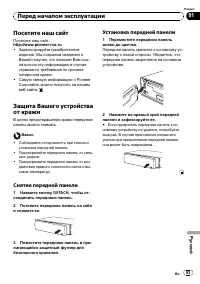
Page 93 - Посетите наш сайт; Pioneer; Снятие передней панели; DETACH; Установка передней панели
Посетите наш сайт Посетите наш сайт : http://www.pioneer-rus.ru ! Зарегистрируйте приобретенноеизделие . Мы сохраним сведения о Вашей покупке , что поможет Вам ссы - латься на эту информациюв случаестрахового требования по причинепотери или кражи . ! Самуюсвежуюинформациюо Pioneer Corporation можно ...
Page 94 - Основное устройство; Жидкокристаллический дисплей; Управление данным устройством
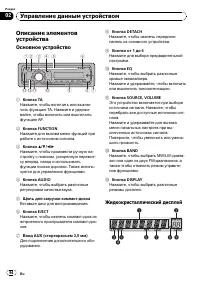
Описание элементовустройства Основное устройство 1 2 5 6 d c a 4 9 8 7 3 b 1 Кнопка TA Нажмите , чтобы включить или выклю - чить функцию TA. Нажмите и удержи - вайте , чтобы включить или выключить функцию AF. 2 Кнопка FUNCTION Нажмите для вызова менюфункций приработе с источником сигнала . 3 Кнопки ...
Page 95 - Основные операции; AUX; Регулировка громкости
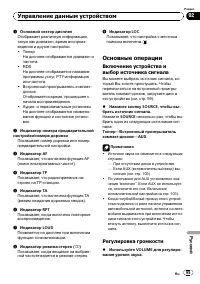
1 Основной сектор дисплея Отображает различнуюинформацию , такуюкак диапазон , время воспроиз - ведения и другие настройки . ! ТюнерНа дисплее отображаются диапазон ичастота . ! RDS На дисплее отображается названиепрограммы услуг , PTY- информация или частота . ! Встроенный проигрыватель компакт - д...
Page 96 - Выключение устройства; Тюнер; Прослушивание радиоприемника; FM; Настройка на мощные сигналы
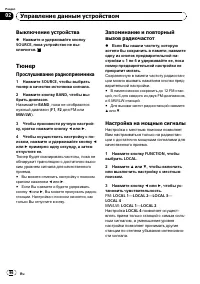
Выключение устройства % Нажмите и удерживайте кнопку SOURCE , пока устройство не вы - ключится . Тюнер Прослушивание радиоприемника 1 Нажмите SOURCE , чтобы выбрать тюнер в качестве источника сигнала . 2 Нажмите кнопку BAND , чтобы вы - брать диапазон . Нажимайте BAND , пока не отобразится нужный ди...
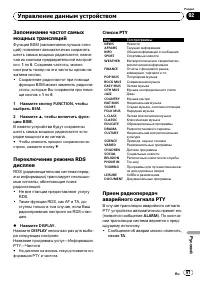
Page 97 - Переключение режима; AF; Список; PTY; PTY
Запоминание частот самыхмощных трансляций Функция BSM ( запоминание лучших стан - ций ) позволяет автоматически сохранять шесть самых мощных радиочастот , назна - чая их кнопкам предварительной настрой - ки с 1 по 6 . Сохранив частоты , можно настроить тюнер на эти частоты одним на - жатием кнопки ....
Page 98 - Выбор альтернативных частот; PI; Включение автоматического поиска
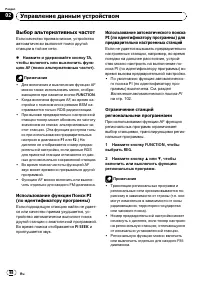
Выбор альтернативных частот Если качество приема низкое , устройство автоматически выполнит поиск другойстанции в той же сети . % Нажмите и удерживайте кнопку TA , чтобы включить или выключить функ - цию AF ( поиск альтернативных частот ). Примечания ! Для включения и выключения функции AF можно так...
Page 99 - Прием дорожных сводок; TP; Встроенный проигрыватель; Воспроизведение диска; Повторное воспроизведение; FUNCTION
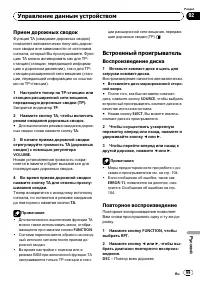
Прием дорожных сводок Функция TA ( ожидание дорожных сводок ) позволяет автоматически получать дорож - ные сводки вне зависимости от источникасигнала , который Вы прослушиваете . Функ - циюТА можно активировать как для TP- станции ( станции , передающей информа - циюо дорожном движении ), так и для ...
Page 100 - диска
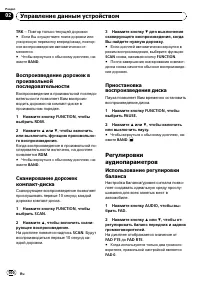
TRK – Повтор только текущей дорожки # Если Вы осуществите поиск дорожки или ускореннуюперемотку вперед / назад , повтор - ное воспроизведение автоматически от - меняется . # Чтобы вернуться к обычному дисплею , на - жмите BAND . Воспроизведение дорожек впроизвольнойпоследовательности Воспроизведение...
Page 101 - Использование эквалайзера; Регулировка нижних; Регулировка тонкомпенсации
3 Нажмите кнопку c или d , чтобы от - регулировать баланс левого и правогогромкоговорителей . На дисплее отображается значение от BAL L15 до BAL R15 . # Чтобы вернуться к обычному дисплею , на - жмите BAND . Использование эквалайзера В любой момент можно легко вызвать изпамяти одну из шести настроек...
Page 102 - Другие функции; Изменение начальных настроек; Установка шага настройки в
1 Сравните уровень громкости FM- тюнера с уровнем источника сигнала , который Вы хотите настроить . 2 Нажмите кнопку AUDIO , чтобы вы - брать SLA . 3 Нажмите кнопку a или b , чтобы от - регулировать громкость источника сиг - нала . При увеличении или уменьшении громко - сти источника сигнала отображ...
Page 103 - Экономия энергии аккумулятора; Приглушение звука; MUTE
Включение вспомогательнойнастройки Допускается использование с этим устрой - ством вспомогательного оборудования . При подключении и использовании вспо - могательного оборудования следует акти - вировать вспомогательнуюнастройку . 1 Нажмите кнопку FUNCTION , чтобы выбрать AUX . 2 Нажмите a или b , ч...
Page 104 - Сообщения об ошибках; Дополнительная информация
Сообщения об ошибках Когда Вы обращаетесь к торговому пред - ставителюили в ближайший сервисныйцентр Pioneer, убедитесь , что Вы записали сообщение об ошибке . Сообщение Причина Действие ERROR-11, 12,17, 30 Грязный диск Очистите диск . ERROR-11, 12,17, 30 Поцарапанныйдиск Замените диск . ERROR-10, 1...
Page 105 - Двойные диски; CD
! Толчки от неровностей дороги могут вы - звать прерывание воспроизведениядиска . ! Перед использованием дисков озна - комьтесь с мерами предосторожностипри обращении с ними . Двойные диски ! Двойные диски – это двусторонние диски для записи аудиоданных на CD с одной стороны и для записи видеодан - ...
Page 106 - Технические характеристики
Технические характеристики Общие Источник питания ................. 14,4 В постоянного тока ( допустимый диапазон от 10,8 В до 15,1 В ) Система заземления .......... Заземление отрицатель - ного полюса Максимальный потребляемый ток ..................................................... 10,0 А Размеры...