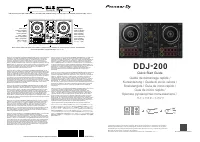
Pioneer DDJ 400 - Manual

A user manual for the Pioneer DJ DDJ-400 DJ controller, designed to integrate with djay for iOS, covers essential setup and connectivity procedures. Key topics include connecting via Lightning or USB-C adapters, ensuring compatible power sources, verifying system requirements (such as iOS 11.2+), and configuring audio output in the app to recognize the controller’s channels. The guide emphasizes proper cable usage, compatibility checks, and troubleshooting basic recognition steps for seamless DJ workflows.


Table of Contents:
- Page 1 – Audio Setup Guide Introduction
- Page 2 – Connecting iOS via Lightning
- Page 3 – Connecting iOS via USB-C and Accessories
- Page 4 – System Requirements and Precautions
- Page 5 – Verifying Device Status in Application
- Page 6 – Audio Output Configuration and Trademarks
pioneerdj.com/support/
For FAQs and other support information for this product, visit the above website.
「
djay for iOS
」
Audio Setup Guide
"Loading the manual" means you need to wait until the file loads and becomes available for online reading. Some manuals are very large, and the time they take to appear depends on your internet speed.
Was this manual helpful?
About this manual
- Brand
- Pioneer
- Model
- DDJ 400
- Document type
- Manual
- Language(s)
- English
- Pages
- 6
- File size
- 1.2 MB
- Format
Other Manuals for Pioneer DDJ 400
Summary
Cover information for the Audio Setup Guide for the Pioneer DJ DDJ-400 controller and support resources.
Procedure for connecting an iOS device to a DJ controller using the Lightning connector, including required cables, adapters, volume settings, and compatible power sources.
Instructions for connecting a DJ controller to an iOS device using a USB Type-C connector, detailing connections for audio devices, and required Apple accessories like the Multiport Adapter and power adapter specifications.