Philips XU3000/01 - Quick Guide
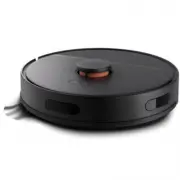
A user manual for the Philips XU3000 robotic vacuum cleaner covers its setup, operation, and maintenance. Key areas include app integration via Wi-Fi connectivity through the Philips HomeRun application, mapping cleaning paths, and configuring smart features like scheduling and temperature limits. The guide also details assembly, disassembly, and care instructions–such as cleaning internal components (including rinsing with water up to 60°C) and proper reassembly to ensure functionality and longevity.


Table of Contents:
- Page 1 – Product Introduction and Digital Access
- Page 2 – Unboxing and Components Overview
- Page 3 – Charging and Setup Procedure
- Page 4 – Wi-Fi Network Connection via App
- Page 5 – Initial Setup and Operation Guide
- Page 6 – Device Disassembly and Cleaning Procedures
- Page 7 – Water Tank and Cleaning Head Maintenance
- Page 8 – Internal Component Cleaning and Reassembly
- Page 9 – Mop Head Maintenance
- Page 10 – Attachment Installation and Usage
- Page 11 – Maintenance of Brush Roll and Dustbin
- Page 12 – Glossary of Terms
Welcome,
Get started!
home.id/welcome
Download app
Registration
and Benefits
Quick start
Digital manual
XU3000
XU3000-ROBBIE_642001003956_BKLT_A5_FC.indd 1
XU3000-ROBBIE_642001003956_BKLT_A5_FC.indd 1
08-01-2024 12:25
08-01-2024 12:25
"Loading the manual" means you need to wait until the file loads and becomes available for online reading. Some manuals are very large, and the time they take to appear depends on your internet speed.
Was this manual helpful?
Helpful for 4 of 4 readers
About this manual
- Brand
- Philips
- Model
- XU3000/01
- Document type
- Quick Guide
- Language(s)
- German, English, Spanish, French, Italian, Dutch, Swedish
- Pages
- 12
- File size
- 3.9 MB
- Format
Other Manuals for Philips XU3000/01
Summary
Guidance for starting use by scanning a QR code to access registration, app download, quick start guide, and the digital manual.
Illustration of main unit, charging dock, power adapter, brushes, and side brushes included with the robotic vacuum cleaner.
Two sets of three-step diagrams detailing how to position the device near the dock, open the battery compartment, and insert the battery for charging.
Ask a question
Related manuals
Popular Philips Other


More Philips Other models
 Philips Xitanium Manual
 Philips XL3402 Manual
 Philips XU2000/10 Quick Guide
 Philips XU2000/20 Quick Guide
 Philips XU2100/10 Quick Guide
 Philips XU2100/20 Quick Guide
 Philips XU3000/02 Quick Guide
 Philips XU3100/01 Quick Guide
 Philips XU3110/02 Quick Guide
 Philips XU7000/01 Quick Guide
 Philips XU7000/02 Quick Guide
 Philips XU7100/01 Quick Guide