Philips TAPB603/10 - User Manual
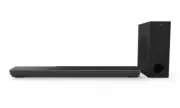
Philips TAPB603/10 – User Manual, read for free online in PDF format. We hope this helps you resolve any issues you may have. If you have further questions, please contact us through the contact form.


Table of Contents:
- Page 2 – Contents
- Page 3 – Important; Help and support
- Page 4 – Care for your product
- Page 5 – Caution FCC and IC; FCC INFORMATION; Compliance
- Page 6 – Your Soundbar; Main unit; Wireless subwoofer; Remote control
- Page 7 – Connectors
- Page 8 – Prepare the Remote Control; Replace the Remote Control Battery; Placement
- Page 9 – Connect; Dolby Atmos; For using Dolby Atmos
- Page 10 – Connect to AUX Socket; Connect to Power; Option 2: Standard HDMI; Connect to Optical Socket
- Page 11 – Pair up with the subwoofer; Automatic Pairing; Manual Pairing
- Page 12 – Turn ON and OFF; Adjust the Bass/Treble Level; Adjust the Bass Level
- Page 13 – Adjust the Treble Level; Dolby sound mode
- Page 14 – Operation; USB Operation
- Page 15 – Wall mount
- Page 17 – Troubleshooting
User manual
www.philips.com/welcome
Register your product and get support at
TAPB603
6000 series
"Loading the manual" means you need to wait until the file loads and becomes available for online reading. Some manuals are very large, and the time they take to appear depends on your internet speed.
Was this manual helpful?
About this manual
- Brand
- Philips
- Model
- TAPB603/10
- Document type
- User Manual
- Language(s)
- English
- Pages
- 18
- File size
- 1.2 MB
- Format
Other Manuals for Philips TAPB603/10
Summary
2 Contents 1 Important 3 Help and suppor t 3 Safety 3 Care for your product 4 Care of the environment 4 Caution FCC and IC statement for Users (USA and Canada only) 5 Compliance 5 2 Your Soundbar 6 Main unit 6 Wireless subwoofer 6 Remote control 6 Connectors 7 Prepare the Remote Control 8 Placement ...
English 3 1 Important Read and understand all instructions before you use your product. If damage is caused by failure to follow instructions, the warranty does not apply. Help and support For extensive online suppor t, visit www.philips.com/welcome to: • download the user manual and the quick star ...
4 5LVNRIRYHUKHDWLQJ • 1HYHULQVWDOOWKLVSURGXFWLQDFRQÀQHG space. Always leave a space of at least four inches around the product for ventilation. Ensure cur tains or other objects never cover the ventilation slots on the product. 5LVNRIFRQWDPLQDWLRQ • Do not mix batteries (old and new or carbon and al...
Ask a question
Related manuals
Popular Philips Other


More Philips Other models
 Philips TAM4505/12 User Manual
 Philips TAM6805/10 User Manual
 Philips TAM8905/10 User Manual
 Philips TAP3705/05 Quick Guide
 Philips TAPB400/10 User Manual
 Philips TAPB405/10 User Manual
 Philips TAPH802BK/00 User Manual
 Philips TAPH805BK/00 User Manual
 Philips TAPH805BK/27 User Manual
 Philips TAPR702/12 User Manual
 Philips TAPR802/12 User Manual
 Philips TAR1506/00 User Manual