Philips TAB5109/37 - User Manual
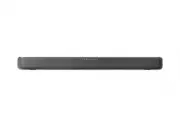
Philips TAB5109/37 – User Manual, read for free online in PDF format. We hope this helps you resolve any issues you may have. If you have further questions, please contact us through the contact form.


Table of Contents:
- Page 2 – Contents; Turn on and off; Product specifications
- Page 3 – Safety; Know these safety symbols; CAUTION; Risk of electric shock or fire!; accessories near naked flames or; Risk of short circuit or fire!; For identification and supply ratings,
- Page 4 – Risk of injury or damage to this; confined space. Always leave a; Battery usage CAUTION; Don’t disposal of a battery into fire or
- Page 5 – Care for your product; Use only microfiber cloth to clean the; Care of the environment; Disposal of your old product and; Declaration of conformity; by turning the equipment off and on,
- Page 6 – Changes or modifications to this unit; Avis d’Industrie Canada: CAN ICES; Help and support; find answers to frequently answered
- Page 7 – Your Soundbar; welcome to Philips! To fully benefit from; What’s in the box
- Page 8 – Soundbar; Remote control sensor; Connectors; Audio in
- Page 9 – Remote control; EQ; Prepare the Remote; operated within the effective range
- Page 10 – Never use different types of batteries; Placement
- Page 11 – Wall mount; Note; Screw length/diameter; first before wall mounting the soundbar.
- Page 12 – Connect; Connect to HDMI ARC; TV might be labeled differently. For; Connect to Optical; Connect to Audio in; Use 3.5mm audio cable
- Page 13 – Connect to power
- Page 14 – Before you start; App download; When you first connect the soundbar; Auto Standby; Select modes
- Page 15 – Adjust the Volume; Adjust the Soundbar’s Volume; Music; Adjust bass/treble level; Effect; Select predefined sound modes to suit; Indicator; OFF
- Page 16 – different sources and types of; Play from Bluetooth; audio files stored on the device through; DTS Virtual X; three-dimensional sound field; Auto. volume leveling
- Page 17 – If your mobile phone supports LE; Philips; Listen to an external device; HDMI ARC
- Page 18 – Play audio through USB; as an MP3 player and USB flash memory,; Factory reset
- Page 19 – Bluetooth; Amplifier Section
- Page 20 – Troubleshooting; No power; output. Confirm that the audio; Distorted sound or echo.; compatible profiles required for the
- Page 22 – Trademarks; configuration est simple. Utilisez
- Page 23 – instrucciones que aparecen en
Register your product and get support at
www.philips.com/support
User Manual
5000 Series
Soundbar
TAB5109
"Loading the manual" means you need to wait until the file loads and becomes available for online reading. Some manuals are very large, and the time they take to appear depends on your internet speed.
Was this manual helpful?
About this manual
- Brand
- Philips
- Model
- TAB5109/37
- Document type
- User Manual
- Language(s)
- English
- Pages
- 24
- File size
- 3.4 MB
- Format
Summary
2 EN Contents 1 Important safety instructions 3 Safety 3 Care for your product 5 Care of the environment 5 Declaration of conformity 5 FCC and IC information 5 Help and support 6 2 Your Soundbar 7 What’s in the box 7 Soundbar 8 Connectors 8 Remote control 9 Prepare the Remote Control 9 Placement 10 ...
3 EN 1 Important safety instructions Read and understand all instructions before you use your product. If damage is caused by failure to follow instructions, the warranty does not apply. Safety Know these safety symbols The marking information is located at the bottom or back of product. CAUTION CAU...
4 EN Risk of injury or damage to this product! • For wall mounting, this product must be securely attached to the wall in accordance with the installation instructions. Use only the supplied wall mount bracket (if available). Improper wall mounting may result in accident, injury or damage. If you ha...
Ask a question
Related manuals
Popular Philips Other


More Philips Other models
 Philips TAB4208/10 User Manual
 Philips TAB4208/37 Quick Guide
 Philips TAB5105/12 User Manual
 Philips TAB5105/37 User Manual
 Philips TAB5109/10 User Manual
 Philips TAB5305/10 User Manual
 Philips TAB5305/12 User Manual
 Philips TAB5306/37 User Manual
 Philips TAB5308/10 User Manual
 Philips TAB5309/10 User Manual
 Philips TAB5706/37 User Manual
 Philips TAB6305/10 User Manual