Philips TAB5105/12 - User Manual
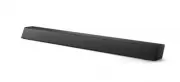
Philips TAB5105/12 – User Manual, read for free online in PDF format. We hope this helps you resolve any issues you may have. If you have further questions, please contact us through the contact form.


Table of Contents:
- Page 2 – Contents
- Page 3 – Important; Help and support
- Page 4 – Care for your product; Care of the environment
- Page 5 – Your soundbar; Main unit
- Page 6 – Remote control
- Page 7 – Connectors; Connect; Placement
- Page 8 – Option 1: Connect audio through
- Page 9 – Socket
- Page 10 – Volume control; EQ setting
- Page 11 – Auto standby; Play audio through Bluetooth
- Page 12 – Wall mount; Product; Amplifier; Remote control batteries
- Page 13 – Troubleshooting
Soundbar
5000
Series
TAB510X
User manual
Register your product and get support at
www.philips.com/support
"Loading the manual" means you need to wait until the file loads and becomes available for online reading. Some manuals are very large, and the time they take to appear depends on your internet speed.
Was this manual helpful?
About this manual
- Brand
- Philips
- Model
- TAB5105/12
- Document type
- User Manual
- Language(s)
- English
- Pages
- 14
- File size
- 1.7 MB
- Format
Other Manuals for Philips TAB5105/12
Summary
EN 1 Contents 1 Important 2 Help and support 2 Important safety instructions 2 Care for your product 3 Care of the environment 3 Compliance 4What’s in the box 4 2 Your soundbar 4 Main unit 4 Remote control 5 Connectors 6 3 Connect 6 Placement 6Connect the soundbar 7 Connect audio from TV and other d...
EN 2 1 Important Read and understand all instructions before you use your product. If damage is caused by failure to follow instructions, the warranty does not apply. Help and support For extensive online support, visit www.philips. com/support to: • download the user manual and the quick start guid...
EN 3 compartment is completely secure after you replace the battery. • If the battery compartment cannot be completely secured, discontinue use of the product. Keep out of reach of children and contact the manufacturer • Apparatus shall not be exposed to dripping or splashing. • Do not place any sou...
Ask a question
Related manuals
Popular Philips Other


More Philips Other models
 Philips TAA7306BK/00 User Manual
 Philips TAA7507BK/00 User Manual
 Philips TAA7607BK/00 User Manual
 Philips TAB4208/10 User Manual
 Philips TAB4208/37 Quick Guide
 Philips TAB5105/37 User Manual
 Philips TAB5109/10 User Manual
 Philips TAB5109/37 User Manual
 Philips TAB5305/10 User Manual
 Philips TAB5305/12 User Manual
 Philips TAB5306/37 User Manual
 Philips TAB5308/10 User Manual