Philips SE6590B/37 - Quick Guide
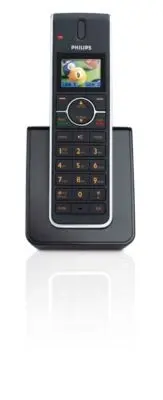
Philips SE6590B/37 – Quick Guide, read for free online in PDF format. We hope this helps you resolve any issues you may have. If you have further questions, please contact us through the contact form.


Table of Contents:
- Page 2 – What’s in the box
- Page 3 – Connect; Install
- Page 4 – Enjoy
- Page 6 – Troubleshooting
S E 6 5 0
S E 6 5 5
Quick star t guide
1
Connect
2
Install
3
Enjoy
Register your product and get support at
www.philips.com/welcome
"Loading the manual" means you need to wait until the file loads and becomes available for online reading. Some manuals are very large, and the time they take to appear depends on your internet speed.
Was this manual helpful?
About this manual
- Brand
- Philips
- Model
- SE6590B/37
- Document type
- Quick Guide
- Language(s)
- English
- Pages
- 6
- File size
- 1020.8 KB
- Format
Summary
What’s in the box Base station for SE650 OR Handset with belt clip SE655 with bracket Battery door 2 AAA rechargeable batteries Power supply Line cord User manual Guarantee Do Not Return leaflet Quick Start Guide In multihandset packs, you will find one or more additional handsets, battery doors, ch...
1 Connect Connect the base station 2 Install Insert rechargeable batteries and charge 1. Place the base station in a central location near the telephone line socket and electricity socket. 2. Connect the line cord and the power cable to their corresponding connectors at the back of the base station....
3 Enjoy Make a call Dial the number (maximum 24 digits) and press t or l . ORPress t or l to take the line, and dial the number. Answer a call When the phone rings, press t or l . End a call To end a conversation, press h . Adjust earpiece or speaker volume During a call, scroll n to select from lev...


