Page 2 - Table of contents
Introduction �������������������������������������������������3 Dear customer ...............................................................3About this user manual ..............................................3What’s in the box ..........................................................3Customer se...
Page 3 - Introduction; Dear customer; Symbols used; What’s in the box; Customer service center
Introduction 3 Introduction Dear customer Thank you for purchasing this projector.We hope you enjoy this product and the many functions it offers! About this user manual The quick start guide supplied with this product allows you to start using this product quickly and easily. Detailed descriptions ...
Page 4 - Setting up the product; Repairs
4 Philips · NeoPix 130 1 General safety information Take note of all warning and safety notes indicated. Do not make any changes or settings that are not described in this user manual. Incorrect operation, and improper handling can lead to physical injury, damage to the product or loss of data. Sett...
Page 5 - Power supply; Overview; Rear view
Overview 5 Power supply Use only a power adapter which is certified for this product (see Technical data, page 29 ). Check whether the mains voltage of the power supply matches the mains voltage available at the setup location. This product complies with the voltage type specified on the product.The...
Page 7 - Initial setup; Install the projector
Initial setup 7 h Adjust the image focus (sharpness) automatically. i Mute the projector. j Decrease the volume. k Increase the volume. l Adjust the image focus (sharpness) manually. m • Return to the previous screen. • Open or close the sidebar from the Home screen. n Navigation buttons (Up, Down, ...
Page 8 - Connect to power supply
8 Philips · NeoPix 130 Ceiling Front 1 Mount the projector on the ceiling with upside up in front of the projection screen. A projector mount is required to mount the projector on ceiling. 2 From the Home screen, open the sidebar by pressing on the remote control. Then select Image > Projection D...
Page 9 - Prepare the remote control; Power on/off the projector
Initial setup 9 Prepare the remote control CAUTION! The improper use of batteries can lead to overheating, explosion, risk of fire and injury. Leaking batteries can possibly damage the remote control.Never expose the remote control to direct sunlight.Avoid deforming, dismantling or charging the batt...
Page 10 - Image shape adjustment; Set up the projector system
10 Philips · NeoPix 130 can scale down the screen to up to 60% of its full size. Image shape adjustment Auto keystone correction You can turn on auto keystone correction to let the projector automatically make the image rectangular.1 From the Home screen, open the sidebar by pressing on the remote c...
Page 12 - Navigate the Home screen; Use the on-screen pointer
12 Philips · NeoPix 130 4 Use the Home screen You will see the Home screen of the built-in operating system after setting up or turning on the projector. The Home screen is the jumping-off point for starting all activities on the projector. From the Home screen, you can:• Open and configure the pre-...
Page 13 - Open and configure apps; Open an app
Use the Home screen 13 Use the on-screen pointer • After you enable the on-screen pointer, a circular pointer will appear on the screen. • Point the remote control at the screen and move or swivel it. The pointer will then move on the screen. • The faster you move or swivel the remote control, the f...
Page 14 - Install more apps; Connect to other
14 Philips · NeoPix 130 Install more apps You can browse and install more apps on the App Store screen. • To open the App Store screen, go to the top of the Home screen by pressing and holding on the remote control, then press . • To return to the Home screen, go to the top of the App Store screen b...
Page 15 - Connect to a dongle
Connect to other devices 15 You may need to press Esc to hide the on- screen keyboard. • Use the arrow keys and Enter to navigation the projector's user interface. They work like the navigation buttons and OK on the remote control respectively. • Press Tab or Shift+Tab to move to next or previous it...
Page 18 - Play media from; Play videos
18 Philips · NeoPix 130 6 Play media from USB storage devices Using the pre-installed VLC app, you can play/ view videos, audios or images stored on a USB storage device. Supported file formats The VLC app supports the following file formats.• Video formats: MP4, RMVB, AVI, RM, MKV • Audio formats: ...
Page 19 - Wireless
Wireless projection 19 Play audios You can play audios in a similar way as you play videos. The major differences are:• When an audio is playing, its filename and the control bar are always visible on the screen. • When an audio is playing, the list of media files in the current folder is always vis...
Page 21 - Change projector
Change projector settings 21 Stream videos/pictures from iOS devices What you need • An iOS device such as an iPhone or an iPad. 1 Make sure you have connected the projector and your iOS device to the same Wi-Fi network. 2 Make sure you have enabled AirPlay on the projector. Tip : AirPlay is enabled...
Page 22 - Change more settings; Connectivity Settings; General Settings
22 Philips · NeoPix 130 • Image : Access the Image Settings screen. The following settings are available: • Projection Direction : Adjust the projection to the correct direction based on how the projector is installed. • Keystone Correction : See Keystone below for details. • Digital Zoom : See Digi...
Page 23 - System Settings; Input source settings
Change projector settings 23 • Projection Direction : Adjust the projection to the correct direction based on how the projector is installed. • Auto Keystone Correction : Turn auto keystone correction on or off by pressing the OK button. • 4-Corner Correction : Select this to manually make the image...
Page 24 - Sound settings; Image settings
24 Philips · NeoPix 130 you can modify its settings. • Standard : Display the picture with normal brightness, contrast, saturation, hue and sharpness levels. • Vivid : Sharpen the image by increasing the contrast, saturation and sharpness. • Movie : Optimize the settings for movies. • User : Define ...
Page 25 - Other settings
Change projector settings 25 100% (no scale-down). • Autofocus : Select Yes to enable autofocus or No to disable it. The default value is Yes . • Reset to Default : Select Yes to reset all the image settings above except Projection Direction for the current location (Room 1/2/3). The other two locat...
Page 26 - Maintenance; Cleaning; Cleaning the lens; Update software; Update software online; Update software offline
26 Philips · NeoPix 130 9 Maintenance Cleaning DANGER! Follow the following instructions when cleaning the projector : Use a soft, lint-free cloth. Never use liquid or easily flammable cleansers (sprays, abrasives, polishes, alcohol, etc.). Do not allow any moisture to reach the interior of the proj...
Page 27 - 0 Troubleshooting; Power cycling
Troubleshooting 27 10 Troubleshooting Power cycling If a problem occurs and you cannot resolve it using the instructions in this user manual, try the following steps to resolve the problem.1 Turn the projector off by pressing twice. 2 Wait at least 10 seconds.3 Turn the projector on by pressing .4 I...
Page 29 - 1 Appendixes; Technical data
Appendixes 29 11 Appendixes Technical data Technology/optical Display technology ...............................................LCDLight source ........................................... single LED WLumens ....................................................................... 120Resolution ..........
Page 30 - CE statement; FCC statement
30 Philips · NeoPix 130 CE statement • The product shall only be connected to a USB interface of version USB 2.0 or higher. • Adapter shall be installed near the equipment and shall be easily accessible. • The operating temperature of the EUT can’t exceed 35°C and shouldn’t be lower than 5°C. • The ...
Page 31 - Other notice
Appendixes 31 RF Radiation Exposure statement : The device meets the exemption from the routine evaluation limits in section 2.5 of RSS102 and users can obtain Canadian information on RF exposure and compliance.This device should be installed and operated with a minimum distance of 7.8 inches (20 ce...
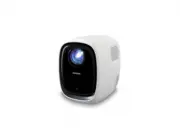


 Philips NA555/00 User Manual
 Philips NA555/09 User Manual
 Philips NE Manual
 Philips NO 1 Manual
 Philips NP1100 Manual
 Philips NP2500 Manual
 Philips NPX720/INT User Manual
 Philips NPX730/INT User Manual
 Philips NT1150/10 User Manual
 Philips NT1650/16 User Manual
 Philips NT2650/16 User Manual
 Philips NT5180/15 User Manual