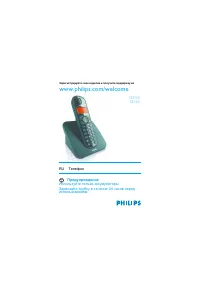
Philips MT3120 - Manual

Philips MT3120 Telephone – Manual, read for free online in PDF format. We hope this helps you resolve any issues you may have. If you have further questions, please contact us through the contact form.


Table of Contents:
- Page 3 – Contents
- Page 6 – What is in the box; Overview of the phone
- Page 8 – Get started; Fix the lanyard to the phone; Wear the phone; Switch on the handsfree
- Page 9 – Configure your phone; Set the country/language; Register your phone
- Page 10 – Set the date and time; Set the date; Charge the phone; Check the battery level
- Page 11 – Standby mode
- Page 12 – Calls; Make a call; Make an external call; End a call
- Page 13 – Silence the ringer for an incoming call; Adjust the speaker volume
- Page 14 – Enter text and numbers; Switch between the upper
- Page 15 – Phonebook; View the phonebook; Add a record; Call from the phonebook; Edit a record
- Page 16 – Delete a record; Delete all records
- Page 17 – Call log; Save a missed call number to; Return a call
- Page 18 – Delete a call record; Delete all call records
- Page 19 – Settings; Phone; Set the handset's ringtone volume; Exclude the contacts from silent mode
- Page 21 – Alarm; Set the alarm; Turn off the alarm; When the alarm rings; Services; Call list type; Set the call list type; ECO mode
- Page 23 – Technical data
- Page 25 – Remove the integrated battery
www.philips.com/welcome
User manual
Always there to help you
Register your product and get support at
MT3120
Question?
Contact
Philips
"Loading the manual" means you need to wait until the file loads and becomes available for online reading. Some manuals are very large, and the time they take to appear depends on your internet speed.
Summary
1 EN Contents 1 Important safety instructions 3 2 Your handsfree phone 4 What is in the box 4 Over view of the phone 4 Main menu icons 4 Display icons 5 3 Get started 6 Fix the lanyard to the phone 6 Wear the phone 6 Switch on the handsfree phone 6 Configure your phone (countr y dependent) 7 Set the...
4 EN 2 Your handsfree phone Congratulations on your purchase! Your handsfree phone is designed to free your hands during phone calls and offer excellent voice quality through it's built in loudspeaker and microphone. To fully benefit from the suppor t that Philips offers, register your product at ww...
6 EN 3 Get started Caution • Make sure that you have read the safety instructions in the "Impor tant safety instruction" section before you connect and install your handset. • A lanyard is provided together with the phone. You are recommended to use the lanyard and the clip together to preve...