Philips MCM302/05 - User Manual
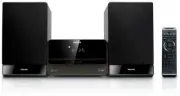
Philips MCM302/05 – User Manual, read for free online in PDF format. We hope this helps you resolve any issues you may have. If you have further questions, please contact us through the contact form.


Table of Contents:
- Page 2 – Contents
- Page 3 – Important; Safety; Important Safety Instructions
- Page 4 – Hearing safety
- Page 5 – Notice; Recycling
- Page 7 – What’s in the box; Fi System; Introduction
- Page 8 – Overview of the main unit
- Page 11 – Connect FM antenna; started; Connect speakers
- Page 12 – Set clock; Turn on; Switch to standby mode; Connect power; Prepare the remote control
- Page 14 – Play; Play from disc; Play from USB
- Page 15 – Control
- Page 17 – Mute sound; Adjust; Adjust volume level; Enhance bass
- Page 18 – Tune to a preset radio station; Show RDS information; Tune to FM
- Page 19 – Set RDS clock
- Page 20 – Connect other devices; Listen to other devices; Use more of; Set the alarm timer; Set the sleep timer
- Page 21 – USB playability information; Product; Specifi cations; Amplifi er
- Page 23 – 0 Troubleshooting
MCM302
Register your product and get support at
www.philips.com/welcome
EN
User manual
DA
Brugervejledning
DE
Benutzerhandbuch
ES
Manual del usuario
FR
Mode d’emploi
IT
Manuale utente
NL
Gebruiksaanwijzing
SV
Användarhandbok
"Loading the manual" means you need to wait until the file loads and becomes available for online reading. Some manuals are very large, and the time they take to appear depends on your internet speed.
Summary
3 6 Adjust volume level and sound effect 18Adjust volume level 18 Select a preset sound effect 18 Enhance bass 18 Select automatic loudness control 18 Mute sound 18 7 Tune to FM radio stations 19 Program radio stations automatically 19 Program radio stations manually 19 Tune to a preset radio statio...
4 l Unplug this apparatus during lightning storms or when unused for long periods of time. m Refer all servicing to qualifi ed service personnel. Servicing is required when the apparatus has been damaged in any way, such as power-supply cord or plug is damaged, liquid has been spilled or objects have...
5 This ‘bolt of lightning’ indicates uninsulated material within your unit may cause an electrical shock. For the safety of ever yone in your household, please do not remove product covering. The ‘exclamation point’ calls attention to features for which you should read the enclosed literature closel...


