Philips MCD908/12 - Quick Guide
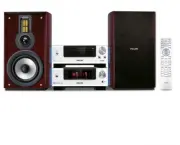
Philips MCD908/12 – Quick Guide, read for free online in PDF format. We hope this helps you resolve any issues you may have. If you have further questions, please contact us through the contact form.


Table of Contents:
- Page 2 – Tips; Setting up the TV
- Page 3 – Setting the clock; Setting DVD menu options; Tip
- Page 4 – Playing a disc; Programming and tuning to radio stations
3
1
2
MCD 908
Quick Start Guide
What’s in the Box?
You should find these items upon opening the box.
2
User Manual
1
Quick Start Guide
Quick start guide
User manual
Remote control with two
AAA batteries
FM and MW antennas
Control Cable
Composite Video Cable
MCD908 QUG_12_Eng
2007.1.15, 17:00
1
"Loading the manual" means you need to wait until the file loads and becomes available for online reading. Some manuals are very large, and the time they take to appear depends on your internet speed.
Other Manuals for Philips MCD908/12
Summary
Tips – See the User Manual for other TVconnection options.– For connecting to a Progressive ScanTV, refer to the user manual for properconnections and detailed setup. 1 2 4 3 Setting up the TV 1 2 Press SOURCE ( DISC on the remote) to select disc source. Turn on the TV and set it to the correct Vide...
Setting the clock 1 2 3 4 In standby mode, press and hold CLOCK on the remote. When the hour digits flash, turn VOLUME-/+ on the system or press VOLUME+/- on the remote to set the hours. Press CLOCK again and the minute digits flash. Then turn VOLUME-/+ on the system or press VOLUME+/- on the remote...
Playing a disc 1 2 3 Press OPEN •CLOSE ç ( ç on the remote) to open the disc tray and load in a disc, then press the same button again to close the disc tray. ➜ Make sure the label side of the disc is facing up. Playback will start automatically. If not press ÉÅ . To stop playback, press STOP 9 ( 9 ...


