Philips MCD908/12 - Manuals
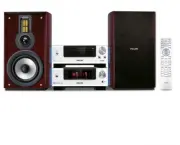
Philips MCD908/12 – User Manual, Quick Guide, Manual in PDF format online.
Manuals:
User Manual Philips MCD908/12


Summary
2 Important notes for users in theU.K. Mains plug This apparatus is fitted with an approved 13Amp plug. To change a fuse in this type of plugproceed as follows: 1 Remove fuse cover and fuse. 2 Fix new fuse which should be a BS1362 3 Amp,A.S.T.A. or BSI approved type. 3 Refit the fuse cover. If the f...
4 DK Advarsel: Usynlig laserstråling ved åbningnår sikkerhedsafbrydere er ude af funktion.Undgå utsættelse for stråling. Bemærk: Netafbr yderen er sekundærtindkoblet og ofbr yder ikke strømmen franettet. Den indbyggede netdel er derfortilsluttet til lysnettet så længe netstikketsidder i stikkontakte...
5 English F rançais Español Deutsch Nederlands Italiano Sv enska Dansk Index STOP STOP English ------------------------------------------------ 7 Français -------------------------------------------- 44 Español --------------------------------------------- 81 Deutsch --------------------------------...
Quick Guide Philips MCD908/12


Summary
Tips – See the User Manual for other TVconnection options.– For connecting to a Progressive ScanTV, refer to the user manual for properconnections and detailed setup. 1 2 4 3 Setting up the TV 1 2 Press SOURCE ( DISC on the remote) to select disc source. Turn on the TV and set it to the correct Vide...
Setting the clock 1 2 3 4 In standby mode, press and hold CLOCK on the remote. When the hour digits flash, turn VOLUME-/+ on the system or press VOLUME+/- on the remote to set the hours. Press CLOCK again and the minute digits flash. Then turn VOLUME-/+ on the system or press VOLUME+/- on the remote...
Playing a disc 1 2 3 Press OPEN •CLOSE ç ( ç on the remote) to open the disc tray and load in a disc, then press the same button again to close the disc tray. ➜ Make sure the label side of the disc is facing up. Playback will start automatically. If not press ÉÅ . To stop playback, press STOP 9 ( 9 ...
Manual Philips MCD908/12


Summary
Tips – See the User Manual for other TVconnection options.– For connecting to a Progressive ScanTV, refer to the user manual for properconnections and detailed setup. 1 2 4 3 Setting up the TV 1 2 Press SOURCE ( DISC on the remote) to select disc source. Turn on the TV and set it to the correct Vide...
Setting the clock 1 2 3 4 In standby mode, press and hold CLOCK on the remote. When the hour digits flash, turn VOLUME-/+ on the system or press VOLUME+/- on the remote to set the hours. Press CLOCK again and the minute digits flash. Then turn VOLUME-/+ on the system or press VOLUME+/- on the remote...
Playing a disc 1 2 3 Press OPEN •CLOSE ç ( ç on the remote) to open the disc tray and load in a disc, then press the same button again to close the disc tray. ➜ Make sure the label side of the disc is facing up. Playback will start automatically. If not press ÉÅ . To stop playback, press STOP 9 ( 9 ...
Philips Manuals
-
 Philips 50PFL5907/F7
User Manual
Philips 50PFL5907/F7
User Manual
-
Philips 50PFL5907/F7
Quick Guide
-
 Philips 32PFL4508/F7
User Manual
Philips 32PFL4508/F7
User Manual
-
Philips 32PFL4508/F7
Quick Guide
-
 Philips 39PFL2908/F7
User Manual
Philips 39PFL2908/F7
User Manual
-
Philips 39PFL2908/F7
Quick Guide
-
Philips 55PFL5907/F7
User Manual
-
Philips 55PFL5907/F7
Quick Guide
-
Philips 46PFL5907/F7
User Manual
-
Philips 46PFL5907/F7
Quick Guide
-
Philips 40PFL4908/F7
User Manual
-
Philips 40PFL4908/F7
Quick Guide
-
Philips 40PFL4708/F7
User Manual
-
Philips 40PFL4708/F7
Quick Guide
-
Philips 40PFL1708/F7
User Manual
-
Philips 29PFL4908/F7
User Manual
-
Philips 29PFL4908/F7
Quick Guide
-
Philips 42PFL5907/F7
User Manual
-
Philips 42PFL5907/F7
Quick Guide
-
 Philips 32PFL5708/F7
User Manual
Philips 32PFL5708/F7
User Manual