Philips MCD139/37 - Quick Guide
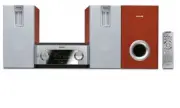
Philips MCD139/37 – Quick Guide, read for free online in PDF format. We hope this helps you resolve any issues you may have. If you have further questions, please contact us through the contact form.


Table of Contents:
- Page 2 – Tips; Connect the left speaker and the DVD player by using the supplied; Setting up the TV; Press; SOURCE; Turn on the TV and set it to the correct Video In channel.
- Page 3 – Tip; Setting DVD menu options; on the front panel, and press numeric key “1” on the remote.; Setting the clock; CLOCK
- Page 4 – Playing a disc; ÉÅ; Programming and tuning to radio stations
1
4
7
2
5
8
0
3
6
9
PROG
AUDIO
MUTE
GOTO
VOL
+
ZOOM
DSC
DBB
OK
SYSTEM MENU
MODE
CLOCK
A-B
SLEEP/TIMER
DISPLAY
OSD
DISC MENU
DISC
AUX
TUNER
SUBTITLE
CR2025
MCD139
Quick Start Guide
What’s in the Box?
You should find these items upon opening the box.
1
Quick Start G
uide
Quick start guide
2
User M
anual
Remote control with one
CR2025 batter y loaded
DIN cable
User manual
Composite video cable
Remove the insulation plastic tab
before use
FM wire antenna
MCD139 QSG_Eng-37
21/6/06, 13:55
1
"Loading the manual" means you need to wait until the file loads and becomes available for online reading. Some manuals are very large, and the time they take to appear depends on your internet speed.
Other Manuals for Philips MCD139/37
Summary
Speakers Right Speaker Subwoofer White Red Green – – Black + 1 1 3 4 5 AC Power Cord FM wire antenna TV 2 ANTENNA FM (75 Ω ) Important! – This set can only be operated after thesupplied DIN cable has been connected. Tips – See the User Manual for other TVconnection options.– For connecting to a Prog...
OFF OFF NIGHT MODE GOTO SOUND SETUP PAGE TEST TONE Tip See chapters "Getting Started" and "DVD menu operations" in theUser Manual for detailed descriptions. SETUP MENU 8 ADULT CHANGE ENGLISH RESET GOTO FEATURE SETUP PAGE OSD LANG NORMAL/PS MULTI OFF ON GOTO PICTURE SETUP PAGE TV DISP...
Playing a disc 1 2 3 4 Push OPEN /CLOSE ç to open the disc door. Load in a disc with the label side facing up, then close the disc door. Playback will start automatically. If not, press ÉÅ . To stop playback, press 9 . PDCC-JH-0625 2006 C Koninklijie Philips Electronics N.V. All rights reserved. htt...


