Philips MCD139/37 - Manuals
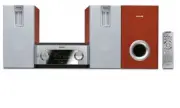
User Manual Philips MCD139/37


Summary
3 Return your Product Registration Card or register online at www.philips.com/usasupport today to get the very most from your purchase. Registering your model with PHILIPS makes you eligible for all of the valuable benefits listed below, sodon't miss out. Complete and return your Product Registratio...
4 IMPORTANT SAFETY INSTRUCTIONS Class II equipment symbol This symbol indicates that the unit has a double insulation system Clean only with dry cloth. materials pg001-pg039-MCD139_37_Eng 21/6/06, 13:54 4
5 English Español Index English ------------------------------------------------ 4 Español --------------------------------------------- 42 Canada English: This digital apparatus does not exceedthe Class B limits for radio noiseemissions from digital apparatus as setout in the Radio InterferenceRegu...
Quick Guide Philips MCD139/37


Summary
Speakers Right Speaker Subwoofer White Red Green – – Black + 1 1 3 4 5 AC Power Cord FM wire antenna TV 2 ANTENNA FM (75 Ω ) Important! – This set can only be operated after thesupplied DIN cable has been connected. Tips – See the User Manual for other TVconnection options.– For connecting to a Prog...
OFF OFF NIGHT MODE GOTO SOUND SETUP PAGE TEST TONE Tip See chapters "Getting Started" and "DVD menu operations" in theUser Manual for detailed descriptions. SETUP MENU 8 ADULT CHANGE ENGLISH RESET GOTO FEATURE SETUP PAGE OSD LANG NORMAL/PS MULTI OFF ON GOTO PICTURE SETUP PAGE TV DISP...
Playing a disc 1 2 3 4 Push OPEN /CLOSE ç to open the disc door. Load in a disc with the label side facing up, then close the disc door. Playback will start automatically. If not, press ÉÅ . To stop playback, press 9 . PDCC-JH-0625 2006 C Koninklijie Philips Electronics N.V. All rights reserved. htt...
Philips Manuals
-
 Philips 50PFL5907/F7
User Manual
Philips 50PFL5907/F7
User Manual
-
Philips 50PFL5907/F7
Quick Guide
-
 Philips 32PFL4508/F7
User Manual
Philips 32PFL4508/F7
User Manual
-
Philips 32PFL4508/F7
Quick Guide
-
 Philips 39PFL2908/F7
User Manual
Philips 39PFL2908/F7
User Manual
-
Philips 39PFL2908/F7
Quick Guide
-
Philips 55PFL5907/F7
User Manual
-
Philips 55PFL5907/F7
Quick Guide
-
Philips 46PFL5907/F7
User Manual
-
Philips 46PFL5907/F7
Quick Guide
-
Philips 40PFL4908/F7
User Manual
-
Philips 40PFL4908/F7
Quick Guide
-
Philips 40PFL4708/F7
User Manual
-
Philips 40PFL4708/F7
Quick Guide
-
Philips 40PFL1708/F7
User Manual
-
Philips 29PFL4908/F7
User Manual
-
Philips 29PFL4908/F7
Quick Guide
-
Philips 42PFL5907/F7
User Manual
-
Philips 42PFL5907/F7
Quick Guide
-
 Philips 32PFL5708/F7
User Manual
Philips 32PFL5708/F7
User Manual