Philips M100D/37 - User Manual
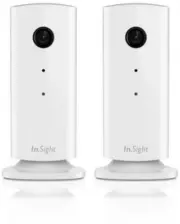
Philips M100D/37 – User Manual, read for free online in PDF format. We hope this helps you resolve any issues you may have. If you have further questions, please contact us through the contact form.


Table of Contents:
- Page 2 – Your wireless home monitor; What’s in box; Product overview
- Page 4 – Placement
- Page 6 – Connect Monitor to Wi-Fi network
- Page 7 – Use the monitor
- Page 11 – Specifications
- Page 12 – Troubleshooting
- Page 15 – Important; Know these safety symbols; Important Safety Instructions
- Page 16 – Notice of compliance
- Page 21 – . If you prefer not to use email or if you do not receive; Licenses for the Monitor Firmware Software Package; Mark Adler
- Page 24 – Inc. nor the names of their contributors may be used to endorse or
- Page 29 – certain special circumstances.
- Page 31 – every part regardless of who wrote it.
- Page 33 – engineering for debugging such modifications.
- Page 34 – so long as such parties remain in full compliance.
- Page 36 – SUCH HOLDER OR OTHER PARTY HAS BEEN ADVISED OF THE POSSIBILITY OF
- Page 38 – changed the files and the date of any change.
- Page 41 – WARRANTY FOR THE PROGRAM, TO THE EXTENT PERMITTED BY APPLICABLE
- Page 42 – IN AN ACTION OF CONTRACT, TORT OR OTHERWISE, ARISING FROM, OUT OF OR
- Page 44 – control with that entity. For the purposes of this definition,
- Page 48 – replaced with your own identifying information. (Don't include; Other Licenses for the Yoics iPhone Lancher Software Package; notice, this list of conditions and the following disclaimer
- Page 49 – distributions in binary form include the above copyright
Register your product and get support at
www.philips.com/welcome
M100D
Wireless Home Monitor
User manual
"Loading the manual" means you need to wait until the file loads and becomes available for online reading. Some manuals are very large, and the time they take to appear depends on your internet speed.
Summary
1 Your wireless home monitor Please read and understand the accompanied safety sheet before you use this monitor. To fully benefit from the support that Philips offers, register your product at www.philips.com/welcome. What’s in box Product overview a b c d fe a Monitor lens 2x 2x 2x 2x 6x 6x 2x
2 Placement You can place the Monitor on a flat surface with the magnetic base. Or you can attach it to the ceiling or wall, see the pictures below: Note • Before you place the monitor, make sure the monitor is close to a power outlet. • Before you secure the supplied dowels and screws, drill holes ...
3 Set-up You can see and hear what is happening in your room from anywhere in the world with a smar tphone. What you need 1 Make sure your Wi-Fi router is turned on and that your Smar tphone or Tablet is wirelessly connected to your Wi-Fi router network. 2 Have your Wi-Fi network name (SSID) and Wi-...


