Philips M100D/37 - Manuals
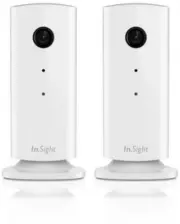
User Manual Philips M100D/37


Summary
1 Your wireless home monitor Please read and understand the accompanied safety sheet before you use this monitor. To fully benefit from the support that Philips offers, register your product at www.philips.com/welcome. What’s in box Product overview a b c d fe a Monitor lens 2x 2x 2x 2x 6x 6x 2x
2 Placement You can place the Monitor on a flat surface with the magnetic base. Or you can attach it to the ceiling or wall, see the pictures below: Note • Before you place the monitor, make sure the monitor is close to a power outlet. • Before you secure the supplied dowels and screws, drill holes ...
3 Set-up You can see and hear what is happening in your room from anywhere in the world with a smar tphone. What you need 1 Make sure your Wi-Fi router is turned on and that your Smar tphone or Tablet is wirelessly connected to your Wi-Fi router network. 2 Have your Wi-Fi network name (SSID) and Wi-...
Philips Manuals
-
 Philips 50PFL5907/F7
User Manual
Philips 50PFL5907/F7
User Manual
-
Philips 50PFL5907/F7
Quick Guide
-
 Philips 32PFL4508/F7
User Manual
Philips 32PFL4508/F7
User Manual
-
Philips 32PFL4508/F7
Quick Guide
-
 Philips 39PFL2908/F7
User Manual
Philips 39PFL2908/F7
User Manual
-
Philips 39PFL2908/F7
Quick Guide
-
Philips 55PFL5907/F7
User Manual
-
Philips 55PFL5907/F7
Quick Guide
-
Philips 46PFL5907/F7
User Manual
-
Philips 46PFL5907/F7
Quick Guide
-
Philips 40PFL4908/F7
User Manual
-
Philips 40PFL4908/F7
Quick Guide
-
Philips 40PFL4708/F7
User Manual
-
Philips 40PFL4708/F7
Quick Guide
-
Philips 40PFL1708/F7
User Manual
-
Philips 29PFL4908/F7
User Manual
-
Philips 29PFL4908/F7
Quick Guide
-
Philips 42PFL5907/F7
User Manual
-
Philips 42PFL5907/F7
Quick Guide
-
 Philips 32PFL5708/F7
User Manual
Philips 32PFL5708/F7
User Manual