Philips HTS3164/05 - Quick Guide
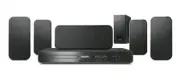
Philips HTS3164/05 – Quick Guide, read for free online in PDF format. We hope this helps you resolve any issues you may have. If you have further questions, please contact us through the contact form.


FM wire antenna
3
Enjoy
What’s in the box?
Start disc playback
A
Press
ç
to open the disc tray.
B
Place a disc with the disc label facing up.
C
Press
ç
to close the disc tray.
D
Playback starts automatically.
E
If the disc menu appears on the TV, use
keys or the numeric keypad to select an option in
the menu and press
OK
to start playback.
z
To enjoy the powerful surround sound
from the speakers, press
SURROUND
on the remote control to turn on the
multi-channel surround mode.
F
Press
to stop playback.
Note
When you press
u
button,
playback resumes from where it last stopped.
To start playback from the beginning, you
have to press
.
Playback other supported
devices
USB device
A
Insert your USB device to the USB socket.
B
Press
USB
to switch to ‘USB’ mode.
C
Press
u
to start playback.
D
To stop playback, press
DISC
to switch to ‘DISC’
mode. You can unplug your USB device now.
Other portable audio player
A
Use a 3.5mm stereo audio cable (not supplied) to
connect the headphone output socket on your
portable audio player to MP3 LINK socket.
B
Press PLAY on your portable audio player.
C
Press
AUX (MP3 LINK)
repeatedly until ‘MP3
LINK’ is displayed to listen to the playback.
Main Unit
Remote Control
and 2 batteries
User
Manual
1 centre, 2 front, 2 rear speakers
and subwoofer
Need help?
User Manual
See the user manual that came with your Philips DVD Home Theatre System.
2008
C
Koninklijke Philips N.V.
All rights reserved.
www.philips.com
Scart Cable
Register your product and get support at
www.philips.com/welcome
Quick Star t Guide
Connect
Set up
Enjoy
1
2
3
HTS3164
hts3164_12_qsg_eng4_final_wk752.1 1
hts3164_12_qsg_eng4_final_wk752.1 1
2007-12-28 12:57:33 PM
2007-12-28 12:57:33 PM
"Loading the manual" means you need to wait until the file loads and becomes available for online reading. Some manuals are very large, and the time they take to appear depends on your internet speed.


