Philips HTS3115/05 - Quick Guide
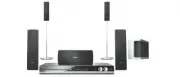
Philips HTS3115/05 – Quick Guide, read for free online in PDF format. We hope this helps you resolve any issues you may have. If you have further questions, please contact us through the contact form.


1
Connect
A
Placement
Proper speakers system placement is important to
ensure optimum sound performance.
A
B
C
C
D
D
A
Place the centre speaker above or close to the TV.
B
Place the subwoofer on the floor, at least one metre
away from the TV.
C
Place the front speakers at equal disctances from the
TV.
D
Place the rear speakers at normal listening ear level.
2
Set up
B
Connect the radio antennas
Keep the antennas away from the electronic devices to
prevent unwanted interference.
A
B
C
A
Connect the FM antenna to the FM socket. Extend
the wire and fix its end to the wall.
B
Unfold the AM/MW loop antenna and fix the claw
into the slot.
C
Push the tabs and insert the wires into the AM/MW
sockets.
C
Connect the speakers and
subwoofer
Connect the various coloured plugs from the speakers
and subwoofer to the same coloured sockets at the rear
of the DVD system.
DVD System (rear)
REAR
LEFT
REAR
RIGHT
FRONT
LEFT
FRONT
RIGHT
CENTER
SUB-
WOOFER
A
Finding the viewing channel
A
Press
STANDBY ON
on the DVD system.
B
Press
SOURCE
on the DVD system until “DISC”
appears on the display panel.
C
Turn on the TV. Use the TV’s remote control to
select the correct viewing channel for the DVD
system.
You should see the blue DVD background on the
TV.
Note
To search for the correct viewing channel,
press the Channel Down button on the TV’s remote
control repeatedly (or AV, SELECT,
°
button) until
you see the blue DVD background.
B
Select the display language on the
screen
A
Press
SETUP
.
The { General Setup Page } appears.
General Setup Page
Disc Lock
Display Dim
Program
OSD Language
Screen Saver
DivX(R) VOD Code
English
Dansk
Deutsch
Espanõl
Français
Nederlands
Norsk
B
Press
T
to select { OSD Language } and press
X
.
C
Use
TS
keys to select a language option in the
menu and press
OK
to confirm.
D
Press
SETUP
to exit.
Note
The language set here is only for the menus
that are shown on the TV while operating this DVD
system, not for the DVD disc menu.
There are various setup options (Audio Setup, Video
Setup, Preference Setup) available on this DVD system.
Refer to the user manual for more information.
D
Connect the DVD system to TV
SCART IN
SCART IN
A
B
A
Use the supplied scart cable to connect the SCART
socket on this DVD system to the SCART IN socket
on your TV.
B
Plug in the power cable from the DVD system to an
AC power outlet.
Note
It is important to connect the DVD system
directly to your TV. When watching the TV
programmes, you can press
TV
on the remote control
to get the sound output from the speakers system.
DVD System (rear)
Television ( rear)
E
Connect the audio from other
device to DVD system (optional)
Use the red and white audio cables (not supplied) to
connect the AUX IN (R/L) sockets on this DVD system
to the AUDIO output sockets on your Audio/Video
device (for example, DVD recorder, VCR).
b
AUDIO
OUT
AUDIO OUT
Note
Press
AUX/DI
on the remote control to get
the sound output from the speakers system when
watching the TV programme.
DVD System (rear)
To off-air
antenna or
set-top box
DVD System (rear)
"Loading the manual" means you need to wait until the file loads and becomes available for online reading. Some manuals are very large, and the time they take to appear depends on your internet speed.


