Philips HTL3140S/12 - Quick Guide
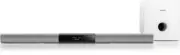
This guide helps you set up and use your Philips HTL3140B or HTL3140S soundbar system.
Learn about: safety precautions, package contents, assembling the soundbar, optional wall mounting, connecting to your TV via HDMI ARC, optical, coaxial, or analog cables, powering on, selecting the correct input, connecting external devices (DVD, game console, USB), Bluetooth and NFC pairing, and cable management.
For further support, visit www.philips.com/support.


Table of Contents:
- Page 1 – Front Cover
- Page 2 – Safety and What's in the Box
- Page 3 – Assemble and Place the Soundbar
- Page 4 – Wall Mount (Optional)
- Page 5 – Soundbar Connections
- Page 6 – TV Audio via HDMI or Optical
- Page 7 – Analog and Digital TV Audio
- Page 8 – Power On the Soundbar
- Page 9 – Choose the Correct Input
- Page 10 – Connect DVD or Game Console
- Page 11 – Play from USB or 3.5mm Devices
- Page 12 – Bluetooth and NFC Pairing
- Page 13 – Organize Cables
- Page 14 – Support and More Info
- Page 16 – Legal Information
Always there to help you
Register your product and get support at
www.philips.com/support
Question?
Contact
Philips
HTL3140B
HTL3140S
Quick start guide
PHILIPS
"Loading the manual" means you need to wait until the file loads and becomes available for online reading. Some manuals are very large, and the time they take to appear depends on your internet speed.
Was this manual helpful?
About this manual
- Brand
- Philips
- Model
- HTL3140S/12
- Document type
- Quick Guide
- Language(s)
- German, English, Spanish, French, Italian, Dutch, Polish, Swedish
- Pages
- 13
- File size
- 1.6 MB
- Format
Summary
Displays product model numbers, support website URL, and Philips logo.
Lists safety warnings in multiple languages and shows included items: soundbar, power adapter, cord, cable tie, remote, screws, manuals.
Instructions to join soundbar sections with four screws, and positioning tips: keep 10 cm from the TV and 1 m from the subwoofer.
Tips
- For optimal audio performance, use the HDMI ARC connection if your TV supports it, as it allows control of the soundbar with the TV remote.
- When positioning the subwoofer, maintain a distance of at least 1 meter from the soundbar for best bass response.
- Use the included cable ties to keep cables tidy and avoid interference.
- If you encounter connectivity issues, ensure the correct input source is selected on the soundbar and that the TV's audio output is set to external speakers.
Ask a question
Related manuals
Popular Philips Other


More Philips Other models
 Philips HTL3110B Quick Guide
 Philips HTL3110B/05 User Manual
 Philips HTL3110B/12 Quick Guide
 Philips HTL3120 Manual
 Philips HTL3120/12 User Manual
- Philips HTL3140B Manual
 Philips HTL3142S/12 User Manual
 Philips HTL3150B/37 User Manual
 Philips HTL3160B/05 User Manual
 Philips HTL3160B/12 Quick Guide
 Philips HTL3310/10 Quick Guide
 Philips HTL3320/10 Quick Guide