Philips HSB2313A/F7 - Quick Guide
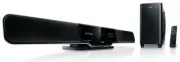
Philips HSB2313A/F7 – Quick Guide, read for free online in PDF format. We hope this helps you resolve any issues you may have. If you have further questions, please contact us through the contact form.


Table of Contents:
- Page 2 – Tips; TV; AC Power
- Page 3 – Set clock; Play from USB
- Page 4 – Play connected AV devices; Tip
HSB2313A
Quick Start Guide
What’s in the Box?
You should
fi
nd these items upon opening the box.
Table stand
Smart remote control
(with battery)
Studs (x2) used to attach
speakers to main unit
Coaxial cable (orange)
AV cable
AV switch cable
Quick Start Guide
User Manual
Wall mount bracket and screws
(x4)
"Loading the manual" means you need to wait until the file loads and becomes available for online reading. Some manuals are very large, and the time they take to appear depends on your internet speed.
Other Manuals for Philips HSB2313A/F7
Summary
Tips – See the User Manual for how to mount the main unit and speakers onto wall.– See “Connect AV devices” for more AV connection options.– For connection and operation of your AV devices, see the respective user manuals. 2 5 3 1 4 OPTICAL HDMI OUT HDMI IN 1 HDMI IN 2 AUDIO VIDEO AUDIO OUT L R AUDI...
IMPORTANT! – To set clock in the Eco Power Standby mode, fi rst press and hold 2 for more than 2 seconds to switch to the standby mode. Set clock 1 2 3 4 5 In the standby mode, press and hold CLOCK to enter the clock setting mode. £ Clock is displayed and the hour digits begin to blink. Press + VOL ...
Play connected AV devices 1 Press AV , HDMI , or C OAX / OPT to select an AV source. Tip Detailed playback features and additional functions are described in the accompanied user manual. © 2010 Koninklijke Philips Electronics N.V. All rights reserved. sgpjp_1022/F7_En_v1 P&F USA, Inc. PO Box 430...


