Philips HSB2313A/F7 - Manuals
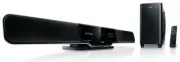
Philips HSB2313A/F7 – User Manual, Quick Guide, Manual in PDF format online.
Manuals:
User Manual Philips HSB2313A/F7


Summary
1 8 Product information 16 Product information 16 USB playability information 16 9 Troubleshooting 17 10 Appendix 18 Wall mounting 18 Contents 1 Important 2 Safety 2 Disposal of your old product and batteries 3 2 Notice 3 Copyright 3 Compliance 3 Trademarks 4 3 Your home theater system 4 Introductio...
2 • Unplug this apparatus during lightning storm or when unused for long periods of time. • Refer all servicing to qualifi ed ser vice personnel. Ser vicing is required when the apparatus has been damaged in any way, such as power-supply cord or plug is damaged, liquid has been spilled or objects ha...
3 2 Notice Any changes or modifi cations made to this device that are not expressly approved by Philips Consumer Lifestyle may void the user’s authority to operate the equipment. Copyright This item incorporates copy protection technology that is protected by U.S. patents and other intellectual prop...
Quick Guide Philips HSB2313A/F7


Summary
Tips – See the User Manual for how to mount the main unit and speakers onto wall.– See “Connect AV devices” for more AV connection options.– For connection and operation of your AV devices, see the respective user manuals. 2 5 3 1 4 OPTICAL HDMI OUT HDMI IN 1 HDMI IN 2 AUDIO VIDEO AUDIO OUT L R AUDI...
IMPORTANT! – To set clock in the Eco Power Standby mode, fi rst press and hold 2 for more than 2 seconds to switch to the standby mode. Set clock 1 2 3 4 5 In the standby mode, press and hold CLOCK to enter the clock setting mode. £ Clock is displayed and the hour digits begin to blink. Press + VOL ...
Play connected AV devices 1 Press AV , HDMI , or C OAX / OPT to select an AV source. Tip Detailed playback features and additional functions are described in the accompanied user manual. © 2010 Koninklijke Philips Electronics N.V. All rights reserved. sgpjp_1022/F7_En_v1 P&F USA, Inc. PO Box 430...
Manual Philips HSB2313A/F7


Summary
1 8 Product information 16 Product information 16 USB playability information 16 9 Troubleshooting 17 10 Appendix 18 Wall mounting 18 Contents 1 Important 2 Safety 2 Disposal of your old product and batteries 3 2 Notice 3 Copyright 3 Compliance 3 Trademarks 4 3 Your home theater system 4 Introductio...
2 • Unplug this apparatus during lightning storm or when unused for long periods of time. • Refer all servicing to qualifi ed ser vice personnel. Ser vicing is required when the apparatus has been damaged in any way, such as power-supply cord or plug is damaged, liquid has been spilled or objects ha...
3 2 Notice Any changes or modifi cations made to this device that are not expressly approved by Philips Consumer Lifestyle may void the user’s authority to operate the equipment. Copyright This item incorporates copy protection technology that is protected by U.S. patents and other intellectual prop...
Philips Manuals
-
 Philips 50PFL5907/F7
User Manual
Philips 50PFL5907/F7
User Manual
-
Philips 50PFL5907/F7
Quick Guide
-
 Philips 32PFL4508/F7
User Manual
Philips 32PFL4508/F7
User Manual
-
Philips 32PFL4508/F7
Quick Guide
-
 Philips 39PFL2908/F7
User Manual
Philips 39PFL2908/F7
User Manual
-
Philips 39PFL2908/F7
Quick Guide
-
Philips 55PFL5907/F7
User Manual
-
Philips 55PFL5907/F7
Quick Guide
-
Philips 46PFL5907/F7
User Manual
-
Philips 46PFL5907/F7
Quick Guide
-
Philips 40PFL4908/F7
User Manual
-
Philips 40PFL4908/F7
Quick Guide
-
Philips 40PFL4708/F7
User Manual
-
Philips 40PFL4708/F7
Quick Guide
-
Philips 40PFL1708/F7
User Manual
-
Philips 29PFL4908/F7
User Manual
-
Philips 29PFL4908/F7
Quick Guide
-
Philips 42PFL5907/F7
User Manual
-
Philips 42PFL5907/F7
Quick Guide
-
 Philips 32PFL5708/F7
User Manual
Philips 32PFL5708/F7
User Manual