Philips HD9280/91 - User Manual
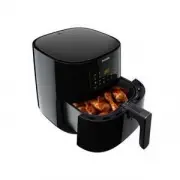
Philips HD9280/91 – User Manual, read for free online in PDF format. We hope this helps you resolve any issues you may have. If you have further questions, please contact us through the contact form.


Table of Contents:
- Page 2 – ENGLISH; TABLE OF CONTENTS
- Page 3 – Important
- Page 5 – Caution
- Page 7 – Introduction; or download the free NutriU App* for IOS® or; General description
- Page 9 – Before first use; Remove all packing material.; The NutriU App; Connecting your Airfryer to the App
- Page 10 – Voice control; Note; Preparing for use; Note
- Page 11 – Using the appliance; Food table; Whole chicken
- Page 12 – Airfrying; Put the plug in the wall outlet.
- Page 13 – Put the ingredients in the basket.; Put the pan with the basket back into the Airfryer.; Press the power On/Off button to switch on the appliance.
- Page 14 – Press the On/Off button to start the cooking process.; Tip; When you hear the timer bell, the cooking time has elapsed.
- Page 15 – Pull out the pan and check if the ingredients are ready.; Empty the basket contents into a bowl or onto a plate. Always remove
- Page 16 – Press the menu button as often as the keep warm icon is blinking.; To pause the keep warm mode, press the On/Off button. To resume; Cooking with a preset; Press the Menu button. The frozen snacks icon is blinking. Press the
- Page 17 – Start the cooking process by pressing the On/Off button.
- Page 19 – Making home-made fries; To make great home-made fries in the Airfryer:
- Page 20 – Cleaning; Warning
- Page 21 – Wipe the outside of the appliance with a moist cloth.; Clean the heating element with a cleaning brush to remove any food
- Page 22 – Storage; Unplug the appliance and let it cool down.; Recycling; This symbol means that this product shall not be disposed of with; Declaration of Conformity
- Page 23 – Guarantee and support; Device compatibility; Problem
User manual
HD928X
"Loading the manual" means you need to wait until the file loads and becomes available for online reading. Some manuals are very large, and the time they take to appear depends on your internet speed.
Was this manual helpful?
About this manual
- Brand
- Philips
- Model
- HD9280/91
- Document type
- User Manual
- Language(s)
- English
- Pages
- 26
- File size
- 1.5 MB
- Format
Summary
2 ENGLISH TABLE OF CONTENTS Important 3 Introduction 7 General description 7 Before first use 9 The NutriU App 9 Preparing for use 10 Using the appliance 10 Food table 10 Airfrying 12 Choosing the keep warm mode 15 Cooking with a preset 16 Changing to another preset 17 Starting a recipe from the Nut...
3 ENGLISH Important Read this important information carefully before you use the appliance and save it for future reference. Danger - Always put the ingredients to be fried in the basket, to prevent them from coming into contact with the heating elements. - Do not cover the air inlet and the air out...
5 ENGLISH smoke emission to stop before you pull the pan out of the appliance. - Storage of potatoes: The temperature shall be appropriate to the potato variety stored and it shall be above 6°C to minimize the risk of acrylamide exposure in the prepared foodstuff. - Do not plug in the appliance or o...
Ask a question
Related manuals
Popular Philips Other


More Philips Other models
 Philips HD9270/60 Quick Guide
 Philips HD9270/70 Quick Guide
 Philips HD9270/90 Quick Guide
 Philips HD9270/91 User Manual
 Philips HD9270/93 User Manual
 Philips HD9270/96 Quick Guide
 Philips HD9285/00 User Manual
 Philips HD9285/91 User Manual
 Philips HD9285/93 User Manual
 Philips HD9285/96 User Manual
 Philips HD9314/90 User Manual
 Philips HD9318/00 User Manual