Philips FWM387/12 - Quick Guide
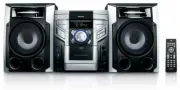
Philips FWM387/12 – Quick Guide, read for free online in PDF format. We hope this helps you resolve any issues you may have. If you have further questions, please contact us through the contact form.


Quick star t guide
Connect
Setup
Enjoy
EN
Mini Hi-Fi System
1
2
3
FWM387
Enjoy
3
Play form USB
1
Insert the USB device’s USB plug into the
socket on the main unit.
2
Press
USB
to select USB.
3
Play the USB’s audio
fi
les as you do with
the albums/tracks on a CD.
D
Note
With the Hi-Fi system, you can use USB
fl
ash
memory (USB 2.0 or USB1.1), USB
fl
ash
players (USB 2.0 or USB1.1), memory cards
(requires an additional card reader to work
with this Hi-Fi system).
© Royal Philips Electronics N.V. 2009
All rights reser ved.
Speci
fi
cations are subject to change without notice.
Trademarks are the proper ty of Koninklijke Philips
Electronics N.V. or their respective owners.
Printed in China
PDCC-2009
E
Tip
Detailed features and additional functions are
described in the user manual.
Listen to radio
1
Press
TUNER
(or
TUN
on the remote
control) repeatedly to select FM or MW.
2
Press
PROG
for more than two seconds
to program all available stations in order of
waveband.
3
In tuner mode, press
ALBUM/PRESET
+/-
(or
ABL/PRESET +/-
on the remote
control) to select a preset number.
FWM387_QSG_AEN.indd 2-3
FWM387_QSG_AEN.indd 2-3
3/25/2009 10:01:41 AM
3/25/2009 10:01:41 AM
"Loading the manual" means you need to wait until the file loads and becomes available for online reading. Some manuals are very large, and the time they take to appear depends on your internet speed.


