Philips EXP2540/02 - Manual
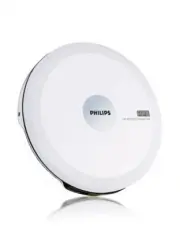
Philips EXP2540/02 – Manual, read for free online in PDF format. We hope this helps you resolve any issues you may have. If you have further questions, please contact us through the contact form.


Table of Contents:
- Page 4 – English; CONTROLS / GENERAL INFORMATION; CONTROLS ( see figure
- Page 5 – CAUTION; Old and new or different types of batteries should not be combined.; LCD display ( see figure
- Page 6 – CD PLAY / GENERAL INFORMATION; Read; Playback information
- Page 7 – ABOUT MP3; Getting MP3 files; : you can either download legal music files from the inter-; Creating a MP3 CD; : burn the music files from your computer hard disc on a; Environmential information
- Page 8 – Err
- Page 9 – No sound or bad sound quality.; away from active mobile phones.; Apparatus should not exposed to dripping of splashing,; Troubleshooting
- Page 11 – Printed in China; CLASS 1
Portable CD Player
AX2400
AX2401
AX2402
AX2460
Portable CD Player
AX2400
AX2401
AX2402
AX2460
User manual
EXP2540
EXP2542
CCR_EXP2540_12_EN 7/8/09 9:54 Page 1
"Loading the manual" means you need to wait until the file loads and becomes available for online reading. Some manuals are very large, and the time they take to appear depends on your internet speed.
Was this manual helpful?
About this manual
- Brand
- Philips
- Model
- EXP2540/02
- Document type
- Manual
- Language(s)
- English
- Pages
- 11
- File size
- 1.3 MB
- Format
Summary
English CONTROLS / GENERAL INFORMATION 1 OPEN 2 ..............opens the CD lid 2 − − VOL + + .............adjust the volume 3 DBB/ESP .............Press briefly to switch the bass enhancement(DBB) on/off. Press and hold to switch the Electronic Shock Protection(ESP) on/off. 4 MODE .................s...
CONTROLS / POWER SUPPLY/TROUBLESHOOTING 1 Track number 2 Electronic Skip Protection (45 sec) 3 Base enhancement 4 Battery empty 5 MP3 indicator 6 Repeat 1 track / Repeat all track 7 Scan tracks 8 Shuffle all track 9 MP3 album number (Display album # when pressing MP3 3 / 4 ) 0 Playing time You can u...
CD PLAY / GENERAL INFORMATION • When playing a CD-Rewritable (CD-RW), please note that it takes 3–15 seconds after pressing 2 ; for sound reproduction to start. • Playback will stop if you open the CD lid. • While the CD is read, Read flashes in the display. • Do not touch the lens A of the CD playe...


