Philips DC220/05 - Manual
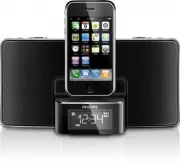
Philips DC220/05 – Manual, read for free online in PDF format. We hope this helps you resolve any issues you may have. If you have further questions, please contact us through the contact form.


Table of Contents:
- Page 2 – Connect; Connect power
- Page 3 – Setup; Set time an
- Page 5 – Program ra; Enjoy
1
Quick star t guide
EN
2
Connect
Setup
Enjoy
3
Register your pro
d
uct
an
d
get support at
www.philips.com/welcome
DC220
Docking Entertainment System
"Loading the manual" means you need to wait until the file loads and becomes available for online reading. Some manuals are very large, and the time they take to appear depends on your internet speed.
Was this manual helpful?
About this manual
- Brand
- Philips
- Model
- DC220/05
- Document type
- Manual
- Language(s)
- English
- Pages
- 6
- Format
Summary
What’s in th e box Quick Start Guide User Manual User Manual Quick Star t Guide AC power adaptor 1 Connect Connect power A 1 Connect one end of the AC adaptor to t h e DC I N s o c ke t o n t h e m a i n unit. 2 C o n n e c t t h e ot h e r e nd of t h e AC adaptor to the wall outlet. a b MP3 LINK c...
Setup 2 1 Dock the iPod/iPhone on the unit. 2 Open the iPod/iPhone. Time and date information on the » iPod/iPhone transfers to the unit automatically. To set time an d d ate manually: 1 I n s t a n d b y m o d e , p r e s s a n d h o l d DATE • AUTO TUNE /TIME SET for 2 seconds. [24 HR] begins to b...
1 In the tuner mode, press and hold DATE • AUTO TUNE /TIME SET for more than 2 seconds to acti-vate automatic program mode. [AUTO] (auto) idisplays. » All available stations are » programmed in the order of waveband reception strength. The fi rst programmed radio sta- » tion is broadcast automaticall...


