Philips DC200/05 - Manual
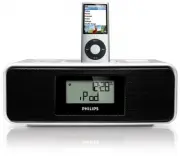
Philips DC200/05 – Manual, read for free online in PDF format. We hope this helps you resolve any issues you may have. If you have further questions, please contact us through the contact form.


Table of Contents:
- Page 5 – English; enters the iPod menu
- Page 7 – Bright
- Page 8 – See
- Page 14 – directly set the sleep function.; CONNECTING AN EXTERNAL DEVICE
- Page 17 – Printed in China
DC200
Docking Entertainment System
Register your product and get support at
www.philips.com/welcome
User Manual
DC200_Eng 2008.2.15 11:20 Page 1
"Loading the manual" means you need to wait until the file loads and becomes available for online reading. Some manuals are very large, and the time they take to appear depends on your internet speed.
Was this manual helpful?
About this manual
- Brand
- Philips
- Model
- DC200/05
- Document type
- Manual
- Language(s)
- English
- Pages
- 17
- File size
- 598.1 KB
- Format
Summary
English Congratulations on your purchase and welcome to Philips! To fullybenefit from the support that Philips offers, register your product atwww.philips.com/welcome. SUPPLIED ACCESSORIES – 1 X certified AC/DC 9V adaptor (Brand name: PHILIPS, Model No.: AS140-090-Dw, Input: 100-240V ~ 50/60Hz 0.7A,...
POWER SUPPLY Mains adaptor 1 Connect the mains adaptor to the set's DC 9V socket and to the power socket. Helpful hints: To avoid damage to the set, use only the adaptor supplied! The power rating is located on the bottom of the set. SELF-POWERED BACK-UP The self-powered back-up conveniently allows ...
5 Press PROG/SET TIME to confirm. 6 In clock mode, press ALBUM/PRESET -/+ 1 / 2 to set your time zone. 7 To zoom in/out the clock display, press MODE in clock mode. TUNER 1 Press SOURCE repeatedly to switch on the radio (FM only). ™ Display shows the radio frequency of the last selected waveband. Yo...


