Philips D1661B/05 - User Manual
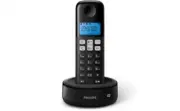
Philips D1661B/05 – User Manual, read for free online in PDF format. We hope this helps you resolve any issues you may have. If you have further questions, please contact us through the contact form.


Table of Contents:
- Page 3 – Contents
- Page 4 – 3 Technical data; 5 Frequently asked questions
- Page 6 – Your phone; What is in the box
- Page 9 – Get started; Connect the base station
- Page 10 – Install the supplied batteries; Set the country/language; Set the date and time
- Page 13 – Calls; Make a call; Normal call; Answer a call; Turn off the ringer of an incoming call; End a call
- Page 15 – Make a call to another; While you are on the phone; Make a conference call; During an external call
- Page 16 – During the conference call
- Page 17 – Enter text and numbers
- Page 18 – Phonebook; View the phonebook; Search a record; Scroll the contact list; Call from the phonebook
- Page 19 – Edit a record
- Page 20 – Call log
- Page 22 – Redial list
- Page 23 – 0 Phone settings; Sound settings; Set the handset's ringtone volume; Set the handset's ringtone; Name the handset
- Page 26 – Listen to the announcement; Restore the default announcement; Incoming messages; Listen to the incoming message
- Page 27 – Delete all old incoming messages; Set the ring delay; Remote access; Activate/deactivate the remote access
- Page 29 – Auto conference; Activate/Deactivate auto conference; Network type; Select the recall duration
- Page 30 – Dial mode; Set the dial mode; Auto clock; Register additional handsets
- Page 31 – Unregister the handsets; Restore default settings
www.philips.com/support
Always there to help you
Register your product and get support at
D161
D166
Extended user
documentation
Question?
Contact
Philips
"Loading the manual" means you need to wait until the file loads and becomes available for online reading. Some manuals are very large, and the time they take to appear depends on your internet speed.
Summary
1 EN Contents 1 Important safety instructions 3 2 Your phone 4 What is in the box 4 Over view of the phone 5 Over view of the base station 6 3 Get started 7 Connect the base station 7 Install the supplied batteries 8 dependent) 8 Change the remote access PIN code (for D166) 9 Charge the handset 9 Ch...
2 EN Auto clock 28 5HJLVWHUDGGLWLRQDOKDQGVHWV 8QUHJLVWHUWKHKDQGVHWV 5HVWRUHGHIDXOWVHWWLQJV 13 Technical data 30 14 Notice 31 Declaration of conformity 31 8VH*$3VWDQGDUGFRPSOLDQFH Compliance with EMF 31 Disposal of your old product and batter y 31 15 Frequently asked questions 33 16 Appendix 35 Text ...
4 EN 2 Your phone Congratulations on your purchase and welcome to Philips! offers, register your product at www.philips. com/welcome. What is in the box Handset** Base station (D161) Base station (D166) Charger** Power adapter** Line cord* 2 x AAA rechargeable batteries** Guarantee Shor t user manua...


