Philips CD2552S/05 - User Manual
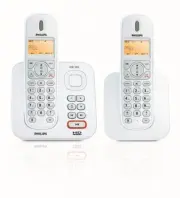
Philips CD2552S/05 – User Manual, read for free online in PDF format. We hope this helps you resolve any issues you may have. If you have further questions, please contact us through the contact form.


Table of Contents:
- Page 3 – Important; Table of contents
- Page 4 – Personal settings
- Page 5 – Impor tant; Power requirements; Warning
- Page 6 – Conformity
- Page 8 – Your phone
- Page 11 – Display icons; WARNING BATT; Note
- Page 13 – Getting star ted; Connect the base station
- Page 14 – WARNING; Welcome mode
- Page 15 – WELCOME
- Page 16 – Menu structure
- Page 19 – Using your phone; Make a call
- Page 20 – Danger
- Page 21 – Use more of your
- Page 29 – RINGER OFF
- Page 31 – Advanced settings
- Page 35 – Playing Messages
- Page 40 – ANSW MACHINE; Technical data
- Page 41 – 0 Frequently asked
- Page 42 – Caller does not hear me clearly!
CD255
S E 2 5 5
GB
Telephone Answering Machine
Warning
Use only rechargeable batteries.
Charge the handset for 24 hours before use.
Register your product and get support at
www.philips.com/welcome
"Loading the manual" means you need to wait until the file loads and becomes available for online reading. Some manuals are very large, and the time they take to appear depends on your internet speed.
Other Manuals for Philips CD2552S/05
Summary
1 Table of contents 1 Important 3 1.1 Power requirements 3 1.2 Conformity 4 1.3 Using GAP standard compliance 4 1.4 Recycling & disposal 4 1.5 Electric, Magnetic and Electromagnetic Fields (“EMF”) 5 2 Your phone 6 2.1 What’s in the box 6 2.2 Overview of your phone 7 2.3 Display icons 9 2.4 Overv...
2 Table of contents 5.7.1 Access the Call log 23 5.7.2 Save call list entry into the phonebook 23 5.7.3 Delete a call list entry 24 5.7.4 Delete all call list entries 24 5.8 Using the Intercom 24 5.8.1 Intercom another handset 24 5.8.2 Transfer an external call to another handset 24 5.8.3 Answer an ...
3 Impor tant 1 Impor tant Take time to read this user manual before you use your phone. It contains important information and notes regarding your phone. 1.1 Power requirements • This product requires an electrical supply of 100-240 volts AC. In case of power failure, communication can be lost. • Th...


