Page 3 - Important; Table of contents
1 Table of contents 1 Important 3 1.1 Power requirements 3 1.2 Conformity 4 1.3 Using GAP standard compliance 4 1.4 Recycling & disposal 4 1.5 Electric, Magnetic and Electromagnetic Fields (“EMF”) 5 2 Your phone 6 2.1 What’s in the box 6 2.2 Overview of your phone 7 2.3 Display icons 9 2.4 Overv...
Page 4 - Personal settings
2 Table of contents 5.7.1 Access the Call log 23 5.7.2 Save call list entry into the phonebook 23 5.7.3 Delete a call list entry 24 5.7.4 Delete all call list entries 24 5.8 Using the Intercom 24 5.8.1 Intercom another handset 24 5.8.2 Transfer an external call to another handset 24 5.8.3 Answer an ...
Page 5 - Impor tant; Power requirements; Warning
3 Impor tant 1 Impor tant Take time to read this user manual before you use your phone. It contains important information and notes regarding your phone. 1.1 Power requirements • This product requires an electrical supply of 100-240 volts AC. In case of power failure, communication can be lost. • Th...
Page 6 - Conformity
4 Impor tant • Power supply information for charger (multihandset pack only)Input: AC100-240V/0.3A, 50Hz/60HzOutput: DC6V/0.21AJOD-SWR-07343JODEN • Risk of explosion if battery is replaced by an incorrect type.Dispose of used batteries according to the instructions. About operating and storage tempe...
Page 8 - Your phone
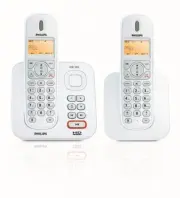
6 Your phone 2 Your phone Congratulations on your purchase and welcome to Philips! To fully benefit from the support that Philips offers, register your product at www.philips.com/welcome. 2.1 What’s in the box * You may find in the box the line adaptor delivered separately from the line cord. In thi...
Page 11 - Display icons; WARNING BATT; Note
9 Your phone 2.3 Display icons Indicates that the battery is fully charged. This icon blinks during charge and when the battery is low. When the Icon is empty the battery is practically discharged. If WARNING BATT appears together with a blinking battery icon, batteries of the wrong type are install...
Page 13 - Getting star ted; Connect the base station
11 Getting star ted 3 Getting star ted 3.1 Connect the base station 1 Place the base station in a central location near the telephone line socket and electricity socket. 2 Connect the line cord and the power cable to their corresponding connectors at the back of the base station. 3 Connect the other...
Page 14 - WARNING; Welcome mode
12 Getting star ted base station before you can use the handset. 3.2.1 Install battery Always use AAA rechargeable batteries supplied with your unit. If alkaline batteries are used instead of rechargeable batteries, “ WARNING BATT ” will show on the display and the battery icon will blink quickly. 1...
Page 15 - WELCOME
13 Getting star ted Depending on your country, the WELCOME screen may not appear. In this case, you are not required to select your country/operator/language settings. You can still make outgoing calls or receive incoming calls without first defining your country selection. 1 Press o to display a li...
Page 16 - Menu structure
14 Getting star ted 3.5 Menu structure The chart below shows the menu tree of your phone. Press the menu key m to enter each option. Press c to go to the previous level in a menu. Use navigation keys n to navigate within the menus. Menus PHONEBOOK NEW ENTRY ENTER NAME ENTER NUMBER LIST Entry list di...
Page 19 - Using your phone; Make a call
17 Using your phone 4 Using your phone 4.1 Make a call 4.1.1 Predialling 1 Dial the number (maximum 24 digits). 2 Press t . • The call is initiated. You may insert a prefix number to the beginning of your predial number, see “Set Prefix” on page 31 for more information. 4.1.2 Direct dialling 1 Pick ...
Page 20 - Danger
18 Using your phone 4.1.7 Call using Direct Access Memory In idle mode, long press 1 or 2 to dial a stored direct access memory number. See section 5.5.6 for instructions on how to store, edit, and delete direct access memory numbers. 4.1.8 Enter a Dialing Pause Make a long press # after entering on...
Page 21 - Use more of your
19 Use more of your phone 5 Use more of your phone 5.1 Switch the handset on/off Press h for at least one second to switch the handset on. To switch it off, press and hold h in idle mode for at least 5 seconds. 5.2 Keypad lock/unlock Press and hold * for 3 seconds to lock/ unlock the keypad in idle ...
Page 29 - RINGER OFF
27 Per sonal settings • A validation tone is emitted and the screen returns to the SET FORMAT menu. 5.11.3 Set Alarm 1 Press m in idle mode, scroll n to CLOCK&ALARM and press o , scroll n to ALARM and press o . 2 Scroll n to OFF , ON ONCE or ON DAILY and press o . 3 If you select ON ONCE or ON D...
Page 31 - Advanced settings
29 Advanced settings free talk mode. This allows you to charge the handset during calls.The default setting for auto hang up is ON. 1 Press m in idle mode, scroll n to PERSONAL SET and press o . 2 Scroll n to AUTO HANG-UP and press o . The current setting is shown. 3 Scroll n to select ON or OFF and...
Page 35 - Playing Messages
33 Telephone answering machine (TAM) 8 Telephone answering machine (TAM) Your phone features an answering machine that records unanswered calls when it is activated. The answering machine can store up to 59 messages. The maximum recording time is 3 minutes per message, or 15 minutes for all messages...
Page 40 - ANSW MACHINE; Technical data
38 Technical data country selected. However you can change the language of the default outgoing messages as follows. 1 Press m in idle mode, scroll n to ANSW MACHINE and press o . 2 PLAY is displayed. Scroll n to SETTINGS and press o . 3 RING DELAY is displayed. Scroll n to LANGUAGE and press o . 4 ...
Page 41 - 0 Frequently asked
39 Frequently asked questions 10 Frequently asked questions www.philips.com/support In this chapter, you will find the most frequently asked questions and answers about your phone. 10.1 Connection The handset does not switch on! • Charge the batteries: Put the handset on the base station to charge. ...
Page 42 - Caller does not hear me clearly!
40 Frequently asked questions Caller does not hear me clearly! • Move closer to the base station.• Move the base station at least one metre away from any electronic appliances. Frequent noise interference on my radio or television! • Move the base station as far away as possible from the electrical ...