Philips CD1301S/05 - Quick Guide
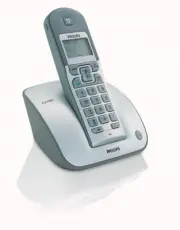
Philips CD1301S/05 – Quick Guide, read for free online in PDF format. We hope this helps you resolve any issues you may have. If you have further questions, please contact us through the contact form.


What’s in the box
Handset
CD 130
Base station
CD 130 or CD 135
Power supply
unit
Line cord
Quick start guide
User manual
CD 130 or CD 135
1
Connect
Connect the base station
A
O
Insert the plug of the power
cord into the socket on the
rear of the base station.
O
Insert the plug of the line
cord into the socket on the
rear of the base station.
O
Plug the power supply unit
into your power outlet.
O
Plug the line cord into the
line socket.
2
Install
Always use rechargeable batteries.
Insert batteries
Guarantee
+
-
+
-
Rechargeable
batteries
Always use the cables and
batteries that came with your
phone.
In multipack sets you will find additional handsets, chargers power supplies,
line cords and batteries.
OR
A
Charge handset for
24 hours
B
To set the date and time
1. Press
.
2. Press Down
to reach
CLOCK/ALARM
.
3. Press
to display
DATE & TIME
.
4. Press
and enter the current
date.
5. Press
and enter the current
time.
6.
Press
to confirm the settings.
3
Enjoy
To make a call
Press
and dial the number.
TIP
:You can predial the number before seizing the line.
During a call, press 2 times
to activate the handset loudspeaker.
To answer a call
Press .
To adjust earpiece volume while on line
Press Up or Down
to increase or decrease the volume.
To set the handset ring melody
1. Press
and press Down
to reach
PERSONAL SET
.
2. Press ,
HANDSET TONE
is shown.
3. Press
and scroll Down
to reach
RING MELODY
.
4. Press
, the melody is played.
5. Press Up or Down
to browse the list of melodies.
6. Press
to confirm your choice.
3111 285 28441
To save a name & number in the phonebook
1. In idle mode, press
,
PHONEBOOK
is shown.
2. Press ,
ADD NUMBER
is shown.
3. Press ,
ENTER NAME
is shown
.
4. Enter the name and press
,
ENTER NUMBER
is shown
.
5. Enter the number and press
to save the number.
Handset
CD 135
OR
OR
QSG CD130-135_Master UK_6pages.qxd 12.01.2006 17:45 Seite 1
"Loading the manual" means you need to wait until the file loads and becomes available for online reading. Some manuals are very large, and the time they take to appear depends on your internet speed.


