Page 3 - Contents
1 EN Contents 1 Important 2 Safety 2 2 Your multiroom speaker 3 Introduction 3 What's in the box 3 Over view of the main unit 4 3 Prepare 6 Connect power and turn on 6 4 Play 8 Play in single mode 8 Play in group mode 9 Control play 11 5 Other features 12 Update firmware 12 Reset group status 12 6 P...
Page 4 - Important; Safety
2 EN 1 Important Safety • Make sure that there is enough free space around the product for ventilation. • Only use attachments or accessories specified by the manufacturer. • Use only power supplies listed in the user manual. • This speaker is designed to be waterproof in compliance with IPX4. • Do ...
Page 5 - Introduction
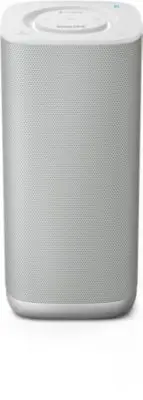
3 EN 2 Your multiroom speaker Congratulations on your purchase, and welcome to Philips! To fully benefit from the suppor t that Philips offers, register your product at www.philips.com/welcome. Introduction With the splash proof Philips izzylink speaker with a built-in batter y, you can: • listen to...
Page 6 - Overview of the main unit; d e f g h
4 EN Overview of the main unit a GROUP button/indicator • Press and hold to group with another izzylink-compatible multiroom speaker. • Press to exit or return to a group. • Flashes green during grouping. • Turns solid green after successful grouping. • Flashes green when the speaker acts as a slave...
Page 8 - Prepare; Connect power and turn on; Switch to standby mode
6 EN 3 Prepare Always follow the instructions in this chapter in sequence. If you contact Philips, you will be asked for the model and serial number of this apparatus. The model number and serial number are on the bottom of the apparatus. Write the numbers here: Model No. __________________________ ...
Page 9 - Use battery power
7 EN • In group mode, press on any speaker in the group to switch all the speakers on from standby mode. Note • You can hold to turn off the volume indicator completely. • In single mode, if the Bluetooth connection is invalid or music playback is stopped for 15 minutes, the speaker switches to stan...
Page 10 - Play in single mode; Connect a Bluetooth-enabled device; Play from the connected Bluetooth-
8 EN 4 Play Play in single mode Single mode: Single mode means that the speaker is not grouped with any other izzylink- compatible multiroom speakers. Instead, it is used as a standalone speaker. Connect a Bluetooth-enabled device Note • Make sure that your Bluetooth-enabled device is compatible wit...
Page 11 - Listen to an external device; Play in group mode
9 EN • After successful Bluetooth connection, play music on the Bluetooth device. » Music streams from your Bluetooth device to the speaker. To disconnect the Bluetooth-enabled device: • Disable Bluetooth on your device; • Press and hold on the speaker for more than three seconds; or • Move the devi...
Page 12 - Create a group; Change master
10 EN Note • You can create a group of up to five speakers, with one as the master and four as slaves. Create a group Note • Whenever you create a group, the first speaker that you enable the group function will act as the master. 1 Hold GROUP on the first speaker for 3 seconds (The master). 2 Hold ...
Page 13 - Switch to single mode; Control play
11 EN • Press any source key on a slave speaker to change it to be the master of the group. » Pair your mobile device with the new master if you have not paired with it before. Switch to single mode A Press GROUP on the master to enter single mode. » The slaves keep looking for the master until time...
Page 14 - Other features; Reset group status
12 EN 5 Other features Update firmware Warning • Always connect the speaker to AC power for firmware upgrade. • Never power off the speaker or unplug the USB mass storage device before completion of the firmware upgrade. Note • Make sure that the USB stick is FAT16/32 formatted. 1 On your PC/Mac, go...
Page 15 - Specifications; Amplifier; Speakers
13 EN 6 Product information Note • Product information is subject to change without prior notice. Specifications Amplifier Rated Output Power 2X7.5W RMS at 1% THD ( Adapter Mode) 2X5W RMS at 1% THD (Batter y Mode) Frequency Response 50 - 20000 Hz Signal to Noise Ratio 72dBA Audio-in Input 500mV RMS ...
Page 16 - Troubleshooting
14 EN 7 Troubleshooting Warning • Never remove the casing of this device. To keep the warranty valid, never tr y to repair the system yourself. If you encounter problems when using this device, check the following points before requesting ser vice. If the problem remains unsolved, go to the Philips ...
Page 17 - a b
15 EN 8 Understand meanings of LED status (1) Group indicator status Meaning Off The speaker is powered off. The speaker is in single mode. Flashing green The speaker is grouping with its master/slave. The speaker acts as a slave and is disconnected from its master. Solid green The speaker is groupe...
Page 19 - Notice
17 EN 9 Notice Hereby, Gibson Innovations declares that this product is in compliance with the essential requirements and other relevant provisions of Directive 1999/5/EC. You can find the Declaration of Conformity on www.p4c.philips. com. Any changes or modifications made to this device that are no...
Page 20 - Written offer
18 EN Written offer Gibson Innovations Limited hereby offers to deliver, upon request, a copy of the corresponding source code for the open source software packages used in this product for which such offer is requested by the respective licenses. This offer is valid up to three years after product ...