Page 2 - Contents
Contents 1 Important �����������������������������������������������������������������������������������������1 Safety ����������������������������������������������������������������������������������������������������������������������������������������������� 1 Electromagnetic fields (EMF) ...
Page 3 - Important; Safety; Danger
1 EN 1 Important Safety Read this user manual carefully before you use the appliance, and save it for future reference� To ensure the best performance, please ensure your Air Performer is upgraded to the latest version. You can do this upgrade via the Air+ app. Danger • Do not let any liquid or flam...
Page 4 - WARNING
2 EN • Do not sit or stand on the appliance. Do not knock against appliance. Do not place anything on top of the appliance. • Always unplug the appliance when you want to move, clean appliance, replace the filter or carry out other maintenance. • When you turn on device, always keep filter in it. • ...
Page 5 - Recycling
3 EN Standard WiFi interface based on 802.11b/g/n/ax at 2.4GHz with a maximum output power of 64mW EIRP.Bluetooth version 5.2 (LE) at frequency 2.4 GHz with RF output less than 10mW EIRP. Electromagnetic fields (EMF) This appliance complies with the applicable standards and regulations regarding exp...
Page 6 - Your Air Performer; Product overview
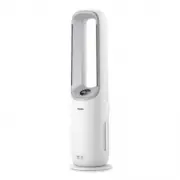
4 EN 2 Your Air Performer Congratulations on your purchase, and welcome to Philips!To fully benefit from the support that Philips offers, register your product at www�philips�com/welcome � Product overview Control panel Particle sensor Remote control Back cover Air outlet (font) Circulation air outl...
Page 7 - Display overview
5 EN Display overview Control button Power on/off button Display panel Wi-Fi indicator Filter cleaning alert Filter replacement alert PM2.5 display Auto mode Turbo mode App-operated mode Sleep mode Child lock indicator Circulation function Fan function Air quality bar
Page 8 - Remote control overview
6 EN Remote control overview Fan speed selection Mode switch** Power on/off Oscillation Function switch* Timer *Press 3s: Turbo mode ( ) **Press 3s: Child lock ( ) Filter reset
Page 9 - Getting started; Installing the filter; Understanding the Wi-Fi indicator
7 EN 3 Getting started Installing the filter Remove all packaging from the filter before first use. Note: Make sure the Air Performer is unplugged from the electrical outlet before installing the filter. 1 2 3 4 5 1 Pull the back cover and remove it from the appliance. 2 Pull out the filter from the...
Page 10 - Setting up the Wi-Fi connection for the first time; Reset the Wi-Fi connection
8 EN Wi-Fi connection Setting up the Wi-Fi connection for the first time 1 Download and install the Philips Air+ app from the App Store or Google Play � 2 Put the plug of the Air Performer in the power socket and touch to turn on the Air Performer. » The Wi-Fi indicator blinks orange for the first t...
Page 11 - Using the Air Performer; Understanding the air quality bar
9 EN 4 Using the Air Performer Understanding the air quality bar The air quality bar automatically goes on when the Air Performer is switched on, and lights up all colors in sequence. After approximately 30 seconds, the particle sensor selects the color that corresponds to the surrounding air qualit...
Page 12 - Turning on and off; Oscillation
10 EN Turning on and off Note: • For optimum purification performance, close doors and windows. • Keep curtains away from the air inlet or air outlet� • Plug the appliance into the power outlet; do not use a power strip� 1 Plug the Air Performer into the power socket. 2 Touch to switch on the Air Pe...
Page 14 - Mode switch; Setting the child lock
12 EN Mode switch You can choose the Auto mode or Sleep mode by pressing the button. Note: • The App-operated mode is available ONLY through the app after the Wi-Fi connection is sucessful� Auto ( ): The appliance automatically adjusts settings to deliver the best performance. Sleep mode ( ): The ap...
Page 15 - Cleaning and maintenance; Cleaning schedule
13 EN Setting the timer With the timer, you can let the appliance operate for a set number of hours. When the set time has elapsed, the appliance will automatically switch off. 1 Press the button repeatedly to choose the number of hours you want the appliance to operate � » 0�5h , 1h , 4h , or 8h is...
Page 16 - Cleaning the body of the Air Performer; Cleaning the particle sensor; Cleaning the surface of the filter
14 EN Cleaning the body of the Air Performer Regularly clean the inside and outside of the Air Performer to prevent dust from collecting� • Use a soft, dry cloth to clean both the interior and exterior of the Air Performer and the air outlet. Cleaning the particle sensor Clean the particle sensor ev...
Page 17 - Replacing the filter
15 EN 1 Switch off the Air Performer and unplug it from the power socket. 2 5 6 3 4 2 Pull the back cover and remove it from the appliance. 3 Pull out the filter from the appliance. 4 Clean the surface of the filter with a vacuum cleaner. 5 Put the filter back into the appliance. 6 Reattach the back...
Page 18 - Filter reset
16 EN 1 Switch off the Air Performer and unplug it from the power socket. 2 5 6 3 4 2 Pull the back cover and remove it from the appliance. 3 Pull out the filter from the appliance. 4 Remove all packaging materials from the new filter. 5 Put the new filter into the appliance. 6 Reattach the back cov...
Page 19 - Replacing the battery
17 EN 2 Plug the appliance into the power socket. 3 Within 15 seconds after power on, press and hold the and button for 3 seconds to reset the filter lifetime counter. Replacing the battery Warning: • Risk of swallowing batteries! The remote control contains a button battery, which can be swallowed....
Page 22 - Warranty and support; Order parts or accessories
20 EN Problem Possible solution The Wi-Fi setup is not successful. • If the router your appliance is connected to is dual-band and it is currently not connecting to a 2.4GHz network, please switch to another band of the same router (2.4GHz) and try to pair your Air Performer again. 5GHz networks are...