Philips 75PUS7354/12 - Quick Guide
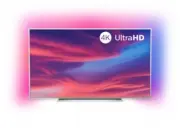
A Quick Guide for setting up the Philips 7354 series smart television covers essential setup tasks like unboxing, arranging the TV stand, and connecting necessary cables–such as HDMI, USB, or an antenna–to ensure proper installation. The document also highlights safe handling techniques and includes visual aids for correct cable routing and accessory placement to optimize performance and prevent damage. Safety considerations and compatibility with included accessories are emphasized throughout.


Quick Start Guide
B
Register your product and get suppor t at
www.philips.com/TVsupport
7354 series
1
3
4
2
Quick Start Guide
(UK)
(EU)
A
1
4
A
7
2
5
3
9
6
8
R
R
L
L
L
R
R
L
"Loading the manual" means you need to wait until the file loads and becomes available for online reading. Some manuals are very large, and the time they take to appear depends on your internet speed.
Was this manual helpful?
About this manual
- Brand
- Philips
- Model
- 75PUS7354/12
- Document type
- Quick Guide
- Language(s)
- German, English, Spanish, French, Italian, Dutch, Polish, Russian
- Pages
- 2
- File size
- 2.3 MB
- Format
Ask a question
Related manuals
Popular Philips Other


More Philips Other models
 Philips 75PML9507/12 Quick Guide
 Philips 75PML9636/12 Quick Guide
 Philips 75PUL7552/F7 Quick Guide
 Philips 75PUS6754/12 Quick Guide
 Philips 75PUS7009/12 Quick Guide
 Philips 75PUS7101/12 Quick Guide
 Philips 75PUS7608/12 Quick Guide
 Philips 75PUS7609/12 Quick Guide
 Philips 75PUS7803/12 Quick Guide
 Philips 75PUS7805/12 Quick Guide
 Philips 75PUS7855/12 Quick Guide
 Philips 75PUS7906/12 Quick Guide