Philips 75PFL4756/F7 - Quick Guide
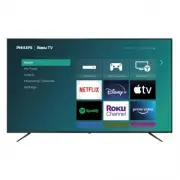
Philips 75PFL4756/F7 – Quick Guide, read for free online in PDF format. We hope this helps you resolve any issues you may have. If you have further questions, please contact us through the contact form.


Table of Contents:
- Page 2 – Using the remote; How to install the batteries in the remote; scan
- Page 3 – Prepare to activate your smart TV; Wireless router; Your Roku account; Plug in and turn on TV
- Page 5 – Parental Controls; Creating a parental control PIN
- Page 6 – Troubleshooting; Home
Quick start guide
If you have any questions or need a detailed manual, please visit our support website at
www.philips.com/support
4756 series
1-866-309-5962
http://tinyurl.com/y2e29xsq
Call us:
Chat with us:
Scan to call us:
Scan to chat with us:
For further assistance, please call the customer support in your
country or check the Philips website for chat support.
To obtain assistance, contact Philips customer care center;
In the U.S.A., Canada, Puerto Rico, or the U.S. Virgin Islands
Product design is for illustrative purposes only.
Actual product may vary.
"Loading the manual" means you need to wait until the file loads and becomes available for online reading. Some manuals are very large, and the time they take to appear depends on your internet speed.
Was this manual helpful?
About this manual
- Brand
- Philips
- Model
- 75PFL4756/F7
- Document type
- Quick Guide
- Language(s)
- English
- Pages
- 6
- File size
- 1.3 MB
- Format
Summary
1 Using the remote How to install the batteries in the remote Open the battery cover by firmly sliding down. Insert 2 AAA (1.5 V) batteries matching the polarity indicated inside battery compartment of the remote. a c AAA (1.5 V) x 2 b 1 2 3 6 7 4 9* 8 5 10 11 12 13 1 Power Turn TV on and off 2 Back...
2 Prepare to activate your smart TV What you need (not included) • Wireless router (needed to connect your TV to the Internet) • Internet connection (needed for streaming) • Computer, tablet, or smartphone (needed for setup) • Roku account (needed to access entertainment across thousands of streamin...
7 Parental Controls Parental controls enable you to control whether the members of your household can view certain kinds of broadcast TV programs. When a program or feature is blocked, you can unblock it by entering a parental control PIN that only you know. C Note: Parental controls block content f...
Ask a question
Related manuals
Popular Philips Other


More Philips Other models
 Philips 70PUS9006/12 Quick Guide
 Philips 75 Manual
 Philips 75BDL4650D/00 User Manual
 Philips 75BFL2214/12 Quick Guide
 Philips 75BFL2214/27 User Manual
 Philips 75HFL6214U/12 Quick Guide
 Philips 75PML8709/12 Quick Guide
 Philips 75PML9008/12 Quick Guide
 Philips 75PML9009/12 Quick Guide
 Philips 75PML9019/12 Quick Guide
 Philips 75PML9059/12 Quick Guide
 Philips 75PML9506/12 Quick Guide