Philips 65PUL6553/F7 - Quick Guide
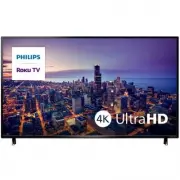
Philips 65PUL6553/F7 – Quick Guide, read for free online in PDF format. We hope this helps you resolve any issues you may have. If you have further questions, please contact us through the contact form.


Table of Contents:
- Page 2 – Using the remote; How to install the batteries in the remote; indicated inside battery compartment of the remote.; T V
- Page 3 – Activate your smart TV; Your Roku account; Roku does not charge for activation support — beware of scams.
- Page 4 – When the setup wizard is complete, select the Antenna
- Page 5 – Parental Controls; Creating a parental control PIN
- Page 6 – Troubleshooting; License
6 series
Quick Start Guide
Register your product:
www.philips.com/my-tv
•
Early access to exclusive offers and more!
•
Keep track of your product warranty coverage
•
Get easy access to product support
Scan to register
User manual:
www.philips.com/support
For a detailed manual, please visit our
support page and enter your TV model
number to download.
Scan to download
Call us:
1-833-978-3323
To obtain assistance, contact Philips customer
care center; In the U.S.A., Canada, Puerto Rico,
or the U.S. Virgin Islands
Scan to call
Chat with us:
http://tinyurl.com/y2e29xsq
For a detailed manual, please visit our
support page and enter your TV model
number to download.
Scan to chat
"Loading the manual" means you need to wait until the file loads and becomes available for online reading. Some manuals are very large, and the time they take to appear depends on your internet speed.
Was this manual helpful?
About this manual
- Brand
- Philips
- Model
- 65PUL6553/F7
- Document type
- Quick Guide
- Language(s)
- English
- Pages
- 6
- File size
- 1.5 MB
- Format
Other Manuals for Philips 65PUL6553/F7
Summary
1 What you need (not included) • Wireless router (needed to connect your TV to the Internet) • Internet connection (needed for streaming) • Computer, tablet, or smartphone (needed for setup) • Roku account (needed to access entertainment across thousands of streaming channels) For additional support...
3 Plug in and turn on TV Connect the AC power cord to the AC outlet. Press the power button on the TV’s remote. 4 Follow the on-screen instructions Language English Deutsch Español Français Let's get started Set up environment Set up for home use Set up for store use 1. Once your Roku TV powers on, ...
6 Download the Roku mobile app (optional) The free Roku mobile app allows you to use your mobile device as a fully functioning remote with voice search and keyboard. • Download the Roku mobile app on your smartphone or tablet through Google Play or Apple App Store. • Simply search for “Roku app” and...
Ask a question
Related manuals
Popular Philips Other


More Philips Other models
 Philips 65PML9049/12 Quick Guide
 Philips 65PML9059/12 Quick Guide
 Philips 65PML9308/12 Quick Guide
 Philips 65PML9506/12 Quick Guide
 Philips 65PML9507/12 Quick Guide
 Philips 65PML9636/12 Quick Guide
 Philips 65PUL6673/F7 User Manual
 Philips 65PUL7552/F7 Quick Guide
 Philips 65PUL7973/F7 Quick Guide
 Philips 65PUS6121/12 Quick Guide
 Philips 65PUS6162/12 Quick Guide
 Philips 65PUS6262/12 Quick Guide