Page 2 - Contents
Contents 1 Home Screen 4 1.1 Home Screen and Channels 4 1.2 Open the Home Screen 4 1.3 Home Screen Update 4 2 Setting Up 6 2.1 Read Safety 6 2.2 TV Stand and Wall Mounting 6 2.3 Tips on Placement 6 2.4 Power Cable 6 2.5 Antenna Cable 7 2.6 Satellite Dish 7 3 Remote Control 8 3.1 Key Overview 8 3.2 I...
Page 4 - Home Screen; Home Screen and Channels
1 Home Screen 1.1 Home Screen and Channels The Home launcher To enjoy the benefits of your Android TV, connect theTV to the Internet. Press Home on your remote control to get your new Android Home screen. Like onyour Android smartphone or tablet, the Home screenis the centre of your TV. From here yo...
Page 5 - Home Screen Update
1.3 Home Screen Update You may receive the update notification from Googleand have new version of Home launcher installed.With the new Home launcher, you will have a newlook and features on TV’s Home screen. New highlights on your home screen With multiple tabs like Home , Discover , Apps and Search...
Page 6 - Setting Up; Read Safety; TV Stand and Wall Mounting; TV Stand; Wall Mounting; Tips on Placement; Power Cable
2 Setting Up 2.1 Read Safety Read the safety instructions first before you use theTV. To read the safety instructions, go to Safety and Care section on this Help manual for the information. 2.2 TV Stand and Wall Mounting TV Stand You can find the instructions for mounting the TVstand in the Quick St...
Page 7 - Antenna Cable; Satellite Dish
Although this TV has a very low standby powerconsumption, unplug the power cable to save energyif you do not use the TV for a long period of time. 2.5 Antenna Cable Insert the antenna plug firmly intothe Antenna socket at the back of the TV. You can connect your own antenna or an antennasignal from ...
Page 8 - Remote Control; Key Overview; Top
3 Remote Control 3.1 Key Overview Top 1 - Power (Standby / On) To switch the TV on or back to Standby. 2 - Ambilight To select one of the Ambilight style. 3 - Amazon Prime Video To launch the Amazon Prime Video App. 4 - NETFLIX To launch the Netflix App with the TV switched on orfrom standby. • If y...
Page 12 - Channel Installation; First Time to Install Channels; Satellite Installation
5 Channel Installation 5.1 First Time to Install Channels Install channels during the first TV installation On the first TV installation, you can follow on-screeninstructions to set the menu language, networkconnection, sign in Google account, select yourcountry and complete other basic settings for...
Page 13 - Antenna Installation
6 - Select the Satellite name to view and change the satellite settings. Once the satellite settings areconfirmed, press Back and select Next to start the scan. The satellite setting items include all information ofsatellites. • Satellite Status - The item is not allowed to modify when you select Pr...
Page 14 - Favourite Network Select; Cable Installation; Single RF Scan and Reception Quality
3 - Select Channels > Channel Scan and press OK . Alternatively, while watching a TV channel, you canperform the channel scan by... MENU > Navigation Keys up > Channels > Channel Favourite Network Select To select the favourite network... 1 - While watching TV, press MENU > TV options...
Page 15 - Update Channels
menu. * Note: You cannot skip the current watching channel. Channel Sort You can swap the position on the channel list foreach channel. To swap the channel number... 1 - While watching TV, press MENU > TV options > Settings > Channel > Channels and press OK . 2 - Select Channel Sort * an...
Page 17 - Channels; Channel Lists; About Channel Lists
6 Channels 6.1 About Channels and SwitchChannels To watch TV channels • Press SOURCES and select DTV to watch digital channels or ATV to watch analogue channels. • Alternatively, you can Press Home > Live TV and press OK to watch current TV source channels. If Live TV is not on your Apps row, you...
Page 18 - Watching channels; Tune to a Channel
Search for a Channel You can search for a channel to find it in a long list ofchannels. To search for a channel… 1 - Press OK to open the current channel list. 2 - Press Yellow key for Select More . 3 - Select Operation > Find and press OK to open a text field. You can use the remote control keyb...
Page 19 - Favourite Channels; About Favourite Channels
Programme Restrictions To prevent children from watching a programme thatmay not suitable for them, you can set a rating. Digital channels can have their programmes rated.When the rating of a programme is equal to or higherthan the rating you have set, the programme will belocked. To watch a locked ...
Page 20 - Edit a Favourites List - Analogue TV; Interactive TV; About iTV
* Note: Only one favourite channel list is availablewhen the installation country is UK. Edit a Favourites List - Analogue TV To add a channel to the favourite list… 1 - While watching Analogue TV, press OK to open the current channel list. 2 - Press Navigation keys up or down to select a channel. 3...
Page 21 - Connect Devices; About Connections; Connectivity Guide
7 Connect Devices 7.1 About Connections Connectivity Guide Always connect a device to the TV with the highestquality connection available. Also, use good qualitycables to ensure a good transfer of picture andsound. When you connect a device, the TV recognizes itstype and gives each device a correct ...
Page 23 - Home Theatre System - HTS; Connect with HDMI ARC; Connect with HDMI; Video Device; HDMI; Audio Device; Digital Audio Out - Optical
7.3 Home Theatre System - HTS Connect with HDMI ARC Use an HDMI cable to connect a Home TheatreSystem (HTS) to the TV. You can connect a PhilipsSoundbar or an HTS with a built-in disc player. HDMI ARC If your Home Theatre System has an HDMI ARCconnection, you can use HDMI ARC connection onthe TV to ...
Page 24 - Headphones; USB Flash Drive
Headphones You can connect a set of headphones to theheadphone connector on the back of the TV. Theconnection is a mini-jack 3.5mm. * Note: TV Speakers will be muted when theHeadphones are plugged in. 7.6 USB Flash Drive You can view photos or play your music and videosfrom a connected USB flash dri...
Page 25 - Bluetooth; What You Need
8 Bluetooth 8.1 What You Need You can connect a wireless device with Bluetooth® tothis TV – a wireless speaker or headphones*. To play the TV sound on a wireless speaker, you mustpair the wireless speaker with the TV. The TV can onlyplay the sound on one speaker at a time. Attention - Audio to Video...
Page 27 - Network and Internet; Home Network
9 Connect yourAndroid TV 9.1 Network and Internet Home Network To enjoy the full capabilities of your Philips AndroidTV, your TV must be connected to the Internet. Connect the TV to a home network with a high-speedInternet connection. You can connect your TVwirelessly or wired to your network router...
Page 28 - Network Settings; Google Account; Sign In
successful. If the connection fails, you can check the DHCPsetting of the router. DHCP should be switched on. **To fulfill EMC regulations, use a shielded FTP Cat.5E Ethernet cable. Network Settings Proxy settings MENU > TV options > Settings > Network & internet > Proxy settings . E...
Page 29 - Apps; About Apps; Movies and TV
10 Apps 10.1 About Apps You can find your favourite Apps on Apps row in the Home menu. Like apps on your smartphone or tablet, the apps onyour TV offer specific functions for an enriched TVexperience. Apps like YouTube, games, video storesor weather forecasts (a.o.). Apps can come from the Google Pl...
Page 30 - Start or Stop an App
exit/stop button. If the App is not on you Home screen, you can addvia the Apps page or by the Add app to favourites item on the Apps row. Some Google Play products and features aren't available in all countries. Find more informationon www.support.google.com/androidtv Google Play Store From the Goo...
Page 31 - Sources; Switch to a device
11 Sources 11.1 Switch to a device From the list of Sources, you can switch to any of theconnected devices. You can switch to a tuner towatch TV or switch to your connected devices towatch their programme, a digital receiver or a Blu-rayDisc player. To switch to a connected device… 1 - Press SOURCES...
Page 32 - Settings; Picture Settings; Picture Mode
12 Settings 12.1 Picture Settings Picture Mode Select a style MENU > TV options > Picture > Picture mode . For easy picture adjustment, you can select a presetpicture style. • User - The picture preferences you set during thefirst start up.• Standard - Most energy conscious setting - Factor...
Page 33 - Sound Settings; Sound Mode
Set the picture to a preset colour temperature oradjust the setting yourself. Light sensor Select On to adjust the picture settings automatically to the lighting conditions of the room. Advanced video Set the advance settings. • DNRDigital Noise Reduction, image noise reduction filtersto reduces the...
Page 34 - Audio
which can add height dimension in sound. Withheight dimension, sound can be precisely placed andmoved in three-dimensional space. Reset to Default Reset the current sound settings to default. 12.3 Power Settings MENU > TV options > Power . Set Sleep timer Power > Sleep timer . TV switches t...
Page 36 - Other settings; Device Preferences
12.5 Other settings Device Preferences Home > Settings > Device Preferences . System update Update TV software from local update or from theInternet. About To show the information about this TV or performFactory reset operation for the TV. Date & time Adjust the date and time settings. Tim...
Page 37 - Remote and Accessories; Reboot; Menu Language
Remote and Accessories Home > Settings > Remote and Accessories . You can select the stored bluetooth connection fromthe list. If you cannot find your accessory, select Add accessory to search for bluetooth connections. 12.6 Reboot Home > Settings > Device Preferences > Reboot . Note:...
Page 38 - Timer; Accessibility Settings
UTC - Coordinated Universal Time information. Correct clock manually Automatic date & time > Off . Select Set date and Set time to adjust the value. Note: If none of the automatic settings display the timecorrectly, you can set the time manually. Set time zone or set a time offset for your re...
Page 39 - Ambilight; Ambilight Style
13 Ambilight 13.1 Ambilight Style You can set Ambilight to follow the video dynamics ofa TV programme. Alternatively, you can set Ambilightto show a preset colour style or you can switchAmbilight off. Follow Video If you select Follow Video , you can select one of the styles that follow the dynamics...
Page 40 - View Photos
14 Videos, Photos,Music & Text 14.1 From a USB Connection You can view your photos or play your music andvideos from a connected USB flash drive. With the TV switched on, plug in a USB flash drive toone of the USB connections. 1 - Press Home , select MMP from the Apps list and press OK . 2 - Use...
Page 42 - TV Guide; TV Guide Data
15 TV Guide 15.1 TV Guide Data With the TV Guide you can view a list of the currentand scheduled TV programmes of your channels. Notall channels offer TV Guide information. The TV Guide receives information (data) frombroadcasters. The TV can collect TV Guideinformation for the channels that are ins...
Page 43 - Google Cast; Cast to Your TV
16 Smartphones andTablets 16.1 Google Cast What You Need If an app on your mobile device has Google Cast, youcan cast your app on this TV. On the mobile app, lookfor the Google Cast icon. You can use your mobiledevice to control what's on TV. Google Cast works onAndroid and iOS. Your mobile device m...
Page 44 - Freeview Play
17 Freeview Play To enjoy Freeview Play* , you need to connect your TV to Internet first. Freeview Play offers: • Watch TV programmes you missed from the lastseven days.• Watch live TV and on demand, all in one placewithout entering an app, you can search FreeviewPlay programmes in TV Guide.• Watch ...
Page 45 - Netflix
18 Netflix If you have a Netflix membership subscription, youcan enjoy Netflix on this TV. Your TV must beconnected to the Internet. In your region, Netflixmight only come available with future softwareupdates. To open Netflix, press NETFLIX on the remote control to open the Netflix App. You can ope...
Page 46 - Software; Update Software
19 Software 19.1 Update Software Local Updates You need a computer with an high-speed Internetconnection and a USB flash drive to upload thesoftware on the TV. Use a USB flash drive with at least2GB free space. Make sure that write protection isswitched off. 1 - Press Home > Settings > Device ...
Page 47 - Specifications; Environmental; European Energy Label; EPREL Registration Number; End of Use; UK Declaration of Conformity
20 Specifications 20.1 Environmental European Energy Label The European Energy Label informs you on the energy efficiency class of this product. The greenerthe energy efficiency class of this product is, thelower the energy it consumes.On the label, you can find the energy efficiency class,the avera...
Page 50 - Help and Support; Register your TV; Troubleshooting; Switch On and Remote Control; PIN Code
21 Help and Support 21.1 Register your TV Register your TV and enjoy a range of benefitsincluding full support (including downloads),privileged access to information about new products,exclusive offers and discounts, the chance to winprizes and even participate in special surveys aboutnew releases. ...
Page 52 - Online Help
information on indoor range, transfer rate and otherfactors of signal quality.• Use a high-speed (broadband) Internet connectionfor your router. DHCP • If the connection fails, you can check the DHCP(Dynamic Host Configuration Protocol) setting of therouter. DHCP should be switched on. Bluetooth Una...
Page 53 - Safety and Care; Safety; Important; Stability Hazards
22 Safety and Care 22.1 Safety Important Read and understand all safety instructions beforeyou use the TV. If damage is caused by failure tofollow instructions, the warranty does not apply. Risk of Electric Shock or Fire • Never expose the TV to rain or water. Never placeliquid containers, such as v...
Page 54 - Screen Care
some lithium battery types).• Disposal of a battery into fire or a hot oven, ormechanically crushing or cutting of a battery, that canresult in an explosion.• Leaving a battery in an extremely high temperaturesurrounding environment that can result in anexplosion or the leakage of flammable liquid o...
Page 55 - Terms of Use
23 Terms of Use 2021 © TP Vision Europe B.V. All rights reserved. This product was brought to the market by TP VisionEurope B.V. or one of its affiliates, hereinafter referredto as TP Vision, which is the manufacturer of theproduct. TP Vision is the warrantor in relation to theTV with which this boo...
Page 56 - Copyrights; Kensington
24 Copyrights 24.1 HDMI HDMI The terms HDMI, HDMI High-Definition MultimediaInterface, and the HDMI Logo are trademarks orregistered trademarks of HDMI LicensingAdministrator, Inc. 24.2 Dolby Vision and DolbyAtmos Dolby Vision and Dolby Atmos Dolby, Dolby Vision, Dolby Atmos, Dolby Audio, andthe dou...
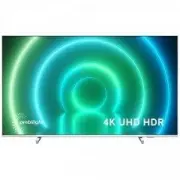




 Philips 49PUS6412/12 Quick Guide
 Philips 49PUS7809 Manual
 Philips 50PFH4319 Manual
 Philips 50PFH5300/88 Quick Guide
 Philips 50PUS6809 Manual
 Philips 65PUS6412/12 Quick Guide
 Philips 14PT6107_58 User Manual
 Philips 32HFL2849T User Manual
 Philips 32PFL5605H Manual
 Philips 32PFL7404H User Manual