Philips 55PUS7272/12 - Quick Guide
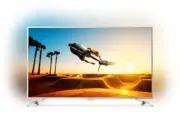
A user manual for Philips smart TVs in the 7202 and 7272 series covers essential setup, installation, and connectivity guidance. The document includes visual instructions for safely assembling the TV with wall mounts or stands, handling components like cables and hardware, and connecting devices–such as audio sources, networks, and multimedia players–using ports like HDMI, coaxial cables, and USB. It also addresses remote control usage, proper viewing angles, and troubleshooting basic setup procedures to ensure optimal performance and safety.


Table of Contents:
- Page 1 – Product Overview and Registration
- Page 2 – Safety Instructions Notice
- Page 3 – Unboxing and Safe Setup
- Page 4 – Component Installation Guidelines
- Page 5 – TV Positioning Instructions
- Page 6 – Device Connection Methods
- Page 7 – Audio and Network Connectivity Options
- Page 8 – External Device Connections
- Page 9 – Multimedia Source Connection via HDMI ARC
- Page 10 – Monitor Mounting Procedures
- Page 11 – Remote Control Battery Installation
- Page 12 – TV Remote Usage Guidelines
- Page 13 – Remote Control Operation Interface
- Page 14 – Accessing Support and Manuals
7202 series
7272 series
Register your product and get support at
www.philips.com/welcome
TV
"Loading the manual" means you need to wait until the file loads and becomes available for online reading. Some manuals are very large, and the time they take to appear depends on your internet speed.
Was this manual helpful?
About this manual
- Brand
- Philips
- Model
- 55PUS7272/12
- Document type
- Quick Guide
- Language(s)
- German, English, Spanish, French, Italian, Polish, Russian, Swedish
- Pages
- 16
- File size
- 2 MB
- Format
Summary
Overview of included components for TV models in the 7202 and 7272 series, along with product registration information.
Safety instructions requiring user review, presented alongside corresponding translations.
Contents of the Philips TV box and procedures for safe setup, including unboxing, handling the TV, and mounting.
Ask a question
Related manuals
Popular Philips Other


More Philips Other models
 Philips 55PUS6804/12 Quick Guide
 Philips 55PUS7008/12 Quick Guide
 Philips 55PUS7009/12 Quick Guide
 Philips 55PUS7100/12 Quick Guide
 Philips 55PUS7101/12 Quick Guide
 Philips 55PUS7181/12 Quick Guide
 Philips 55PUS7303/12 Quick Guide
 Philips 55PUS7304/12 Quick Guide
 Philips 55PUS7334/12 Quick Guide
 Philips 55PUS7354/12 Quick Guide
 Philips 55PUS7363/12 Quick Guide
 Philips 55PUS7394/12 Quick Guide