Philips 42PFL7008K/12 - Quick Guide
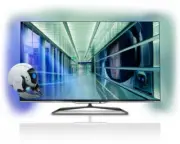
A user manual for Philips 6000/7000/8000 series 3D Smart LED TVs covers essential setup, operation, and connectivity. The guide includes installation instructions for assembling the monitor stand, connecting cables (HDMI, SCART, optical audio), and configuring network or antenna inputs. It also details remote control usage, battery replacement, and troubleshooting basic TV settings like brightness and contrast through built-in help menus.


Table of Contents:
- Page 1 – Included Components for Smart LED TVs
- Page 2 – Assembly and Installation Prerequisites
- Page 3 – Monitor Stand Assembly Guide
- Page 4 – Smart TV Connection Methods
- Page 5 – External Device Connectivity Options
- Page 6 – Antenna and Power Cable Connections
- Page 7 – Remote Control Battery Installation and Operation
- Page 8 – Accessing TV Settings and Support
(UK)
(EU)
4x
1x
8000 series
3D Max
x2
6000 / 7000 series
Easy 3D
x4
6000 / 7000 / 8000 series 3D Smart LED TV
285 x 110
Register your product and get suppor t at
www.philips.com/welcome
"Loading the manual" means you need to wait until the file loads and becomes available for online reading. Some manuals are very large, and the time they take to appear depends on your internet speed.
Was this manual helpful?
About this manual
- Brand
- Philips
- Model
- 42PFL7008K/12
- Document type
- Quick Guide
- Language(s)
- German, English, Spanish, French, Italian, Dutch, Polish, Russian, Swedish
- Pages
- 8
- File size
- 927.7 KB
- Format
Summary
List of components included for the 3D Smart LED TVs, including the TV, stand, remote control, batteries, cables, and 3D glasses with specific quantities.
Initial steps for assembly or installation, language selection for safety/warranty information, and instructions for identifying required tools like screwdrivers and mounting brackets.
Visual step-by-step guide detailing the process of assembling a monitor stand, including placing the monitor base, attaching components, securing with screws, connecting cables, and positioning the monitor upright.
Ask a question
Related manuals
Popular Philips Other


More Philips Other models
 Philips 42PFL6008K/12 Quick Guide
 Philips 42PFL6057K/12 Quick Guide
 Philips 42PFL6067K/12 Quick Guide
 Philips 42PFL6097K/12 Quick Guide
 Philips 42PFL6704D/F7 User Manual
 Philips 42PFL6907T/12 Quick Guide
 Philips 42PFL7403D/10 Quick Guide
 Philips 42PFL7404H Manual
 Philips 42PFL7404H/12 Quick Guide
 Philips 42PFL7422 Manual
 Philips 42PFL7603S/60 Manual
 Philips 42PFL7606H/12 Quick Guide