Page 4 - Contents
1 1.11.21.31.41.5 2 2.12.22.32.42.52.6 3 3.13.23.33.43.53.6 4 4.14.24.34.44.5 5 5.15.25.35.45.55.65.75.8 6 6.16.26.36.46.56.66.7 7 7.17.27.37.47.57.67.77.8 Contents To begin 5 TV tour 5Setting up 11Keys on the TV 17Register your TV 19Help and support 20 Use your TV 21 Remote control 21Menus 24Watch ...
Page 5 - To begin; TV tour; The remote control
1 1.1 To begin TV tour The remote control To adjust the volume. To switch TV channels. To open or close the Home menu h . In the Home menu, you can start or stop a TV activity. Like watchingTV or watching a movie from a connected DVD player. To open or close the Browse menu e . In the Browse menu, y...
Page 7 - The TV menus
Green With the green key, you select the green option or the Eco settings . Yellow With the yellow key, you select the yellow option or the Help menu . Blue With the blue key, you select the blue option. Read more about the remote control in Help > Use your TV > Remote control > Overview . ...
Page 8 - Connecting devices
To open or close the Home menu h . Open the Home menu as a starting point to operate the TV. In the Home menu, you can start or stop a TV activity. Like watchingTV - Watch TV - or watching a movie from a connected DVD player. To open or close the Browse menu e . With an activity started in the Home ...
Page 9 - High Definition TV
To connect a DVD, Blu-ray Disc player or game console, use the HDMI connection. The HDMI connection offers the best picture and sound quality and,if your device has EasyLink (HDMI-CEC), the TV can add the device in the Home menu automatically. When a device is added in the Home menu, you can select ...
Page 10 - Network and Net TV
Contact your dealer for more information.Go to www.philips.com/support to find FAQs featuring the list ofHD channels or providers in your country. Network and Net TV Wireless PC network Simply link up this TV to your wireless PC network at home. Thereis no need for a network cable. Enjoy your pictur...
Page 11 - Wall or stand mounting
1.2 Setting up Wall or stand mounting The 2 - in- 1 stand that comes with the TV, can be used as a table - topstand or as a wall mount bracket. Instructions to mount the 2 - in- 1 standare also included in the printed Start guide. Read the instructions on the following pages. Caution Wall mounting t...
Page 14 - VESA info
Slide the bottom plate of the stand onto the mounting discs. To level the TV, pull the bottom of the TV towards you slightly andlet it slide on the discs. Unscrew the bolt and turn the bar in the position shown. VESA info 14 To begin / Setting up
Page 15 - Positioning the TV; Safety and care
Your TV is prepared for a VESA- compliant wall mount bracket (notincluded). VESA codes to purchase the bracket:- 81cm/32" VESA MIS-F 100,100,M6- 94cm/37" VESA MIS-F 200, 300, M6- 102cm/40" VESA MIS-F 200, 300, M6- 46PFL8605 : VESA MIS-F 200, 300, M6- 46PFL9705 : VESA MIS-F 300, 300, M6 U...
Page 16 - Temperature and humidity
• Risk of damage to the TV screen! Never touch, push, rub or strikethe screen with any object.• Unplug the TV before cleaning.• Clean the TV and frame with a soft damp cloth. Never usesubstances such as alcohol, chemicals or household cleaners on theTV.• To avoid deformations and colour fading, wipe...
Page 18 - CH Channel
CH Channel Press CH (Channel) - or + to switch channels. Or use the W or X keys on the remote control. 18 To begin / Keys on the TV
Page 21 - Use your TV; Remote control; Overview
2 2.1 Use your TV Remote control Overview 1 Standby O To switch the TV on or back to standby. 2 Home h To open or close the Home menu. 3 Navigation key To navigate up, down, left or right. 4 OK key To activate a selection. 5 Browse e To open or close the Browse menu. 6 Next W To switch to the next c...
Page 23 - Cleaning
Remove the batteries if you are not using the remote control for along time. Dispose of batteries according to the end of usedirectives. Read Help > To begin > Setting up > End of use . Cleaning Your remote control is treated with a scratch-resistant coating. To clean the remote control, us...
Page 29 - Programme guide
In the Channel list you can mark a channel as a favourite. You can setthe Channel list to only show your favourite channels. To open the Channel list , while watching TV, press e (Browse) on your remote control. Set up a favourite channel While watching TV, press e to open the Browse menu. Select Ch...
Page 31 - Switch to standby
• Auto zoom Automatically zooms the picture in to fill the screen as much aspossible without distortion. Black bars may be visible. Not fit for PCinput. • Super zoom Removes the black bars on the side of 4:3 broadcasts. The picture isadjusted to fit the screen. • Movie expand Scales the picture to a...
Page 32 - Watch a connected device; Select a device
2.4 Watch a connected device Select a device When a connected devices is added to the Home menu, you can easilyselect it. To select and watch a connected device or activity, press h to open the Home menu and select the device or its activity and press OK . Make sure the device is switched on. Read m...
Page 36 - Browse Net TV
Use the number keys on the remote control. Enter the same codeagain to confirm. Net TV is ready to use. Registration benefits When you have registered, your favourite or locked Net TV pagesare stored as a back-up. Also, the last 16 web addresses (URLs) youvisit are stored. You can share these pages ...
Page 39 - Text; Text pages
3 3.1 More on ... Text Text pages Open Text To open Text, while watching TV, press e (Browse) and select Text . To close Text, press b (Back). Select a Text page To select a page …• Enter the page number with the number keys.• Press W or X • Press u or v . • Press a colour key to select a colour -co...
Page 40 - Text setup
In Text, press o (Options) to select the following: • Freeze page• Dual screen• T.O.P. overview• Enlarge• Reveal• Cycle subpages• Language Freeze page To stop the automatic rotation of subpages, press o (Options) and select Freeze page . Dual screen / Full screen To show the TV channel and Text alon...
Page 41 - Benefits; Use iTV
3.2 Interactive TV Benefits Interactive TV can offer additional infotainment or programmes on adigital TV channel. Interactive TV is dependent on the country orbroadcast. Benefits range from enhanced text to online TV and muchmore. For some iTV services, you need a high -speed connection to theInter...
Page 45 - Subtitles and languages; Subtitles
3.5 Subtitles and languages Subtitles Programme subtitles are available most of the time. You can set subtitlesto be constantly displayed. How to set constant subtitles depends onwhether a channel is analogue or digital. For digital channels, a preferredsubtitle language can be set. For analogue cha...
Page 47 - Setup; Smart settings; Ambilight
4 4.1 Setup Picture, Sound, Ambilight Smart settings You can adjust each Smart setting with the settings in Picture orSound in Setup, TV settings. Adjust the brightness for a particularSmart picture or adjust the bass for a Smart sound. To return to the original smart setting values, undoing theadju...
Page 56 - Connections; First connections; Power cable; Antenna cable
5 5.1 Connections First connections Power cable Insert the power cable in the power socket of the TV. When disconnecting the power cable, always pull the plug, never thecable. Although this TV has a very low standby power consumption, switchoff the TV with the power switch to save energy if you do n...
Page 57 - Cable quality; HDMI; Y Pb Pr
5.2 About cables Cable quality Before you connect devices to the TV, check which connectors areavailable on the device. Connect the device to the TV with thehighest quality connection available. Good quality cables ensure agood transfer of picture and sound. Read the other chapters of About cables ....
Page 58 - Video; VGA
Video If you have a device with only a Video (CVBS) connection , you needto use a Video to Scart adapter (not supplied). You can add the Audio L/R connections. Connect the adapter to the Scart connectionof the TV. VGA Use a VGA cable (DE15 connector) to connect a computer to theTV. With this connect...
Page 59 - SoundBar
5.3 Connect devices SoundBar Use an HDMI cable to connect the device to the TV. If you use the HDMI-ARC connections on both TV and device, noother cable is needed. If not, read on. If you do not use the HDMI-ARC connection, add a digital audiocable (cinch coaxial). Blu-ray Disc / DVD player Use an H...
Page 60 - Home Theatre System with disc player
Home Theatre System with disc player Use an HDMI cable to connect the device to the TV. If you use the HDMI-ARC connections on both TV and device, noother cable is needed. If not, read on. If you do not use the HDMI-ARC connection, add a digital audiocable (cinch coaxial). 60 Connections / Connect d...
Page 61 - Recorder
Audio to Video synchronisation (sync) If the sound does not match with the video on screen, you can set adelay on most DVD Home Theatre Systems to match the sound andvideo.Read more about Audio to Video sync in Help > Setup > Devices > Audio to Video sync . Do not connect the audio signal f...
Page 65 - Digital HD receiver
If you do not use the HDMI-ARC connection on the TV and thedevice, add a digital audio cable (cinch coaxial). Digital HD receiver First, use 2 antenna cables to connect the device to the TV. Use an HDMI cable to connect the device to the TV. Connections / Connect devices 65
Page 67 - Connect more devices; Game
5.4 Connect more devices Game Connect a game console to the side or back of the TV. You can usean HDMI, YPbPr or Scart connection. If your game console only hasVideo (CVBS) and Audio L/R output, use a Video Audio L/R to Scart adapter to connect to the Scart connection. Picture delay To prevent pictu...
Page 68 - Camcorder
To view pictures stored on your digital photo camera, you canconnect the camera directly to the TV. Use the USB connection onthe side of the TV to connect. Switch on the camera after you madethe connection. If the list with the content of the camera does not appearautomatically, your camera might ne...
Page 69 - TV as PC monitor
TV as PC monitor You can connect the TV to your home network wireless and withWi-Fi MediaConnect, you can use the TV as a PC monitor. Read Help > Setup > Network > Wi -Fi MediaConnect . Read on to connect a computer to the TV as a PC monitor wired.You can use a VGA cable or a DVI to HDMI ad...
Page 70 - Decoder
Ideal TV setting Set the TV Picture format to Unscaled for the sharpest picturequality. While watching TV, press o , select Picture format and select Unscaled . For a list of supported resolutions see Help > Specifications > Display resolutions . Decoder Use a scart cable to connect a decoder ...
Page 71 - Wireless; Wired
5.5 Network Wireless To set up the wireless network connection, read Help > Setup > Network . Wired To set up the wired network connection , read Help > Setup > Network Connect the router to the TV with a network cable. To fullfill EMCregulations, use a shielded FTP Cat. 5E ethernet cabl...
Page 72 - Memory size; Insert the card
5.6 SD card Memory size To download rented videos from Net TV, you need to insert an SDmemory card in the TV SD card slot. Once formatted, leave the cardpermanently in the slot. SD memory size We recommend an SDHC (High Capacity) Class 2 card with aminimum of 4GB memory. For HD movies, a minumum of ...
Page 73 - Common Interface CAM; CAM
5.7 Common Interface CAM CAM Scrambled digital TV channels can be decoded with a Conditional AccessModule (CAM). Digital TV service operators provide the CAM when yousubscribe to their services. Contact a digital TV service operator for moreinformation and to see terms & conditions. Insert a CAM...
Page 75 - Troubleshooting; Contact information
6 6.1 Troubleshooting Contact information If the advice and suggestions in Troubleshooting do not help resolvethe problem, try switching the TV off and back on again. Warning If your TV breaks down, NEVER try to repair the TV yourself. Consumer Care If the TV problem is not solved you can call the P...
Page 76 - TV and remote control
6.2 TV and remote control The TV does not switch on • Switch the TV off and on again with the switch on the bottom ofthe TV.• Check the power cable connection.• Try using the keys on the TV to switch on. The TV does not switch on from standby • Check that the batteries of the remote control are not ...
Page 78 - Picture and sound
6.4 Picture and sound No picture • Check if the antenna is connected properly.• Check if the correct device is selected and connected properly.• Check the contrast or brightness setting in h > Setup > TV settings > Contrast or Brightness . The picture is poor • Bad weather can influence the...
Page 82 - Specifications; Software; Software version
7 7.1 Specifications Software Software version To view the current TV software version, press h > Setup > Software settings and press OK . Select Current software info and read Version: . Open source software This television contains open source software. Philips hereby offersto deliver or mak...
Page 84 - Power and reception; Reception
7.3 Power and reception Power Product specifications are subject to change without notice. For morespecification details of this product see www.philips.com/support. Power • Mains power : AC 220-240V +/ -10%• Ambient temperature : 5°C to 35°C• Standby power consumtion : < 0.15W• Power saving feat...
Page 85 - Display and sound
7.4 Display and sound Display / Picture • Diagonal size :- 32PFL9705 : 81cm / 32"- 40PFL9705 : 102cm / 40"- 46PFL9705 : 116cm / 46"• Picture enhancement :- Perfect Pixel HD Engine- LED Pro- 32PFL9705 : 200Hz Clear LCD- 40, 46PFL9705 : 400Hz Clear LCD* • Display type : LCD Full HD, 2D seg...
Page 86 - Display resolutions
7.5 Display resolutions Video formats Resolution — Refresh rate• 480i - 60 Hz• 480p - 60 Hz• 576i - 50 Hz• 576p - 50 Hz• 720p - 50 Hz, 60 Hz• 1080i - 50 Hz, 60 Hz• 1080p - 24 Hz, 25 Hz, 30 Hz• 1080p - 50 Hz, 60 Hz Computer formats Resolution — Refresh rate• 640 x 480p — 60 Hz (VGA/HDMI)• 800 x 600p ...
Page 89 - Dimensions and weights
7.8 Dimensions and weights 32PFL9705 Width 767 mmHeight 490 mmDepth 66 mmWeight ±9 kg. . . with TV standHeight 526 mmDepth 220 mmWeight ±11 kg 40PFL9705 Width 955 mmHeight 596 mmDepth 69mmWeight ±14 kg. . . with TV standHeight 632 mmDepth 240 mmWeight ±16 kg 46PFL9705 Width 1088 mmHeight 671 mmDepth...
Page 90 - Index
Index 2 2-in -1 stand 11 A Add your devices 24Adjust menu 26Ambilight 33Ambilight colour 33Audio Out delay 54Auto subtitle shift 54 B Balance 47Black bars 30Browse menu 24 C CAM 73Channel list 25Channel list options 25Channels 28CI+ 73Clear Net TV history 37Clear Net TV memory 36Clock 50Common inter...
Page 91 - Philips Consumer Lifestyle; EC DECLARATION OF CONFORMITY; TUSSENDIEP 4, 9206 AD DRACHTEN, NETHERLANDS
Philips Consumer Lifestyle Philips Consumer Lifestyle BV. Tussendiep 4 9206 AD Drachten Netherlands . (Report No. / Numéro du Rapport) (Year in which the CE mark is affixed) (Année au cours de laquelle le marquage CE a été apposé) EC DECLARATION OF CONFORMITY (DECLARATION DE CONFORMITE CE) We / Nous...
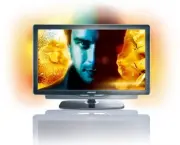


 Philips 40PFL8605H Manual
 Philips 40PFL8605H/12 User Manual
 Philips 40PFL8664H/12 User Manual
 Philips 40PFL9704H/12 User Manual
 Philips 40PFS5501/12 User Manual
 Philips 40PFS5709/12 User Manual
 Philips 40PFS6000/12 User Manual
 Philips 40PFS6009/12 User Manual
 Philips 40PFS6609/12 User Manual
 Philips 40PFS6909/12 Quick Guide