Philips 37PFL6007K/12 - Quick Guide
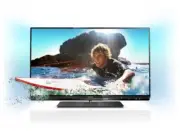
This Quick Guide covers the essential setup and operation of a Philips 6000 series smart TV, including mounting options, cable management, connectivity setups, remote control functions, and basic troubleshooting for its rear-panel ports and power connections. The instructions emphasize safety warnings, multilingual support for language selection and terminology, and practical assembly steps like adjusting stands or securing brackets–all designed to ensure proper installation and optimal performance of the device’s hardware and software features.


Table of Contents:
- Page 1 – Product Identification and Support Information
- Page 2 – Safety Warnings
- Page 3 – Package Contents and Included Accessories
- Page 4 – Wall-Mounting Instructions
- Page 5 – Stand Mounting Procedure
- Page 6 – Component Adjustment Steps
- Page 7 – Assembly and Securing Components
- Page 8 – Monitor Stand Attachment
- Page 9 – Stand Positioning Adjustment
- Page 10 – Television Rear Panel Connections
- Page 11 – Power and Antenna Connections
- Page 12 – Media Player Connection Diagrams
- Page 13 – Various Display Connection Setups
- Page 14 – Cable Management Instructions
- Page 15 – Battery Insertion Procedure
- Page 16 – Remote Control Battery Replacement
- Page 17 – Installation Language Selection
- Page 18 – Remote Control Button Functions
- Page 19 – Source and Format Glossary
- Page 20 – Remote Control Navigation Guide
- Page 21 – Remote Control Options and Navigation
- Page 22 – Digital Manual Access
- Page 23 – Support Information and Digital Download
- Page 24 – Trademarks and Copyright Notice
6000 series
Quick start guide
"Loading the manual" means you need to wait until the file loads and becomes available for online reading. Some manuals are very large, and the time they take to appear depends on your internet speed.
Was this manual helpful?
About this manual
- Brand
- Philips
- Model
- 37PFL6007K/12
- Document type
- Quick Guide
- Language(s)
- German, English, Spanish, French, Italian, Dutch, Polish, Russian, Swedish
- Pages
- 24
- File size
- 2.3 MB
- Format
Summary
Cover page featuring product identification, model reference, and links for product registration and support.
Multilingual safety warnings advising users to read all accompanying safety information before using the product.
List of items included in the box, such as the TV unit, wall mount, power cables, remote control, batteries, and screen glass specifications.
Ask a question
Related manuals
Popular Philips Other


More Philips Other models
 Philips 37PFL4007H/12 Quick Guide
 Philips 37PFL4606H/12 Quick Guide
 Philips 37PFL5322/12 Quick Guide
 Philips 37PFL5405H/12 Quick Guide
 Philips 37PFL5604H/12 Quick Guide
 Philips 37PFL6007H/12 Quick Guide
 Philips 37PFL6606H/12 Quick Guide
 Philips 37PFL6606K/02 Quick Guide
 Philips 37PFL7605H/12 Quick Guide
 Philips 37PFL7606K/02 Quick Guide
 Philips 37PFL8605H Manual
 Philips 37PFL8605H/12 Quick Guide