Philips 32PHS5301/12 - Quick Guide
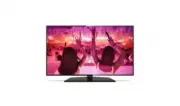
A user manual for the Philips 5301 series smart TV covers essential setup, connectivity, and operation. The guide highlights wall-mounting procedures using VESA standards, including bracket compatibility for different screen sizes (32", 43"/49") and required tools. It also details power and peripheral connections–such as HDMI ARC, optical audio, USB storage, Ethernet, and wireless networking–to integrate the TV with home systems. Basic remote control setup, including battery insertion and usage, is included alongside safety warnings and troubleshooting support links for regional assistance.


Table of Contents:
- Page 1 – Included Components and Registration Information
- Page 3 – Step-by-Step Wall Mounting Instructions
- Page 4 – TV Stand Attachment Illustration
- Page 5 – Device Connection Methods
- Page 6 – Multiple Device Connection Options
- Page 7 – External Device Connectivity to Display
- Page 8 – VESA Mounting Installation Specifications
- Page 9 – Remote Control Battery Insertion
- Page 10 – TV Power On Procedure
- Page 11 – Customer Support Contact Information
- Page 12 – Support Resources and Warranty Details
5301 series
Register your product and get support at
www.philips.com/welcome
TV
43”/49”
32”
"Loading the manual" means you need to wait until the file loads and becomes available for online reading. Some manuals are very large, and the time they take to appear depends on your internet speed.
Was this manual helpful?
About this manual
- Brand
- Philips
- Model
- 32PHS5301/12
- Document type
- Quick Guide
- Language(s)
- German, English, Spanish, French, Italian, Dutch, Polish, Russian, Swedish
- Pages
- 12
- File size
- 2.7 MB
- Format
Summary
List of items included with the TV, such as wall mount brackets, screws, remote control, batteries, power cable, and registration URL.
Procedure for mounting a TV to a wall bracket, including diagrams for attaching hardware, positioning the TV, and securing it to the wall using different bracket types.
Illustration showing how to attach stands to 32-inch, 43-inch, and 49-inch models using screws, including installation caution warnings.
Ask a question
Related manuals
Popular Philips Other


More Philips Other models
 Philips 32PHK4509/12 Quick Guide
 Philips 32PHS4032/12 Quick Guide
 Philips 32PHS4112/12 Quick Guide
 Philips 32PHS4131/12 Quick Guide
 Philips 32PHS4203/12 Quick Guide
 Philips 32PHS4503/12 Quick Guide
 Philips 32PHS5505/12 Quick Guide
 Philips 32PHS5507/12 Quick Guide
 Philips 32PHS5525/12 Quick Guide
 Philips 32PHS5527/12 Quick Guide
 Philips 32PHS6000/12 Quick Guide
 Philips 32PHS6009/12 Quick Guide