Philips 32PFL6573/F7 - Quick Guide
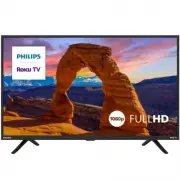
Philips 32PFL6573/F7 – Quick Guide, read for free online in PDF format. We hope this helps you resolve any issues you may have. If you have further questions, please contact us through the contact form.

Important safety instructions
Know these
safety
symbols
CAUTION
RISK OF ELECTRIC SHOCK
DO NOT OPEN
CAUTION: TO REDUCE THE RISK OF ELECTRIC SHOCK, DO NOT REMOVE
COVER (OR BACK). NO USER-SERVICEABLE PARTS ARE INSIDE.
REFER SERVICING TO QUALIFIED SERVICE PERSONNEL
The caution marking is located on the rear or bottom of the cabinet.
The lightning ash with arrowhead symbol, within an
equilateral triangle, is intended to alert the user to the
presence of uninsulated “dangerous voltage” within the
apparatus’s enclosure that may be of su
magnitude to
constitute a risk of electric shock to persons.
The exclamation point within an equilateral triangle is
intended to alert the user to the presence of important
operating and maintenance (servicing) instructions in the
literature accompanying the apparatus.
The symbol for CLASS II or double insulated electrical apparatus.
This apparatus has been designed in such a way that it does not require a
safety connection to electrical earth.
WARNING:
To reduce the risk
re or electric shock, do not expose this apparatus to rain
or moisture. Apparatus shall not be exposed to dripping or splashing and no
objects
h liquids, such as vases, shall be placed on the apparatus.
CAUTION:
To prevent electric shock, match
blade of p
slot, fully insert.
For fastest support visit us online for chat and self service
solutions at www.philips.com/support
CHILD SAFETY:
PROPER TELEVISION PLACEMENT MATTERS
THE CONSUMER ELECTRONICS INDUSTRY CARES
•
Manufacturers, retailers and the rest of the consumer electronics industry are
committed to making home entertainment safe and enjoyable.
•
As you enjoy your television, please note that all televisions – new and
old- must be supported on proper stands or installed according to the
manufacturer’s recommendations. Televisions that are inappropriately
situated on dressers, bookcases, shelves, desks, speakers, chests, carts, etc.,
may fall over, resulting in injury.
TUNE IN TO SAFETY
•
ALWAYS
follow the manufacturer’s recommendations for the safe
installation of your television.
•
ALWAYS
read and follow all instructions for proper use of your television.
•
NEVER
allow children to climb on or play on the television or the furniture
on which the television is placed.
•
NEVER
place the television on furniture that can easily be used as steps, such
as a chest of drawers.
•
ALWAYS
install the television where it cannot be pushed, pulled over or
knocked down.
•
ALWAYS
route cords and cables connected to the television so that they
cannot be tripped over, pulled or grabbed.
WALL OR CEILING MOUNT YOUR TELEVISION
•
ALWAYS
contact your retailer about professional installation if you have any
doubts about your ability to safely mount your television.
•
ALWAYS
use a mount that has been recommended by the television
manufacturer and has a safety c
ratory
(such as UL, CSA, ETL).
•
ALWAYS
follow all instructions supplied by the television and mount
manufacturers.
•
ALWAYS
make sure that the wall or ceiling where you are mounting the
television is appropriate. Some mounts are not designed to be mounted to
walls and ceilings with steel studs or cinder block construction. If you are
unsure, contact a professional installer.
•
Televisions can be heavy. A minimum of two people is required for a wall or
ceiling mount installation.
MOVING AN OLDER TELEVISION TO A NEW PLACE IN YOUR HOME
•
Many new television buyers move their older CRT televisions into a
secondary room after the pur
re
should be made in the placement of older CRT televisions.
•
ALWAYS
place your older CRT television on furniture that is sturdy and
appropriate for its size and weight.
•
NEVER
place your older CRT television on a dresser where children may be
tempted to use the drawers to climb.
•
ALWAYS
make sure your older CRT television does not hang over the edge
of your furniture.
1. Read these instructions.
2. Keep these instructions.
3. Heed all warnings.
4. Follow all instructions.
5. Do not use this apparatus near water.
6. Clean only with dry cloth.
7. Do not block any ventilation openings. Install in accordance with the
manufacturer’s instructions.
8. Do not install near any heat sources such as radiators, heat registers,
stoves, or other appar
roduce heat.
9. Do not defeat the safety purpose of the polarized or grounding-type
plug. A polarized plug has two blades with one wider than the other.
A grounding type plug has two blades and a third grounding prong.
The wide blade or the third prong are provided for your safety. If the
pr
consult an electrician for
replacement of the obsolete outlet.
10. Protect the power cord from being walked on or pinched particularly at
plugs, convenience receptacles, and the point where they exit from the
apparatus.
11. Only use attachments / acc
facturer.
12. Use only with the cart, stand, tripod, brack
by the manufacturer, or sold with the apparatus. When a
cart is used, use caution when moving the cart / apparatus
combination to avoid injury from tip-over.
13. Unplug this apparatus during lightning storms or when
unused for long periods of time.
14. Ref
ce personnel. Servicing is required
when the apparatus has been damaged in any way, such as power-supply
cord or plug is damaged, liquid has been spilled or objects have fallen into
the apparatus, the apparatus has been exposed to rain or moisture, does
not operate normally, or has been dropped.
Note to the CATV system installer:
This reminder is provided to call the CATV system installer’s attention to
Article 820 of the NEC, ANSI/NFPA 70 and Section 54 of the CEC, Part I that
provides guidelines for proper grounding and, in particular
cable ground shall be connected to the grounding system of the building, as
close to the point of cable entry as practical.
Example of antenna grounding as per NEC - National Electric Code
ANTENNA LEAD IN WIRE
GROUND CLAMP
ANTENNA DISCHARGE UNIT
(NEC SECTION 810-20)
ELECTRIC SERVICE EQUIPMENT
GROUNDING CONDUCTORS
(NEC SECTION 810-21)
POWER SERVICE GROUNDING ELECTRODE
SYSTEM (NEC ART 250, PART H)
GROUND CLAMPS
If an outside antenna or cable system is connected to the product, be sure
the antenna or cable system is grounded so as to provide some protection
against voltage surges and built-up static charges. Article 810 of the NEC,
ANSI/NFPA 70 and Section 54 of CEC, Part I provides information with respect
to proper grounding of the mast and supporting structure, grounding of
the lead in wire to an antenna-discharge unit, size of grounding conductors,
location of antenna discharge unit, connection to grounding electrodes, and
requirements for the grounding electrode.
Wall mount bracket kit
Brand
Model #
Scr
SANUS
AST16
•
Your TV meets the VESA standard for wall mounting. Consult with your
local dealer for a wall mount bracket which is compatible with your TV
model.
•
The recommended wall mount bracket kit (sold separately) allows the
mounting of the TV on the wall.
•
For detailed information on installing the wall mount, refer to the wall
mount instruction book.
•
Funai Corporation is not responsible for any damage to the product or
injury to yourself or others if you elect to install the TV wall mount bracket
or mount the TV onto the bracket on your own.
•
The wall mount bracket must be installed by experts.
Funai Corporation is not liable for any accidents or injuries incurred while
installing this product, including but not limited to those noted below:
•
Install the wall mount bracket on a sturdy vertical wall.
•
If installed onto a ceiling or slanted wall, the TV and wall mount bracket
may fall which could result in a severe injury.
•
Do not use screws that ar
screws too long are used this may cause mechanical or electrical damage
inside the TV set. If screws too short are used this may cause the TV set
to fall.
•
Do not fasten the screws by excessive force. This may damage the product
or cause the product to fall, leading to an injury.
•
For safety reasons use 2 people to mount the TV onto a wall mounting
bracket.
•
Do not mount the TV onto the wall mounting bracket while your TV is
plugged in or turned on. It may result in an electrical shock injury.
When installing the unit on the wall, allow this much space.
Top :
11.8 ” (30 cm)
Left and right side :
5.9 ” (15 cm)
Bottom :
3.9 ” (10 cm)
Notice
Trademarks are the property of Koninklijke Philips N.V. or their respective
owners. Funai Corporation reserves the right to change products at any time
without being obliged to adjust earlier supplies accordingly.
The material in document is believed adequate for the intended use of the
system. If the product or its individual modules or procedures are used for
rein, c
suitability must be obtained.
Funai Corporation warrants that the material itself does not infringe any
United States patents.
No further warranty is expressed or implied.
Funai Corporation cannot be held responsible neither for any errors in
the content of document nor for any problems as a result of the content
in document. Errors reported to Funai Corporation will be adapted and
published on the Funai Corporation support website as soon as possible.
Pixel characteristics
This LCD product has a high number of color pixels. Although it has e ective
pixels of 99.999 % or more, black dots or bright points of light (red, green or
blue) may appear constantly on the screen. This is a structural property of the
display (within common industry standards) and is not a malfunction.
Warranty
No components are user serviceable. Do not open or remove covers to the
inside of the product. Repairs may only be done by service c
repair shops. Failure to do so shall void any warranty, stated or implied.
Any operation expressly prohibited in document, any adjustments or assembly
procedures not recommended or authorized in document shall void the
warranty.
Federal communications commission notice
This equipment has been tested and found to comply with the limits for a
Class B digital device, pursuant to part 15 of the FCC Rules.
These limits are designed to provide reasonable protection against harmful
interference in a residential installation. This equipment generates, uses
and can radiate radio frequency energy and, if not installed and used in
accordance with the instructions, may cause harmful interference to radio
communications. However, there is no guarantee that interference will not
occur in a particular installation.
If this equipment does cause harmful interference to radio or television
rec
the user is encouraged to try to correct the interference by one or more of
the following measures:
•
Reorient or relocate the receiving antenna.
•
Increase the separation between the equipment and the receiver.
•
Connect the equipment into an outlet on a circuit di erent from that to
which the receiver is connected.
•
Consult the dealer or an experienced radio or television technician for help.
CC rules. Operation is subject
to the f
: (1)This device may not cause harmful
interference, and (2)This device must accept interference received,
including interference that may cause undesired operation.
Declaration of conformity
Trade name:
PHILIPS
Responsible party:
Funai Corporation, Inc.
Model:
Address:
12489 Lakeland Road, Santa Fe Springs, CA 90670, USA
Telephone number :
1 833 978 3323
This apparatus may generate or use radio frequency energy. Changes or
ratus may cause harmful interference.
Cables
Connections to this device must be made with shielded cables with metallic
RFI / EMI connector hoods to maintain compliance with FCC rules and
regulations.
Canadian notice
CAN ICES-3(B) / NMB-3(B)
Analog and digital television receiving apparatus, Canada BETS-7/NTMR-7.
The following FCC/IC RSS applies to the wireless LAN adapter included in
this product.
FCC caution: Any changes or modi cations not expressly approved by the
party responsible for compliance could void the user’s authority to operate
this equipment.
This transmitter must not be co-located or operated in conjunction with any other
antenna or transmitter.
FCC/IC RF Exposure Compliance
This equipment complies with FCC/IC radiation exposure limits set forth for an
uncontrolled environment and meets the FCC radio frequency (RF) Exposure
Guidelines and RSS-102 of the IC radio frequency (RF) Exposure rules. This
equipment should be installed and operated keeping the radiator at least 20 cm
or more away from your body.
This device complies with Part 15 of FCC Rules and Industry Canada licence-
exempt RSS standard(s). Operation is subject to the following two conditions:
(1) this device may not cause interference, and (2) this device must accept any
interference, including interference that may cause undesired operation of this
device.
5150-5250 MHz band is restricted to indoor operations only.
High-power radars are allocated as primary users (i.e.priority users) of the
bands 5250-5350 MHz and 5650-5850 MHz and that these radars could cause
interference and/or damage to LE-LAN devices.
Compliance with FCC requirement 15.407(c) and IC requirement RSS-210
A9.4.4
Data transmission is always initiated by software, which is the passed down
through the MAC, thr
the RF chip. Several special packets are initiated by the MAC. These are the
only ways the digital baseband portion will turn on the RF transmitter, which
ket. Therefore, the transmitter will be
on only while one of the aforementioned packets is being transmitted. In
other words, this device automatically discontinue transmission in case of
either absence of information to transmit or operational failure.
Positioning the TV
•
Large screen TVs are heavy. 2 people are required to carry
and handle a large screen TV.
•
Make sure to hold the upper and bottom frames of the unit
rated.
•
Install the unit in a horizontal and stable position.
•
Do not install the unit in direct sunlight or in a place subject
to dust or strong vibration.
•
Depending on the environment, the temperature of this unit may increase
slightly. This is not a malfunction.
•
When installing this unit in a temperate environment, avoid a place with
rapid temperature changes.
•
This unit should not be used in a tropical environment as it has not been
evaluated under such conditions.
•
No objects should be placed directly on or under this unit, especially lighted
•
Depending on your external devices, noise or disturbance of the picture
and / or sound may be generated if the unit is placed too close to them. In
this case, please ensure enough space between the external devices and
the unit.
•
Do not insert the AC power cord into the power socket outlet before all the
connections are made.
•
Ensure that you always have easy access to the AC power cord and outlet to
disconnect the TV from the AC outlet.
•
Before you move the TV, disconnect attached cables to prevent damage to
connectors, especially the TV tuner.
•
Be sure to unplug the AC power plug from the AC outlet before moving or
carrying the unit.
•
When moving the TV and then setting it down, please be careful not to
pinch the AC power cord under the unit.
Regulatory notices
WARNING:
To prevent injury, this apparatus must be securely attached to the
furniture / wall in accordance with the instructions.
Tipping, shaking or rocking the unit may cause injury / death.
Stability Hazard
A television set may fall, causing serious personal injury or death.
Never place a television set in an unstable location. Many injuries, particularly
to children, can be avoided by taking simple precautions such as:
- Always use cabinets, stands or mounting instruction recommended by the
manufacturer of the television set.
- Always use only furniture that can safety support the television set.
- Always ensure the television set is not overhanging the edge of the
supporting furniture.
- Always educate children about the dangers of climbing on furniture to reach
the television set or its controls.
- Certainly wire the cords and cables connected to television set that cannot
be routed, pulled and pinched.
- Not placing the television set on unstable place.
- Not placing the television set on tall furniture (for example, cupboards or
bookcases) without anchoring both the furniture and the television set to a
suitable support.
- Not placing the television set on cloth or other materials that may be located
between the television set and supporting furniture.
- Not placing anything such as toys or controls that tempts children on a TV or
furniture which a TV is placed.
If the existing television set is going to be retained and relocated, the same
considerations as above should be applied.
Do not place the unit on the furniture that is capable of being tilted by a
child and an adult leaning, pulling, standing or climbing on it. A falling unit
can cause serious injury or even death. In order to avoid interruption of
ventilation, this unit should not be placed in built-in equipment such as a
book cabinet, rack, etc., and the vents of this unit should not be covered with
anything such as a tablecloth, curtain, newspaper, etc. Make sure that there is
enough ventilation space (4 inches / 10 cm or more) around this unit.
Press to turn the unit on and go into standby mode. To completely turn
AC power plug from the AC power outlet.
Disconnect the A
rouble is found or
not in use. The AC plug shall remain readily available.
AC power plug
En
Never use a gas duster on this TV.
The gas trapped inside of this unit may cause ignition and explosion.
Environmental care
The packaging of this product is intended to be recycled.
Contact your local authorities for information about how to recycle the
packaging.
For product recycling information, please visit -
www.recycle.philips.com
End of life directives
Philips pays a lot of attention to produce environmental-friendly products
in green focal areas. Your new TV contains materials which can be recycled
and reused. At the end of its life, specialized companies can dismantle the
discarded TV to concentrate the reusable materials and to minimize the
amount of materials to be disposed of. Please ensure you dispose of your old
TV according to local regulations.
Batteries usage
CAUTION:
Danger of explosion if battery is incorrectly replaced. Replace only
with the same or equivalent type.
WARNING:
Batteries (battery pack or battery installed) should not be exposed
to exc
re or the like.
•
Do not mix old and new batteries.
•
Do not mix alkaline, standard (carbon-zinc) or rechargeable (ni-cad, ni-mh,
Li-ion, etc.) batteries.
Disposal of used batteries
The batteries supplied do not contain the heavy metals mercury and
cadmium, however in certain localities, disposing batteries with household
waste is not permitted. Please ensure you dispose of batteries according to
local regulations.
Preparing to move / ship the unit
Please pack the unit properly by following the diagram on
the carton (as noted below).
•
To avoid damage to the screen, do not pack the stand on
the same side as the TV screen, refer to the illustration.
Copyright
All other registered and unregistered trademarks are the property of their
respective owners.
Portions of this soft are are copyright © The FreeType Project (
www.
freetype.org
).
The American Academy of Pediatrics discour
for
childr
Some features may require an al ays-on broadband internet connection,
ar
vary
by location.
License
Funai Corporation, Inc. hereby o ers to deliver, upon request, a copy of
the complete corresponding source code for the copy righted open source
code packages, on an “AS IS” basis, used in this product for which such o er
is requested by the respective licenses. This o er is valid up to three years
after the product purchase to anyone in receipt of this information. To
obtain source code, please contact Funai Corporation, Inc. You should write
to Funai Service Corporation OSS Request, 2425 Spiegel Drive, Groveport,
OH 43125, USA. Funai Corporation, Inc. disclaims any and all warranties
and representations with respect to such software and related source code
including quality, reliability, usability, and accuracy, and further disclaim all
express, implied, statutory or otherwise, including without limitation, any
implied warranties of title, non-infringement, merchantability
for
a particular purpose. Funai Corporation, Inc. shall not be liable to make any
corrections to the open source software or source code or to provide any
support or assistance with respect to it. Funai Corporation, Inc. disclaims any
and all liability arising out of or in connection with the use of this software
and/or source code.
Limited warranty
LIMITED WARRANTY ONE (1) YEAR
WARRANTY COVERAGE:
This warranty obligation is limited to the terms as set forth below.
WHO IS COVERED:
This product warranty is issued to the original purchaser or the person
receiving the product as a gift against defects in materials and workmanship
as based on the date of original purchase (“Warranty Period”) from an
Authorized Dealer. The original sales receipt showing the product name and
the purchase date from an authorized retailer is considered such proof.
WHAT IS COVERED:
This warranty covers new products if a defect in material or workmanship
occurs and a valid claim is received within the Warranty Period. At its option,
the company will either (1) repair the product at no charge, using new or
refurbished replacement parts, or (2) exchange the product with a product
that is new or which has been manufactured from new, or serviceable used
parts and is at least functionally equivalent or most comparable to the original
product in current inventory, or (3) refund the original purchase price of the
product.
Replacement products or parts provided under this warranty are covered
against defects in materials and workmanship from the date of the replacement
or repair for ninety (90) days or for the remaining portion of the original
product’s warranty, whichever provides longer coverage for you. When a
product or part is exchanged, any replacement item becomes your property and
the replaced item becomes company property. When a refund is given, your
product becomes company property.
Note:
Any pr
refurbished or renewed carries a
ninety (90) day Limited warranty.
Replacement product can only be sent if all warranty requirements are met.
Failure to follow all requirements can result in delay.
WHAT IS NOT COVERED - EXCLUSIONS AND LIMITATIONS:
This Limited warranty applies only to new company manufactured products
rademark, tr
xed to it. This
Limited warranty does not apply to any hardware product or any software,
even if packaged or sold with the product, as manufacturers, suppliers, or
publishers may provide a separate warranty for their own products packaged
with the bundled product.
The company is not liable for any damage to or loss of any programs, data,
or other information stored on any media contained within the product, or
other additional product or part not covered by this warranty. Recovery or
reinstallation of programs, data or other information is not covered under this
Limited warranty.
This warranty does not apply (a) to damage caused by accident, abuse,
misuse, neglect, misapplication, or non-supplied product, (b) to damage
caused by service performed by anyone other than company approved
Authorized Service Location, (c) to a pr
without written company permission, or (d) if any serial number has been
removed or defaced, or (e) product, accessories or consumables sold “AS IS”
without warranty of any kind by including refurbished product sold “AS IS” by
some retailers.
This Limited arranty does not cover:
•
Shipping charges to return defective product.
•
Labor charges for installation or setup of the product, adjustment of customer
controls on the product, and installation or repair of antenna / signal source
systems outside of the product.
•
Product repair and / or part replacement because of improper installation
or maintenance, connections to improper voltage supply, power line surge,
lightning damage, retained images or screen markings resulting from viewing
xed stationary content for extended periods, product cosmetic appearance
items due to normal wear and tear, unauthorized repair or other cause not
within the control of the company.
•
Damage or claims for products not being available for use, or for lost data
or lost software.
•
Damage from mishandled shipments or transit accidents when returning
product.
•
A product that requir
operate in any country other than the country for which it was designed,
manufactured, approved and / or authorized, or repair of products damaged
•
A product used for commercial or institutional purposes (including but not
limited to rental purposes).
•
Product lost in shipment and no signatur
receipt can be
provided.
•
Failure to operate per document.
TO OBTAIN ASSISTANCE…
Contact the customer care center at: 1 833 978 3323
Chat with us in English: https://tinyurl.com/y2e29xsq
REPAIR OR REPLACEMENT AS PROVIDED UNDER THIS WARRANTY IS THE
EXCLUSIVE REMEDY FOR THE CONSUMER, WITH THE ISSUING COMPANY
NOT LIABLE FOR ANY INCIDENTAL OR CONSEQUENTIAL DAMAGES FOR
BREACH OF ANY EXPRESS OR IMPLIED WARRANTY ON THIS PRODUCT.
EXCEPT TO THE EXTENT PROHIBITED BY APPLICABLE LAW, ANY IMPLIED
WARRANTY OF MERCHANTABILITY OR FITNESS FOR A PARTICULAR
PURPOSE ON THIS PRODUCT IS LIMITED IN DURATION TO THE DURATION
OF THIS WARRANTY.
Some states do not a
the exclusions or limitation of incidental or
consequential damages, or
mitations on
long an implied
arranty lasts, so the above limitations or exclusions may not apply to you.
This warr
You may have other rights which
vary from state / province to state / pr
Printed in China
What’s in the box
1
What you need (not included)
•
Phillips scr
•
Wireless router
(needed to connect your TV
to the Internet)
•
Internet connection
(needed for streaming)
•
Computer, tablet, or smartphone
(needed for setup)
•
Roku account
(needed to access entertainment across thousands of streaming channels)
F
’s manual at
www.philips.com/support
K
:
A paid subscription or other payments may be required for some streaming channel content.
Channel availability is subject to change and varies by country.
Multimedia Interface, and the HDMI Logo are
trademarks or registered trademarks of HDMI
Licensing Administrator, Inc. in the United States
and other countries.
Manufactured under license from Dolby
Laboratories. Dolby, Dolby Audio, and the double-D
symbol are trademarks of Dolby Laboratories
Licensing Corporation.
M4 x 1.378 ” (35 mm)
3
-1
Connections
2
Mount base onto TV
1
2
3
× 2
If you plan to all mount your TV, refer to "Wall mount bracket kit" in "Important safety Instructions" page of this Quick start guide
for recommended all mount bracket kit.
3
-2
Controls
1
Press to turn the TV on/select connected device
Remote control sensor
2
Caution
A factory reset clears the majority of data from your Roku TV and resets it to a factory default state. After you complete a factory reset,
you might need to set up and
re your Roku TV again including Guided Setup and activation process, sign in to streaming channels,
perform a television channel scan and
re parental control settings.
4
Using the remote
How to install the batteries in the remote
Open the battery c
mly sliding down. Insert 2 AAA (1.5 V) batteries matching the polarity
indicated inside battery compartment of the remote.
TV
[Remote control sensor]
AAA (1.5 V) x 2
1
2
3
6
7
4
9*
8
5
10
11
12
13
1
P
r
T
2
Back
Return to previous screen
3
OK
Select an option from a menu
4
Instant replay
Replay the last few seconds of streaming video
5
RWD
scan
Rewind streaming video, scroll left one page at a time
6
Home
Return to Roku Home screen
7
Directional keypad (D-Pad)
Move up or down; The left arrow will bring up the antenna TV channel
list or Smart Guide.
The left and right arrow are used for Live TV Pause to select scenes.
8
Sleep
Set the sleep timer
9
Options
Access to picture settings, move streaming channel icons and more
10
FWD scan
Fast forward streaming video, scroll right one page at a time. This
button is also used to fast forward paused live TV using Live TV Pause.
11
Play / Pause
Start or pause playback. This button is also used to activate and use
the Live TV Pause feature when a 16 GB USB drive is attached to the TV.
12
Featured channel shortcut
Lets you directly access featured channels
13
Volume / Mute
Increase / Decrease volume and mutes the TV sound
*
The
gives you easy access to picture settings, display options and more. Try it on every screen.
5
Plug in and turn on TV
Connect the AC power cord to the AC outlet. Press the power button on the TV’s remote control.
6
Follow the on-screen instructions
1.
Once your Rok
f
reen instructions. Your Rok
alk you through initial setup and help
connect to your preferr
r
2.
Y
r
ks in your ar
rd handy and f
the easy on-screen instructions.
If you are not ready to connect your TV to a wireless network, you can still use it as a regular TV by selecting “Connect to the Internet
later”.
3.
are. This can take a f
Once you complete guided setup, your TV will automatically update with the latest software. Your new Philips Roku TV
automatically receives regular software updates in the background when it’s connected to the Internet. This allows it to give you a
better experience over time.
7
Activate your smart TV
You need a Roku account to activate your Roku TV and to access entertainment across thousands of streaming channels.
Your Roku account
Follow the on-screen instructions on your Roku TV. You will need to activate your Roku TV using your smartphone, tablet, or
computer to link to a Roku account. See more information below.
•
Roku accounts are free, and while a valid credit card number is not required to create your account, providing your credit card
information makes renting and purchasing entertainment from the Roku Channel Store fast and convenient.
•
If you choose to provide a payment method, you will be able to seamlessly rent content, download channels and subscribe to
services without having to enter your credit card information each time.
•
A unique PIN can be added to the account to prevent unauthorized purchases.
Tip
Roku does not charge for activation support — be are of scams.
Caution
Funai Corporation, Inc. does not arrant access to the portal or to any of the services, content, soft are and advertising. Funai
Corporation, Inc. may, in its sole discretion, add or remove access to any sp
services, content, soft are and advertising at any
time. Although Funai Corporation, Inc.
strive to provide a good selection of services, content or soft are, Funai Corporation,
Inc. does not arrant continued access to any sp
services, and content or soft are.
8
Connect antenna or cable (optional)
With the tuner built-in you can connect your TV to antenna or cable (free cable only, does not work with cable TV using a set-top box)
and enjoy over-the-air entertainment.
Home
My Feed
News
Search
Streaming Channels
Settings
•
User interface may vary.
1.
rd is complete, select the Live TV tile from the
home screen.
2.
F
reen instructions.
3.
Whenever you ant to atch local broadcast TV, select this tile.
Tip
While in the live TV input, you can use your remote to access additional features.
•
D-Pad left: Pressing this key brings up the smart guide, a list of antenna TV channels.
•
Play/Pause: Pause live TV for up to 90 minutes hen a 16 GB USB drive is connected.
•
RWD scan and FWD scan:
fast for ard and r
feature.
•
D-Pad left and right:
roll through the paused Live TV and select scenes.
•
Live TV Pause can pause content received on the antenna TV input for up to 90 minutes and requires a 16 GB or larger USB drive and a
valid Roku account. All data on the USB drive will be deleted prior to use.
Philips and the Philips Shield Emblem are registered
trademarks of Koninklijke Philips N.V. and are used
under license.
1
2
3
Caution
Disconnect the AC p
cord before connecting devices.
32PFL6573/F7
32PFL6573/F7
Front
* P
3
Press and hold about 10 seconds for factory reset.
DIGITAL
(OPTICAL)
OUT
RESET
HEADPHONE
Mini AV
HDMI 1
HDMI 2
HDMI 3(ARC)
ANTENNA/
CABLE IN
5V 500mA
USB
75 ohm cable/Antenna/Satellite box connection
AV input jack
Use only included AV IN adapter to connect an
external device to this unit. When connecting a VCR,
the images may be distorted due to copyright
Headphone 3.5 mm stereo jack
Digital audio (S/PDIF) output
High quality audio connection with optical (TOSLINK)
cable.
Connect sound bars or home theater system.
Note:
Use an optical (TOSLINK) to coaxial (RCA) adapter
(not included) for devices which only have a coaxial
input.
HDMI input jacks
High quality audio and video connection.
Connect Blu-ray Disc or DVD player / Cable, satellite or IPTV box /
Gaming console, etc.HDMI3 is available as HDMI-ARC. It outputs
TV audio to an HDMI-ARC compliant device, such as sound bars
USB port
https://go.roku.com/rokumediaplayer
A USB drive (16GB or larger) is required for the Live TV pause feature.
Live
TV
Quick start guide
TV
TV r
batteries
Quick start guide
AV cable
ST4 x 0.787” (20 mm)
TV stands
Scr
1* 2
Antenna TV
Game Console
Cable box
Register your product:
User Manual:
!
•Keep track of your product warranty coverage
•Get easy access to product support
For a detailed manual, please visit our
support page and enter your TV model
nuber to download.
Call us:
Chat with us:
To obtain assistance, contact Philips customer care
center, In the U.S.A., Canada, Puerto Rico, or the
U.S. Virgin Islands.
1-833-978-3323
Scan to register
Scan to call
Quick Start Guide
6573 series
Scan to download
Scan to chat
Language
English
Deutsch
Español
Français
Let's get started
Set up environment
Set up for home use
Set up for store use
70-32PFL66-QSGZ1
3
Rear
Roku, Roku TV, the Roku logo, and the purple d-pad
design are trademarks of Roku, Inc. All other trademarks
and logos herein are the property of their respective
owners.
This
product
has
been
manufactured
by
and
is
sold
under
the
responsibility
of
Funai
Corporation,
Inc.,
and
Funai
Corporation,
Inc.
is
the
warrantor
in
relation
to
this
product.
ratus
must
be
approved
by
Funai
Corporation.
The
user
could
lose
the
authority
to
operate
this
apparatus
if
an
unauthorized
!"#$%&'(
)!*
+%,%&-'.%/0
1/23
!4&5.24
2950 Toy Road, Groveport, OH 43125, USA
Skywor th USA Corporation, Inc. hereby offers to deliver, upon request, a copy of the
complete corresponding source code for the copyrighted open-source code packages, on
an “AS IS” basis, used in this product for which such offer is requested by the respective
licenses. This offer is valid up to three years after the product purchase to anyone in receipt
of this information. To obtain source code, please contact Skywor th USA Corporation, Inc.
You should write to:
Skywor th USA Corporation Inc. Ser vice
OSS Request,
2950 Toy Road, Grovepor t, OH 43125, USA
Skywor th USA Corporation, Inc. disclaims any and all warranties and representations with
respect to such software and related source code including quality, reliability, usability, and
accuracy, and fur ther disclaim all express, implied, statutor y or otherwise, including without
limitation, any implied warranties of title, non-infringement, merchantability, or fitness for a
par ticular purpose. Skywor th USA Corporation, Inc. shall not be liable to make any
corrections to the open-source software or source code or to provide any suppor t or
assistance with respect to it. Skywor th USA Corporation, Inc. disclaims any and all liability
arising out of or in connection with the use of this software and/or source code.
This product has been manufactured by and is sold under the responsibility of Skywor th
USA Corporation, Inc., and Skywor th USA Corporation, Inc. is the warrantor in relation to
this product.
Trademarks are the property of Koninklijke Philips N.V. or their respective owners.
Skyworth USA Corporation reserves the right to change products at any time without being
obliged to adjust earlier supplies accordingly.
The material in this Owner’s manual is believed adequate for the intended use of the system. If the
product or its individual modules or procedures are used for purposes other than those specified
herein, confirmation of their validity and suitability must be obtained. Skyworth USA Corporation
warrants that the material itself does not infringe any United States patents. No further warranty
is expressed or implied.
Skyworth USA Corporation cannot be held responsible neither for any errors in the content of
this document nor for any problems as a result of the content in this document. Errors reported to
Skyworth USA Corporation will be adapted and
published on the Skyworth USA Corporation support website as soon as possible.
Skywor th USA Corporation, Inc.
14586 Central Ave. Chino, CA 91710, USA
Modifications
This apparatus may generate or use radio frequency energy. Changes or modifications
to this apparatus may cause harmful interference. Any modifications to the apparatus
must be approved by Skywor th USA Corporation, Inc. The user could lose the
authority to operate this apparatus if an unauthorized change or modification is made.
●
Your TV meets the VESA standard for wall mounting. Consult with your local
dealer for a wall mount bracket which is compatible with your TV model.
●
The recommended wall mount bracket kit (sold separately) allows the
mounting of the TV on the wall.
●
For detailed information on installing the wall mount, refer to the wall mount
Instruction book.
●
Skywor th USA Corporation Inc. is not responsible for any damage to the
product or injur y to yourself or others if you elect to install the TV wall mount
bracket or mount the TV onto the bracket on your own.
●
The wall mount bracket must be installed by exper ts.
Skyworth USA Corporation, Inc. is not liable for any accidents or injuries
incurred while installing this product, including but not limited to those
noted below:
Skyworth USA Corporation Inc. does not warrant access to the portal or to any of the services, content, software and advertising.
Skyworth USA Corporation Inc. may, in its sole discretion, add or remove access to any specific services, content, software and
advertising at any time. Although Skyworth USA Corporation Inc. will strive to provide a good selection of services, content or
software, Skyworth USA Corporation Inc. does not warrant continued access to any specific services, and content or software.
"Loading the manual" means you need to wait until the file loads and becomes available for online reading. Some manuals are very large, and the time they take to appear depends on your internet speed.
Was this manual helpful?
About this manual
- Brand
- Philips
- Model
- 32PFL6573/F7
- Document type
- Quick Guide
- Language(s)
- English
- Pages
- 1
- File size
- 8.3 MB
- Format
Other Manuals for Philips 32PFL6573/F7
Ask a question
Related manuals
Popular Philips Other


More Philips Other models
 Philips 32PFL5606H/12 Quick Guide
 Philips 32PFL5806K/02 Quick Guide
 Philips 32PFL6007K/12 Quick Guide
 Philips 32PFL6007T/12 Quick Guide
 Philips 32PFL6403D/12 Quick Guide
 Philips 32PFL6452/F7 Quick Guide
 Philips 32PFL6606H/12 Quick Guide
 Philips 32PFL7332/10 Quick Guide
 Philips 32PFL7404H/12 Quick Guide
 Philips 32PFL7406H/K/T Manual
 Philips 32PFL7422 Manual
 Philips 32PFL7496H Manual