Philips 32PFL4664/F7 - Quick Guide
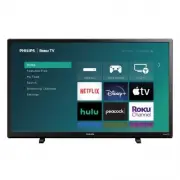
Philips 32PFL4664/F7 – Quick Guide, read for free online in PDF format. We hope this helps you resolve any issues you may have. If you have further questions, please contact us through the contact form.


Table of Contents:
- Page 2 – Connections; Control panel; Mount base onto TV
- Page 3 – Connect to external devices; High quality; Or; HDMI cable; Standard quality; Video cable; Caution; Place batteries in remote; Tip
- Page 5 – Download the Roku mobile app (optional)
- Page 6 – Using the remote control; Here are some buttons; you should know about.
- Page 7 – Safety instruction; safety; CAUTION; RISK OF ELECTRIC SHOCK; Important safety instructions
- Page 8 – Notice
- Page 9 – Limited warranty
32PFL4764
32PFL4664
24PFL4664
4764 series
4664 series
Quick start guide
If you have any questions or need a detailed manual, please visit our support website at
www.philips.com/support
What’s in the box
AA
A
AA
A
32PFL4764/
32PFL4664: M4 x 0.709 ” (18 mm)
24PFL4664:
M4 x 0.551 ” (14 mm)
Quick start guide
TV
TV remote with
batteries
TV stands
Screws
Quick start guide
1
What you need (not included)
•
Phillips screw driver
•
Wireless router
(needed to connect your TV
to the Internet)
•
Internet connection
(needed for streaming)
•
Computer, tablet, or smartphone
(needed for setup)
•
Roku account
(needed for the Smart TV content)
For additional support, please see online owner’s manual at
www.philips.com/support
Key things to know:
A paid subscription or other payments may be required for some streaming channel content.
Channel availability is subject to change and varies by country.
Product design and user interface are for
illustrative purposes only. Actual product
and user interface may vary.
1-866-309-5962
Call us:
Scan to call us:
http://tinyurl.com/y2e29xsq
Chat with us:
Scan to chat with us:
For further assistance, please call the customer support in your country or check the Philips website for
chat support.
To obtain assistance, contact Philips customer care center;
In the U.S.A., Canada, Puerto Rico, or the U.S. Virgin Islands
"Loading the manual" means you need to wait until the file loads and becomes available for online reading. Some manuals are very large, and the time they take to appear depends on your internet speed.
Was this manual helpful?
About this manual
- Brand
- Philips
- Model
- 32PFL4664/F7
- Document type
- Quick Guide
- Language(s)
- English
- Pages
- 10
- File size
- 790.4 KB
- Format
Other Manuals for Philips 32PFL4664/F7
Summary
3 -1 Connections Digital audio (S/PDIF) output To home theater or another digital audio system Note: Use an optical (TOSLINK) to coaxial (RCA) adapter (not included) for devices which only have a coaxial input. Analog audio (L / R) input jacks Composite video input jack HDMI input jacks * For HDMI 2...
4 Connect to external devices Blu-ray Disc™ or DVD player / Home theater system / Cable, satellite or IPTV box / Gaming console / PC / Digital camera / Camcorder / Tablet High quality HDMI HDMI Or HDMI cable DVD player / Home theater system / Cable, satellite or IPTV box / Video cassette recorder / ...
9 Connect antenna or cable (optional) With the tuner built-in you can connect your TV to antenna or cable (free cable only, does not work with cable TV using a set-top box) and enjoy over-the-air entertainment. Antenna TV tile • User interface may vary. 1. When the setup wizard is complete, select t...
Ask a question
Related manuals
Popular Philips Other


More Philips Other models
 Philips 32PFL3807H/12 Quick Guide
 Philips 32PFL3807K/02 Quick Guide
 Philips 32PFL4007H/12 Quick Guide
 Philips 32PFL4606H Manual
 Philips 32PFL4606H/12 Quick Guide
 Philips 32PFL4609/F7 User Manual
 Philips 32PFL4909 Manual
 Philips 32PFL5008K/12 Quick Guide
 Philips 32PFL5306H/12 Quick Guide
 Philips 32PFL5322/10 Quick Guide
 Philips 32PFL5403D/10 User Manual
 Philips 32PFL5404/60 Manual