Philips 27M2C5500W/00 - Quick Guide
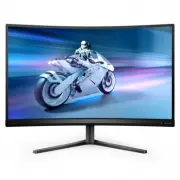
Philips 27M2C5500W/00 – Quick Guide, read for free online in PDF format. We hope this helps you resolve any issues you may have. If you have further questions, please contact us through the contact form.

Quick start
Register your product and get support at
www.philips.com/welcome
27M2C5500W
4
5
1
2
*DP
*HDMI
CAUTION: Place the monitor face down on a smooth surface.
Pay attention not to scratch or damage the screen.
Contents
Display design may differ from that illustrated
*Different according to region
2022 © TOP Victory Investments Ltd. All rights reserved.
This product has been manufactured by and is sold under the
responsibility of Top Victory Investments Ltd., and Top Victory
Investments Ltd. is the warrantor in relation to this product.
Philips and the Philips Shield Emblem are registered trademarks
of Koninklijke Philips N.V. and are used under license.
Speci�cations are subject to change without notice.
Version: 27M2C5500Q1T
Register your product and get support at
FAQ
Software
SmartControl
User
Manual
www.philips.com/support
Printed in China
Q41G27M181369A
Energy Labelling
27M2C5500W
PIP
B
A
(main)
SWAP
A
B
(main)
SWAP
PBP
B
(main)
A
(main)
B
A
Inputs
HDMI 1 HDMI 2 DisplayPort 1 DisplayPort 2
HDMI 1
HDMI 2
DisplayPort 1
DisplayPort 2
SUB SOURCE POSSIBILITY (xl)
MAIN SOURCE
(xl)
●
●
●
●
●
●
●
●
●
●
●
●
●
●
●
●
3
130mm
* USB A-B
www.philips.com
The Adopted Trademarks HDMI, HDMI High De�nition
Multimedia Interface, and the HDMI Logo are trademarks
or registered trademarks of HDMI Licensing Administrator,
Inc. in the United States and other countries.
Standard
FPS
Racing
RTS
Movie
LowBlue Mode
EasyRead
Economy
SmartUniformity
Game 1
SmartImage
GAME
SmartImage
HDR
HDR Game
HDR Movie
HDR Photo
DisplayHDR 400
Personal
Off
OK
OK
HDR
Input
HDMI 1
HDMI 2
DisplayPort1
DisplayPort2
OK
Power
-30°
+30°
USB hub
3
1
2
SmartImage
Resolution
2560X1440
60Hz
HDMI 1
On
Standard
Refresh Rate
Input Source
Adaptive Sync
SmartImage
Select
Standard
FPS
Racing
RTS
Movie
LowBlue Mode
EasyRead
Brightness
Contrast
SmartContrast
Gamma
Sharpness
sRGB
Color Temperature
30
50
Off
2.2
50
Off
6500K
Game Mode
Input
Audio
Language
System
Setup
Close
OK
Close
TXT
SmartImage
Resolution
2560X1440
60Hz
HDMI 1
On
Standard
Refresh Rate
Input Source
Adaptive Sync
SmartImage
Select
Standard
FPS
Racing
RTS
Movie
LowBlue Mode
EasyRead
Brightness
Contrast
SmartContrast
Gamma
Sharpness
sRGB
Color Temperature
30
50
Off
2.2
50
Off
6500K
Game Mode
Input
Audio
Language
System
Setup
Close
OK
Close
TXT
SmartImage
Resolution
2560X1440
60Hz
HDMI 1
On
Standard
Refresh Rate
Input Source
Adaptive Sync
SmartImage
Select
Adaptive Sync
MBR
MBR Sync
Crosshair
DarkBoost
Low Input Lag
SmartResponse
Adaptive Sync On
Adaptive Sync Off
Game Mode
System
Setup
Close
OK
Input
Audio
Language
TXT
SmartImage
Resolution
2560X1440
60Hz
HDMI 1
On
Standard
Refresh Rate
Input Source
Adaptive Sync
SmartImage
Select
Standard
FPS
Racing
RTS
Movie
LowBlue Mode
EasyRead
Brightness
Contrast
SmartContrast
Gamma
Sharpness
sRGB
Color Temperature
30
50
Off
2.2
50
Off
6500K
Game Mode
Input
Audio
Language
System
Setup
Close
OK
Back
TXT
SmartImage
Resolution
2560X1440
60Hz
HDMI 1
On
Standard
Refresh Rate
Input Source
Adaptive Sync
SmartImage
Select
Standard
FPS
Racing
RTS
Movie
LowBlue Mode
EasyRead
Game Mode
Input
Audio
Language
System
Setup
Close
OK
Back
TXT
Brightness
Contrast
SmartContrast
Gamma
Sharpness
sRGB
Color Temperature
Brightness
30
50
Off
2.2
50
Off
6500K
30
Quick start
Register your product and get support at
www.philips.com/welcome
27M2C5500W
SmartImage
Resolution
2560X1440
60Hz
HDMI 1
On
Standard
Refresh Rate
Input Source
Adaptive Sync
SmartImage
Select
Standard
FPS
Racing
RTS
Movie
LowBlue Mode
EasyRead
Brightness
Contrast
SmartContrast
Gamma
Sharpness
sRGB
Color Temperature
30
50
Off
2.2
50
Off
6500K
Game Mode
Input
Audio
Language
System
Setup
Close
OK
Back
TXT
Fast Charger
1
2
USB A-B
20°
-5°
"Loading the manual" means you need to wait until the file loads and becomes available for online reading. Some manuals are very large, and the time they take to appear depends on your internet speed.
Was this manual helpful?
Helpful for 4 of 4 readers
About this manual
- Brand
- Philips
- Model
- 27M2C5500W/00
- Document type
- Quick Guide
- Language(s)
- English
- Pages
- 1
- File size
- 1006.2 KB
- Format
Other Manuals for Philips 27M2C5500W/00
Ask a question
Related manuals
Popular Philips Other


More Philips Other models
 Philips 27M1N3200ZA/00 Quick Guide
 Philips 27M1N3500LS/00 Quick Guide
 Philips 27M1N5500ZA/00 Quick Guide
 Philips 27M2C5200W/00 Quick Guide
 Philips 27M2C5201L/00 Quick Guide
 Philips 27M2C5201L/01 Installation Manual
 Philips 27M2C5501/00 Quick Guide
 Philips 27M2N3200A/00 Quick Guide
 Philips 27M2N3200S/00 User Manual
 Philips 27M2N3200S/01 User Manual
 Philips 27M2N3201A/00 Quick Guide
 Philips 27M2N3500AM/01 User Manual