Panasonic SC-HTB18GN-K - User Manual
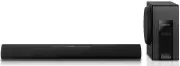
Panasonic SC-HTB18GN-K Sound Bar – User Manual, read for free online in PDF format. We hope this helps you resolve any issues you may have. If you have further questions, please contact us through the contact form.


Table of Contents:
- Page 2 – Safety precautions; Unit; WARNING
- Page 3 – Precautions; About Bluetooth
- Page 4 – Table of contents; Before use
- Page 5 – Supplied items; Check the supplied accessory before using this system.; The illustrations shown may differ from your unit.; Accessory; Remote control
- Page 6 – Control reference guide; Subwoofer
- Page 7 – Wall mounting hole; Main unit
- Page 8 – About remote control signal sensor; The remote control signal sensor is located on the main unit.; Remote control; Before using for the first time
- Page 9 – Step 1 Connections; Optical digital audio cable; Audio cable; Connection with the TV; TV
- Page 10 – Match the connector shape and connect to the terminal.; speaker cable; This system consumes a small amount of AC power (; Speaker cable connection; To a household mains socket; AC mains lead
- Page 11 – Getting started; Preparation; Select “SC-HTB18” from the Bluetooth; Bluetooth
- Page 12 – Step 2 Placement; When carrying the subwoofer; Safety Precautions; Caution; The subwoofer; Do not hold the subwoofer from this opening.; The parts inside may get damaged.; Wireless interference
- Page 13 – Choose a placement method that suits you best.; When placing the main unit in front of the TV; Try using the TV’s remote control from a different angle.; Selecting the placement method
- Page 14 – Press the AC mains lead into the holder.; Attach the cord to the main unit.; Cord; When placing the main unit on a rack or on a table
- Page 15 – Refer to step 3 for details about the required screws.; Additionally required accessories (commercially available); Slide the MULTI ANGLE switch to “WALL MOUNT”.; When attaching the main unit to a wall
- Page 16 – Screw eye; DO
- Page 17 – Using this system; Press; Indication
- Page 18 – Advanced operations; Audio format indicator
- Page 19 – Operations; Remote control code; Change the remote control code to code 2:; To turn off the volume limitation
- Page 20 – Troubleshooting; The remote control does not work properly.; While the main unit is on, press and hold [; General operation
- Page 21 – Reference; Unit care; Clean this system with a soft, dry cloth; Licenses
- Page 22 – Indicator illumination
- Page 23 – Specifications
- Page 27 – Panasonic Warranty; SHOULD BE RETAINED BY THE CUSTOMER AT ALL TIMES; Panasonic Australia Pty. Limited
- Page 28 – Panasonic Corporation
GN
SQT1349
2016/03/03
Operating Instructions
Home Theater Audio System
Model No. SC-HTB18
Thank you for purchasing this product.
Please read these instructions carefully before using this product,
and save this manual for future use.
Included Installation Instructions
The installation work should be done by a qualified installation specialist. (
>
12 to 16)
Before commencing work, carefully read these installation instructions and the operating instructions
to ensure that installation is performed correctly.
(Please keep these instructions. You may need them when maintaining or moving this unit.)
SC-HTB18GN_SQT1349.book 1 ページ 2016年1月12日 火曜日 午後3時27分
"Loading the manual" means you need to wait until the file loads and becomes available for online reading. Some manuals are very large, and the time they take to appear depends on your internet speed.
Summary
2 SQT1349 Ta ble of co ntents Safety precautions Unit ≥ To reduce the risk of fire, electric shock or product damage, j Do not expose this unit to rain, moisture, dripping or splashing. j Do not place objects filled with liquids, such as vases, on this unit. j Use only the recommended accessories. j...
Precautions SQT1349 3 About Bluetooth ® ∫ Frequency band used This system uses the 2.4 GHz frequency band. ∫ Certification of this device ≥ This system conforms to frequency restrictions and has received certification based on frequency laws. Thus, a wireless permit is not necessary. ≥ The action be...
4 SQT1349 Table of contents Safety precautions............................................................................................. 2About Bluetooth ® ............................................................................................... 3 Before use Supplied items ....................

