Panasonic RZ S300W - Manual

A troubleshooting guide for pairing and maintaining connections between Registered true wireless earbuds (model EAH-AZ70) and various devices, including smartphones, PCs, and the Technics Audio Connect app. The document covers key areas like Bluetooth setup procedures, common connection failures–such as failed pairings or unstable links–and practical solutions for issues like LED indicators, pairing mode activation, and environmental range limitations. It also briefly addresses Bluetooth Low Energy (BLE) efficiency and device compatibility requirements.


Table of Contents:
- Page 1 – Initial Setup and Basic Pairing Procedures
- Page 2 – Troubleshooting Bluetooth Pairing Issues
- Page 3 – Multi-Device Pairing and Connectivity Stability
- Page 4 – Advanced Bluetooth Troubleshooting
- Page 5 – Connection Performance and BLE Explanation
- Page 6 – Bluetooth Power Efficiency and Range Specifications
Getting started with the "Technics Audio Connect" app - Model EAH-
AZ70
Getting started with the "Technics Audio Connect" app (Android)
1.
Tap the Technics Audio Connect icon on the home screen of your device to start the app
o
The license information confirmation screen opens after you start the app.
2.
Confirm the license information and tap "Accept" to continue
3.
Check each of the checboxes for the Usage Agreement screen to continue the process of getting
started
4.
Follow the on-screen instructions to connect using Bluetooth®Registered wireless technology.
5.
Once connected via Bluetooth®Registered, follow the on-screen instructions to configure the
headphones to your desired settings.
o
These settings can later be changed through the "Settings" section of the app
Getting started with the "Panasonic Audio Connect" app (iOS)
1.
Tap the Technics Audio Connect icon on the home screen of your device to start the app
o
The license information confirmation screen opens after you start the app.
2.
Confirm the license information and tap "Accept" to continue
3.
Tap "Next"
4.
Follow the on-screen instructions to connect using Bluetooth®Registered wireless technology.
5.
Once connected via Bluetooth®Registered, follow the on-screen instructions to configure the
headphones to your desired settings.
o
These settings can later be changed through the "Settings" section of the app
How to connect (pair) my Bluetooth®Registered true wireless earbuds to their first device
(Ex: Smartphone)
1.
Place both earbuds in the charging case and charge them for 2.5 hours.
2.
When you open the charging case lid, the white bars (3 bars) indicates the charging case charge
process. When all three bars are lit white, charging is complete.
3.
After charging, remove the earbuds out of the charging case, and they will automatically go into
pairing mode (starts flashing alternately RED/BLUE) and will also announce
bluetooth®Registered pairing.
4.
Turn on Bluetooth®Registered device (ex: smartphone, etc.) and enable the
Bluetooth®Registered function.
5.
Under the Bluetooth®Registered menu of the device (Ex: smartphone, etc.) select device name
"RZ-S500W", OR "RZ-S300W", OR "EAH-AZ70W"
6.
Once connected (Paired), confirm by playing any audio on the connected device.
"Loading the manual" means you need to wait until the file loads and becomes available for online reading. Some manuals are very large, and the time they take to appear depends on your internet speed.
Was this manual helpful?
About this manual
- Brand
- Panasonic
- Model
- RZ S300W
- Document type
- Manual
- Language(s)
- English
- Pages
- 6
- File size
- 678.6 KB
- Format
Other Manuals for Panasonic RZ S300W
Summary
Step-by-step instructions for setting up the application, pairing Bluetooth true wireless earbuds with a first device, and charging procedures.
Steps to resolve failed pairing, connecting to PCs, checking LED indicators, ensuring search mode activation, selecting device models, and entering pairing modes.
Instructions for pairing subsequent devices and troubleshooting unstable Bluetooth connectivity between the earbuds and smartphones or PCs.
Ask a question
Related manuals
Popular Panasonic Other


More Panasonic Other models
 Panasonic RX-FT510 Manual
 Panasonic RX-FT530 Manual
 Panasonic RX-FT560 Manual
 Panasonic RX-FT570 Manual
 Panasonic RZ B110W User Manual
 Panasonic RZ B310W Manual
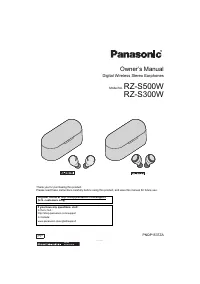 Panasonic RZ S500W User Manual
 Panasonic S48C90KAU6 Manual
 Panasonic S50 Manual
 Panasonic S60D Manual
 Panasonic SA-AK25 User Manual
 Panasonic SA-AK33 User Manual