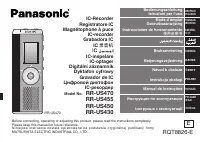
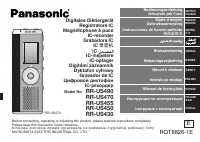
Page 2 - rechargeable battery; Supplied accessories; Dear customer; For the United Kingdom and Ireland
VQT4J81 2 2 Please check and identify the supplied accessories. Use numbers indicated in parentheses when asking for replacement parts. (Product numbers correct as of May 2012. These may be subject to change.) 1 AAA rechargeable Ni-MH battery [HHR-4AGE] * Indicated as rechargeable battery in the tex...
Page 3 - ENGLISH; Table of contents; Recording; Connecting this unit to a computer; Recording/Playback using the Timer; Features; Preparation
VQT4J81 3 3 ENGLISH Table of contents Recording This unit supports the Linear PCM (hereinafter referred to as “PCM”) recording. Also, you can use the zoom recording function to reduce the sounds in the surrounding environment to clearly record the sound source in front of you.A wide range of recordi...
Page 5 - Part names
VQT4J81 5 5 ENGLISH Part names bl i (Fast forward) bm External microphone/Line-in jack ( ) bn OPR/HOLD switch (OPR: Operation) bo STOP g /RETURN bp REC * bq Recording indicator (Status indicator) br ERASE/A-B & bs Built-in speaker bt Headphone/earphone jack ( W ) ck Mic/Line switch cl Battery/SD...
Page 6 - Screen display; Screen display during recording:
VQT4J81 6 6 Screen display • The following screen examples explain each item. Some items may not be displayed simultaneously. Screen display during recording: Index ( ➜ page 38) File number ( ➜ page 16) Status indication ( ➜ page 16) SD card ( ➜ page 12) Folder name ( ➜ page 12) Level meter ( ➜ page...
Page 7 - Inserting the battery/Charging; Upon purchasing, charge once before initial; Inserting the rechargeable battery (supplied); Take out the USB plug.; The
VQT4J81 7 7 ENGLISH Inserting the battery/Charging Upon purchasing, charge once before initial use. Use your computer for charging. If the battery has completely run out, it takes approx. 2 hours for a full recharge. Inserting the rechargeable battery (supplied) 1 AAA rechargeable Ni-MH battery Make...
Page 8 - Disconnecting the unit
VQT4J81 8 8 3 Slide the OPR/HOLD switch to the [ON] side. 4 Slide the OPR/HOLD switch to the [OFF] side. Status indicator OPR/HOLDswitch The status indicator lights and recharging starts.Also, “CHARGING” is shown in the unit’s display and the battery indicator changes as shown below. CHARGING * Whil...
Page 9 - Turning the Power ON/OFF; When using a dry cell battery (not supplied); Turning the power ON:; Auto power off
VQT4J81 9 9 ENGLISH Turning the Power ON/OFF g When using a dry cell battery (not supplied) * An AAA LR03 alkaline battery (not supplied) can also be used. * If you use an alkaline battery, set the BATT. SETTING in the common menu to “ALKALINE”. ( ➜ page 59) OPR/HOLD switch Turning the power ON: Sli...
Page 10 - Hold function; To switch the Hold function on:; About the battery indicator
VQT4J81 10 10 Hold function Button operations are ignored when the Hold function is on. To switch the Hold function on: Slide the OPR/HOLD switch to the [HOLD] side during recording or playback. To switch the Hold function off: Slide the OPR/HOLD switch in the opposite direction of [HOLD]. * When th...
Page 11 - The clock has not been set at the time of purchase.; The clock is used as a file name (; To exit the setting screen, press; Setting the clock
VQT4J81 11 11 ENGLISH The clock has not been set at the time of purchase. The clock is used as a file name ( ➜ page 67) or to preserve recording date and time information. Set the correct date and time. If the power is turned on when the clock is not set, the screen shown in step 4 is displayed. • T...
Page 12 - to; File
VQT4J81 12 12 File and Folder Selecting the folder • Press [STOP g /RETURN] to stop the unit. 1 Press [F2 (FOLDER)]. 2 Press +, –, u , i to select the folder and press [ q OK] to enter. “P1 to P5” present playlist files ( ➜ page 49). • “ ” (OTHER FOLDER) is for the playback of files recorded by a de...
Page 13 - le; Selecting the folder or
VQT4J81 13 13 ENGLISH • Press [STOP g /RETURN] to stop the unit. 1 Press [LIST ] for approx. 1 second or more. Go to step 2 if an SD card is inserted ( ➜ page 46), and step 3 if not. 2 Press +, – to select “INT. MEMORY” (internal memory ) or “microSD CARD” and press [ q OK] to enter. List screen 3 P...
Page 14 - Switching microphone position
VQT4J81 14 14 Switching microphone position ZOOM STEREO Microphone position Recommended uses STEREO Suitable for recording events such as a meeting or performance by a large number of people. Operates as an ordinary stereo microphone.ZOOM Suitable for recording events such as a lecture or interview,...
Page 15 - Press
VQT4J81 15 15 ENGLISH • Turn the power on. ( ➜ page 9) • Press [STOP g /RETURN] to stop the unit. • Select the microphone position. ( ➜ page 14) 1 Press [F2 (FOLDER)]. 2 Press u , i to select the recording destination folder and press [ q OK] to enter. For microphone recording, select a folder among...
Page 16 - Note when recording
VQT4J81 16 16 Recording Screen display during recording: 12 3 4 5 6 7 1 Status indication * : During recording h : During recording pause, recording standby, past recording standby 2 Folder name ( ➜ page 12), File number 3 Level meter Displays the volume input into this unit. (Stereo (L/R)) L and R ...
Page 17 - Adjusting the volume; Playing; Select a
VQT4J81 17 17 ENGLISH • Press [STOP g /RETURN] to stop the unit. • Select a folder. ( ➜ page 12) • Select a file. ( ➜ right) 1 Press [ q OK] (Playback starts). Adjusting the volume Turn up the volume: Press +.Turn down the volume: Press –. Volume range is 0 to 20. (The factory setting is “10”.)If yo...
Page 18 - Checking information; You can check the file information or current time.; Recommended additional earphones:; Monitoring the; Adjusting the volume:; Listening to the audio
VQT4J81 18 18 Checking information You can check the file information or current time. • Press [STOP g /RETURN] to stop the unit. 1 Press [STOP g /RETURN]. The information screen appears. 2 Move the information screen up or down using + or –. The following contents can be confirmed on the informatio...
Page 19 - Deleting
VQT4J81 19 19 ENGLISH Deleting fi les • Select a file to delete beforehand. ( ➜ page 17) • Press [STOP g /RETURN] to stop the unit. 1 Press [ERASE/A-B & ]. 2 Press +, – to select “FILE” and press [ q OK] to enter. 3 Press +, – to select “YES” and press [ q OK] to enter. While deleting, the statu...
Page 20 - Selecting the recording scene
VQT4J81 20 20 Selecting the recording scene This unit offers recommended recording settings for each recording scene. Selecting the recording scene enables easy recording with the most appropriate settings. • Press [STOP g /RETURN] to stop the unit. 1 Press [MENU] for approx. 1 second or more. The s...
Page 21 - The factory setting of recording scenes
VQT4J81 21 21 ENGLISH g The factory setting of recording scenes Recording Scene Application Setting Item (page) LANG. STUDY KARAOKE MUSIC PERF. CONVERSATION MEETING LECTURE FAVORITE Recording your own voice for pronunciation practice etc. Loud volume recording such as karaoke High quality recording ...
Page 22 - Changing recording scene settings; The setting details of each recording scene can; Initialising recording scene settings
VQT4J81 22 22 Changing recording scene settings The setting details of each recording scene can be changed according to preference. • Press [STOP g /RETURN] to stop the unit. 1 Press [MENU] for approx. 1 second or more. 2 Press +, – to select the recording scene and press [ q OK] to enter. 3 Press +...
Page 23 - Direct scene
VQT4J81 23 23 ENGLISH Direct scene Microphone position Recording scene STEREO ZOOM Factory setting This function is for switching the recording scene ( ➜ page 20) linked to switching the microphone position. (The factory setting is “ON”)You can switch to the recording scene assigned to each micropho...
Page 24 - Changing direct scene setting; Setting direct scene setting to OFF; ” is
VQT4J81 24 24 Direct scene Changing direct scene setting • Press [STOP g /RETURN] to stop the unit. 1 Press [MENU]. 2 Press +, – to select “MIC REC MENU” and press [ q OK] to enter. 3 Press +, – to select “DIRECT SCENE” and press [ q OK] to enter. 4 Press +, – to select the microphone position (“STE...
Page 25 - Selecting recording mode; the particular purpose.
VQT4J81 25 25 ENGLISH Selecting recording mode • Press [STOP g /RETURN] to stop the unit. 1 Press [MENU]. 2 Press +, – to select “MIC REC MENU” and press [ q OK] to enter. 3 Press +, – to select “MIC REC MODE” and press [ q OK] to enter. 4 Press +, – to select the setting (PCM sampling frequency/MP3...
Page 26 - Switching microphone sensitivity
VQT4J81 26 26 Switch the microphone sensitivity according to the volume of the sound source. When the sound source volume is loud, set the sensitivity to “LOW”. When it is low, set the sensitivity to “HIGH”. • Press [STOP g /RETURN] to stop the unit. 1 Press [MENU]. 2 Press +, – to select “MIC REC M...
Page 27 - Setting the recording level manually; Setting the recording level
VQT4J81 27 27 ENGLISH The recording level can be adjusted automatically or manually on this unit. When the recording level adjustment is AUTO, the sound distortion is reduced by adjusting the recording level automatically. To record the original sound volume level faithfully such as an instrument pl...
Page 28 - Setting the recording peak limiter to ON; Even if the recording level adjustment is
VQT4J81 28 28 Level meter OVER indication Recording level * If the level meter swings and “ ” is displayed, this means the recording level is too high. Adjust the level within the “ ” range even if the recording sound reaches the highest level. * The input level (volume input to this unit) for recor...
Page 29 - Setting the recording EQ; Setting when selecting “USER”:; your preferred settings for recording.
VQT4J81 29 29 ENGLISH Setting the recording EQ • Set the recording level adjustment to MANUAL beforehand. ( ➜ page 27) (When the recording level adjustment is AUTO, the unit does not enter the recording standby.) 1 Press and hold [REC * ] for 1 second or more. The unit enters the recording standby. ...
Page 30 - Self timer
VQT4J81 30 30 You can select your preferred time period from when [REC * ] is pressed until when the recording starts. This function is very useful where you need time for preparation before recording should start – for example in musical instrument practice. Self timer • Press [STOP g /RETURN] to s...
Page 32 - To set the past recording to ON:; To record using the past recording; with the audio approx. 3 seconds before the recording operation.
VQT4J81 32 32 Past recording function (PRE-RECORD) To set the past recording to ON: • Press [STOP g /RETURN] to stop the unit. 1 Press [MENU]. 2 Press +, – to select “MIC REC MENU” and press [ q OK] to enter. 3 Press +, – to select “PRE-RECORD” and press [ q OK] to enter. 4 Press +, – to select “ON”...
Page 33 - Recording by connecting an external microphone; Connect the external microphone.; in jack of this unit.
VQT4J81 33 33 ENGLISH Recording by connecting an external microphone • Press [STOP g /RETURN] to stop the unit. 1 Slide the Mic/Line switch to [MIC]. 2 Connect the external microphone. External microphone(not supplied) Plug type: ø 3.5 mm stereo mini plug Insert securely. “ ” is displayed. 3 Press [...
Page 34 - Copying to other devices; Start recording on the external device.
VQT4J81 34 34 Copying to other devices 1 Connect the headphone/earphone jack ( W ) of this unit with the audio input (mic) terminal of the external device with an audio cable. Insert securely. Audio Cable with resistor (not supplied) Stereo mini plug Monauralmini plug To audio input (mic) terminal P...
Page 35 - Recording from other devices; Connect the external device
VQT4J81 35 35 ENGLISH Recording from other devices This is the method to record to the “L” folder by connecting an external device to the external microphone/Line-in jack of this unit. • Press [STOP g /RETURN] to stop the unit. 1 Slide the Mic/Line switch to [LINE]. 2 Press [MENU]. 3 Press +, – to s...
Page 36 - for 1 second or more.; Play the external device.; Synchro recording setting
VQT4J81 36 36 8 Press and hold [REC * ] for 1 second or more. The unit enters the recording standby. Blinks 9 Play back the external device and adjust the input/output level. 1 If the level meter swings and “ ” is displayed, the volume of the external device is too high. Adjust the volume of the ext...
Page 37 - Perform steps; Selecting line recording mode
VQT4J81 37 37 ENGLISH To exit the setting screen, press [F2 (CLOSE)]. Connect the device, slide the Mic/Line switch to [LINE] and “ ” is shown on the display. * Automatic stop is useful when recording CDs etc. that have more than approx. 2 seconds of silence between tracks using line recording. * Ma...
Page 38 - the specified position by skip operation (; Index function; Adding index
VQT4J81 38 38 By adding Index (position information on the file) to the file, playback position jumps to the specified position by skip operation ( ➜ page 17) during playback. Files within the MUSIC (M) folder, OTHER FOLDER ( ) and recycle bin ( ) folder cannot be indexed. Also, indexes cannot be ad...
Page 39 - The playback speed can be adjusted in 21 steps; Status indication during playback:; Changing the playback speed; Playback repeats between the start point (A) and; the
VQT4J81 39 39 ENGLISH The playback speed can be adjusted in 21 steps from the slow speed of 0.5 times normal speed (50%) to the fast speed of 2 times normal speed (200%). 1 Press [F1 (SPEED)] during playback. 2 Press [F1 (SLOW)] or [F2 (FAST)] to select the speed and press [ q OK] to enter. Status i...
Page 40 - Playback is possible from the time-specified; Playback from a speci; This function returns a short amount of time; Setting the return time:
VQT4J81 40 40 Playback is possible from the time-specified position. • Put the unit into the stopped state or playback state. 1 Press [MENU]. (When playback is in progress, go to step 3 .) 2 Press +, – to select “PLAY MENU” and press [ q OK] to enter. 3 Press +, – to select “TIME SEARCH” and press [...
Page 42 - Skip at regular intervals; or more during playback.; To change the skip interval; This function skips the set time using skip operation (
VQT4J81 42 42 Skip at regular intervals 1 Press [ q OK] for approx. 1 second or more during playback. The mode switches to time skip mode and “ ” is displayed. The skip mode switches each time the button is pressed. 2 Press u , i . Each time the button is pressed, 5 seconds are skipped (factory sett...
Page 43 - practice for language learning.; Using shadowing function:; Adjusting the volume for shadowing:; Shadowing
VQT4J81 43 43 ENGLISH Shadowing is a learning method to repeat an example immediately after it is heard. You can use the shadowing function of this unit to alternately repeat the A-B repeat section (example) and a no-sound or small-volume section (practice). This is convenient for pronunciation or l...
Page 44 - Making sound easier to hear (VOICE EMPHASIS)
VQT4J81 44 44 • Put the unit into the stopped state or playback state. 1 Press [MENU]. (When playback is in progress, go to step 3 .) 2 Press +, – to select “PLAY MENU” and press [ q OK] to enter. 3 Press +, – to select “VOICE EMPHASIS” and press [ q OK] to enter. 4 Press +, – to select the type of ...
Page 45 - preferred settings for playback.; The sound EQ is effective only when listening with the earphones.; Whe
VQT4J81 45 45 ENGLISH • Put the unit into the stopped state or playback state. 1 Press [MENU]. (When playback is in progress, go to step 3 .) 2 Press +, – to select “PLAY MENU” and press [ q OK] to enter. 3 Press +, – to select “SOUND EQ” and press [ q OK] to enter. 4 Press +, – to select the sound ...
Page 46 - Using an SD Card; Use this unit to format a new SD card (; Inserting the SD card; To remove the SD card:
VQT4J81 46 46 Using an SD Card You can use a microSD/microSDHC card in addition to the internal memory. Use this unit to format a new SD card ( ➜ page 60) before use. Inserting the SD card 1 Turn off the power and open the battery/SD card slot cover. 2 Insert the SD card and close the battery/SD car...
Page 47 - Using the; Using the file search function enables you to; File search
VQT4J81 47 47 ENGLISH Using the fi le search function Using the file search function enables you to search the files recorded on this unit. You cannot search for files in the MUSIC (M) folder or OTHER FOLDER ( ). g Types of fi le search CALENDAR SRCH Recorded files are refined by date and displayed ...
Page 48 - Listening to music on this unit (WMA/MP3 music
VQT4J81 48 48 • Transfer music files to this unit from the computer. ( ➜ page 71) Selecting a fi le from folder “M”: See page 12 for selecting a folder and pages 13 and 17 for selecting a file. 1 Select the fi le and press [ q OK]. Playback elapsed time Total playback time (Length of the selected ...
Page 49 - Folder cue function; Cancelling folder cue:; Registering your favourite tracks to; Using the playlist function
VQT4J81 49 49 ENGLISH Folder cue function This function enables you to switch subfolders within the MUSIC (M) folder easily while playing back files in the MUSIC folder. Folder cue cannot be performed while playing a PLAYLIST. 1 Press [F2 ( CUE)] during playback. “FOLDER SKIP” is displayed, which ch...
Page 50 - Cancelling tracks registered to the
VQT4J81 50 50 Playing tracks registered to the playlist 1 Select the playlist (from P1 to P5) ( ➜ page 12). 2 Press u , i to select the fi le to play and press [ q OK]. Changing the order of playlist tracks 1 Select the playlist (from P1 to P5) on the list screen ( ➜ page 13). 2 Press +, – to select...
Page 51 - les; Displaying the editing setting screen; Dividing; You can divide 1 file into 2 files at a specified; the point where you wish to divide the
VQT4J81 51 51 ENGLISH Editing: Dividing fi les Using the editing settings, you can edit files recorded on this unit in a variety of methods. Displaying the editing setting screen • Press [STOP g /RETURN] to stop the unit. 1 Press [MENU]. 2 Press +, – to select “EDIT MENU” and press [ q OK] to enter....
Page 52 - “Displaying the editing setting; files recorded on this unit can be combined into 1 file.
VQT4J81 52 52 Editing: Combining fi les 1 Select “COMBINE” in the editing setting screen ( ➜ “Displaying the editing setting screen”, page 51). 2 Press +, – to select “PREVIOUS FILE” and press [ q OK] to enter. 3 Press +, – to select the fi le to be combined and press [ q OK] to enter. When selectin...
Page 53 - Copying; “Displaying the editing setting screen”,; Moving; Editing: Copying or moving; recording files can be copied or moved among folders A, B, C and D.
VQT4J81 53 53 ENGLISH Copying fi le 1 Select “COPY” in the editing setting screen ( ➜ “Displaying the editing setting screen”, page 51). 2 Press +, – to select the fi le to be copied and press [ q OK] to enter. • When selecting the file in another folder, you can move within folder hierarchies by pr...
Page 54 - Recycle bin function; Returning; to select “ ” and press; Emptying the recycle bin folder
VQT4J81 54 54 Recycle bin function When deleting files with the recycle bin function set to ON, deleted files are moved to the recycle bin ( ) folder (excluding MUSIC (M) folder or OTHER FOLDER ( ) ). Files moved to the recycle bin can be returned to the original folders, so you do not have to worry...
Page 55 - Using the timer
VQT4J81 55 55 ENGLISH Using the timer Audio can be recorded at the set date and time. The timer can also be used as an alarm by playing back files or sounds. Set the clock correctly beforehand. ( ➜ page 11) • Press [STOP g /RETURN] to stop the unit. 1 Press [MENU]. 2 Press +, – to select “COMMON MEN...
Page 57 - Checking the timer condition or execution
VQT4J81 57 57 ENGLISH g Checking the timer condition or execution state Timer indication : Timer is set. The display flashes when the timer is executed. : When the repeat settings are “ONCE”, this is dis- played if the timer recording fails. To clear the display, change the settings to “OFF”, or set...
Page 58 - The button operation sound can be set.; You can choose whether to set the; Common menu
VQT4J81 58 58 Common settings operation • Press [STOP g /RETURN] to stop the unit. 1 Press [MENU]. 2 Press +, – to select “COMMON MENU” and press [ q OK] to enter. 3 Press +, – to select the setting item and press [ q OK] to enter. 4 Press +, – to change the setting and press [ q OK] to enter. To ex...
Page 59 - AUTO POWER OFF
VQT4J81 59 59 ENGLISH BATT. SETTING Set the type of batteries used (rechargeable nickel metal-hydride batteries or alkaline batteries). Type of battery : Rechargeable battery : Alkaline battery Type of battery: RECHARGEABLE, ALKALINE (The factory setting is “RECHARGEABLE”.) * If the type of battery ...
Page 61 - INIT MENU
VQT4J81 61 61 ENGLISH INIT MENU If the settings of this unit are initialised, settings except for the “DATE & TIME” setting are restored to the default state. Select “YES”, press [ q OK] to enter and the settings are initialised. VERSION You can check the firmware version of this unit. VQT4J81̲R...
Page 62 - System requirements
VQT4J81 62 62 System requirements (As of May 2012) Computer IBM PC/AT compatible machines, Macintosh OS • Microsoft ® Windows ® XP Home Edition/Professional and Service Pack 2, Service Pack 3 • Microsoft ® Windows Vista ® Home Basic/Home Premium/Business/ Ultimate and Service Pack 1, Service Pack 2 ...
Page 63 - You can copy files recorded on this unit to the; Take out the unit’s USB plug.
VQT4J81 63 63 ENGLISH Connecting this unit to a computer You can copy files recorded on this unit to the computer. • Start the computer beforehand. • Turn the unit off beforehand. 1 Take out the unit’s USB plug. Push and slide until a “click” sound is heard. Storing the USB plug: 2 Connect the unit ...
Page 65 - Opening folders of this unit
VQT4J81 65 65 ENGLISH • Connect this unit to a Computer beforehand. ( ➜ page 63) 1. Click [start] → [My Computer]. The internal memory and SD card of this unit are displayed as the following names.Internal Memory: IC RECORDERSD card: IC REC SD ユーザー名 If an SD card is not inserted or an SD card that w...
Page 66 - Importing; Select the recorded; Playing recorded
VQT4J81 66 66 Importing fi les to a computer/Organising fi les * Using [drag and drop], you can import the files to the computer as well. * Never disconnect the unit or remove the SD card while “ACCESS…” is displayed, otherwise this unit may be damaged. * Do not format this unit or the SD card using...
Page 67 - File naming rules when recording on this unit:; Automatic change of; File name
VQT4J81 67 67 ENGLISH File naming rules when recording on this unit: Example: Recording information: September 20, 2012, 17:20/folder A/MP3 “_” (1-byte) 001_120920_1720A0.MP3 1 45 2 3 6 1 File number (001 to 199) 2 Recording information (1-byte number, 6 characters) 3 Recording time (1-byte number, ...
Page 69 - The “DATA” folder is used to store data files.; Folder hierarchy of this unit:; Folder structure on this unit
VQT4J81 69 69 ENGLISH Folders “A”, “B”, “C”, “D”, “L” and “M” are displayed as “MIC_A”, “MIC_B”, “MIC_C”, “MIC_D”, “LINE” and “MUSIC” (for the internal memory) respectively on the computer or the list screen of this unit. The “DATA” folder is used to store data files. Folder hierarchy of this unit: ...
Page 70 - RECYCLE folder; This is the recycle bin. When the recycle bin
VQT4J81 70 70 g OTHER FOLDER ( ) Folders creating using a device other than this unit and the “DATA” folder are displayed in “OTHER FOLDER”. “OTHER FOLDER” is displayed on this unit, but the folders are directly displayed without displaying “OTHER FOLDER” on a computer. Playing fi les in OTHER FOLDE...
Page 71 - Transferring music
VQT4J81 71 71 ENGLISH Transferring music fi les to this unit * Using [drag and drop], you can import the files to the computer as well. * Never disconnect the unit or remove the SD card while “ACCESS…” is displayed, otherwise this unit may be damaged. * You can create subfolders in the MUSIC folder ...
Page 72 - Question Answer; Error messages
VQT4J81 72 72 Question Answer Can I play fi les recorded on other Panasonic IC recorders? • You can play files recorded on IC recorders using MP3 or PCM format by transferring them to MUSIC folder. ( ➜ page 71) However, cannot play files with other formats (i.e. ADPCM and TRC formats) because the re...
Page 73 - Error message
VQT4J81 73 73 ENGLISH Error message Checkpoints FILE FULL • This is displayed when you attempt to record with the number of files exceeding maximum recordable number (199) in each folder. ( ➜ page 12) INDEX FULL • This is displayed when you attempt to add the index exceeding the maximum number (36) ...
Page 77 - Symptom; Troubleshooting guide
VQT4J81 77 77 ENGLISH Before requesting service, make the following checks. If you are in doubt about some of the check points, or if the remedies indicated in the chart do not solve the problem, consult your dealer for instructions. Symptom Checkpoints Battery Cannot use a battery that can still be...
Page 82 - Others
VQT4J81 82 82 Symptom Checkpoints Timer Timer recording does not operate properly.(Timer Recording failed.) • Set the clock with correct date and time. ( ➜ page 11) • The folder at the recording destination is full. Delete unnecessary files. ( ➜ page 19) • The battery has run down. Replace with a ne...
Page 85 - Speci
VQT4J81 85 85 ENGLISH PowerRechargeable battery DC 1.2 V (1 AAA rechargeable Ni-MH (nickel-metal hydride) battery, HHR-4AGE) USB charging (charging time: approx. 2 hours) Dry-cell battery DC 1.5 V (1 AAA LR03 battery (alkaline battery)) AudioSampling frequency (The bracket [ ] shows the recording mo...
Page 87 - Care and use; Unit
VQT4J81 87 87 ENGLISH Care and use To reduce risk of radio interference caused by headphone-, earphone- or microphone cables, only use adequate accessories with a cable length of less than 3 m. g Unit • Avoid using or placing this unit near sources of heat. • To avoid product damage, do not expose t...
Page 89 - CAUTION
VQT4J81 89 89 ENGLISH Precautions for listening with the Headphones or Earphones • Do not play your headphones or earphones at a high volume. Hearing experts advise against continuous extended play. • If you experience a ringing in your ears, reduce volume or discontinue use. • Do not use while oper...
Page 90 - Clean this unit with a dry and soft cloth.; cause the exterior case to be deformed or the coating to come off.; Maintenance
VQT4J81 90 90 Clean this unit with a dry and soft cloth. • If the unit becomes too dirty, wring a cloth moistened in water, wipe the dirt with it and clean with a dry cloth. • Do not use solvents including benzine, thinner, alcohol, kitchen detergent, a chemical wiper, etc. This might cause the exte...
Page 91 - arise from inappropriate waste handling.; For business users in the European Union; Cd; requirement set by the Directive for the chemical involved.
VQT4J81 91 91 ENGLISH Information for Users on Collection and Disposal of Old Equipment and used Batteries These symbols on the products, packaging, and/or accompanying documents mean that used electrical and electronic products and batteries should not be mixed with general household waste. For pro...
Page 92 - Panasonic Warranty
VQT4J81 92 92 ONL Y FOR A USTRALIA Panasonic Warranty 1. T h e produ c t i s w a rrante d fo r 1 2 m o nth s fro m t h e d a te of p u rc ha se. S ubje c t to t he cond iti o ns of th is w a rranty P anas o ni c o r it s A u th or is ed S e rv ice C e nt re w ill p e rf or m n e c e ss ar y ser v ic...
Page 93 - Useful Inf
VQT4J81 93 93 ENGLISH For Latin American Countries Onl y Useful Inf ormation Cu st o m er S er vi ce C u stome r Servi ce D irectory O b ta in p roduct s information and oper at ive ass is tant ; localize th e closer dist ribut o r or S ervic e Cent er; buy spare p a rt s and acce ssori es by our we...
Page 94 - Mitgeliefertes Zubehör
VQT4J81 2 94 1 AAA Ni-MH-Akku * Im Text als Akku angegeben. 1 Batterietransporttasche 1 USB-Verlängerungskabel Den wiederaufladbaren Akku durch einem Akku vom Typ [HHR-4MVE] für Europa oder [HHR-4MVT] für Asien und Lateinamerika ersetzen. (Stand Mai 2012) Mitgeliefertes Zubehör Einlegen der Batterie...
Page 95 - DEUTSCH; Ein- und Ausschalten des Gerätes
VQT4J81 3 95 DEUTSCH Ein- und Ausschalten des Gerätes Einschalten des Gerätes: Den OPR/HOLD-Schalter auf die [ON]-Seite schieben, um das Gerät einzuschalten. Anschließend schaltet sich die Display-Beleuchtung ein. Ausschalten des Gerätes: Den OPR/HOLD-Schalter zur [OFF]-Seite schieben, während das G...
Page 96 - Auswahl des Ordners oder der
VQT4J81 4 96 Auswahl des Ordners Wechseln der Mikrofonposition 1 Drücken von [F2 (FOLDER)]. 2 +, –, u , i drücken, um den Ordner auszuwählen und [ q OK] zur Eingabe drücken. • „ “ (OTHER FOLDER) dient zur Wiedergabe von Dateien, die von einem anderen Gerät als diesem aufgezeichnet wurde. Dieses Gerä...
Page 97 - Mithören des Tons über Ohrhörer; Aufnahme
VQT4J81 5 97 DEUTSCH Mithören des Tons über Ohrhörer Stereo-Ohrhörer (nicht mitgeliefert) anschließen.Steckerausführung: ø 3,5 mm Stereo-KlinkensteckerEmpfohlener zusätzlicher Ohrhörer: Panasonic RP-HV154, RP-HJE120(Stand Mai 2012) Eingebauter Lautsprecher Stecker fest anschließen. Überwachen der ak...
Page 98 - Löschen von Dateien; Löschen von Dateien aus dem; Auswahl des Aufnahme-Ortes
VQT4J81 6 98 Löschen von Dateien 1 [ERASE/A-B & ] drücken. 2 +, – drücken, um „FILE“ auszuwählen und [ q OK] zur Eingabe drücken. 3 +, – drücken, um „YES“ auszuwählen und [ q OK] zur Eingabe drücken. Während des Löschens blinkt die Statusanzeige und „ERASING“ wird angezeigt. Es kann mehrere Minu...
Page 99 - Ändern der Einstellungen für den Aufnahme-Ort; Initialisieren der Einstellungen für den Aufnahme-Ort; Direktszene
VQT4J81 7 99 DEUTSCH Ändern der Einstellungen für den Aufnahme-Ort 1 [MENU] etwa 1 Sekunde oder länger gedrückt halten. 2 +, – drücken, um den Aufnahme-Ort auszuwählen und [ q OK] zur Eingabe drücken. 3 +, – drücken, um „CHANGE SETTING“ auszuwählen und [ q OK] zur Eingabe drücken. 4 +, – drücken, um...
Page 100 - Wahl des Aufnahmemodus; Einstellen der Direktszeneneinstellung auf OFF
VQT4J81 8 100 Wahl des Aufnahmemodus Direktszene 1 [MENU] drücken. 2 +, – drücken, um „MIC REC MENU“ auszuwählen und [ q OK] zur Eingabe drücken. 3 +, – drücken, um „MIC REC MODE“ auszuwählen und [ q OK] zur Eingabe drücken. 4 +, – drücken, um die Einstellung (PCM Abtastfrequenz-/ MP3-Bitrate) auszu...
Page 101 - Einstellung des Aufnahmepegels auf
VQT4J81 79 101 DEUTSCH Umschalten der Mikrofonemp fi ndlichkeit Manuelle Einstellung des Aufnahmepegels Reduzieren von niederfrequenten Störgeräuschen während der Aufnahme 1 [MENU] drücken. 2 +, – drücken, um „MIC REC MENU“ auszuwählen und [ q OK] zur Eingabe drücken. 3 +, – drücken, um „MIC SENS.“ ...
Page 102 - Selbstauslöser; Manuelle Einstellung des Aufnahmepegels
VQT4J81 10 102 [F2 (CLOSE)] drücken, um den Einstellungsbildschirm zu verlassen. Nach dem Verlassen des Einstellungsbildschirms wird der EQ-Modusname nicht angezeigt. Drücken von [REC * ] startet Aufnahme. EQ-Modus Wirkung und Anwendung FLAT Dieser (Basis)-Modus verstärkt keinen bestimmten Tonbereic...
Page 103 - Verhindern einer unerwünschten; Aufnahme mit einem extern
VQT4J81 11 103 DEUTSCH Verhindern einer unerwünschten Aufnahme (VAS) 1 [MENU] drücken. 2 +, – drücken, um „MIC REC MENU“ auszuwählen und [ q OK] zur Eingabe drücken. 3 +, – drücken, um „VAS“ auszuwählen und [ q OK] zur Eingabe drücken. 4 +, – drücken, um „ON“ auszuwählen und [ q OK] zur Eingabe drüc...
Page 104 - Synchron-Aufnahmeeinstellung; Aufnahme von anderen Geräten
VQT4J81 12 104 10 [REC * ] zum Starten der Aufnahme drücken. 11 Spielen des externen Gerätes. Dieses Gerät hat die folgende Synchron-Aufnahmefunktion.Diese Funktion erkennt die Stille zwischen Titeln usw. und zeichnet jeden Titel als separate Datei auf, z. B. als ersten Titel, zweiten Titel usw. Wir...
Page 105 - Wahl des Line-Aufnahmemodus; Indexfunktion; Index hinzufügen; Ändern der
VQT4J81 13 105 DEUTSCH Wahl des Line-Aufnahmemodus 1 [MENU] drücken. 2 +, – drücken, um „LINE REC“ auszuwählen und [ q OK] zur Eingabe drücken. 3 +, – drücken, um „LINE REC MODE“ auszuwählen und [ q OK] zur Eingabe drücken. 4 +, – drücken, um die Einstellung (PCM Abtastfrequenz-/ MP3-Bitrate) auszuw...
Page 106 - Wiedergabe mit geringfügigem Rücklauf; Wiedergabe von einer festgelegten
VQT4J81 14 106 Wiedergabe mit geringfügigem Rücklauf 1 [ q OK] während der Wiedergabe drücken. Bei jedem Drücken des Knopfes läuft die Wiedergabe für ungefähr 3 Sekunden (Werkseinstellung) zurück. Einstellung der Rücklaufzeit: 1 [MENU] drücken. (Während der Wiedergabe zu Schritt 3 wechseln.) 2 +, – ...
Page 107 - Sprünge in regulären; Sprünge in regulären Intervallen; Zum Wechseln des Sprungintervalls
VQT4J81 15 107 DEUTSCH Shadowing Einstellen des Shadowing: 1 [MENU] drücken. (Während der Wiedergabe zu Schritt 3 wechseln.) 2 +, – drücken, um „PLAY MENU“ auszuwählen und [ q OK] zur Eingabe drücken. 3 +, – drücken, um „SHADOWING“ auszuwählen und [ q OK] zur Eingabe drücken. 4 +, – drücken, um die ...
Page 108 - Ton besser hörbar machen
VQT4J81 16 108 Verwenden der Shadowing-Funktion: 1 Die A-B-Wiederholwiedergabe ausführen. ( ➜ Seite 13) Das Shadowing erfolgt bei A-B-Wiederholwiedergabe ohne Ton oder mit leisem Ton. Einstellen der Lautstärke zum Shadowing: Sie können die Lautstärke des Shadowing-Teils getrennt vom A-B-Wiederholwie...
Page 109 - Einstellung des Wiedergabe-
VQT4J81 17 109 DEUTSCH Einstellung des Wiedergabe- EQ (SOUND EQ) EQ-Modus Wirkung und Anwendung FLAT Die Tonequalizer-Funktion wird nicht verwendet. Der Originalton ohne Veränderung wird gehört. BASS Verstärkt den Bassbereich sehr stark. CLEAR Verstärkt den Hochtonbereich sehr stark. HEAVY Verstärkt...
Page 110 - Dateisuche; Benutzung einer SD-Karte; Einsetzen der SD-Karte
VQT4J81 18 110 Unter Benutzung der Dateisuchfunktion g Arten von Dateisuche CALENDAR SRCH Gespeicherte Dateien werden nach Datum geordnet und in einer Liste angezeigt. DAY OF WEEK Gespeicherte Dateien werden nach Wochentag geordnet und in einer Liste angezeigt. RECENT R. FILE Die gespeicherten Datei...
Page 111 - Hören von Musik mit diesem Gerät; Verwendung der Playlist-Funktion; Ihre Lieblingstitel in einer Playlist registrieren; Wiedergabe von in einer Playlist registrierten Titeln; Ändern der Reihenfolge der Playlist-Titel
VQT4J81 19 111 DEUTSCH Hören von Musik mit diesem Gerät (Abspielen von WMA/MP3 -Musikdateien) 4 +, – drücken, um die Datei auszuwählen und [ q OK] zur Eingabe drücken. Wahl einer Datei aus dem Ordner „M“: 1 Datei auswählen und [ q OK] drücken. Ordner-Cue-Funktion 1 [F2 ( CUE)] während der Wiedergabe...
Page 112 - Löschen von in einer Playlist registrierten; Bearbeiten: Teilen von Dateien; Anzeigen des Einstellbildschirms für das; Teilen von Dateien
VQT4J81 20 112 Löschen von in einer Playlist registrierten Tracks (Titeln) 1 Die Playlist (von P1 bis P5) im Listenbildschirm auswählen ( ➜ Seite 4). 2 +, – drücken, um die Datei auszuwählen, die gelöscht werden soll, und [F1 (EDIT)] drücken. 3 +, – drücken, um „ERASE FILE“ auszuwählen und [ q OK] z...
Page 113 - Kopieren von Dateien; Bearbeiten: Kopieren oder; Zurückbewegen von Dateien aus dem
VQT4J81 21 113 DEUTSCH Kopieren von Dateien 1 „COPY“ im Bearbeitungs-Einstellungsbildschirm ( ➜ Seite 20) auswählen. 2 +, – drücken, um die Datei, die kopiert werden soll, auszuwählen, und [ q OK] zur Eingabe drücken. • Wenn die Datei in einem anderen Ordner ausgewählt wird, kann sie durch Drücken v...
Page 114 - Leeren des Papierkorbordners; Papierkorbfunktion; Benutzung des Timers
VQT4J81 22 114 Leeren des Papierkorbordners 1 [ERASE/A-B & ] drücken. 2 +, – drücken, um „EMPTY RECYCLE BIN“ auszuwählen und [ q OK] zur Eingabe drücken. Wenn der Papierkorb-Ordner ausgewählt wird, „EMPTY“ in Schritt 2 auswählen und [ q OK] drücken. 3 +, – drücken, um „YES“ auszuwählen und [ q O...
Page 115 - Allgemeines Menü; Gemeinsame Einstellungsbetriebe
VQT4J81 23 115 DEUTSCH Einstellpunkt Einzelheiten TIME Start- und Endzeit einstellen Auswahl des Punktes (Auswahl der Startstunde, -minuten, die Endstunde, -minuten) unter Benutzung von u , i und Einstellung unter Benutzung von +, –. • Für den Zeitraum zwischen Anfang und Ende können bis zu 12 Stund...
Page 117 - Systemanforderungen
VQT4J81 25 117 DEUTSCH Systemanforderungen (Stand Mai 2012) Computer IBM PC/AT-kompatible Personal-Computer, Macintosh Betriebssystem • Microsoft ® Windows ® XP Home Edition/Professional und Service Pack 2, Service Pack 3 • Microsoft ® Windows Vista ® Home Basic/Home Premium/Business/Ultimate und Se...
Page 119 - fl
VQT4J81 27 119 DEUTSCH P fl ege und Instandhaltung Die Außen fl ächen des Gerätes mit einem trockenen, weichen Tuch reinigen. • Bei starker Verschmutzung des Gerätes ein Tuch mit Wasser anfeuchten, gründlich auswringen, die Schmutzflecken damit abwischen und anschließend mit einem trockenen Tuch nac...
Page 122 - Accessori in dotazione
VQT4J81 2 122 1 Batteria Ni-MH ricaricabile AAA * Indicata come batteria ricaricabile nel testo. 1 Borsa da trasporto per batteria 1 Cavo di prolunga USB Acquistare [HHR-4MVE] per l’Europa o [HHR-4MVT] per l’Asia e l’America Latina e usare una delle due in caso di sostituzione della batteria ricaric...
Page 123 - ALIANO; Accensione/spegnimento
VQT4J81 3 123 IT ALIANO Accensione/spegnimento Funzione di blocco Impostazione dell’orologio Accensione: Fare scorrere l’interruttore OPR/HOLD verso il lato [ON] per accendere l’unità. Il display si illumina. Spegnimento: Fare scorrere l’interruttore OPR/HOLD sul lato [OFF] mentre l’unità è arrestat...
Page 124 - Selezione della cartella; Selezione della cartella o del
VQT4J81 4 124 Selezione della cartella 1 Premere [F2 (FOLDER)]. 2 Premere +, –, u , i per selezionare la cartella, quindi premere [ q OK] per confermare. • “ ” (OTHER FOLDER) è per la riproduzione di file registrati con un dispositivo diverso dalla presente unità. Su questa unità è inoltre possibile...
Page 125 - Ascolto dell’audio utilizzando; Registrazione
VQT4J81 5 125 IT ALIANO Ascolto dell’audio utilizzando le cuf fi e Collegare gli auricolari stereo (non in dotazione).Tipo di spina: presa mini ø 3,5 mm stereoAuricolari addizionali consigliati: Panasonic RP-HV154, RP-HJE120(a partire da maggio 2012) Altoparlante incorporato Inserire saldamente. Mon...
Page 126 - Eliminazione di; Selezione della scena di registrazione; Modi
VQT4J81 6 126 Eliminazione dei fi le 1 Premere [ERASE/A-B & ]. 2 Premere +, – per selezionare “FILE”, quindi premere [ q OK] per confermare. 3 Premere +, – per selezionare “YES”, quindi premere [ q OK] per confermare. Mentre è in atto l’eliminazione, l’indicatore di stato lampeggia e viene visua...
Page 127 - Inizializzazione delle impostazioni della scena; Scena diretta
VQT4J81 7 127 IT ALIANO 3 Premere +, – per selezionare “CHANGE SETTING”, quindi premere [ q OK] per confermare. 4 Premere +, – per selezionare la voce che si desidera modi fi care, quindi premere [ q OK] per confermare. 5 Premere +, – per selezionare l’impostazione, quindi premere [ q OK] per confer...
Page 128 - Impostazione della scena diretta su OFF
VQT4J81 8 128 Selezione della modalità di registrazione Impostazione della scena diretta su OFF 1 Premere [MENU]. 2 Premere +, – per selezionare “MIC REC MENU”, quindi premere [ q OK] per confermare. 3 Premere +, – per selezionare “DIRECT SCENE”, quindi premere [ q OK] per confermare. 4 Premere +, –...
Page 129 - Impostazione della regolazione del livello di
VQT4J81 9 129 IT ALIANO Cambiare la sensibilità del microfono Impostazione manuale del livello di registrazione Riduzione del rumore a bassa frequenza durante la registrazione 1 Premere [MENU]. 2 Premere +, – per selezionare “MIC REC MENU”, quindi premere [ q OK] per confermare. 3 Premere +, – per s...
Page 130 - Auto timer; Attivazione del limitatore di picchi in registrazione; Impostazione della registrazione EQ; Impostazione manuale del livello di registrazione
VQT4J81 10 130 Per uscire dalla schermata di impostazione, premere [F2 (CLOSE)]. Il nome della modalità EQ non viene visualizzato una volta usciti dalla schermata di impostazione. Premere [REC * ] per iniziare la registrazione. Modalità EQ Effetti e applicazioni FLAT Questa modalità (di base) non en...
Page 131 - Prevenzione delle registrazioni; Funzione di registrazione; Registrazione mediante un
VQT4J81 11 131 IT ALIANO Prevenzione delle registrazioni inutili (VAS) 1 Premere [MENU]. 2 Premere +, – per selezionare “MIC REC MENU”, quindi premere [ q OK] per confermare. 3 Premere +, – per selezionare “VAS”, quindi premere [ q OK] per confermare. 4 Premere +, – per selezionare “ON”, quindi prem...
Page 132 - Impostazione della registrazione sincronizzata; Registrazione da altri dispositivi
VQT4J81 12 132 10 Premere [REC * ] per iniziare la registrazione. 11 Mettere in riproduzione il dispositivo esterno. Questa unità è dotata della seguente funzione di registrazione sincronizzata.Questa funzione rileva il silenzio tra due brani, ecc., quindi registra ogni brano in diversi file, ad ese...
Page 133 - Variazione della velocità di; Selezione della modalità di registrazione della linea; Funzione indice; Aggiunta di un indice
VQT4J81 13 133 IT ALIANO Variazione della velocità di riproduzione Ripetizione A-B Selezione della modalità di registrazione della linea 1 Premere [MENU]. 2 Premere +, – per selezionare “LINE REC”, quindi premere [ q OK] per confermare. 3 Premere +, – per selezionare “LINE REC MODE”, quindi premere ...
Page 134 - Riproduzione con ripetizione
VQT4J81 14 134 Riproduzione leggermente all’indietro 1 Premere [ q OK] durante la riproduzione. Ogni volta che si preme il tasto, la riproduzione viene riavvolta di circa 3 secondi (impostazione di fabbrica). Impostazione del tempo di ritorno: 1 Premere [MENU]. (mentre è in corso la riproduzione, an...
Page 135 - Salto a intervalli regolari; Per modi
VQT4J81 15 135 IT ALIANO Salto a intervalli regolari (TIME SKIP) Salto a intervalli regolari 1 Premere [ q OK] per almeno 1 secondo durante la riproduzione. La modalità passa alla modalità di salto temporale e viene visualizzato “ ”. La modalità di salto cambia ogni volta che si preme il tasto. 2 Pr...
Page 136 - Ascolto facilitato
VQT4J81 16 136 Utilizzo della funzione di shadowing: 1 Eseguire la ripetizione A-B. ( ➜ pagina 13) Lo shadowing viene eseguito senza audio o a basso volume dopo la ripetizione A-B. Regolazione del volume di shadowing: È possibile regolare il volume dello shadowing separatamente rispetto alla ripetiz...
Page 137 - Impostazione della
VQT4J81 17 137 IT ALIANO Impostazione della riproduzione EQ (SOUND EQ) 1 Premere [MENU]. (mentre è in corso la riproduzione, andare al punto 3 .) 2 Premere +, – per selezionare “PLAY MENU”, quindi premere [ q OK] per confermare. 3 Premere +, – per selezionare “SOUND EQ”, quindi premere [ q OK] per c...
Page 138 - Ricerca di; Uso di una scheda SD; Inserimento della scheda SD
VQT4J81 18 138 Uso della funzione di ricerca del fi le g Tipi di ricerca di fi le CALENDAR SRCH I file registrati sono ordinati in base alla data e visualizzati sotto forma di elenco. DAY OF WEEK I file registrati sono ordinati in base al giorno della settimana e visualizzati sotto forma di elenco. ...
Page 139 - Ascolto della musica con questa; Funzione di attacco cartella; Uso della funzione playlist; Registrazione dei brani preferiti su una playlist; Riproduzione di brani registrati nella playlist
VQT4J81 19 139 IT ALIANO Ascolto della musica con questa unità ( fi le musicali WMA/MP3) Selezione di un file dalla cartella “M”: 1 Selezionare il fi le, quindi premere [ q OK]. Funzione di attacco cartella 1 Premere [F2 ( CUE)] durante la riproduzione. Vengono visualizzati “FOLDER SKIP” e l’indicat...
Page 142 - Svuotamento della cartella cestino; Uso del timer; Funzione cestino
VQT4J81 22 142 Svuotamento della cartella cestino 1 Premere [ERASE/A-B & ]. 2 Premere +, – per selezionare “EMPTY RECYCLE BIN”, quindi premere [ q OK] per confermare. Quando è selezionata la cartella del cestino, selezionare “EMPTY” al passo 2 e premere [ q OK]. 3 Premere +, – per selezionare “Y...
Page 143 - Menu comune; Operazioni sulle impostazioni comuni; BEEP SOUND
VQT4J81 23 143 IT ALIANO Voce di impostazione Dettagli TIME Imposta l’ora di inizio e di fi ne Selezionare la voce (selezionare l’ora e i minuti di inizio e l’ora e i minuti di fine) tramite u , i , quindi impostare premendo +, –. • È possibile impostare fino a 12 ore per l’intervallo di tempo tra l...
Page 145 - Requisiti di sistema
VQT4J81 25 145 IT ALIANO Requisiti di sistema (a partire da maggio 2012) Computer Computer compatibili IBM PC/AT, Macintosh Sistema operativo • Microsoft ® Windows ® XP Home Edition/Professional e Service Pack 2, Service Pack 3 • Microsoft ® Windows Vista ® Home Basic/Home Premium/Business/Ultimate ...
Page 147 - Manutenzione
VQT4J81 27 147 IT ALIANO Manutenzione Pulire l’unità con un panno morbido e asciutto. • Se l’unità è molto sporca, strizzare un panno inumidito con acqua, togliere lo sporco e terminare la pulizia con un panno asciutto. • Non usare solventi, compresi benzolo, diluenti, alcol, detersivi da cucina, de...
Page 150 - Accessoires fournis
VQT4J81 2 150 1 Pile rechargeable Ni-MH AAA * Désignée par pile rechargeable dans le texte. 1 Étui de transport de la pile 1 Câble prolongateur USB Veillez à acheter [HHR-4MVE] pour l’Europe ou [HHR-4MVT] pour l’Asie et l’Amérique Latine et utilisez l’un des deux lorsque vous remplacez les piles rec...
Page 151 - FRANÇAIS; Mettre l’appareil sous/hors tension
VQT4J81 3 151 FRANÇAIS Mettre l’appareil sous/hors tension Mettre l’appareil sous tension : Faites glisser le commutateur OPR/HOLD du côté [ON] pour mettre l’appareil sous tension. L’écran s’allume. Mettre l’appareil hors tension : Faites glisser le commutateur OPR/HOLD sur [OFF] pendant que l’appar...
Page 152 - Sélectionner le dossier; Sélectionner le dossier ou le; Changer la position du
VQT4J81 4 152 Sélectionner le dossier 1 Appuyez sur [F2 (FOLDER)]. 2 Appuyez sur +, –, u , i pour choisir le dossier et appuyez sur [ q OK] pour valider. • “ ” (OTHER FOLDER) est utilisé pour la lecture de fichiers enregistrés par un autre appareil. Cet appareil peut aussi lire les fichiers audio en...
Page 153 - Écouter des données audio
VQT4J81 5 153 FRANÇAIS Écouter des données audio avec les écouteurs Connectez des écouteurs stéréo (non fournis).Type de fiche : mini-fiche stéréo ø 3,5 mmÉcouteurs supplémentaires recommandés :Panasonic RP-HV154, RP-HJE120(À partir de mai 2012) Haut-parleur intégré Insérez-le fermement. Contrôler l...
Page 154 - Supprimer des; Sélectionner la scène d’enregistrement; Changer les réglages d’une scène d’enregistrement
VQT4J81 6 154 Supprimer des fi chiers 1 Appuyez sur [ERASE/A-B & ]. 2 Appuyez sur +, – pour sélectionner “FILE” et appuyez sur [ q OK] pour valider. 3 Appuyez sur +, – pour sélectionner “YES” et appuyez sur [ q OK] pour valider. Pendant la suppression, le voyant d’état clignote et “ERASING” est ...
Page 155 - Initialiser les réglages d’une scène; Scène en direct; Changer le réglage de scène en direct
VQT4J81 7 155 FRANÇAIS 3 Appuyez sur +, – pour sélectionner “CHANGE SETTING” et appuyez sur [ q OK] pour valider. 4 Appuyez sur +, – pour sélectionner l’élément que vous souhaitez modi fi er et appuyez sur [ q OK] pour valider. 5 Appuyez sur +, – pour sélectionner le réglage et appuyez sur [ q OK] p...
Page 156 - Fonction scène en direct sur OFF; Sélectionner le mode d’enregistrement
VQT4J81 8 156 Fonction scène en direct sur OFF 1 Appuyez sur [MENU]. 2 Appuyez sur +, – pour sélectionner “MIC REC MENU”, puis appuyez sur [ q OK]. 3 Appuyez sur +, – pour sélectionner “DIRECT SCENE”, puis appuyez sur [ q OK]. 4 Appuyez sur +, – pour sélectionner “SETTING”, puis appuyez sur [ q OK]....
Page 157 - Régler le niveau d’enregistrement sur MANUAL
VQT4J81 9 157 FRANÇAIS Changer la sensibilité du microphone Régler le niveau de l’enregistrement manuellement Réduire les bruits à basse fréquence durant l’enregistrement 1 Appuyez sur [MENU]. 2 Appuyez sur +, – pour sélectionner “MIC REC MENU” et appuyez sur [ q OK] pour valider. 3 Appuyez sur +, –...
Page 158 - Retardateur; Régler le limiteur de pic d’enregistrement sur ON; Régler l’égaliseur d’enregistrement; Régler le niveau de l’enregistrement manuellement
VQT4J81 10 158 Pour quitter l’écran de réglage, appuyez sur [F2 (CLOSE)]. Le nom du mode d’égaliseur n’est plus affiché une fois que vous avez quitté l’écran de réglage. Appuyer sur [REC * ] commence l’enregistrement. Mode d’égaliseur Effet et application FLAT Ce mode (basique) n’accentue pas de gam...
Page 159 - Éviter les enregistrements inutiles; Fonction de pré-enregistrement
VQT4J81 11 159 FRANÇAIS Éviter les enregistrements inutiles (VAS) 1 Appuyez sur [MENU]. 2 Appuyez sur +, – pour sélectionner “MIC REC MENU” et appuyez sur [ q OK] pour valider. 3 Appuyez sur +, – pour sélectionner “VAS” et appuyez sur [ q OK] pour valider. 4 Appuyez sur +, – pour sélectionner “ON” e...
Page 160 - Réglage de l’enregistrement synchronisé; Enregistrer à partir d’autres appareils
VQT4J81 12 160 10 Appuyez sur [REC * ] pour commencer l’enregistrement. 11 Activez le dispositif externe. Cet appareil est équipé de la fonction d’enregistrement synchronisé suivante.Cette fonction détecte les silences entre les pistes, etc. puis enregistre chaque piste dans un fichier différent, à ...
Page 161 - Changer la vitesse de lecture; Sélectionner le mode d’enregistrement par; Fonction d’index; Ajouter un index
VQT4J81 13 161 FRANÇAIS Changer la vitesse de lecture Lecture répétée A-B Sélectionner le mode d’enregistrement par entrée ligne 1 Appuyez sur [MENU]. 2 Appuyez sur +, – pour sélectionner “LINE REC” et appuyez sur [ q OK] pour valider. 3 Appuyez sur +, – pour sélectionner “LINE REC MODE” et appuyez ...
Page 163 - Sauter à des intervalles; Sauter à des intervalles réguliers; Pour modi; Répétition parallèle
VQT4J81 15 163 FRANÇAIS Sauter à des intervalles réguliers (TIME SKIP) Sauter à des intervalles réguliers 1 Appuyez au moins une seconde sur [ q OK] durant la lecture. L’appareil passe en mode de saut par intervalle et “ ” s’affiche. Le mode de saut change à chaque pression. 2 Appuyez sur u , i . Ch...
Page 164 - Faciliter l’écoute du son
VQT4J81 16 164 Utiliser la répétition parallèle : 1 Effectuez la lecture répétée A-B. ( ➜ page 13) La répétition est effectuée sans son ou à faible volume après la lecture répétée A-B. Ajuster le volume pour la répétition parallèle : Vous pouvez ajuster le volume du segment de répétition parallèle s...
Page 165 - Régler l’égaliseur de lecture
VQT4J81 17 165 FRANÇAIS Régler l’égaliseur de lecture (SOUND EQ) 1 Appuyez sur [MENU]. (Lors de la lecture, passez à l’étape 3 .) 2 Appuyez sur +, – pour sélectionner “PLAY MENU” et appuyez sur [ q OK] pour valider. 3 Appuyez sur +, – pour sélectionner “SOUND EQ” et appuyez sur [ q OK] pour valider....
Page 166 - Recherche de; Utiliser une carte SD; Insérer la carte SD
VQT4J81 18 166 Utiliser la fonction de recherche de fi chier g Types de recherche de fi chier CALENDAR SRCH Les fichiers enregistrés sont triés par date et affichés sous forme de liste. DAY OF WEEK Les fichiers enregistrés sont triés par jour de la semaine et affichés sous forme de liste. RECENT R. ...
Page 167 - Écouter de la musique sur cet appareil; Fonction de repère de dossier; Utiliser la fonction de liste de lecture; Enregistrer vos piste favorites dans une liste de lecture
VQT4J81 19 167 FRANÇAIS Écouter de la musique sur cet appareil ( fi chiers musicaux WMA/MP3) Sélectionner un fichier du dossier “M” : 1 Sélectionnez le fi chier et appuyez sur [ q OK]. Fonction de repère de dossier 1 Appuyez sur [F2 ( CUE)] pendant la lecture. “FOLDER SKIP” est affiché et est rempla...
Page 170 - Vider la corbeille; Utiliser le retardateur; Fonction corbeille
VQT4J81 22 170 Vider la corbeille 1 Appuyez sur [ERASE/A-B & ]. 2 Appuyez sur +, – pour sélectionner “EMPTY RECYCLE BIN” et appuyez sur [ q OK] pour valider. Avec la corbeille sélectionnée, choisissez “EMPTY” à l’étape 2 et appuyez sur [ q OK]. 3 Appuyez sur +, – pour sélectionner “YES” et appuy...
Page 171 - Menu commun; Opération de réglages communs
VQT4J81 23 171 FRANÇAIS Élément réglé Détails TIME Dé fi nissez l’heure de début et l’heure de fi n Sélectionnez l’élément (sélectionnez l’heure et les minutes de début, l’heure et les minutes de fin) en utilisant u , i et définissez en utilisant +, –. • Jusqu’à 12 heures peuvent être réglées pour l...
Page 173 - Con
VQT4J81 25 173 FRANÇAIS Con fi guration système requise (À partir de mai 2012) Ordinateur Ordinateurs compatibles IBM PC/AT, Macintosh Système d’exploitation • Microsoft ® Windows ® XP Édition Familiale/Professionnel et Service Pack 2, Service Pack 3 • Microsoft ® Windows Vista ® Édition Familiale B...
Page 175 - Entretien
VQT4J81 27 175 FRANÇAIS Entretien Nettoyez cet appareil avec un chiffon doux et sec. • Si l’appareil est trop sale, passez un chiffon humidifié dans l’eau, puis passez un chiffon sec. • N’utilisez aucun solvant tel que benzène, diluant, alcool, détergent de cuisine, chiffon imprégné chimiquement, et...
Page 178 - Accesorios suministrados
VQT4J81 2 178 1 Pila AAA de Ni-MH recargable * Aparece referida en el texto como pila recargable . 1 Bolsa para el transporte de las pilas 1 Cable alargador de USB Asegúrese de que adquiere [HHR-4MVE] para Europa o [HHR-4MVT] para Asia y Latinoamérica y de que utiliza una del par cuando remplace la ...
Page 179 - Encendido y apagado de la unidad
VQT4J81 3 179 ESP AÑOL Encendido y apagado de la unidad Encendido de la unidad: Deslice el interruptor OPR/HOLD hacia [ON] para activar la alimentación. A continuación, se encenderá el visualizador. Apagado de la unidad: Deslice el interruptor OPR/HOLD en la posición [OFF] mientras la unidad está de...
Page 181 - Escucha del audio mediante
VQT4J81 5 181 ESP AÑOL Escucha del audio mediante auriculares Conecte unos auriculares estereofónicos (no incluidos).Tipo de clavija: mini clavija estéreo de ø 3,5 mmAuriculares adicionales recomendados: Panasonic RP-HV154, RP-HJE120(Desde mayo de 2012) Altavoz incorporado Inserte firmemente. Contro...
Page 182 - Eliminación de archivos; Borrado de archivos desde la pantalla de lista; Selección de la situación para la grabación; Cambio de los ajustes de situación para la grabación
VQT4J81 6 182 Eliminación de archivos 1 Pulse [ERASE/A-B & ]. 2 Pulse +, – para seleccionar “FILE” y pulse [ q OK] para con fi rmar. 3 Pulse +, – para seleccionar “YES” y pulse [ q OK] para con fi rmar. Durante la eliminación, el indicador de estado parpadea y se visualiza “ERASING”. La eliminac...
Page 183 - Inicialización de los ajustes de situación para; Situación directa; Cambio de con
VQT4J81 7 183 ESP AÑOL 3 Pulse +, – para seleccionar “CHANGE SETTING” y pulse [ q OK] para con fi rmar. 4 Pulse +, – para seleccionar el elemento que desea cambiar y pulse [ q OK] para con fi rmar. 5 Pulse +, – para seleccionar el ajuste y pulse [ q OK] para con fi rmar. Repita los pasos 4 y 5 para ...
Page 184 - Selección del modo de grabación
VQT4J81 8 184 Selección del modo de grabación 1 Pulse [MENU]. 2 Pulse +, – para seleccionar “MIC REC MENU” y pulse [ q OK] para con fi rmar. 3 Pulse +, – para seleccionar “MIC REC MODE” y pulse [ q OK] para con fi rmar. 4 Pulse +, – para seleccionar el ajuste (PCM sampling frequency/MP3 bitrate) y p...
Page 185 - Establecimiento del ajuste de nivel de
VQT4J81 9 185 ESP AÑOL Modi fi cación de la sensibilidad del micrófono Con fi guración manual del nivel de grabación Reducción del ruido de baja frecuencia durante la grabación 1 Pulse [MENU]. 2 Pulse +, – para seleccionar “MIC REC MENU” y pulse [ q OK] para con fi rmar. 3 Pulse +, – para selecciona...
Page 186 - Temporizador; Ajuste del limitador de picos; Ajuste de la grabación EQ
VQT4J81 10 186 Para salir de la pantalla de ajustes, pulse [F2 (CLOSE)]. El nombre del modo EQ no se visualiza después de salir de la pantalla de ajustes. Al pulsar [REC * ] se inicia la grabación. Modo EQ Efectos y aplicaciones FLAT Este modo (básico) no enfatiza un rango de sonido específico. EXTR...
Page 187 - Prevención de una grabación; Función de grabación anterior
VQT4J81 11 187 ESP AÑOL Prevención de una grabación innecesaria (VAS) 1 Pulse [MENU]. 2 Pulse +, – para seleccionar “MIC REC MENU” y pulse [ q OK] para con fi rmar. 3 Pulse +, – para seleccionar “VAS” y pulse [ q OK] para con fi rmar. 4 Pulse +, – para seleccionar “ON” y pulse [ q OK] para con fi rm...
Page 188 - Ajuste de grabación sinconizada; Grabación desde otros dispositivos
VQT4J81 12 188 10 Pulse [REC * ] para iniciar la grabación. 11 Inicie la reproducción en el dispositivo externo. Esta unidad tiene la siguiente función de grabación de sincronización.Esta función detecta el silencio entre las pistas y luego graba cada pista en un archivo diferente como, por ejemplo,...
Page 189 - Selección del modo de grabación de línea; Función Índice; Añadir Índices
VQT4J81 13 189 ESP AÑOL Modi fi cación de la velocidad de reproducción Reproducción de repetición A-B Selección del modo de grabación de línea 1 Pulse [MENU]. 2 Pulse +, – para seleccionar “LINE REC” y pulse [ q OK] para con fi rmar. 3 Pulse +, – para seleccionar “LINE REC MODE” y pulse [ q OK] para...
Page 191 - Saltos a intervalos regulares; Para cambiar el intervalo de salto; Imitación
VQT4J81 15 191 ESP AÑOL Saltos a intervalos regulares (TIME SKIP) Saltos a intervalos regulares 1 Pulse [ q OK] durante 1 segundo aproximadamente o más durante la reproducción. El modo cambia a modo de tiempo de salto y se muestra “ ”. El modo de salto cambia cada vez que se pulsa el botón. 2 Pulse ...
Page 192 - Cómo hacer que el sonido se
VQT4J81 16 192 Uso de la función de imitación: 1 Lleve a cabo la reproducción de la repetición A-B. ( ➜ página 13) La imitación se lleva a cabo sin sonido o con un volumen bajo tras la reproducción de la repetición A-B. Ajuste del volumen para la imitación: Se puede ajustar el volumen solo del fragm...
Page 193 - Ajuste de la ecualización de
VQT4J81 17 193 ESP AÑOL Ajuste de la ecualización de reproducción (SOUND EQ) 1 Pulse [MENU]. (Cuando la reproducción esté en curso, acuda al paso 3 .) 2 Pulse +, – para seleccionar “PLAY MENU” y pulse [ q OK] para con fi rmar. 3 Pulse +, – para seleccionar “SOUND EQ” y pulse [ q OK] para con fi rmar...
Page 194 - Búsqueda de archivos; Uso de una tarjeta SD; Montaje de la tarjeta SD
VQT4J81 18 194 Uso de la función de de búsqueda de archivos g Tipos de búsqueda de archivos CALENDAR SRCH Los archivos grabados se refinan por fecha y se muestran en una lista. DAY OF WEEK Los archivos grabados se refinan por día de la semana y se muestran en una lista. RECENT R. FILE Los archivos g...
Page 195 - Escuchar música en esta unidad; Función de referencia de carpeta; Uso de la función de lista de reproducción; Registro de sus pistas favoritas en una lista de reproducción
VQT4J81 19 195 ESP AÑOL Escuchar música en esta unidad (archivos de música WMA/MP3) Seleccionar un archivo de la carpeta “M”: 1 Seleccione el archivo y pulse [ q OK]. Función de referencia de carpeta 1 Pulse [F2 ( CUE)] durante la reproducción. Se muestra “FOLDER SKIP” que cambia a la pantalla de re...
Page 196 - Edición: División de archivos; Visualización de la pantalla de ajustes de edición; División de archivos
VQT4J81 20 196 Cancelación de pistas registradas en la lista de reproducción 1 Seleccione la lista de reproducción (desde P1 a P5) en la pantalla de lista ( ➜ página 4). 2 Pulse +, – para seleccionar el archivo que desee eliminar y pulse [F1 (EDIT)]. 3 Pulse +, – para seleccionar “ERASE FILE” y puls...
Page 197 - Edición: Copia o movimiento; Copia de archivo; Función de papelera de; Devolución de archivos dentro de la papelera
VQT4J81 21 197 ESP AÑOL Edición: Copia o movimiento de archivos Copia de archivo 1 Seleccione “COPY” en la pantalla de ajustes de edición ( ➜ página 20). 2 Pulse +, – para seleccionar el archivo que se va a copiar y pulse [ q OK] para con fi rmar. • Cuando seleccione un archivo de otra carpeta, pued...
Page 198 - Uso del temporizador; Función de papelera de reciclaje
VQT4J81 22 198 Vaciado de la carpeta de la papelera de reciclaje 1 Pulse [ERASE/A-B & ]. 2 Pulse +, – para seleccionar “EMPTY RECYCLE BIN” y pulse [ q OK] para con fi rmar. Cuando se selecciona la carpeta de la papelera de reciclaje, seleccione “EMPTY” en paso 2 y pulse [ q OK]. 3 Pulse +, – par...
Page 199 - Menú común; Operación de ajustes comunes
VQT4J81 23 199 ESP AÑOL Ajuste Detalles TIME Establezca la hora de inicio y de fi nalización Seleccione el ajuste (seleccione la hora y los minutos para el inicio, y la hora y los minutos para la finalización) utilizando u , i y establezca los valores utilizando +, –. • Se puede establecer un period...
Page 200 - VERSION
VQT4J81 24 200 Menú común BATT. SETTING (Tipo de Batería) Establezca el tipo de pilas a utilizar (pilas de hidruro metálico de níquel recargables o pilas alcalinas).Tipo de pila: RECHARGEABLE, ALKALINE(El ajuste de fábrica es “RECHARGEABLE”.) AUTO POWER OFF (Apagado Automático) Esta función desconec...
Page 201 - Requisitos del sistema
VQT4J81 25 201 ESP AÑOL Requisitos del sistema (Desde mayo de 2012) Ordenador Equipos compatibles IBM PC/AT, Macintosh Sistema operativo • Microsoft ® Windows ® XP Home Edition/Professional y Service Pack 2, Service Pack 3 • Microsoft ® Windows Vista ® Home Basic/Home Premium/Business/Ultimate y Ser...
Page 203 - Mantenimiento
VQT4J81 27 203 ESP AÑOL Mantenimiento Limpie esta unidad con un trapo seco y suave. • Si la unidad está demasiado sucia, humedezca un trapo en agua, limpie la suciedad con ese trapo y luego con un trapo seco. • No utilice disolventes incluyendo bencina, diluyentes, alcohol, detergentes de cocina, li...
Page 204 - Inf
VQT4J81 28 204 Solo par a los países de Amér ica Latina Inf ormación Útil A ten ci ón a l C lie n te D irectorio de Atenció n al Cliente O b tenga in fo rm ación d e produc tos y asis tencia operat iva; localice el dist ribuidor o C ent ro de Serv ic io m á s c e rcano; compr e repu est os y ac ceso...
Page 206 - Acessórios fornecidos
VQT4J81 2 206 1 Pilha Ni-MH recarregável AAA * Designada como pilha recarregável no texto. 1 Saco de transporte da pilha 1 Cabo de extensão USB Certifique-se de que compra [HHR-4MVE] para a Europa ou [HHR-4MVT] para a Ásia e América Latina, e utilize uma do par quando substituir a pilha recarregável...
Page 207 - Ligar/desligar o aparelho
VQT4J81 3 207 POR TUGUÊS Ligar/desligar o aparelho Ligar o aparelho: Faça deslizar o interruptor OPR/HOLD para o lado [ON] para ligar o aparelho. Depois, acender-se-á o visor. Desligar o aparelho: Faça deslizar o interruptor OPR/HOLD para o lado desligado [OFF] enquanto a unidade estiver no estado d...
Page 208 - Seleccionar a pasta ou o
VQT4J81 4 208 Seleccionar a pasta Mudar a posição do microfone 1 Pressione [F2 (FOLDER)]. 2 Pressione +, –, u , i para seleccionar a pasta e pressione [ q OK] para con fi rmar. • “ ” (OTHER FOLDER) é para a reprodução de ficheiros gravados por um dispositivo diferente desta unidade. Esta unidade pod...
Page 209 - Ouvir o som utilizando
VQT4J81 5 209 POR TUGUÊS Ouvir o som utilizando auriculares Ligue os auriculares estéreo (não incluídos).Tipo de ficha: Minificha estéreo com um ø de 3,5 mmAuriculares adicionais recomendados: Panasonic RP-HV154, RP-HJE120(À data de Maio de 2012) Altifalante incorporado Introduza firmemente. Control...
Page 210 - Eliminar; Seleccionar o cenário de gravação; Alterar as de
VQT4J81 6 210 Eliminar fi cheiros 1 Pressione [ERASE/A-B & ]. 2 Pressione +, – para seleccionar “FILE” e pressione [ q OK] para con fi rmar. 3 Pressione +, – para seleccionar “YES” e pressione [ q OK] para con fi rmar. Durante a eliminação, o indicador de estado pisca e “ERASING” é apresentado. ...
Page 211 - Inicializar as de; Cenário directo; Alterar a de
VQT4J81 7 211 POR TUGUÊS 3 Pressione +, – para seleccionar “CHANGE SETTING” e pressione [ q OK] para con fi rmar. 4 Pressione +, – para seleccionar o item que pretende alterar e pressione [ q OK] para con fi rmar. 5 Pressione +, – para seleccionar a de fi nição e pressione [ q OK] para con fi rmar. ...
Page 212 - Seleccionar o modo de gravação; nir a de
VQT4J81 8 212 Seleccionar o modo de gravação 1 Pressione [MENU]. 2 Pressione +, – para seleccionar “MIC REC MENU” e pressione [ q OK] para con fi rmar. 3 Pressione +, – para seleccionar “MIC REC MODE” e pressione [ q OK] para con fi rmar. 4 Pressione +, – para seleccionar a de fi nição (frequência d...
Page 213 - nir o ajuste do nível de gravação para; Ajustar manualmente o nível de gravação
VQT4J81 9 213 POR TUGUÊS Alterar a sensibilidade do microfone De fi nir manualmente o nível de gravação Reduzir o som de baixa frequência durante a gravação 1 Pressione [MENU]. 2 Pressione +, – para seleccionar “MIC REC MENU” e pressione [ q OK] para con fi rmar. 3 Pressione +, – para seleccionar “M...
Page 214 - nir o EQ de gravação; nir manualmente o nível de gravação
VQT4J81 10 214 Para sair do ecrã de de fi nição, pressione [F2 (CLOSE)]. O nome do modo EQ não é apresentado depois de sair do ecrã de definição. Pressionar [REC * ] inicia a gravação. Modo de EQ Efeito e aplicação FLAT Este modo (básico) não dá ênfase a uma gama específica de som. EXTRA BASS Dá uma...
Page 215 - Evitar gravações; Função de gravação anterior; Gravar ligando um microfone
VQT4J81 11 215 POR TUGUÊS Evitar gravações desnecessárias (VAS) 1 Pressione [MENU]. 2 Pressione +, – para seleccionar “MIC REC MENU” e pressione [ q OK] para con fi rmar. 3 Pressione +, – para seleccionar “VAS” e pressione [ q OK] para con fi rmar. 4 Pressione +, – para seleccionar “ON” e pressione ...
Page 216 - nição de gravação sincronizada; Gravar a partir de outros dispositivos
VQT4J81 12 216 10 Pressione [REC * ] para iniciar a gravação. 11 Reproduza o dispositivo externo. Esta unidade tem a seguinte função de gravação sincronizada.Esta função detecta o silêncio entre faixas, etc., e depois grava cada faixa em diferentes ficheiros, como primeira faixa, segunda faixa, etc....
Page 217 - Alterar a velocidade de; Seleccionar o modo de gravação de linha; Função índice; Acrescentar índice
VQT4J81 13 217 POR TUGUÊS Alterar a velocidade de reprodução Reprodução com repetição de A-B Seleccionar o modo de gravação de linha 1 Pressione [MENU]. 2 Pressione +, – para seleccionar “LINE REC” e pressione [ q OK] para con fi rmar. 3 Pressione +, – para seleccionar “LINE REC MODE” e pressione [ ...
Page 219 - Saltar em intervalos regulares; Alterar o intervalo de salto
VQT4J81 15 219 POR TUGUÊS Saltar em intervalos regulares (TIME SKIP) Saltar em intervalos regulares 1 Pressione [ q OK] durante cerca de 1 segundo ou mais durante a reprodução. O modo muda para modo de salto de tempo e aparece a indicação “ ”. O modo de salto muda sempre que pressionar o botão. 2 Pr...
Page 220 - Tornar o som mais fácil de
VQT4J81 16 220 Utilizar a função de seguimento: 1 Realize a reprodução com repetição de A-B. ( ➜ página 13) O seguimento é realizado utilizando nenhum som ou volume baixo após a reprodução com repetição de A-B. Ajustar o volume para o seguimento: Pode ajustar o volume de apenas a parte a seguir em s...
Page 221 - nir o EQ de reprodução
VQT4J81 17 221 POR TUGUÊS De fi nir o EQ de reprodução (SOUND EQ) Modo de EQ Efeito e aplicação FLAT A função de equalização do som não é utilizada. Ouve-se o som original sem qualquer alteração. BASS Dá uma forte ênfase à gama baixa. CLEAR Dá uma forte ênfase à gama de agudos. HEAVY Dá uma ligeira ...
Page 222 - Procura de; Utilizar um cartão SD; Introduzir o cartão SD
VQT4J81 18 222 Utilizar a função de procura de fi cheiros g Tipos de procura de fi cheiros CALENDAR SRCH Os ficheiros gravados são procurados por data e apresentados numa lista. DAY OF WEEK Os ficheiros gravados são procurados por dia da semana e apresentados numa lista. RECENT R. FILE Os ficheiros ...
Page 223 - Utilizar a função de lista de reprodução; Registar faixas favoritas numa lista de reprodução; Ouvir música na unidade; Função de preparação de pasta
VQT4J81 19 223 POR TUGUÊS Utilizar a função de lista de reprodução Registar faixas favoritas numa lista de reprodução 1 Seleccione a pasta MUSIC (M) no ecrã de lista ( ➜ página 4). Pode também seleccionar OTHER FOLDER ( ). 2 Pressione +, – para seleccionar o fi cheiro ou a pasta e pressione [F1 (PLA...
Page 224 - Cancelar faixas registadas na lista de reprodução; cheiros; Aceder ao ecrã de de; Dividir
VQT4J81 20 224 Cancelar faixas registadas na lista de reprodução 1 Seleccione a lista de reprodução (de P1 a P5) no ecrã de lista ( ➜ página 4). 2 Pressione +, – para seleccionar o fi cheiro que pretende apagar e pressione [F1 (EDIT)]. 3 Pressione +, – para seleccionar “ERASE FILE” e pressione [ q O...
Page 225 - Editar: Copiar ou mover
VQT4J81 21 225 POR TUGUÊS Editar: Copiar ou mover fi cheiros Copiar fi cheiro 1 Seleccione “COPY” no ecrã de de fi nições de edição ( ➜ página 20). 2 Pressione +, – para seleccionar o fi cheiro que pretende copiar e pressione [ q OK] para con fi rmar. • Quando seleccionar o ficheiro numa outra pasta...
Page 226 - Esvaziar a pasta de reciclagem; Utilizar o temporizador; Função de reciclagem
VQT4J81 22 226 Esvaziar a pasta de reciclagem 1 Pressione [ERASE/A-B & ]. 2 Pressione +, – para seleccionar “EMPTY RECYCLE BIN” e pressione [ q OK] para con fi rmar. Quando seleccionar a pasta de reciclagem, seleccione “EMPTY” no passo 2 e pressione [ q OK]. 3 Pressione +, – para seleccionar “YE...
Page 227 - Menu comum; Funcionamento de de
VQT4J81 23 227 POR TUGUÊS Item de de fi nição Detalhes TIME De fi nir a hora de início e a hora de fi m Seleccione o item (seleccione hora, minutos de início e hora, minutos de fim) com u , i e defina com +, –. • É possível definir um período de até 12 horas entre a hora de início e a hora de fim. R...
Page 229 - Requisitos do sistema
VQT4J81 25 229 POR TUGUÊS Requisitos do sistema (À data de Maio de 2012) Computador Máquinas compatíveis com IBM PC/AT, Macintosh SO • Microsoft ® Windows ® XP Home Edition/Professional e Service Pack 2, Service Pack 3 • Microsoft ® Windows Vista ® Home Basic/Home Premium/Business/Ultimate e Service...
Page 230 - Ligar a unidade a um computador
VQT4J81 26 230 Ligar a unidade a um computador 1 Puxe a fi cha USB da unidade para fora. 2 Ligue a unidade a um computador utilizando a porta USB. Se não for possível ligar a unidade ao computador directamente, utilize o cabo de extensão USB (incluído). * Não utilize quaisquer outros cabos de extens...
Page 231 - Manutenção
VQT4J81 27 231 POR TUGUÊS Manutenção Este produto pode estar sujeito a interferências de rádioprovocadas por telefones móveis durante a sua utilização.Se detectar essas interferências, afaste o telefone móvel doproduto. Guarde as pilhas AAA LR03 e as pilhas recarregáveis longe do alcance das criança...
Page 232 - Informação
VQT4J81 28 232 Para países da América Latina apenas Informação Atenção ao Cliente Diretório de Atenção ao Cliente Obtenha informações de produtos e assitência operacional; encontre o distribuidor ou Centro de Serviço mais perto, compre peças e acessórios através da nossa página web para America Lati...
Page 234 - © Panasonic Corporation 2012; EU
Web Site: http://panasonic.net © Panasonic Corporation 2012 EU Pursuant to at the directive 2004/108/EC, article 9(2) Panasonic Testing CentrePanasonic Marketing Europe GmbH Winsbergring 15, 22525 Hamburg, Germany EU En Ge It Fr Sp Pr VQT4J81 ZOOM/STEREO ERASE/A-B MENU VOL F2F1 STOP " /RETURN OP...