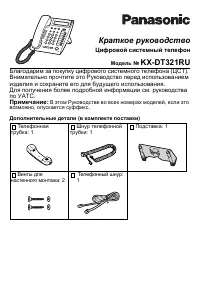
Page 2 - CCESSORIES; Rechargeable Battery
2 G ETTING S TARTED A CCESSORIES P ORTABLE S TATION (PS) Rechargeable Battery PSP1F6122485 Operating Instructions PSQX2035Z HEADSET Jack CALL/CHARGE Indicator UP/DOWN Buttons DISPLAY CANCEL/POWER Button INTERCOM Button CLEAR/TRANSFER Button MICROPHONE SELECT Button TALK Button FLEXIBLE CO Buttons (F...
Page 3 - ETTING; Open the battery cover.; AC Adaptor
3 Cord (Red) Cord (Black) Connect the battery cordand install the battery. G ETTING S TARTED ( CONT .) S ETTING U P Connect the charger to a power outlet usingthe AC adaptor. 2 1 Open the battery cover. Close the cover. Cord HolderTo Power Outlet AC Adaptor Charger TD7590-E(01~24) 00.8.11 4:56 PM Pa...
Page 4 - button for a short time.; The charger can be wall mounted.; Register your PS in the system.; • Consult your dealer.; OWER; • See pages 36 and 38 for more
4 To power “ON”, press (CANCEL/POWER) button about 5 seconds, until “KX-TD7590” is displayed.To power “OFF”, press button for a short time. N OTE : • The charger can be wall mounted. • The PS and charger get warm during charging. This isnormal and not dangerous. • Be sure to complete charging before...
Page 5 - ISPLAY
5 D ISPLAY (LCD) The display has 4 lines with 16 characters per line. At thetop of the display, the related symbols show information for certain call activities. The selectedfunction for F1 The selectedfunction for F3 Battery strength: fully chargedmediumlowneeds to be charged The selectedfunction f...
Page 6 - After powering ON, the following display appears.; Other icons; If the following display appears, consult your dealer.
6 D ISPLAY ( CONT .) After powering ON, the following display appears. 1 Jan 1:00 [1-290] L-CO F2 F3 NEED REPAIR N Vibration mode Meeting mode Key Lock ON mode Ringer ON mode Ringer OFF mode Other icons FWD DND If the following display appears, consult your dealer. (N: 1 – 3) TD7590-E(01~24) 00.8.11...
Page 7 - FKEY LIST Display Button (; Used to display the last 5 numbers you called.; EY
7 The following buttons can be activated by displayoperations when they are available. These buttons canalso be activated using a combination of buttons. Thedescription and button combinations are as follows. PAUSE Button ( + ) Used to insert a pause between numbers. FWD/DND Button ( + ) Used to set...
Page 9 - DISPLAY SETTING
9 S ELECTING THE D ISPLAY L ANGUAGE Press . Press . To select “ DISPLAY SETTING ”, press or repeatedly . Press . To select “ LANGUAGE ”, press or repeatedly . Press . Press . To select the desired language,press or repeatedly. Press . To exit the Display Setting mode,press (Cancel). 10 SELECT 9 8 SE...
Page 10 - Talk after the called party answers.; Specific line access; NTERCOM; Automatic line access or Selecting a CO line group
10 M AKING A C ALL Press (intercom). Dial the extension number. Talk after the called party answers. Press after you finish the conversation. 4 3 2 INT' 1 Display example Press . Dial the line access code. Dial the phone number. Talk after the called party answers. Press after you finish the convers...
Page 11 - EDIALLING A; OR; OUTGOING LOG
11 M AKING A C ALL ( CONT .) This unit automatically saves the last five numbers that youdialled (outgoing log). You can make a call by selecting thedesired log number. R EDIALLING A N UMBER IN THE C ALL L OG Display example Back Menu PS-DIALING OUTGOING LOG PS-DIALING OUTGOING LOG PBX-STA-DIALING 0...
Page 12 - • When receiving a call, the names on; Press
12 R ECEIVING A C ALL Press . OR Press / / . • When receiving a call, the names on the bottom line on the LCD willflash rapidly. OR Press (Intercom call only). OR Just lift up the PS from thecharger (quick Answering). To hang up, press . OR Put the PS on the Charger. 2 INT' F 3 F 2 F 1 1 When you re...
Page 13 - • When the line is on hold, the names; OLDING A; • When the line is on exclusive hold,
13 Press / / (CO calls). • When the line is on hold, the names on the bottom line on the LCD willflash slowly. OR Press (Intercom calls). INT' F 3 F 2 F 1 1 You can place a call on hold. Exclusive hold is also possible so that no other extension can retrieve the call. H OLDING A C ALL P LACING A C A...
Page 14 - ” is displayed on the LCD.; To set or cancel, press; RANSFERRING A; corresponding to the
14 K EY L OCK S ETTING You can lock the dialling buttons. Incoming calls can beanswered, but no outgoing calls can be dialled.If this is set, “ ” is displayed on the LCD. 25 Dec 11:37 [1-290] L-CO F2 F3 KEYPAD UNLOCK PRESS F FOR 2SEC To set or cancel, press for 2 seconds while on-hook. F 1 T RANSFER...
Page 16 - TORING; • If there is nothing stored, this step; PS Dialling Directory
16 U SING THE D IRECTORY ( CONT .) S TORING N AMES AND N UMBERS IN THE D IRECTORY Display example Back Menu PAUSE (KEY1) TONE (KEY5) Back Menu MODIFY BOOK PS-PROGRAM Back Menu PS-DIALING SHORTCUT Back Menu PS-DIALING SHORTCUT Andy Patterson 2101234567 NEW EDIT DEL ENTER NAME [ 30 STORED ] [ 70 REMAI...
Page 17 - • The connected PBX system should; STORED; Ringer
17 U SING THE D IRECTORY ( CONT .) Enter a name (16 characters max.)(see Table 1 and Table 2 on pages23 and 24). Press . Enter a phone number (32 digitsmax.). Press . Select a ringer pattern bypressing or and press . (see page 25). • The connected PBX system should be the latest version to use thisr...
Page 18 - • Maximum digits depend on the PBX; PBX Station Speed Directory
18 U SING THE D IRECTORY ( CONT .) Back Menu PS-DIALING SHORTCUT SHORTCUT PBX-STA-DIALING Back Menu Andy Patterson 2101234567 EDIT DEL EDIT DEL EDIT DEL Press . Press . Press . To select “ PBX-STA-DIALING ”, press or repeatedly . Press . Press or until nothing is displayed. Press (EDIT). Enter a nam...
Page 19 - SHORTCUT; SHORTCUT Directory
19 U SING THE D IRECTORY ( CONT .) Display example Back Menu PAUSE (KEY1) TONE (KEY5) Back Menu MODIFY BOOK PS-PROGRAM Back Menu PS-DIALING SHORTCUT PS-DIALING SHORTCUT PBX-STA-DIALING RING PATTERN-INT 111 NEW EDIT DEL [ 1 STORED ] [ 9 REMAINS ] PS PBX ENTER MENU NO. 111 RING PATTERN-INT 111 STORED ...
Page 20 - PS Dialling Directory/PBX Station Speed Directory; IALLING BY SELECTING THE NAME ENTRY
20 U SING THE D IRECTORY ( CONT .) PS Dialling Directory/PBX Station Speed Directory Press . Press or repeatedly until the desired directory feature isdisplayed. Press . Press the dialling buttons repeatedly and enter a few of thefirst letters of the desired name.(see pages 23 and 24). Press . Press...
Page 21 - IALLING BY SELECTING THE NUMBER ENTRY
21 U SING THE D IRECTORY ( CONT .) Press . Press or repeatedly until the desired directory feature isdisplayed. Press . Press or repeatedly until the desired item is displayed. Press . SELECT 5 4 SELECT 3 2 SELECT 1 Display example Back Menu PS-DIALING OUTGOING LOG SHORTCUT Directory PBX-SYS-DIALING...
Page 22 - DELETED; SING THE
22 E RASING AN I TEM IN THE D IRECTORY Select the desired directory item to erase. (refer to steps through on page 16). Press or repeatedly until the desired item to erase isdisplayed. Press (DEL). F 3 3 2 5 1 1 Display example Andy Patterson 2101234567 NEW EDIT DEL Panasonic 0123456789 NEW EDIT DEL...
Page 23 - HARACTER; Number of pressing times; Buttons; • To erase a character, press
23 To input characters, use the following tables. Table 1 C HARACTER C OMBINATION T ABLE U SING THE D IRECTORY ( CONT .) Number of pressing times Buttons 1 1 Ä A D G J M P T W (space) Ü B E H K N Q U X . ä C F I L O R V Y : ö a d g j m S t Z / ü b e h k n p u w - 1 c f i l o q v x ( 2 3 4 5 6 r 8 y ...
Page 24 - For example, to store “ÅÂÇ”
24 U SING THE D IRECTORY ( CONT .) Table 2 For example, to store “ÅÂÇ” “Å”: press and press ( return). “”: press , ( right) and press ( return). “Ç”: press ( right) and press ( return). N OTE : • To erase a character, go back to Table 1 by pressing and press ( delete). • To shift tables, press . • ...
Page 25 - PS P; ROGRAMMING; NSWER
25 PS P ROGRAMMING You can change the default settings or the programming ofyour PS according to your needs. The possibleprogrammings and their default displays are shown below.For programming operations, see pages 30 and 31. Selecting the Ringer PatternYou can set the PS ringer pattern –intercom ca...
Page 26 - charged even though you are not there to take the call.
26 Selecting Automatic Answer DelayYou can select how many seconds theringer rings before automaticallyanswering calls when using the headset.This program is displayed only when“Setting the Automatic Answer Mode” isset to “INT/CO” or “INT ONLY”. (default: 6 seconds) N OTE : • If you set “INT/CO” or ...
Page 27 - AUTO
27 PS P ROGRAMMING ( CONT .) BACKLIGHT ON OFF LANGUAGE AUTO CHANGE=SELECT STANDBY DISPLAY OFF CHANGE=SELECT DATE/TIME DISPLY TIME DATE Setting the Keypad & DisplayBacklight ModeYou can turn off the keypad & displaylights to save the battery. (When youpower on, the display lights up even ifyo...
Page 28 - YES
Display example Display example Display example 28 ACCESS DECT-SYS AUTO CHANGE=SELECT PS P ROGRAMMING ( CONT .) Selecting the Display ContrastYou can select from 12 steps of displaycontrast variation.(default: step 7) Setting the Key ToneYou can select whether or not to emit akey tone when you press...
Page 29 - Directory
29 PS P ROGRAMMING ( CONT .) Setting the PS Programming PasswordYou can set the PS programmingpassword. If it is set, you must enteryour password in order to display thefollowing programs.– Controlling the Directory Lock– Clearing the Items in the PS-Dialling Directory – Setting the PS programming p...
Page 30 - ON
30 PS P ROGRAMMING ( CONT .) Press . Press . Press or repeatedly until the desired program item isselected, and press . Press or repeatedly until the desired item is selected, andpress . Select “ ON ” or “ OFF ” by pressing or , and press . Repeat steps through if you want to program other items. To...
Page 31 - ENABLE; ETTING THE; LOCKED
31 PS P ROGRAMMING ( CONT .) Search the PS password display.(refer to steps through on page 30.) Press or to select “ ENABLE ”. Press . Enter the password (4 digits). Press . Enter the same password again. Press . To exit the programming mode,press . 8 /OK 7 6 /OK 5 4 SELECT 3 2 4 1 1 S ETTING THE P...
Page 32 - UTTONS ON THE; LCD; PBX; DITING THE; CO B; UTTON; F1 EDIT; PS
32 E DITING THE L ABELS OF THE F LEXIBLE CO B UTTONS ON THE LCD Refer to the KX-TD7590 User Manual Addendum fordetails. PBX E DITING THE F LEXIBLE CO B UTTON Press . Press / / . OR To select “ F1 EDIT ”, “ F2 EDIT ” or “ F3 EDIT ”, press or and press . To edit the PS function label,press (PS). To as...
Page 33 - CO; BUTTONS
33 E DITING THE L ABELS OF THE F LEXIBLE CO B UTTONS ON THE LCD ( CONT .) You can assign two names (short and full) to each FlexibleCO button.The short one is displayed on the bottom line on LCD. Thefull one is displayed for 3 seconds when you reconfirm theFlexible CO buttons by pressing + (FKEY LIS...
Page 34 - DJUSTMENT; During stand-by mode or when the PS is ringing; Ringer Volume Adjustment
34 O THER I NFORMATION A DJUSTMENT You can select from the 7 different ringer volumesbelow.[default: (high)] During stand-by mode or when the PS is ringing Press or repeatedly. 1 Ringer Volume Adjustment N OTE : • In addition to the above, there are severalcombinations of vibration and ring types. R...
Page 35 - During a conversation; Receiver Volume Adjustment
35 O THER I NFORMATION ( CONT .) The receiver volume has 4 levels, indicated by thenumber of bars on the display.[default: (medium)] During a conversation Press or repeatedly. 1 Receiver Volume Adjustment RECEIVER RECEIVER RECEIVER RECEIVER Extra High High RECEIVER Medium RECEIVER Low Button Receive...
Page 36 - Low battery warning; CHARGE BATTERY; ATTERY
36 O THER I NFORMATION ( CONT .) Duration time (when the PS is connected toKX-TD816/KX-TD1232) Under ideal conditions, a fully charged battery should lastabout 11 hours while talking or 120 hours on standby. Theduration time varies depending on usage conditions andambient temperature. Low battery wa...
Page 37 - AFETY; ) Heat: The PS and the charger should be kept away from; NSTALLATION; ) Power source: The AC adaptor should be connected to a
37 S AFETY I NSTRUCTIONS Pay special attention to the safety suggestions listed below. S AFETY Environment1) Water and moisture: Do not use the PS and the charger near water—for example, near a bath tub, washbowl, sink,etc. Damp basements should also be avoided. 2) Heat: The PS and the charger shoul...
Page 40 - Radio Access Method; Multi Carrier TDMA-TDD; RF S; PECIFICATIONS
40 Item Description Radio Access Method Multi Carrier TDMA-TDD 1,880-1,900 MHz 10 1,728 KHz 1,152 Kbps TDMA, 24 (T × 12, R × 12) slots per frame 10 msec GFSK 32 Kbps ADPCM (CCITT G.721) Max. 250mW Frequency Band Number of Carrier Carrier Spacing Bit Rate Carrier Multiplex Frame Length Modulation Voi...
Page 41 - Bedienungsanleitung; – Vielen Dank, dass Sie sich für den Kauf des DECT-Mobilteils; – Vor der ersten Inbetriebnahme muss der Akku ca. 6; – Nähere Einzelheiten entnehmen Sie bitte der; INHALT; Deutsch
Vorbereitung ...................... 42Display (LCD) .................... 45Tastenfunktionen ............... 47Auswahl der Displaysprache .............. 49 Anrufen .............................. 50Anrufe annehmen .............. 52Halten eines Gespräches .. 53Vermitteln eines Gesprächs ..................
Page 42 - ORBEREITUNG; UBEHÖR; Akku
42 V ORBEREITUNG Z UBEHÖR M OBILTEIL (MT) Akku PSP1F6122485 Bedienungsanleitung PSQX2035Z Anschluss für Sprechgarnitur (Sprechzeug) ANRUF-/LADEANZEIGE Taste AUF/AB Display Taste ABBRECHEN/EIN/AUS-SCHALTER Taste Internverbindung Taste Löschen/Vermitteln Mikrofon Taste AUSWAHL Sprechtaste Amtszieltast...
Page 43 - NBETRIEBNAHME; Kabel; Öffnen Sie das Akkufach.; Netzadapter
43 V ORBEREITUNG ( FORTS .) I NBETRIEBNAHME Kabel (rot) Kabel (schwarz) Schließen Sie dieAkkukabel wie im Bildgezeigt an und setzen Siedie Akkus ein. Schließen Sie die Ladestation über den Netzadapter an die Netzsteckdose an. 2 1 Öffnen Sie das Akkufach. Schließen Sie das Gerät mitdem Deckel. Kabelh...
Page 44 - Die Ladestation kann auch an der Wand montiert werden.; Registrieren Sie Ihr Mobilteil in der TK-Anlage.; •Nähere Einzelheiten erfahren Sie bei Ihrem Fachhändler.; INSCHALTEN; • Nähere Einzelheiten zum
44 V ORBEREITUNG ( FORTS .) Zum Einschalten “ON”, drücken Sie die Taste (ABBRECHEN/EIN/AUS) für ca. 2 Sekunden, bis“KX-TD7590” angezeigt wird.Zum Abschalten die Taste etwas länger drücken. H INWEISE : • Die Ladestation kann auch an der Wand montiert werden. • Mobilteil und Ladestation erwärmen sich ...
Page 46 - Weitere Symbole
46 D ISPLAY ( FORTS .) Nach dem Einschalten des Gerätes am EIN/AUS-Schalterkann eine der folgenden Meldungen angezeigt werden: Vibration Besprechungsmodus Tastensperre EIN Rufsignal EIN Rufsignal AUS Weitere Symbole RWL ARS Wenn die folgende Anzeige erscheint wenden Sie sich anden Lieferanten bzw. d...
Page 47 - Pauseneingabe; Zur Eingabe einer Wahlpause in einer Rufnummer.; Nachrichten; ASTENFUNKTIONEN
47 Einige Funktionen zur Steuerung des Mobilteils könnenper Tastenkombination aktiviert werden, wenn diesehierfür verfügbar sind. Die Funktionen und die zugehörigeTastenkombination wird nachfolgend detailliert erläutert. Pauseneingabe ( + ) Zur Eingabe einer Wahlpause in einer Rufnummer. Rufweiterle...
Page 48 - bis die; Drücken Sie die Taste; Zur Auswahl des Editiermodus; in Verzeichnissen; Zum Aktivieren des Programmiermodus.
48 *Diese Funktion steht für Nutzer der Anlagen KX- TD816/KX-TD1232FR, KX-TD816/KX-TD1232NE,KX-TD816/KX-TD1232SL nicht zur Verfügung. Durch Drücken der Tasten (Auf) bzw. (Ab) (siehe Seite 47 und 48) können Sie die Funktion derTasten umschalten. Über die zugehörigen Funktionen informiert Sie dieBedie...
Page 49 - Zur Auswahl von; Display; Sprache; mehrfach
49 A USWAHL DER D ISPLAYSPRACHE Drücken Sie die Taste . Drücken Sie die Taste . Zur Auswahl von “ Display ”, drücken Sie die Taste bzw. mehrfach . Drücken Sie die Taste . Zur Auswahl von “ Sprache ”, drücken Sie die Taste bzw. mehrfach . Drücken Sie die Taste . Drücken Sie die Taste . Zur Auswahl de...
Page 50 - NRUFEN; Gezielte Amtsleitungsbelegung; NTERNGESPRÄCHE
50 A NRUFEN Drücken Sie die Taste Wählen Sie diegewünschte Nebenstellennummer. Sprechen Sie, sobald der gerufeneTeilnehmer sich meldet. Nach Beendigung des Gesprächsdrücken Sie die Taste . 4 3 2 INT' 1 Displaybeispiel Displaybeispiel Displaybeispiel Drücken Sie die Taste . Wählen Sie die Amtskennzif...
Page 51 - AHLWIEDERHOLUNG EINER; und geben die richtige Nummer ein.; ODER
51 A NRUFEN ( FORTS .) Ihr Gerät speichert automatisch die letzten fünf von Ihnengewählten Rufnummern (Wahlliste) und eingegangenen Anrufe(Anrufliste). Sie können bei Bedarf eine Nummer aus dieserListe erneut wählen lassen. W AHLWIEDERHOLUNG EINER N UMMER IN DER A NRUFLISTE Displaybeispiel Zurück MT...
Page 52 - NRUFE ANNEHMEN; • Bei Eingang eines Anrufes erscheint; , können Sie die Automatische
52 A NRUFE ANNEHMEN Drücken Sie die Taste . ODER Drücken Sie die Taste / / . • Bei Eingang eines Anrufes erscheint der zugehörige Text in der unterstenLCD-Zeile rasch blinkend. ODER Drücken Sie die Taste (nur Interngespräch). ODER Nehmen Sie den Hörer aus derLadestation (Schnellantwort). Zum Auflege...
Page 53 - • Wenn das Gespräch gehalten wird,; ALTEN EINES; • Wenn die Leitung exklusiv gehalten
53 Drücken Sie die Taste / / (Amtsgespräche). • Wenn das Gespräch gehalten wird, werden die zugehörigen Texte in deruntersten LCD-Zeile langsamblinkend angezeigt. ODER Drücken Sie die Taste (Interngespräche). INT' F 3 F 2 F 1 1 Sie können ein Gespräch vorübergehend halten (Rückfrage).Dabei ist auch ...
Page 54 - Zum Vermitteln eines Gesprächs
54 T ASTATURSPERRE Mit dieser Funktion können Sie die Wähltasten verriegeln(sperren). Das Annehmen eines kommenden Anrufes ist dabeiweiterhin möglich, Sie können jedoch selbst keineVerbindung aufbauen. Wenn die Funktion aktiviert ist, wird nach dem Einschaltendes Mobilteils im Display “ ” angezeigt....
Page 55 - Um einzelne Buchstaben oder Ziffern zu löschen, drücken Sie
55 V ERWENDUNG DER T ELEFONBUCH -F UNKTIONEN Es gibt 5 verschiedene Arten von Speicherwahl-Funktionen. Mobilteil-Telefonbuch:Im Mobilteil können bis zu 100 individuelle Namen und zugehörigeRufnummern von externen Teilnehmern gespeichert werden. Die Speicherungder Einträge im Telefonbuch erfolgt in a...
Page 56 - PEICHERN VON; • Wenn nichts gespeichert wurde, wird; Mobilteil-Telefonbuch
56 Panasoni c Rufnr. eingeben 0123456789 Panasoni c V ERWENDUNG DER T ELEFONBUCH -F UNKTIONEN ( FORTS .) S PEICHERN VON N AMEN UND R UFNUMMERN IM T ELEFONBUCH -F UNKTIONEN Displaybeispiel Zurück Pause ("1") MFV-Wahl ("5") Zurück Tel. buch bearb. MT programmieren Zurück MT-Wahl Kürzel...
Page 57 - Wählen Sie die; Drücken Sie; oder; drücken Sie die Taste; • Die Auswahlmöglichkeit der; *: Bei dieser Einstellung richtet sich das Rufsignal nach der
57 V ERWENDUNG DER T ELEFONBUCH -F UNKTIONEN ( FORTS .) Drücken Sie die Taste . Wählen Sie die Rufmelodie. Drücken Sie oder und drücken Sie die Taste . (Siehe Seite 65.) • Die Auswahlmöglichkeit der Rufmelodie ist vom Softwarestandder TK-Anlage abhängig. SELECT 11 OK 10 Melodie4 Standard Rufton1 Ruf...
Page 58 - KW; ERWENDUNG DER
58 Panasoni c Panasoni c Rufnr. eingeben 0123456789 Gespeich. Edit Lsch Displaybeispiel Zurück Pause ("1") MFV-Wahl ("5") Zurück Tel. buch bearb. MT programmieren Zurück MT-Wahl Kürzel Kürzel TK pers. KW Zurück Andy Patterson 2101234567 Edit Lsch Edit Lsch Drücken Sie die Taste . Drü...
Page 59 - Zur Auswahl von“; • Wenn nichts gespeichert wurde,; Geben Sie die Nummer ein; • Bei Bedarf können Sie den Namen; ÜRZELVERZEICHNIS
59 V ERWENDUNG DER T ELEFONBUCH -F UNKTIONEN ( FORTS .) Displaybeispiel Zurück Pause ("1") MFV-Wahl ("5") Zurück Tel. buch bearb. MT programmieren Zurück MT-Wahl Kürzel MT-Wahl Kürzel TK pers. KW Rufsignal-Intern 111 Neu Edit Lsch [1 Gespeich.] [9 Frei ] MT TK Menüpunkt eingeb 111 Ru...
Page 60 - bis der
60 W ÄHLEN DURCH A USWAHL DES N AMENS V ERWENDUNG DER T ELEFONBUCH -F UNKTIONEN ( FORTS .) Mobilteil-Telefonbuch/TK-Kurzwahl (persönlich) Drücken Sie die Taste . Drücken Sie so oft wiederholt dieTasten bzw. bis der gewünschte Eintrag angezeigt wird. Drücken Sie die Taste . Geben Sie durch mehrfaches...
Page 61 - und; Wählen Sie den zu ändernden; Funktionsverzeichnis
61 Führen Sie die auf Seite 60 angegebenen Schritte aus,überspringen Sie dabei die Schritte und (außer im Kürzelverzeichnis). 5 4 Drücken Sie die Taste während eines Gespräches , und folgen Sie danach den Schritten auf Seite 60(außer im Kürzelverzeichnis). CLR V ERWENDUNG DER T ELEFONBUCH -F UNKTION...
Page 62 - ÖSCHEN EINES EINTRAGS AUS DEM TELEFONBUCH; Gelöscht
62 V ERWENDUNG DER T ELEFONBUCH -F UNKTIONEN ( FORTS .) L ÖSCHEN EINES EINTRAGS AUS DEM TELEFONBUCH Zum Löschen eines Eintragswählen Sie zunächst dasgewünschte Verzeichnis aus.(Siehe Schritt bis auf Seite 56). Drücken Sie so oft wiederholt dieTasten bzw. bis der zu löschende Eintrag angezeigt wird. ...
Page 63 - Taste; Beispiel: Speichern von “Anna”
63 Nutzen Sie bei der Zeicheneingabe die folgenden Tabellen. Tabelle 1 T ABELLE ZUR B UCHSTABENEINGABE V ERWENDUNG DER T ELEFONBUCH -F UNKTIONEN ( FORTS .) 1 1 Ä A D G J M P T W (Leerschritt) Ü B E H K N Q U X . ä C F I L O R V Y : ö a d g j m S t Z / ü b e h k n p u w - 1 c f i l o q v x ( 2 3 4 5 ...
Page 64 - Beispiel: Speichern von “ÅÂÇ”
64 V ERWENDUNG DER T ELEFONBUCH -F UNKTIONEN ( FORTS .) Beispiel: Speichern von “ÅÂÇ” “Å”: Drücken Sie die Tasten und drücken Sie die Taste ( eingabe). “”: Drücken Sie die Taste , drücken Sie die Taste ( rechte) und drücken Sie die Taste ( eingabe). “Ç”: Drücken Sie die Taste ( rechte) und drücken ...
Page 65 - INSTELLUNGEN FÜR
65 P ROGRAMMIEREN DES M OBILTEILS Je nach Ihren besonderen Anforderungen können Sie dasMobilteil mit den vorgegebenen Einstellungen nutzen oderandere Einstellungen programmieren. Die zu programmierendenFunktionen und die zu den Standardeinstellungen gehörigenDisplaymeldungen werden nachfolgend in de...
Page 66 - auch wenn Sie nicht anwesend sind.; ROGRAMMIEREN DES
66 Einstellung des Modus für die automatische AnschaltungDurch diese Funktion können Sie festlegen, dass alle ankommenden Rufebzw. die ankommenden Internrufe beiVerwendung einer Sprechgarnitur(Sprechzeug) automatisch angenommenwerden. (Voreinstellung: Aus) Anschaltverzögerung bei automatischer Ansch...
Page 67 - ISPLAYEINSTELLUNG
67 P ROGRAMMIEREN DES M OBILTEILS ( FORTS .) Beleuchtung Ein Aus Sprache Auto Andern=SELECT Ruheanzeige Aus Andern=SELECT Dat/Zeit Anzeige Zeit Datum Einstellung der Tastenbeleuchtung undDisplay Zur Begrenzung des Energieverbrauchs undzum Schonen des Akkus können Sie dieTastaturbeleuchtung und das D...
Page 70 - Ein; Wiederholen Sie Schritt; Anschließend an Schritt; ROGRAMMIERUNG
70 P ROGRAMMIEREN DES M OBILTEILS ( FORTS .) Drücken Sie die Taste . Drücken Sie die Taste . Drücken Sie so oft wiederholt dieTasten bzw. bis der gewünschte Menüpunkt angezeigtwird, und drücken Sie die Taste . Drücken Sie so oft wiederholt dieTasten bzw. bis die gewünschte Einstellung angezeigtwird,...
Page 71 - ESTLEGEN DES; Verriegelt
71 P ROGRAMMIEREN DES M OBILTEILS ( FORTS .) Suchen Sie die Anzeige zumProgrammierpasswort (siehe Schritt bis auf Seite 70). Drücken Sie die Taste bzw. zur Auswahl von “ Ein ”. Drücken Sie die Taste . Geben Sie das Passwort ein (vierstellig). Drücken Sie die Taste . Geben Sie das Passwort ein (viers...
Page 72 - ELEGEN DER; F1 Edit; • Wenn keine Funktionen zugeordnet; MT
72 B ELEGUNG DER P ROGRAMMIERBAREN F UNKTIONSTASTEN /A MTSLEITUNGSTASTEN Nähere Einzelheiten entnehmen Sie bitte derErgänzungsanleitung zum BedienungshandbuchKX-TD7590. TK-Anlage B ELEGEN DER F UNKTIONSTASTEN /A MTSLEITUNGSTASTEN Drücken Sie die Taste . Drücken Sie die Taste / / . ODER Zur Auswahl v...
Page 73 - NDERN DES; • Max. 4 Zeichen für den kurzen
73 B ELEGUNG DER P ROGRAMMIERBAREN F UNKTIONSTASTEN /A MTSLEITUNGSTASTEN ( FORTS .) Sie können jeder programmierbaren Funktionstaste zweiNamen (kurz bzw. lang) zuordnen. Der kurze Name wird überder entsprechenden Taste angezeigt.Der lange Name der Funktionstaste wird 3 Sekunden langangezeigt, wenn S...
Page 74 - INSTELLUNGEN; Einstellung der Tonruflautstärke; • Neben den oben genannten gibt es noch weitere
74 W EITERE I NFORMATIONEN E INSTELLUNGEN Für den Tonruf können sie unter 7 verschiedenenLautstärkepegeln bzw. Lautstärkeverläufen wählen.[Voreinstellung: (Laut)] Im Ruhezustand (aufgelegt) oder wenn das Mobilteileinen Tonruf ausgibt:Drücken Sie mehrmals die Taste oder . 1 Einstellung der Tonruflaut...
Page 75 - Einstellung der Hörerlautstärke
75 W EITERE I NFORMATIONEN ( FORTS .) Die Hörerlautstärke kann auf 4 verschiedene Niveauseingestellt werden. Die gewählte Lautstärke wird durchdie Anzahl der Balken im Display angezeigt.[Voreinstellung: (Mittel)] Während eines Gespräches Drücken Sie mehrmals die Taste oder . 1 Einstellung der Hörerl...
Page 76 - Akkuwarnung; Akku laden; INWEISE ZUM
76 W EITERE I NFORMATIONEN ( FORTS .) Betriebsdauer (bei Verbindung des MT mit einerTK-Anlage vom Typ KX-TD816/KX-TD1232.) Unter optimalen Bedingungen sollte ein voll geladener Akkuca. 11 Stunden Gesprächszeit bzw. 120 Stunden Bereitschafterlauben. Die Betriebsdauer hängt allerdings von denjeweilige...
Page 77 - ICHERHEITSHINWEISE; ICHERHEIT
77 S ICHERHEITSHINWEISE Zu Ihrer Sicherheit möchten wir Sie bitten, die folgendenHinweise jederzeit zu beachten. 1) Die Netzadapter darf nur an einem Netzadapter betrieben werden, auf dem Typenschild der Netzadapter angegeben ist. 2) Wenn das Mobilteil nicht benutzt wird, sollten Sie es abschalten. ...
Page 78 - durch austretende; KKU
78 S ICHERHEITSHINWEISE ( FORTS .) Zur Vermeidung von Bränden und Unfällen möchten wir Siebitten, die nachfolgenden Hinweise genau zu lesen und strikt zubefolgen.1) Verwenden Sie ausschließlich Akkus vom angegebenen Typ. Anderenfalls könnten Sie sich durch austretende Elektrolytflüssigkeit gefährden...
Page 79 - PTIMALE
79 Reichweite1) Die Betriebsreichweite hängt von den baulichen Besonderheiten Ihres Büros, von der Wetterlage und denspezifischen Einsatzbedingungen ab, da dieSignalübertragung zwischen der TK-Anlage und demMobilteil per Funk erfolgt. 2) Normalerweise ist die Reichweite im Freien größer als in Innen...
Page 80 - Übertragungsverfahren Mehrkanal TDMA-TDD; GFSK; ECHNISCHE; HF; ULASSUNG
80 Angabe Beschreibung Übertragungsverfahren Mehrkanal TDMA-TDD 1,880-1,900 MHz 10 1,728 KHz 1,152Kbps TDMA, 24 (T × 12, R × 12) Slots/Frame 10 msec GFSK 32 Kbps ADPCM (CCITT G.721) Max. 250mW Frequenzbereich Kanalzahl Kanalraster Bitrate Kanal-Multiplexing Frame-Länge Modulation Sprachkodierung Sen...
Page 81 - Poste DECT; Modèle N; anuel; – Nous vous remercions d’avoir fait l’acquisition d’un; – Chargez la batterie pendant environ 6 heures avant; – Pour de plus amples informations, référez-vous au; OMMAIRE; Français
Modification à L’écran des Noms des Touches CO Programmables . . . . . 112 Informations Diverses . . 114Instructions de Sécurité . . 117 Réglementations . . . . . 120Attention!!. . . . . . . . . . . 120Spécifications de Fréquences Radio . . 120 Mise en Service . . . . . . . . 82L’écran LCD . . . . ....
Page 82 - CCESSOIRES; DECT; Batterie
82 M ISE EN S ERVICE A CCESSOIRES DECT Batterie rechargeable PSP1F6122485 Manuel Utilisateur PSQX2035Z Prise casque Voyant SONNERIE/CHARGE Touches HAUT/BAS Écran LCD Touche ANNULATION/COMMUTATEUR Touche INTER Touche EFFACER/TRANSFERT Microphone Touche SELECTIONTouche PRISE DE LIGNETouches Programmab...
Page 84 - Le chargeur peut être fixé à un mur.; • Demander conseil à votre revendeur.; ISE SOUS; • Pour plus de détails
84 M ISE EN S ERVICE ( SUITE ) Pour mettre l’appareil sous tension, appuyer environ5 secondes sur la touche (ANNULATION/COMMUTATEUR) jusqu’à ce quel’indication “KX-TD7590” s’affiche.Pour mettre l’appareil hors tension, réappuyer uninstant sur la touche . N OTE : • Le chargeur peut être fixé à un mur...
Page 85 - ÉCRAN
85 L’ ÉCRAN LCD L’écran possède quatre lignes de 16 caractères chacune.Au-dessus, des symboles liés indiquent des informationsconcernant les opérations d’appels. La fonction sélectionnée pour F1 La fonction sélectionnée pour F3 Etat de charge de la batterie: complètement chargéemoyennement chargéefa...
Page 86 - Vibration; Mode réunion; Mode verrouillage des touches activé; Autres icônes; RNV
86 L’ ÉCRAN LCD ( SUITE ) Après avoir mis l’appareil sous tension, le message suivantpeut apparaître à l’écran : Si le message suivant apparaît, contactez votredistributeur. (N:1–3) EN PANNE N 1 JAN 1:00 [1-290] B-LR F2 F3 Vibration Mode réunion Mode verrouillage des touches activé Mode sonnerie act...
Page 88 - Touche WAVESEARCH
88 * La touche n’est pas disponible pour les KX-TD816/ KX-TD1232FR, KX-TD816/KX-TD1232NE,KX-TD816/KX-TD1232SL. Vous pouvez décaler les fonctions des touches F-KEY (voir pages 87 et 88) en appuyant sur la touche (haut) ou (bas). Pour l’utilisation des touches, référez-vous au ManuelUtilisateur du KX-...
Page 90 - Accès ligne spécifique; PPELS; Accès ligne automatique ou Sélection d’un groupe de lignes réseau
90 A PPELER UN C ORRESPONDANT Exemple d’affichage Appuyez sur la touche . Entrez le code d’accès ligne. Composez le numéro de téléphone. Parlez dès que votre correspondantrépond à l’appel. Appuyez sur la touche pour mettre fin à la communication. 5 4 3 2 1 Appuyez sur l’une des touches / / (programm...
Page 91 - Vérifiez si le symbole “; OU
91 A PPELER UN C ORRESPONDANT ( SUITE ) Cet appareil sauvegarde automatiquement les cinq derniersnuméros appelés (journal des appels sortants). R ECOMPOSITION D ’ UN N UMÉRO S AUVEGARDÉ DANS LE J OURNAL DES A PPELS Exemple d’affichage RETOUR MENU NUM.ABRG.DECT MEM.APP.SORT NUM.ABRG.DECT MEM.APP.SORT...
Page 92 - • Lors de la réception d’un appel, les; Appuyez sur la touche; Pour sélectionner le mode vibration, voir page 114.
92 R ÉPONDRE AUX A PPELS Appuyez sur la touche . OU Appuyez sur l’une des touches/ / . • Lors de la réception d’un appel, les noms inscrits sur la ligne inférieurede l’écran clignotent rapidement. OU Appuyez sur la touche(Appel interne uniquement) . OU Décrochez le poste DECT duchargeur (réponse rap...
Page 93 - Appuyez sur l’une des touches; •Lorsque la ligne est mise en garde,; l’écran clignotent lentement.; ISE EN; • Lorsque la ligne est mise en garde
93 Appuyez sur l’une des touches / / (Appels extérieurs) . •Lorsque la ligne est mise en garde, les noms de la ligne inférieure de l’écran clignotent lentement. OU Appuyez sur la touche(Appels internes) . INT' F 3 F 2 F 1 1 Vous pouvez mettre un appel en garde. La mise en gardeexclusive interdit à q...
Page 96 - ÉMORISATION DES; ou; • Omettre cette opération si aucune; Répertoire poste DECT
96 U TILISATION DU R ÉPERTOIRE ( SUITE ) M ÉMORISATION DES N OMS ET N UMÉROS DANS LE R ÉPERTOIRE Exemple d’affichage RETOUR MENU PAUSE (TOUCHE1) FV (TOUCHE5) RETOUR MENU MODIF.REPERTOIRE PROG-DECT RETOUR MENU NUM.ABRG.DECT FONCT DIRECT RETOUR MENU NUM.ABRG.DECT FONCT DIRECT Andy Patterson 2101234567...
Page 97 - appuyant sur; • Pour pouvoir utiliser ce motif de; : Pour ce réglage, le motif de la sonnerie dépend du réglage; MEMORISE
97 U TILISATION DU R ÉPERTOIRE ( SUITE ) Entrez le nom (16 caractèresmaximum) (voir table 1 et 2 despages 103 et 104). Appuyez sur la touche . Entrez le numéro de téléphone (32 chiffres maximum). Appuyez sur la touche . Sélectionnez le motif de sonnerie en appuyant sur ou et appuyez sur la touche . ...
Page 98 - POSTE; • Le nombre maximum de chiffres; PABX Répertoire de numérotation abrégée poste
98 U TILISATION DU R ÉPERTOIRE ( SUITE ) Panasoni c Panasoni c ENTRER NO TEL 0123456789 MEMORISE MODF SUP. Exemple d’affichage RETOUR MENU PAUSE (TOUCHE1) FV (TOUCHE5) RETOUR MENU MODIF.REPERTOIRE PROG-DECT RETOUR MENU PROG-DECT FONCT DIRECT FONCT DIRECT NUM.ABRG.POSTE RETOUR MENU Andy Patterson 210...
Page 99 - FONCT; Entrez le numéro de téléphone.; • Vous pouvez modifier le nom si; Répertoire de raccourcis
99 U TILISATION DU R ÉPERTOIRE ( SUITE ) Exemple d’affichage RETOUR MENU PAUSE (TOUCHE1) FV (TOUCHE5) RETOUR MENU MODIF.REPERTOIRE PROG-DECT RETOUR MENU NUM.ABRG.DECT FONCT DIRECT PROG-DECT FONCT DIRECT NUM.ABRG.POSTE SONNERIE INTERNE 111 NOUV MODF SUP. [ 1 MEMORISE ] [ 9 DISPO. ] DECT PABX ENTRER N...
Page 100 - et dans le répertoire de; UMÉROTATION EN
100 U TILISATION DU R ÉPERTOIRE ( SUITE ) Appuyez sur la touche . Appuyez à plusieurs reprises sur latouche ou jusqu’à ce que le répertoire désiré apparaisse. Appuyez sur la touche . Appuyez sur les touches du cadrand’appel et entrez le début dupremier mot du nom désiré (voirpage 103 et 104). Appuye...
Page 101 - TILISATION DU; Répertoire raccourci
101 Suivez les étapes de la page 100, mais passez les étapes et (sauf dans le répertoire de raccourcis) 5 4 Appuyez sur la touche pendant une conversation, et suivez les étapes de la page 100 (sauf dans le répertoire deraccourcis). CLR U TILISATION DU R ÉPERTOIRE ( SUITE ) Sélectionnez l’élément du ...
Page 102 - FFACEMENT D; SUPPRIME
102 U TILISATION DU R ÉPERTOIRE ( SUITE ) E FFACEMENT D ’ UN P ARAMÈTRE DANS LE R ÉPERTOIRE Sélectionnez le répertoire désirépour effacer un élément. (se reporteraux étapes à de la page 96). Appuyez à plusieurs reprises sur latouche ou jusqu’à ce que le paramètre désiré apparaisse. Appuyez sur la to...
Page 103 - ABLEAU DES; Nombre de sollicitations de la touche; Par exemple, pour mémoriser “Ann”; appuyez sur la touche; fois sur la touche; Pour effacer un caractère, appuyez sur la touche; • Pour changer le sens du curseur, appuyez sur
103 Pour l’entrée de caractères, utilisez les tables suivantes. Table 1 T ABLEAU DES C ARACTÈRES U TILISATION DU R ÉPERTOIRE ( SUITE ) 1 1 Ä A D G J M P T W Ü B E H K N Q U X . ä C F I L O R V Y : ö a d g j m S t Z / ü b e h k n p u w - 1 c f i l o q v x ( 2 3 4 5 6 r 8 y ) s z 9 7 0 2 3 4 5 6 7 8 9...
Page 104 - Table 2; Par exemple, pour mémoriser “ÅÂÇ”
104 U TILISATION DU R ÉPERTOIRE ( SUITE ) Table 2 Par exemple, pour mémoriser “ÅÂÇ” “Å”: appuyez sur la touche et appuyez ( retour). “”: appuyez sur la touche , appuyez ( droite) et appuyez ( retour). “Ç”: appuyez sur la touche ( droite) et appuyez ( retour). R EMARQUE : • Pour effacer un caractère...
Page 105 - ROGRAMMATION; ÉGLAGE DU MODE DE RÉPONSE
105 P ROGRAMMATION DECT Vous pouvez modifier les réglages par défaut ou laprogrammation de votre poste DECT selon vos besoins. Lesprogrammations possibles et les affichages par défautcorrespondants sont décrits ci-dessous dans leur ordre d’affichage.Voir pages 110 et 111 pour les opérations de progr...
Page 106 - Même si votre correspondant raccroche, la ligne du
106 Sélection du délai de réponse automatiqueVous pouvez sélectionner le nombre desecondes que dure la sonnerie avant derépondre automatiquement en casd’utilisation du casque. Cette fonctions’affiche seulement lorsque la programmationdu mode réponse auto est validée sur INT/LRou INT SEUL. (valeur pa...
Page 107 - EGLAGE DE L
107 P ROGRAMMATION DECT ( SUITE ) RETROECLAIRAGE OUI NON LANGAGE AUTO CHANGE=SELECT AFF.ECRAN VEILLE NON CHANGE=SELECT AFF.DATE/HEURE HEURE DATE Programmation du mode rétroéclairagedu clavier & affichage de numérotationVous pouvez éteindre la lumière du clavieret de l’affichage pour économiser l...
Page 108 - Programmation des bips touches; ÉGLAGE
108 ACCES PROG.DECT AUTO CHANGE=SELECT P ROGRAMMATION DECT ( SUITE ) Réglage du contraste de l’affichageVous pouvez sélectionner une des 12variantes de contraste pour l’affichage.(valeur par défaut: Etape 7) Programmation des bips touches Vous pouvez choisir d’entendre unetonalité ou non lorsque vou...
Page 109 - de numérotation poste
109 P ROGRAMMATION DECT ( SUITE ) Effacement des éléments du répertoirede numérotation posteTous les éléments du répertoire denumérotation poste (REPERTOIRESUPPR) peuvent être effacés en une foisen sélectionnant l’option “OUI”. Mot de passe programmation DECTUn mot de passe programmation DECTdoit êt...
Page 110 - OUI
110 P ROGRAMMATION DECT ( SUITE ) Appuyez sur la touche . Appuyez sur la touche . Appuyez à plusieurs reprises sur latouche ou jusqu’à ce que le menu désiré apparaisse à l’écran, etappuyez sur la touche . Appuyez à plusieurs reprises sur latouche ou jusqu’à ce que la sélection désirée apparaisse à l...
Page 111 - VALIDE; OT DE; VERROUILLE
111 P ROGRAMMATION DECT ( SUITE ) Affichez le mot de passe à l’écran.(Voir les étapes à page 110.) Appuyez sur la touche ou pour sélectionner “ VALIDE ”. Appuyez sur la touche . Entrez le mot de passe (4 chiffres). Appuyez sur la touche . Entrez à nouveau le même mot depasse. Appuyez sur la touche ....
Page 112 - CO P; MODIF TOUCHE; SP
112 M ODIFICATION À L’ ÉCRAN DES N OMS DES T OUCHES CO P ROGRAMMABLES Pour plus de détails, référez-vous au Supplément ManuelUtilisateur le KX-TD7500. PABX M ODIFICATION DES N OMS DES T OUCHES CO P ROGRAMMABLES Appuyez sur la touche . Appuyez sur la touche / / . OU Pour sélectionner “ MODIF TOUCHE F...
Page 113 - • 4 caractères max. pour le nom court
113 M ODIFICATION À L’ ÉCRAN DES N OMS DES T OUCHES CO P ROGRAMMABLES ( SUITE ) Vous pouvez attribuer deux noms (un court et un entier) à chaquetouche CO programmable. Le nom court s’affiche sur la ligneinférieure de l’écran. Le nom en entier s’affiche pendant3 secondes lorsque vous revérifiez le co...
Page 114 - Réglage du volume de la sonnerie; • Il existe aussi plusieurs combinaisons de vibration et de
114 I NFORMATIONS D IVERSES R ÉGLAGE Vous pouvez sélectionner une des 7 sonneries différentesindiquées ci-dessous.[ valeur par défaut: (Elevée)] Lorsque le DECT est à l’état raccroché ou lorsqu’ilsonne,Appuyez à plusieurs reprises sur la touche ou . 1 Réglage du volume de la sonnerie R EMARQUE : • I...
Page 115 - Réglage du volume du haut-parleur; Très élevé
115 I NFORMATIONS D IVERSES ( SUITE ) Le volume du haut-parleur du récepteur possède 4 niveauxqui sont représentés par le nombre de barres graphiquessur l’affichage.[ valeur par défaut: (Moyen)] Pendant une conversation Appuyez à plusieurs reprises sur la touche ou . 1 Réglage du volume du haut-parl...
Page 116 - Avertissement de batterie épuisée; CHARGER BATTERIE; NFORMATIONS CONCERNANT LA BATTERIE
116 I NFORMATIONS D IVERSES ( SUITE ) Durée de la charge (lorsque le DECT est raccordéà un KX-TD816/KX-TD1232) Dans des conditions idéales, une batterie complètementchargée doit tenir 11 heures de communication ou 120 heuresen mode de veille. La durée de la charge dépend cependantdes conditions d'ut...
Page 117 - ÉCURITÉ
117 I NSTRUCTIONS DE S ÉCURITÉ Suivez avec beaucoup d’attention les instructions desécurité indiquées ci-dessous. 1) Le adaptateur secteur doit être connecté à une prise du modèle indiqué sur le adaptateur secteur. 2) Lorsque vous n’utilisez pas votre DECT, mettez le hors tension. Le chargeur doit ê...
Page 118 - ATTERIE
118 I NSTRUCTIONS DE S ÉCURITÉ (S UITE ) Lisez attentivement les instructions décrites ci-dessous afind’éviter tout risque d’incendie ou de blessure sur despersonnes. 1) Utilisez exclusivement des batteries spécifiques.2) Ne jetez pas la batterie dans le feu. Elle pourrait exploser. Les batteries do...
Page 119 - ) Normalement, vous devez obtenir une meilleure; OUR UNE
119 I NSTRUCTIONS DE S ÉCURITÉ (S UITE ) Capacité d’exploitation1) La capacité d’exploitation dépend de l’ergonomie de votre bureau, du temps ou des conditions d’utilisation,car les signaux sont transmis entre la base et le DECTpar des ondes radio. 2) Normalement, vous devez obtenir une meilleure ca...
Page 120 - Méthode d'accès radio; 2)connecteurs par trame; PÉCIFICATIONS DE
120 Elément Description Méthode d'accès radio Opérateurs multiples, AMRT-TDD 1,880-1,900 MHz 10 1,728 KHz 1,152 Kbps AMRT, 24 (T × 12, R × 12)connecteurs par trame 10 msec GFSK 32 Kbps ADPCM (CCITT G.721) Max. 250mW Bande de fréquences Nombre d'opérateurs Espace entre les opérateurs Bit Rate Opérate...
Page 121 - DECT Handset; edieningsinstructies; – Laad de batterij ongeveer 6 uur op voor het eerste; Nederlands
DECT Handset Model nr. KX-TD7590CE B edieningsinstructies – Hartelijk dank voor de aanschaf van de DECT draagbare telefoon. – Laad de batterij ongeveer 6 uur op voor het eerste gebruik. – Zie voor verdere informatie de Gebruiksaanwijzing voor de KX-TD7590CE. – In deze handleiding worden de laatste l...
Page 122 - EGINNEN; toets
122 B EGINNEN A CCESSOIRES H ANDSET Oplaadbare batterij PSP1F6122485 Bedieningsinstructies PSQX2035Z Bel/Spannings indicator OMHOOG/OMLAAG toets Display OPHEFFEN/STROOM toets Intercomtoets Wis/ Doorverbindentoets Microfoon SELECT toets Sprekentoets Flexibele CO toetsen (F1 tot F3) In/Uit aansluiting...
Page 123 - ONTEREN; Open het batterijdeksel.; Snoerhouder
B EGINNEN ( VERVOLG ) M ONTEREN 123 Snoer (rood) Snoer (zwart) Sluit het batterijsnoer aan eninstalleer de batterij zoalsaangegeven. Sluit de oplader aan op een stopcontact met dewisselstroomadapter. 2 1 Open het batterijdeksel. Sluit het deksel. Snoerhouder Wisselstroomadapter Oplader Naar stopcont...
Page 124 - normaal en niet gevaarlijk.; TROOM; • Raadpleeg uw leverancier.
124 B EGINNEN ( VERVOLG ) O PMERKINGEN : • De oplader kan tegen de muur worden gemonteerd.• De HS en oplader worden tijdens het opladen warm. Dit is normaal en niet gevaarlijk. • Laad de handset volledig op voordat u hem voor het eerst gaat gebruiken. • Houdt magnetische voorwerpen uit de buurt van ...
Page 126 - Overige symbolen; Vibratie modus; Bespreking modus; Slot AAN; DSN
126 D ISPLAY ( VERVOLG ) Nadat de schakelaar op AAN is gezet, kan de volgendedisplay verschijnen. 1 Jan 1:00 [1-290] L-CO F2 F3 Overige symbolen Vibratie modus Bespreking modus Slot AAN Belsignaal AAN Belsignaal UIT modus DSN NS SERVICE NODIG N Neem contact op met uw leverancier als het volgendedisp...
Page 127 - HS PROGRAMMEER toets (; Voor het activeren van de programmeermodus.
127 De volgende toetsen kunnen door displayfunkties, indienbeschikbaar, worden geactiveerd. Deze toetsen kunnen ookworden geactiveerd door een combinatie van toetsen. Debeschrijving en de toetscombinaties zijn als volgt: Pauze toets ( + ) Wordt gebruikt om een pauze tussen nummers in te voegen. DSN/...
Page 130 - Specifieke lijntoegang; NTERCOMGESPREKKEN; Automatisch / Groep CO lijnen
130 E EN G ESPREK B EGINNEN Voorbeeld Druk op . Toets de lijntoegangscode in. Toets het telefoonnummer in. U kunt spreken indien de anderepartij de telefoon heeft opgenomen. Druk op indien het gesprek is beëindigd. 5 4 3 2 1 Specifieke lijntoegang I NTERCOMGESPREKKEN N AAR B UITEN T ELEFONEREN 201 V...
Page 131 - OF; UITGAAND LOG
131 E EN G ESPREK B EGINNEN ( VERVOLG ) De Handset bewaart automatisch de laatste vijf nummersdie u belde (Uitgaande log). U kunt telefoneren door eengewenst nummer uit deze lijst te selecteren. E EN N UMMER UIT DE L IJST (C ALL L OG ) O PNIEUW K IEZEN Voorbeeld MENU TERUG KIEZEN HANDSET UITGAAND LO...
Page 132 - • Indien er een koptelefoon aan uw Handset is verbonden,; Druk op; • Als u een gesprek ontvangt, zal de; Druk op; Druk om op te hangen op
132 E EN T ELEFOONGESPREK B EANTWOORDEN Indien u een telefoongesprek ontvangt, belt of vibreert, vibreertde Handset; en het netlijnnummer of toestelnummer van hetontvangen telefoongesprek wordt op het display weergegeven. O PMERKINGEN : • Zie voor het selecteren van de vibratiemodus pagina 154.• Sne...
Page 133 - ESPREK IN DE; • Wanneer de lijn in de Wachtstand
133 Druk op / / (netlijngesprekken). • Wanneer de lijn in de Wachtstand staat, zullen de namen boven deflexibele netlijntoetsen langzaamknipperen. OF Druk op (Interne gesprekken). INT' F 3 F 2 F 1 1 U kunt een gesprek in de wachtstand zetten. Ook is exclusievewachtstand mogelijk zodat niemand het ge...
Page 134 - OETSBLOKKERING; Om in te stellen of op te heffen,; die bij de
134 T OETSBLOKKERING U kunt de cijfertoetsen blokkeren. Inkomendetelefoongesprekken kunnen wel worden beantwoord maar erkunnen geen nummers gekozen worden voor uitgaandetelefoongesprekken.Indien dit is ingesteld, wordt, “ ” weergegeven. 25 Dec 11:37 [1-290] L-CO F2 F3 TOETS ONGEBLOK DRUK 2SEC OP F O...
Page 136 - PSLAAN VAN; KIEZEN HANDSET; • Als er niets is opgeslagen, wordt
136 G EBRUIK VAN G EHEUGENS ( VERVOLG ) O PSLAAN VAN N AMEN EN N UMMERS IN HET G EHEUGENS Voorbeeld MENU TERUG PAUZE (S1) TOON (S5) MENU TERUG TELEFOONNUMMERS HANDSET PROGRAM MENU TERUG KIEZEN HANDSET SNELKOPPELNG MENU TERUG KIEZEN HANDSET SNELKOPPELNG Andy Patterson 2101234567 NW AANP VERW VOER NAA...
Page 137 - • Voor het gebruik van dit belpatroon; OPGESLAGEN; *: In deze instelling is het belpatroon afhankelijk van “
137 G EBRUIK VAN G EHEUGENS ( VERVOLG ) Toets de naam (maximaal 16 tekens)in. (Zie tabel 1 en tabel 2 op pagina143 en 144.) Druk op (OK). Toets het telefoonnummer(maximaal 32 cijfers) in. Druk op . Kies het belpatroon en druk op . (Zie pagina 145.) • Voor het gebruik van dit belpatroon dient het aan...
Page 138 - PBX Station-verkort kiesgeheugen; KIES TELNR PBX; • Het maximale aantal cijfers is
G EBRUIK VAN G EHEUGENS ( VERVOLG ) 138 PBX Station-verkort kiesgeheugen Voorbeeld MENU TERUG PAUZE (S1) TOON (S5) MENU TERUG TELEFOONNUMMERS HANDSET PROGRAM MENU TERUG KIEZEN HANDSET SNELKOPPELNG SNELKOPPELNG KIES TELNR PBX MENU TERUG Andy Patterson 2101234567 AANP VERW Druk op . Druk op . Druk op ...
Page 139 - SNELKOPPELNG
139 G EBRUIK VAN G EHEUGENS ( VERVOLG ) Voorbeeld MENU TERUG PAUZE (S1) TOON (S5) MENU TERUG TELEFOONNUMMERS HANDSET PROGRAM MENU TERUG KIEZEN HANDSET SNELKOPPELNG KIEZEN HANDSET SNELKOPPELNG KIES TELNR PBX BEL PATROON INT 111 NW AANP VERW [ 1 OPGESLAGEN ] [ 9 OVERBLYVEN ] HS PBX VOER MENU NR IN 111...
Page 140 - IEZEN DOOR DE INGEVOERDE NAAM TE SELECTEREN
140 G EBRUIK VAN G EHEUGENS ( VERVOLG ) Handset-geheugen / PBX Station-verkortkiesgeheugen Druk op . Druk herhaaldelijk op of totdat de gewenste geheugenfunktie verschijnt. Druk op . Druk herhaaldelijk op dekiestoetsen en voer de eerste lettersvan de gewenste naam in. (Ziepagina 143 en 144.) Druk op...
Page 141 - PBELLEN MET BEHULP VAN EEN GEHEUGENNUMMER
141 G EBRUIK VAN G EHEUGENS ( VERVOLG ) Druk op . Druk herhaaldelijk op of totdat de gewenste geheugenfunktie verschijnt. Druk op . Druk herhaaldelijk op of totdat de gewenste keuze verschijnt. Druk op . SELECT 5 4 SELECT 3 2 SELECT 1 Voorbeeld MENU TERUG KIEZEN HANDSET UITGAAND LOG O PBELLEN MET BE...
Page 142 - • U kunt doorlopend items uit het; VERWIJDERD; EBRUIK VAN; IJZIGEN IN HET
142 E EN I TEM UIT HET G EHEUGEN W ISSEN Kies het gewenste geheugen om eenitem te wissen (zie stap t/m of pagina 136). Druk herhaaldelijk op of totdat het te wissen item verschijnt. Druk op (VERW). • U kunt doorlopend items uit het geheugen kiezen, aanpassen ofwissen. F 3 3 2 5 1 1 Voorbeeld Andy Pa...
Page 143 - Om bijvoorbeeld “Ann” op te slaan; Aantal Keren Indrukken
143 Gebruik de volgende tabellen om alphanumerieke tekens inte voeren. A LPHANUMERIEKE C OMBINATIETABEL G EBRUIK VAN G EHEUGENS ( VERVOLG ) Om bijvoorbeeld “Ann” op te slaan “A”: druk op . “n”: druk vijfmaal op . “n”: druk op ( rechts) en druk vijfmaal op . O PMERKINGEN : • Om een letter te wissen d...
Page 144 - Om bijvoorbeeld “ÅÂÇ” op te slaan
144 G EBRUIK VAN G EHEUGENS ( VERVOLG ) Tabel 2 Om bijvoorbeeld “ÅÂÇ” op te slaan “Å”: druk op en druk op ( invoeren). “”: druk op , druk op ( rechts) en druk op ( invoeren). “Ç”: druk op ( rechts) en druk op ( invoeren). O PMERKINGEN : • Om een teken bij de cursor te wissen, gaat u terug naar Tabe...
Page 145 - NTVANGSTMODUS
145 H ANDSET P ROGRAMMEREN U kunt de standaardinstellingen of programmering van uwHandset naar eigen behoefte wijzigen. De mogelijkeprogrammeringen de standaard displays worden hierondergetoond. Zie voor programmeer-opties pagina 150 en 151. Belsignalering selecterenU kunt de Handset belsignalering ...
Page 146 - • Als u “INT/CO” of “ALLEEN INT” instelt op de
146 Automatische AntwoordvertragingselecterenU kunt instellen hoeveel seconden hetbelsignaal klinkt voordat gesprekkenautomatisch worden beantwoord, indien ueen koptelefoon gebruikt. Dit programmawordt alleen weergegeven indien“Automatische Antwoordmodus instellen”wordt ingesteld op “INT/CO” of “ALL...
Page 147 - ” wordt
147 H ANDSET P ROGRAMMEREN ( VERVOLG ) Achtergrondverlichting van hettoetsenbord & display instellenU kunt de lampjes van de toetsen & hetdisplay uitzetten om elektriciteit tebesparen. (Wanneer u de DECT aanzet, zalhet display eventjes branden, ook al zet uhet “UIT”.) (Standaardinstelling: A...
Page 148 - OON
148 H ANDSET P ROGRAMMEREN ( VERVOLG ) Display contrast selecterenU kunt kiezen uit 12 contrast-gradaties.(Standaardinstelling stap 7) Toetstoon instellenU kunt kiezen of uw HS een toon laathoren tijdens het indrukken van een toets.(tijdens systeemprogrammering hoort ugeen toetstonen).(Standaardinst...
Page 149 - – Handset programmeerwachtwoord
149 H ANDSET P ROGRAMMEREN ( VERVOLG ) INITIALISEER? NEE JA WACHTWOORD HS AAN UIT Handset programmeerwachtwoordinstellenHet wachtwoord om de Handset (HS) teprogrammeren kunt u instellen. In dit gevalmoet u het wachtwoord invoeren om devolgende programma’s weer te geven.– Control of het Geheugenslot ...
Page 150 - ANDSET
150 H ANDSET P ROGRAMMEREN ( VERVOLG ) Druk op . Druk op . Druk herhaaldelijk op of tot het gewenste programma item wordtweergegeven, en druk op . Druk herhaaldelijk op of totdat de gewenste selectie wordtweergegeven, en druk op . Kies “ AAN ” of “ UIT ” door steeds op of te drukken, en druk op . He...
Page 151 - OP SLOT
151 H ANDSET P ROGRAMMEREN ( VERVOLG ) Zoek het Handset wachtwoord-display. (Zie stap tot en met op pagina 150.) Druk op of voor het zoeken van “ AAN ”. Druk op . Toets het wachtwoord in (4 cijfers). Druk op . Toets hetzelfde wachtwoordopnieuw in. Druk op . Om de Handset programmeermoduste verlaten ...
Page 152 - Als toegang tot systeemfunkties; LEXIBELE; • Deze stap wordt overgeslagen als er; Als toegang tot Handsetfunkties
152 D E F LEXIBELE N ETLIJNTOETS W IJZIGEN Zie voor verdere informatie de Gebruiksaanwijzing voorde KX-TD7590. Als toegang tot systeemfunkties D E F LEXIBELE N ETLIJNTOETS W IJZIGEN Druk op . Druk op / / . OF Voor “ F1 EDIT ”, “ F2 EDIT ” of “ F3 EDIT ”, druk op of en druk op . Druk op (HS) om de Ha...
Page 153 - • Max. 4 karaktertekens voor de
153 D E F LEXIBELE N ETLIJNTOETS W IJZIGEN ( VERVOLG ) U kunt aan alle Funktietoetsen twee namen geven(verkorte en volledige).De verkorte naam verschijnt op de onderste regel van hetLCD. De volledige naam van de Funktietoets verschijntgedurende 3 seconden als u op + (FUNKTIELIJST) drukt. 8 F H ET D ...
Page 154 - NSTELLEN; Het belvolume instellen; • Naast de volume instellingen van hierboven, kunnen ook
154 O VERIGE I NFORMATIE I NSTELLEN Het belvolume instellen O PMERKING : • Naast de volume instellingen van hierboven, kunnen ook verschillende combinaties van vibreer- en beltypesworden ingesteld. Zie “Vibreer- en Beltype selecteren” inHandset programmeren (zie pagina 145). • Tijdens het opladen za...
Page 155 - Het Ontvangstvolume instellen
155 O VERIGE I NFORMATIE ( VERVOLG ) Het ontvangstvolume heeft vier niveaus, wat wordtaangegeven door het aantal staafjes op het display.[Standaardinstelling: (Medium)] Tijdens een gesprek Druk herhaaldelijk op of . 1 Het Ontvangstvolume instellen Extra hoog Hoog Medium Laag ONTVANG ONTVANG ONTVANG ...
Page 156 - ATTERIJ; Waarschuwing bij lege batterij; LAAD BATTERY OP
156 O VERIGE I NFORMATIE ( VERVOLG ) B ATTERIJ Gebruiksduur (wanneer de HS is aangesloten op deKX-TD816/KX-TD1232) Onder normale omstandigheden heeft de volledig opgeladenbatterij een gebruiksduur van ongeveer 11 uren of 120 uren inde standby modus. Echter, de capaciteit varieert afhankelijkvan de g...
Page 157 - EILIGHEID; ) Warmte: De Handset en de oplader moeten uit de buurt; NSTALLATIE
157 V EILIGHEIDSINSTRUCTIES Volg de hieronder vermelde veiligheidsinstructies nauwkeurig op. 1) Elektriciteitsbron: De wisselstroomadapter moet alleen worden aange- sloten aan een elektriciteitsbron van hettype zoals op de wisselstroomadapter wordt gemarkeerd. 2) Tijdens periode van geen gebruik: Al...
Page 159 - OOR
159 V EILIGHEIDSINSTRUCTIES ( VERVOLG ) Bedieningsbereik1) Het bedieningsbereik hangt af van de topografische ligging van uw kantoor, van weer- en gebruiks-omstandigheden, omdat de signalen tussen het celstationen de Handset via radiogolven worden uitgezonden. 2) Normaal gesproken is het bereik buit...
Page 160 - PECIFICATIES
160 Item Beschrijving Methode draadlozeoverbrenging Multi Carrier TDMA-TDD 1,880-1,900 MHz 10 1,728 KHz 1,152 Kbps TDMA, 24 (T × 12, R × 12) slots per frame 10 msec GFSK 32 Kbps ADPCM (CCITT G.721) 250mW max. Frequentieband Aantal carriers Carrier-afstand Bit Rate Carrier Multiplex Frame-duur Modula...