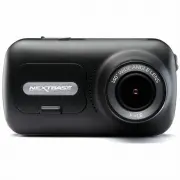
Page 2 - Introduction to your Dash Cam; The GPS will automatically adjust for Daylight Savings Time.
02 1. Tips for capturing best video footage: 1.1 Position the Dash Cam in the centre of the windscreen and ideally behind the rear view mirror so it is not a distraction to the driver. 1.2 Ensure that the area on the windscreen that the Dash Cam is looking through is clear of dirt and is within the ...
Page 3 - Table of Contents
EMERGENCY SOS FREQUENTLY ASKED QUESTIONS MYNEXTBASE VIDEO MODE / PLAYBACK MODE VIDEO MODE / PHOTO MODE / PLAYBACK MODE PLAYBACK MODE - VIDEO EDITING PLAYBACK MODE - PROTECT & DELETE MYNEXTBASE CONNECT™ MYNEXTBASE PLAYER™ - OVERVIEW MYNEXTBASE PLAYER™ - EDITING MYNEXTBASE CLOUD™ PC CONNECTION FIR...
Page 4 - CHOKING; Cautions on Using this Product; of an accident.; Precautions
04 WARNING: CAUTION: LCD: CHOKING HAZARD: Do not expose this product to rain, moisture or water under any circumstances,doing so may result in the risk of electric shock or fire. To reduce the risk of electric shock, do not perform any servicing other thanthat contained in the instruction manual unl...
Page 5 - Lithium-ion batteries are used in most NextbaseTM; Magnet Warnings; Product Warnings
Failure to heed the following warnings could result in an accident or collision resulting in death orserious injury. Distraction Warning This device is intended to enhance the situational awareness when used properly. If used improperly, you could become distracted by the display, which could lead t...
Page 6 - applicable local laws and regulations.; Notices; this device may not cause interference, and; Usage Precautions
06 Failure to heed the following precautions could result in personal injury or property damage, or negativelyimpact the device functionality. Battery Precaution - Do not immerse or expose the Dash Cam or batteries to rain, water or other liquids. - Do not leave the device exposed to a heat source o...
Page 8 - A full list of certifications can be found at; FCC - Supplier’s Declaration of Conformity Statement
08 SUPPLIER'S DECLARATION OF CONFORMITY(47 CFR Section 2.906). We; Tank Design(The responsible party, who must be located in the United States) Hereby, Declare that the essential requirements set out in the 47 CFR Sections 2.906 of FCC,have been fully fulfilled on our product with indication below: ...
Page 9 - Declaration of Conformity; Caerphilly, United Kingdom
09 NBDVR322GW 5V / 1.5A 12-24Vdc Car Power Cable (supplied) Fuse Type: 32mm / 2A Output: 5Vdc Hardwire Kit also available to purchase for a hidden, permanent power supply. 2.12M Pixel (1936 x 1097) 5G / 140° / F1.6 1920 x 1080 @ 60fps day & night 2.5" 732 (W) X 240 (H) pixels x RGB (720) 16:...
Page 10 - Product Features; Product appearance may differ slightly to that shown above.; Package Contents
10 Product Features Thank you for purchasing this Nextbase™ Dash Cam product, in this section we will outline some ofthe features available with this dash cam. HD Recording Capability 1080p HD recording at 60 fps, to record the road ahead. HD Touch Panel Display Bright, clear, high definition 2.5�...
Page 11 - Camera Parts and Controls; See below to identify the parts and controls of your Dash Cam
11 1 2 3 4 5 7 LEDs Top: Blue The Blue LED will be on while the Dash Cam is charging. It will turn off when charging is complete, - even if the Dash Cam is still plugged in.Bottom: Red The Red LED is permanently on while the Dash Cam is active. It will flash while recording. - Protect Button Press w...
Page 12 - Mount point located under the dust cover
12 Reset Dust Cover Mount point located under the dust cover USB Cover USB port located under the dust cover Light Sensor Automatically adjusts the screen brightness relative to the ambient light levels. Reset Button Press to force the Dash Cam to restart. Microphone Integrated microphone for audio ...
Page 13 - In Vehicle Installation
1 2 3 13 1 Insert MicroSD Card Insert a suitable MicroSD card (Class 10, minimum 48/Mbps) in to the Dash Cam, taking care that the gold contacts are facing towards the LCD screen side of the Dash Cam. Push the memory card until it clicks into place. Note: - Use the edge of a small coin (or similar o...
Page 16 - Adjusting the Dash Cam
9 Adjusting the Dash Cam With the mount attached to the windscreen, ensure that objects on the Dash Cam display are level and adjust as required. Ensure that the road ahead is at the centre of the image, in the central third of the display. If too much of the sky is visible it may risk underexposing...
Page 17 - to the left of this page.; Accessories; Nextbase Accessories Manual
17 Positioning Your Dash Cam Please read and follow the notes below for the safe operation of your Dash Cam within your vehicle. Before using the device on your windscreen, check the state and local laws and ordinances where you drive.Some laws prohibit or restrict the placement of objects on the wi...
Page 18 - Changing Mount Attachments; Removing Adhesive Residue
18 Changing Mount Attachments Follow the instructions below to switch between mounts attachments; 3M adhesive or suction. To attacheach mount, align the pins on the mount with the holes on the adhesive/suction attachment and slidefirmly to the right until you hear the pieces click into place. To rem...
Page 19 - First Time Use
19 First Time Use To ensure the set up of this Dash Cam is as quick and simple as possible, there is an easy to follow‘ First Time Use ’ menu. This menu is used to set your preferred Language, Country (inc. Time Zone) and Speed Units. This menu will appear when: 1. The Dash Cam is first turned on. 2...
Page 20 - First Time Use - Screens; Select Time Zone
First Time Use - Screens Options: English (UK), English (US), Dansk, Deutsch, EspanolFrancais, Italiano, Nederlands, Norsk, Suomi, Svenska 17 Select Time Zone GMT / UTC Select a Location to designateyour Time Zone.Selecting Other allows you tochoose a Time Zone manually. EUR: UK & Ireland, Belgi...
Page 21 - App Features; Google Play Store
App Features To enable Emergency SOSand more, you Dash Camneeds to be linked to yourphone. SKIP App Features Install MyNextbase Connect on your phone to begin. nxtb.se/app GET IT ON Google Play Download on the App Store Google Play Store iOS App Store Connecting Scan the QR Code (on iOS use your cam...
Page 22 - Video Settings; Video Menu’; Menus
22 The default settings have been carefully selected to allow you to use your Dash Camwithout the need to change any settings. However, should you wish to change a setting thenplease see below: - Use the touch screen to select a settings submenu (Video Settings, Setup, Driver Assistance, Communicati...
Page 23 - Setup Settings
GPS Stamp Turn On/Off the GPS stamp shown on recorded files. Options: On and Off Default: On Model Stamp Turn On/Off the Dash Cam model stamp shown on recorded files. Options: On and Off Default: On Dual Files When recording, both a high and low quality video are saved. The smaller file size of the ...
Page 25 - Emergency SOS; Driver Assistance
25 Driver Assistance Emergency SOS See next page (page 26) Reversing Camera With a rear-facing camera connected (Rear View, Cabin View, Rear Window), tapping the RearView Display on the screen will make it full screen (tap again to minimise). With the ReversingCamera function activated, when the Rea...
Page 26 - ”. Once turned ON, the Emergency SOS icon will appear; In the event of an incident; On and Off; Press to cancel the countdown. On phone “; Driver Assistance - Emergency SOS
Driver Assistance Emergency SOS Your Nextbase™ Dash Camera and MyNextbase Connect App features life-saving crash detection andemergency alerting technology. It is designed to automatically and directly connect you to the nearestAmbulance Service in the event of an accident when you are unable to cal...
Page 27 - Emergency
Emergency SOS (cont.) The below diagram illustrates how the user’s smart-phone and Dash Cam operate in the event of an incident. Emergency SOS (cont.) The below diagram illustrates how the user’s smart-phone and Dash Cam operate in the event of an incident. 27 High G-Sensor Activity (Crash) register...
Page 28 - Emergency SOS Frequently Asked Questions; Question; Can I set it off inadvertently?
28 Emergency SOS Frequently Asked Questions The below points are there to answer any further questions you might have about the Emergency SOS system. Question Response If I crash, will you notify the Police? No. The MyNextbase Connect™ app automatically sends your location, medical and vehicle detai...
Page 29 - MyNextbase ConnectTM; Setup Phone
MyNextbase Connect™ Apple App Store Google Play Store This page describes the steps required to connect your Dash Cam to the MyNextbase Connect™ App.For more information about using the App, see page 34 (MyNextbase Connect™). MyNextbase Paired Devices Setup Phone Paired Devices MyNextbase Connect In...
Page 30 - Folder Selection Screen; Protected; File Name; Playback Mode - Photo; Select to open the Dash Cam’s Menu system.
Folder Selection Screen When you select Playback Mode, you will have a choice of viewing your protected videos, youunprotected videos, or your photos. Not Recording 2 30 Protected Files Recording Videos Photos Preview Mode Protect Icon If present, the file is protected; if not present,the file is un...
Page 31 - Playback Mode - Video; Press to pause the video playback.
Protect Icon If present, the file is protected; if not present, the file is unprotected. Recording Length Shows the length of the current recording File Name Back button Return to the top Playback Menu (Protected Files, Unprotected Files, Photos) Protect Button Press this button to protect/unprotect...
Page 32 - Directions; before; Playback Mode - Video Editing
Directions Once in Edit Mode, you will see a white timeline bar with a green indicator and red indicator at either end.A white ball indicates how far through playback of the current file you are.While paused, press the ‘Trim Start’ button (top left) to move the green indicator bar to the current poi...
Page 34 - Connect to Dash Cam; Connect Dash Cam; Home Screen; NOT; Minimum requirements:
MyNextbase Connect Apple App Store Google Play Store MyNextbase Connect™ is an easy-to-use app that will enable you to effortlesslymanage and share your videos. In addition to this, there are features on theash Cam that can only be used in conjunction with the app; for example, theEmergency SOS func...
Page 35 - MyNextbase Player can be downloaded for free from the ‘; MyNextbase Player - Playback Software
35 MyNextbase Player Add Video Update Dash Cam Snapshot File List Edit Video Share Video Help Settings Add Video Remove Save 0 mph 0 miles 0 0 avg north 0 max 0 º N 0 º 0 º 0 º N 0 º 0 º 0 º E 15 30 45 60 75 90 105 120 135 150 00:00 165 180 00:00 ACCEL BRAKE L E F T R IG H T E NE SE X: 0 Y: 0 Z: 0 F...
Page 36 - MyNextbase Player - Editing Videos
36 To use MyNextbase Player to edit your recorded files, you need to ensure that the file you wish to edit is ™ currently playing in the Playback Window. You can do this by double clicking the file as it appears in the FileList window. When the file is playing, click on the ‘Edit’ button to begin th...
Page 37 - MyNextbase CloudTM; Share Video’
MyNextbase Cloud™ MyNextbase Cloud™ is our free online video sharing service where you can safely and securely store your Dash Cam files. Upload your file to the Nextbase™ Server using the ‘ Share Video’ function on either MyNextbase Player™, or the MyNextbase Connect™ app. Please note that upload t...
Page 38 - PC Connection; Access Files
38 PC Connection Use the supplied USB cable to connect the Dash Cam directly to your PC via the socket; do NOT connect the USB cable to the Powered Mount. Once connected the Dash Cam will turn on with three options available; ‘ Access Files ’, ‘ Power On ’, and ‘ Update Firmware ’, as described belo...
Page 39 - Firmware Update Information; How to Check your Dash Cam’s current Firmware Version; There are a number of ways for you to update your firmware version.
Firmware Update Information How to Check your Dash Cam’s current Firmware Version Within the Setup Menu, on page 4, select ‘System Info’. Here you will find information relating to yourDash Cam, including what firmware version is currently active (i.e R05.3) Ways to Update Firmware on your Dash Cam ...
Page 40 - TV Connection
HDMI HDMI HDMI TV Connection The Dash Cam can be connected to external video equipment such as a television or monitor toallow you to view your videos on a larger screen. You can connect your Dash Cam to any televisionor monitor using an HD-Out cable. Please note that not all televisions/monitors wi...
Page 41 - Nextbase SD Cards; to purchase online from
41 Nextbase SD Cards ™ For best results, we recommend using our Nextbase branded SD cards with your Dash Cam, available ™ to purchase online from , or your nearest retailer. nextbase.com We recommend formatting your SD Card every 2 weeks to ensure that there is enough space to recordand store new fo...
Page 42 - Frequently Asked Questions; Problem; Ensure that ‘Audio’ setting is turned ON within the Video Menu.
42 Frequently Asked Questions www.nextbase.com [email protected] Problem Solution No power to my Dash Cam but it works upon my computer. The cigarette power cable is not working. Inspect the fuse in the Car Power Cable plug. Replacement fuse = 2A 32mm type. If the fuse is found to be blown, inspect ...
Page 44 - only
44 By using the device, you agree to be bound by the terms and conditions of the followingsoftware licence agreement. Nextbase™ grants to you for the period for which you possess the relevant device a non-exclusive,non-transferrable (save in circumstances where you sell or transfer the relevant devi...
Page 45 - Limited Warranty; Warranty; to obtain warranty service.; Online Auction Purchases of Non-New Goods
45 Limited Warranty This limited warranty gives you specific legal rights, and you may have other legal rights, which vary fromstate to state (or by country or province). Nextbase™ does not exclude, limit or suspend other legal rightsyou may have under the laws of your state (or country or province)...
Page 46 - Dash Cams; Rear View Cameras; MyNextbase.com CloudTM
46 Dash Cam Services Compatibility More Nextbase Products ™ MyNextbase Connect™ The new Nextbase App totransfer, view, and edit footageon your smart-phone or tablet. MyNextbase Player™ View, edit, and shareyour footage on yourcomputer with the neweasy to use freePC/Mac software. Nextbase ™ Services ...
Page 47 - Dash Cam Functions
47 Dash Cam Functions Nextbase Cloud ™ Storage Nextbase ™ Module Cam Compatible (Rear Cam, Rear Facing Cam) Nextbase ™ Emergency Response MyNextbase Player ™ MyNextbase Connect ™